
 a3sal0n/falcongate
Open-source network gateway firewall that detects and blocks malware, ransomware, and intrusions using Zeek, VirusTotal, and threat intelligence feeds, with DNS encryption and IoT device protection.

A self-hosted security gateway that watches the devices on your home or small-office network and tells you when one of them is in trouble.
Falcongate turns a Linux machine with two network interfaces into a gateway that inspects network traffic, filters DNS, audits your devices for weak spots and raises alerts in a web console and by email. It is free, open source and runs entirely on hardware you control.
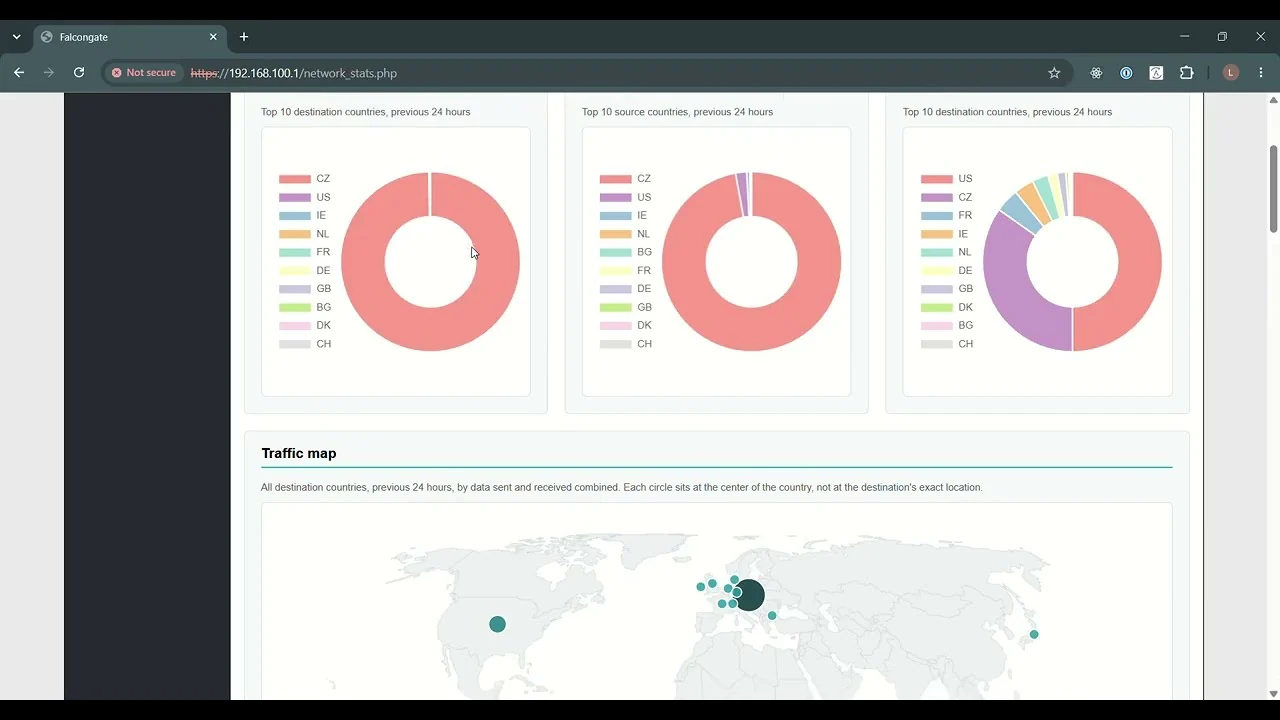
Most devices on a typical home or small-business network can't protect themselves. Cameras, TVs, printers, routers and other Internet of Things devices can't run antivirus software, rarely get updates and often ship with default passwords. Once one of them is compromised, it can be used to spy on its owner, attack other devices on the same network or join a botnet. Ransomware has made the same problem expensive for the people and small businesses who can least absorb the loss.
The network is the one place where all of these devices can be observed together. A compromised device still has to look up domains, contact its operators and probe its neighbours, whatever software it runs. Companies have long used that fact, with network monitoring and security teams to act on what it finds, but those tools are priced and designed for organisations with a security budget.
Falcongate exists to bring that kind of visibility to everyone else: people, families and small businesses who need protection but have no security team. It is built from proven open source components and set up by a single installer, and your traffic data stays on your own machine.
| Threat or activity | How it is detected | Needs |
|---|---|---|
| Lookups of known bad domains (malware, ransomware, phishing, fraud, scams and more) | DNS logs checked against The Block List Project, refreshed weekly | Nothing extra |
| Domain Generation Algorithm (DGA) malware | Patterns in a device's DNS lookups | Nothing extra |
| Malware sending spam | Patterns in a device's DNS lookups | Nothing extra |
| Port scans and traceroutes on your network | Zeek notices | Nothing extra |
| Suspicious domains | VirusTotal domain reports | VirusTotal API key |
| Malware files downloaded by your devices | Files extracted by Zeek, checked against VirusTotal | VirusTotal API key |
[!WARNING] The default-account check really does attempt logins, using Hydra and the SecLists credential lists. Run Falcongate only on networks you own or are authorised to test. Devices with lockout policies may react to these attempts.
Internet ── modem/router ── [WAN Falcongate LAN] ── switch/Wi-Fi ── your devices
| Component | Role |
|---|---|
| Zeek | Inspects traffic on the LAN interface and writes the logs Falcongate analyses |
| dnsmasq | DHCP and DNS filtering for the LAN |
| dnscrypt-proxy | Encrypted upstream DNS |
| iptables and ipset | Firewall, NAT and IP blocking |
| Nmap and Hydra | Open port discovery and default-account checks |
| Nginx and PHP | Web console |
| Falcongate engine (Python) | Correlates the above, raises alerts and sends reports |
Falcongate can be deployed in two modes:
The installer adds the software Falcongate depends on, including Zeek 8.0. It builds CPython 3.15.0 in /opt/python/3.15.0 for Falcongate's own use and leaves the system Python alone.
The installer reconfigures networking and system services, so use a dedicated machine and review the script first. Run it as root:
git clone https://github.com/A3sal0n/FalconGate.git
cd FalconGate/install/Ubuntu    # or install/Debian
sudo bash easy_install.sh
It asks for the deployment mode, the two interfaces and the LAN IP address. When it finishes, connect a device to the LAN side and open https://<LAN IP>.
Full instructions, including how each deployment mode is addressed:
User settings such as email recipients, the VirusTotal key and your own blacklists and whitelists use the fields from user_config.ini.tpl.
| To enable | Set |
|---|---|
| VirusTotal detections | vt_api_key, using a VirusTotal API key |
| Email alerts | mailer_address and mailer_pwd for the Gmail sender, and dst_emails for recipients |
| Your own blocking rules | blacklist, whitelist, domain_blacklist and domain_whitelist |
Blocklist feeds are off by default. To block ads or malware domains, add list URLs under [blacklists_domain] in config.ini.
Falcongate is being migrated to Ubuntu 24.04, Debian 13 and Python 3.15. Known limitations:
Bug reports and pull requests are welcome. See CONTRIBUTING.md and the Code of Conduct. The tests folder explains how to run the compatibility tests and exercise the detections.
Collaborators: easy4MEr






