Skip to content
KitploitKITPLOIT
工具博客
提交
工具博客
提交

黑客、渗透测试和网络安全工具,武装您的安全武器库!

Kitploit 是一个黑客、网络安全和渗透测试工具的目录。发现最新的项目更新,查找漏洞、分析系统、自动化测试并加强你的安全。

··订阅源·联系·隐私·© 2026 Kitploit

工具目录

分类

查看所有分类
Loading categories
RedCaddy — C2 redirector base on caddy | Kitploit
工具/GitHubGitHub/xiaolichan/redcaddy
Web Proxies & InterceptionNetwork SecurityCommand and ControlRed TeamingAnti-BotAdversarial Attack
GitHubxiaolichan/redcaddy

RedCaddy

C2 redirector base on caddy

查看仓库
211202年前Kitploit 审核通过

最受欢迎

查看全部 →

发现我们社区最常用的工具。

探索所有工具

浏览我们的工具集合

查看所有工具 →
分享

RedCaddy

基于 Caddy 的 C2 重定向器

目录

  • 概述
  • 特性
  • 说明
  • 快速开始
  • 逐步操作
  • 参考资料

概述

使用 C2 malleable profiles 生成 Caddyfile

特性

  • 按 GEOIP 国家屏蔽 IP
  • 通过 Header 匹配器允许请求
  • User-agent 和 IP 黑名单
  • 支持多重重定向
  • TeamServer 端口守卫(warden)

说明

  • modules 下的 "redwarden_parser.py" 来自 RedWarden,作者 mgeeky
  • 大量灵感来自这篇文章:🇬🇧 Carrying the Tortellini's golf sticks
  • IP 黑名单来自 RedGuard 的 IP 黑名单
  • User-Agent 黑名单来自 mitchellkrogza 的 UA 黑名单
  • self-signed-cert.py 修改自 CarbonCopy

快速开始

  • 生成自签名证书
  • 使用特定模块构建自定义 caddy(可选)
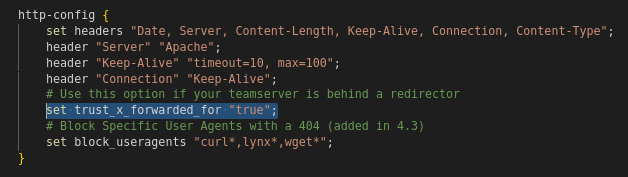
  • 确保 C2 malleable profile 中已启用 set trust_x_forwarded_for "true";
  • 将你的 C2 malleable profile 复制到 RedCaddy
  • 将你的重定向规则添加到文件中(例如 chains.list)
  • 最后,用这个丑陋的 Python 脚本生成 Caddyfile。

逐步操作

  • 1. 使用 "self-signed-cert.py" 生成自签名证书 :
    python3 self-signed-cert.py -t [Https Server]

    image 如你所见,localhost.* 已生成在 core/cert-out 目录中

    image

  • 2. 在 C2 malleable profile 中启用 set trust_x_forwarded_for "true";
    image

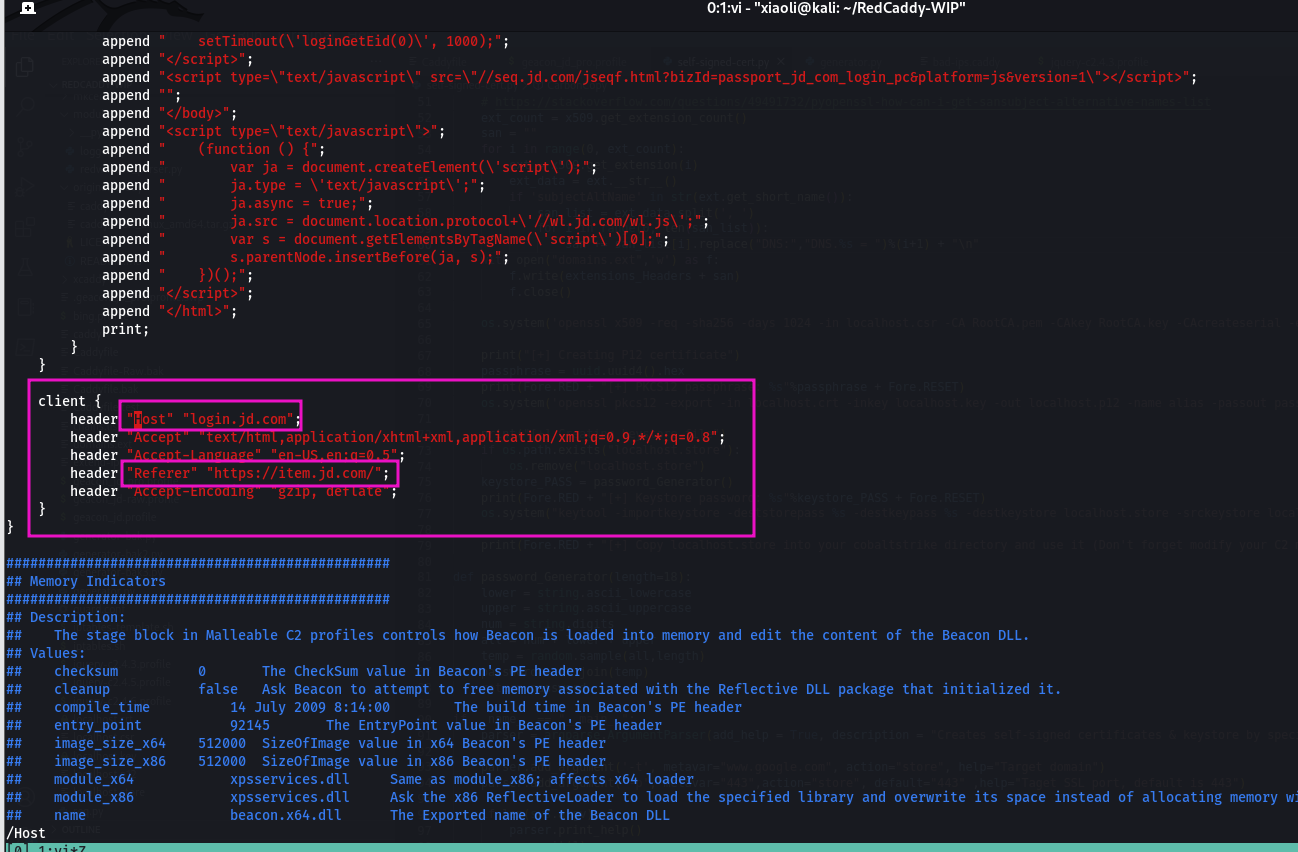
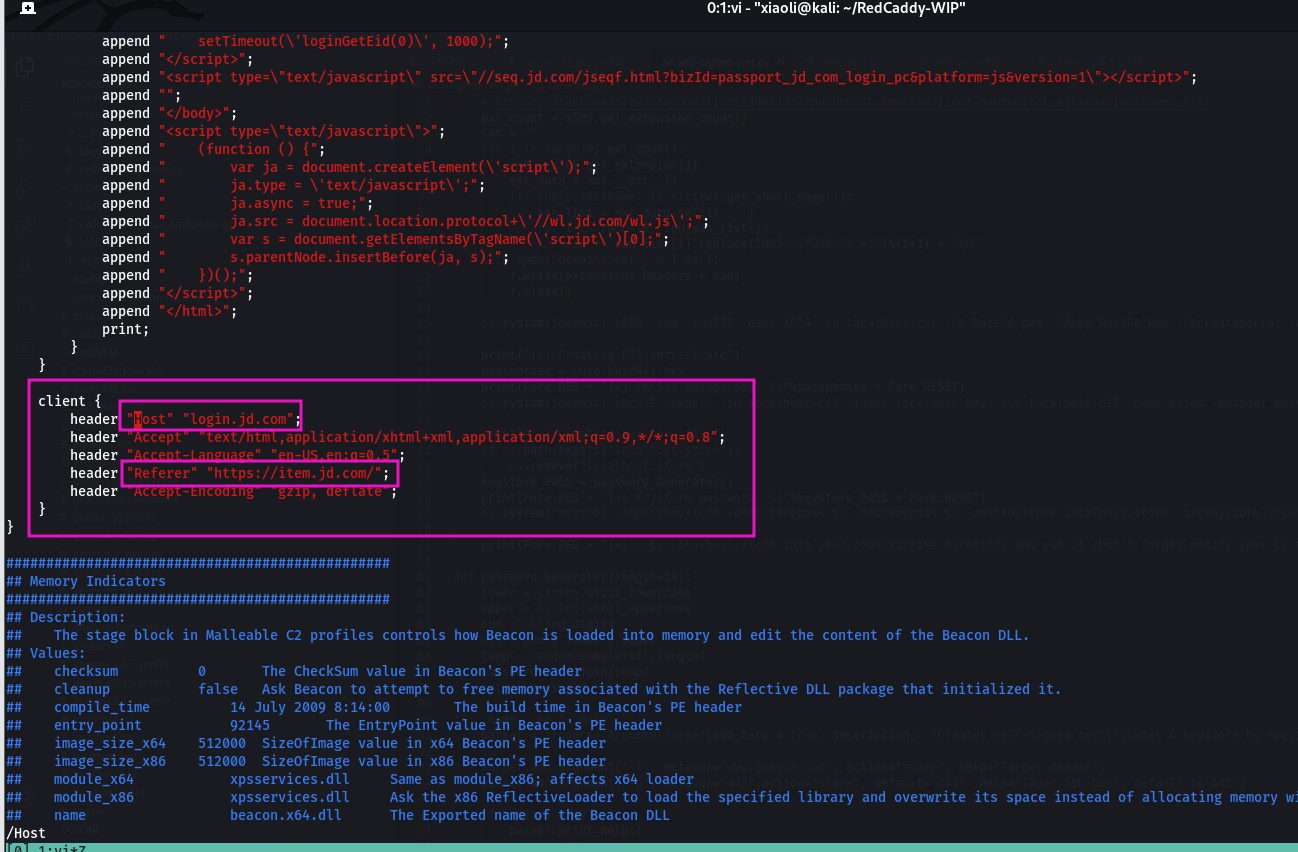
  • 3. 在 C2 malleable profile 的每个 client 块中需要定义 Host 和 Referer 头
    ⚠️ 注意:伪造的子域名必须存在于自签名证书的 SAN(subject alternative name)属性中
    image

  • 4. 将 C2 profile 复制到 RedCaddy
    我使用 threatexpress 的 jquery-c2.4.3.profile 作为演示

    image

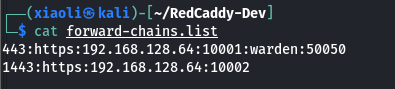
  • 5. 编辑 "chains.list" 中的重定向规则
    443:https:192.168.128.64:10001 表示来自端口 *:443 的入站流量重定向到 localhost 的 (C2 后端)

root@kitploit:~
git clone https://github.com/XiaoliChan/RedCaddy-core.git
cd cmd/caddy
go get github.com/aksdb/caddy-cgi/v2
go get github.com/XiaoliChan/caddy-maxmind-geolocation@self
CGO_ENABLED=0 go build
upx --best --lzma caddy
  • 问:为什么不用 json 或 yaml 格式?
    答:抱歉,我不知道如何用 json/yaml 格式编写 Caddyfile。

  • 问:不匹配的路由能否响应 404?
    答:嗯,caddy 做不到这一点 ¯\(ツ)/¯.

参考资料

  • Malleable C2 Profile parser
  • 🇬🇧 Carrying the Tortellini's golf sticks
  • Cobalt stagger
  • How to create self-signed certificates
  • Caddy access control
下载工具
https://192.168.128.64:10001

image

问:什么是 "warden"?
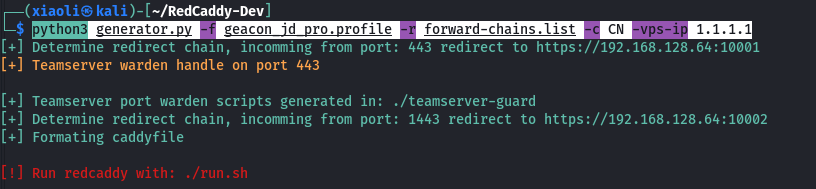
答:Warden 是一个白名单功能特性,用于保护你的 teamserver 端口;它会生成一个带有随机安全字符串的随机链接。在触发它之前,用户无法连接到 teamserver("warden" 位于 443 后面表示在 443 端口上处理该链接)。

  • 6. 传入 generator.py 所需的参数,然后回车。
    python3 generator.py -f geacon_jd_pro.profile -r forward-chains.list -c CN -vps-ip 1.1.1.1 image
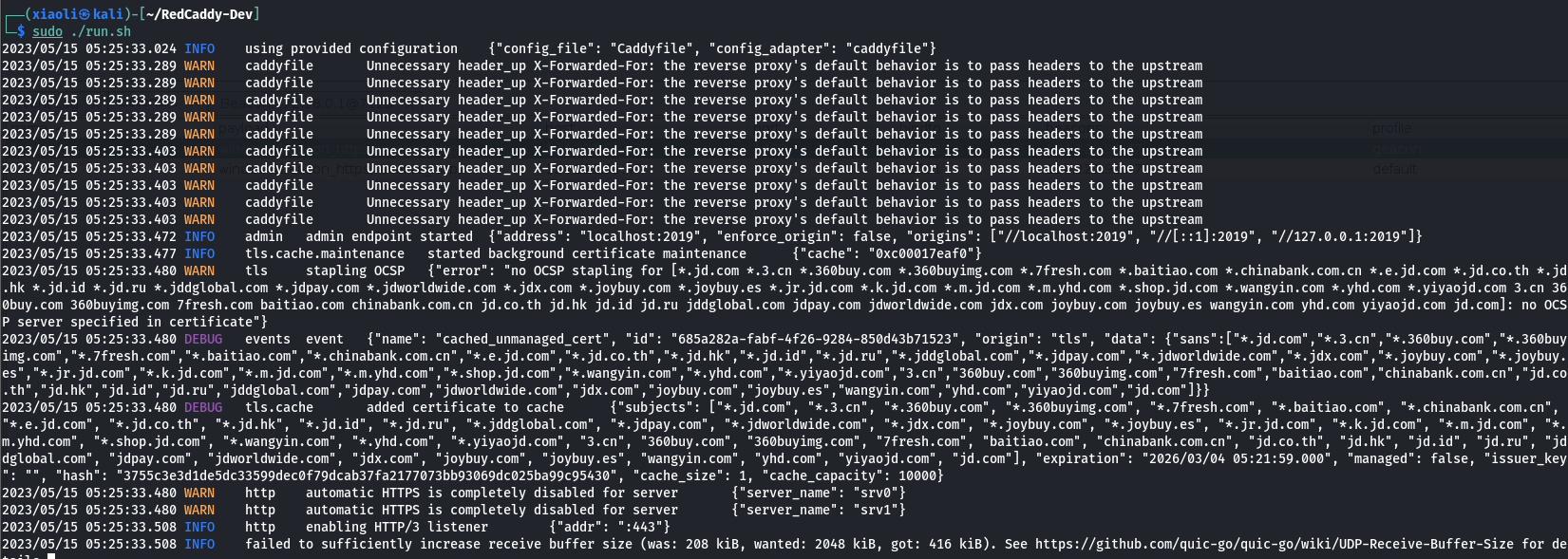
  • 7. 最后,使用刚生成的 Caddyfile 运行 caddy :)
    sudo ./run.sh image
  • 8. 可选:使用特定模块构建自定义 caddy