vigiloss/vigil
AI harness for long-running code audits, web pentests, and bug bounty hunting, built around how real investigations fail: anchored hypotheses, false negatives, and unreproducible reports.

Find bugs, follow the code, and prove what an attacker can do.



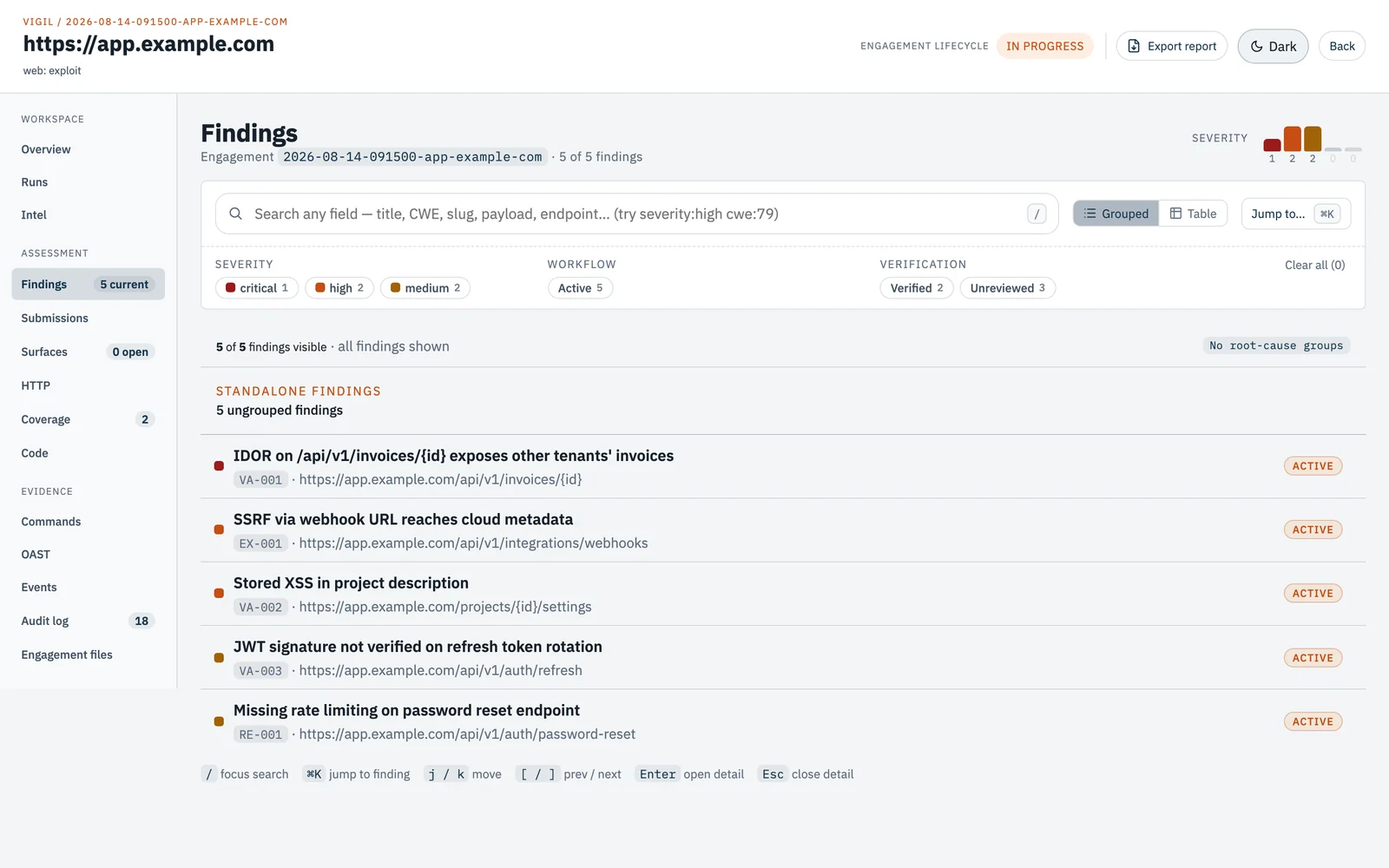
Vigil is an AI harness for code audits, web pentests, and bug bounty hunting. It coordinates Claude Code or Codex through broad review, focused rereads, authenticated testing, and runtime reproduction. Start with a codebase, a live application, or both.
The first pass is a starting point. Higher-risk code gets another look with a different objective. Specialists follow callers, challenge guards, join paths across modules, and hunt variants of defects they find. Promising leads stay on the books when runtime proof or access is still missing. Findings, evidence, coverage, and handoffs carry across sessions.
Vigil was used by its creator to reach the top 75 individuals worldwide by reputation on HackerOne’s Q4 2026 leaderboard. Built by an application security engineer, it was refined over eight months and hundreds of hours of hands-on use. Much of that work is in the methodology: how to find something worth testing, how to tell a failed test from a real negative, and how to keep a plausible source bug from becoming an unsupported impact claim.
You stay in charge. Review what the agents are testing and why. Ask for another pass when a conclusion is weak, check the proof, and read the final report. A completed workflow is useful accounting; the quality of the investigation still depends on the model and your review.
Authorized use only. Vigil drives offensive tooling against live systems. Use it only with explicit authorization and a reviewed scope. You are responsible for commands, credentials, infrastructure, and target effects. See SECURITY.md for private vulnerability reporting and how Vigil handles your engagement data, and LICENSE for the warranty.
One Fluent Bit engagement began with
plugins/out_es/es.c. Following the code expanded the admitted analysis scope to nine files.
| Result | |
|---|---|
| Elapsed session | 2 h 59 m, from the initial brief to a finished advisory |
| Analysis scope | 9 files / 2,572 LOC, all nine reviewed; a separate 495-file core tree indexed for context |
| Findings | 3, reproduced at runtime against a live Elasticsearch 8.15.0: one critical, two medium |
| Agent work | 17 tasks across five specialist agents; 945 tool calls and 7.2 hours of combined agent time |
https://github.com/user-attachments/assets/bf99a0bb-df71-4966-a390-708cf23d9e62
Watch the video if it does not play here. It is heavily trimmed to eleven moments from the three-hour session.
This was a historical replay. The source was pinned before an upstream fix. Repository lookups and cloning were off limits; CVE, advisory, and changelog checks waited until the write-up was done. This demonstrates the workflow on that revision, rather than a fresh zero-day discovery benchmark. One finding remains withheld pending vendor disclosure.
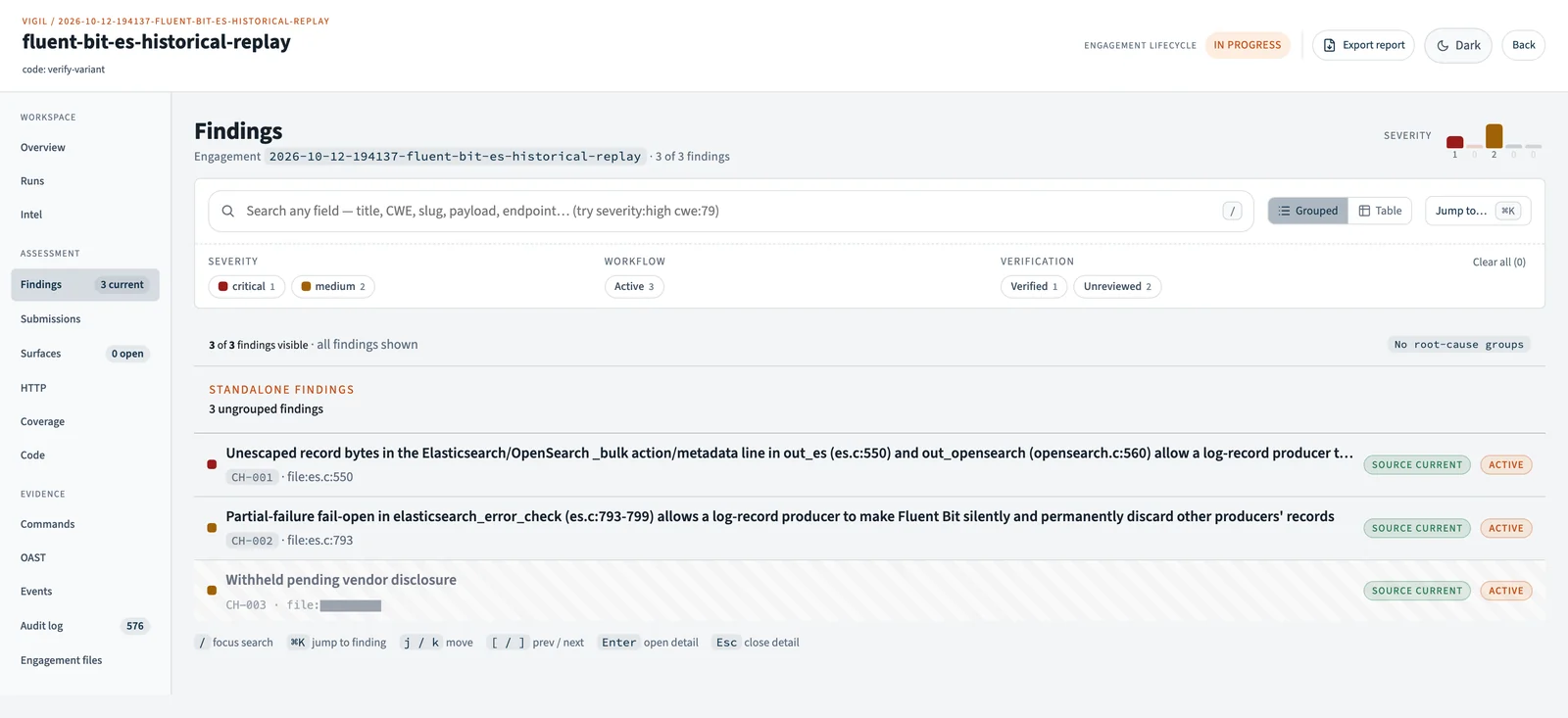
out_es pastes a record-derived index name into Bulk API syntax. A log producer who controls
that field can add an extra action line, sent under Fluent Bit's Elasticsearch credential.
Against a cluster with security enabled and a collector role restricted to fluent-bit*, one
record deleted another producer's document without Fluent Bit recording an error. The sibling
out_opensearch implementation carries the same code. Upstream fixed this in 4.2.6; it has
no CVE, GHSA, or published advisory.
A separate verifier dispatch challenged the critical finding five ways. Two challenges were resolved by runtime capture. Severity changed from 9.1 to 7.1 on scope reasoning, then returned to 9.1 after an authenticated retest measured the availability loss. A third agent received only the draft advisory and found six errors, including repeated incorrect line citations and a proposed patch that would have hung the process. Those errors were corrected before release.
Lab commands went through the audited execution surface, retaining their purpose, target, exit status, and output. Advisory claims trace to those records, runtime transcripts, or verifier scripts. The withheld finding stays with maintainers until a fix ships or the disclosure window closes.
Install uv, then install the release and set up your private workspace. The release includes the CLI, backend, prompts, documentation, and prebuilt UI; Git and Node are not needed.
uv tool install --from https://github.com/VigilOSS/Vigil/releases/download/v2.12.0/vigil-2.12.0-py3-none-any.whl vigil
vigil install
Later, vigil update installs the newest release and restarts the services it left stale.
Install and sign in to an agent client: Claude Code, Codex, OpenCode, ZCode, Goose, Kimi, or Pi. Setup differences are in agent clients, and provider limits on security testing are in models and access. ZCode desktop has extra setup steps: see ZCode setup.
Then start Vigil:
vigil engagement start
Choose Create new engagement, answer the questions, then pick your client and a mode:
code to audit source, web to test a live application. Later runs of the same command list
your engagements by recent activity.
Vigil opens your client with a lead agent. It plans the work, sends specialist agents to investigate, and records what they find. The CLI and prompt files call this lead agent the operator. Talk to it in your client like any other conversation.
Source review needs only uv, your agent client, and ripgrep (rg) on the host. Docker can
wait until the work needs to build or run the target.
vigil engagement create --type code --name acme --source-dir ./acme
vigil engagement start
--source-dir points at the original project. Before copying it, the lead agent asks you to
confirm the source and that you trust its build and test code to run inside Vigil's sandbox.
It then makes one sealed audit copy. The original stays untouched, and Git history is
optional. Without --source-dir, put the files in the source/ folder that create prints.