<br />
<img src="https://assets.kitploit.com/production/public/readmes/56857/03a87bda02a41a7660c689de28dc906472e3ef7e78b546231068b62071a1bc15/84705e34a782298d095ed2c9ea6513c6e50a79337589b4f9f13a4152d68114c3-display-v1.webp" width="80"/>
### Bruno - 用于探索和测试 API 的开源 IDE。
[](https://badge.fury.io/gh/usebruno%2Fbruno)
[](https://github.com/usebruno/bruno/actions/workflows/tests.yml)
[](https://github.com/usebruno/bruno/pulse)
[](https://twitter.com/use_bruno)
[](https://www.usebruno.com)
[](https://www.usebruno.com/downloads)
**English**
| [Українська](https://github.com/usebruno/bruno/blob/main/docs/readme/readme_ua.md)
| [Русский](https://github.com/usebruno/bruno/blob/main/docs/readme/readme_ru.md)
| [Türkçe](https://github.com/usebruno/bruno/blob/main/docs/readme/readme_tr.md)
| [Deutsch](https://github.com/usebruno/bruno/blob/main/docs/readme/readme_de.md)
| [Français](https://github.com/usebruno/bruno/blob/main/docs/readme/readme_fr.md)
| [Português (BR)](https://github.com/usebruno/bruno/blob/main/docs/readme/readme_pt_br.md)
| [한국어](https://github.com/usebruno/bruno/blob/main/docs/readme/readme_kr.md)
| [বাংলা](https://github.com/usebruno/bruno/blob/main/docs/readme/readme_bn.md)
| [Español](https://github.com/usebruno/bruno/blob/main/docs/readme/readme_es.md)
| [Italiano](https://github.com/usebruno/bruno/blob/main/docs/readme/readme_it.md)
| [Română](https://github.com/usebruno/bruno/blob/main/docs/readme/readme_ro.md)
| [Polski](https://github.com/usebruno/bruno/blob/main/docs/readme/readme_pl.md)
| [简体中文](https://github.com/usebruno/bruno/blob/main/docs/readme/readme_cn.md)
| [正體中文](https://github.com/usebruno/bruno/blob/main/docs/readme/readme_zhtw.md)
| [العربية](https://github.com/usebruno/bruno/blob/main/docs/readme/readme_ar.md)
| [日本語](https://github.com/usebruno/bruno/blob/main/docs/readme/readme_ja.md)
| [ქართული](https://github.com/usebruno/bruno/blob/main/docs/readme/readme_ka.md)
| [Nederlands](https://github.com/usebruno/bruno/blob/main/docs/readme/readme_nl.md)
| [فارسی](https://github.com/usebruno/bruno/blob/main/docs/readme/readme_fa.md)
| [हिन्दी](https://github.com/usebruno/bruno/blob/main/docs/readme/readme_hi.md)
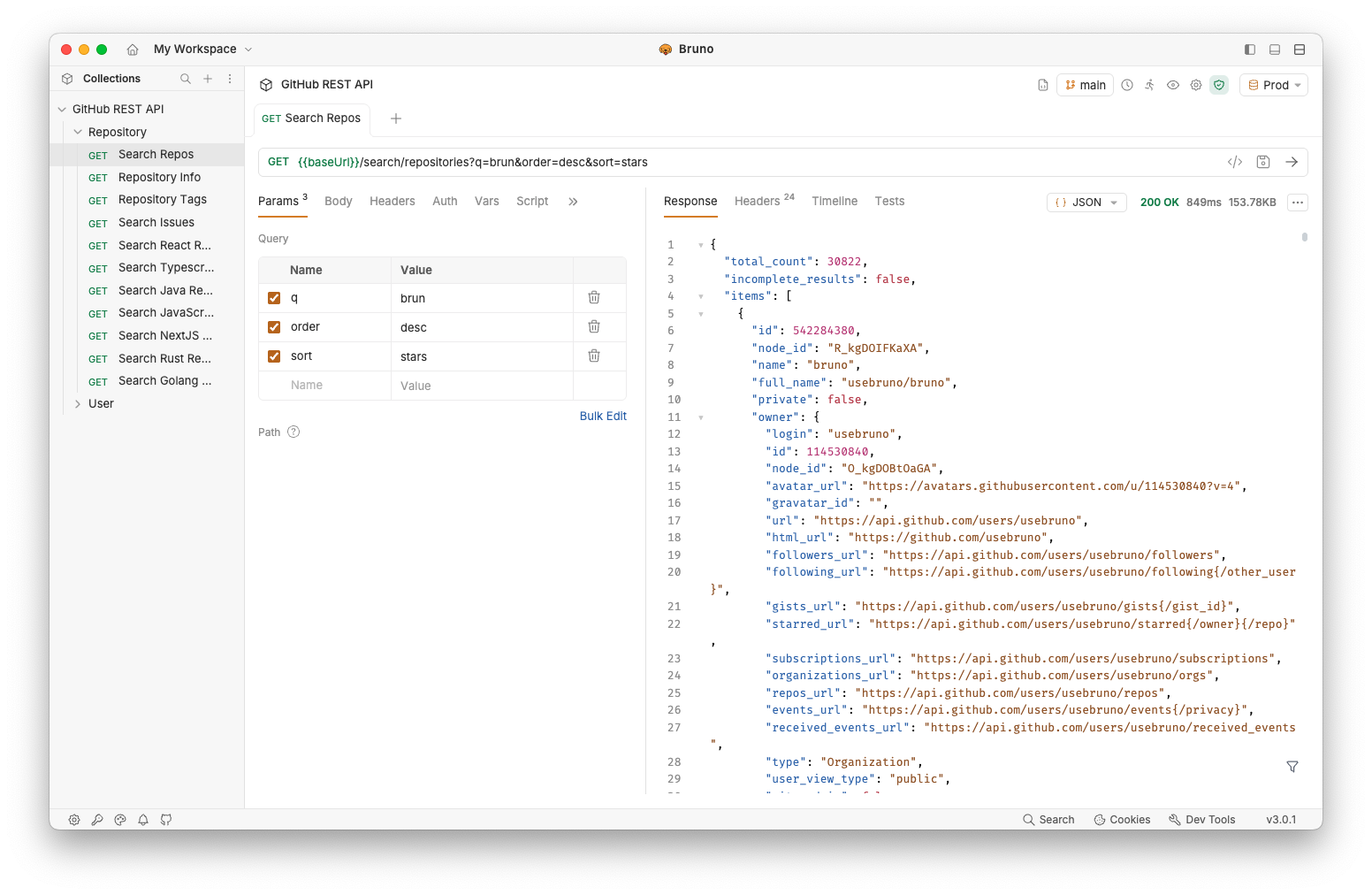
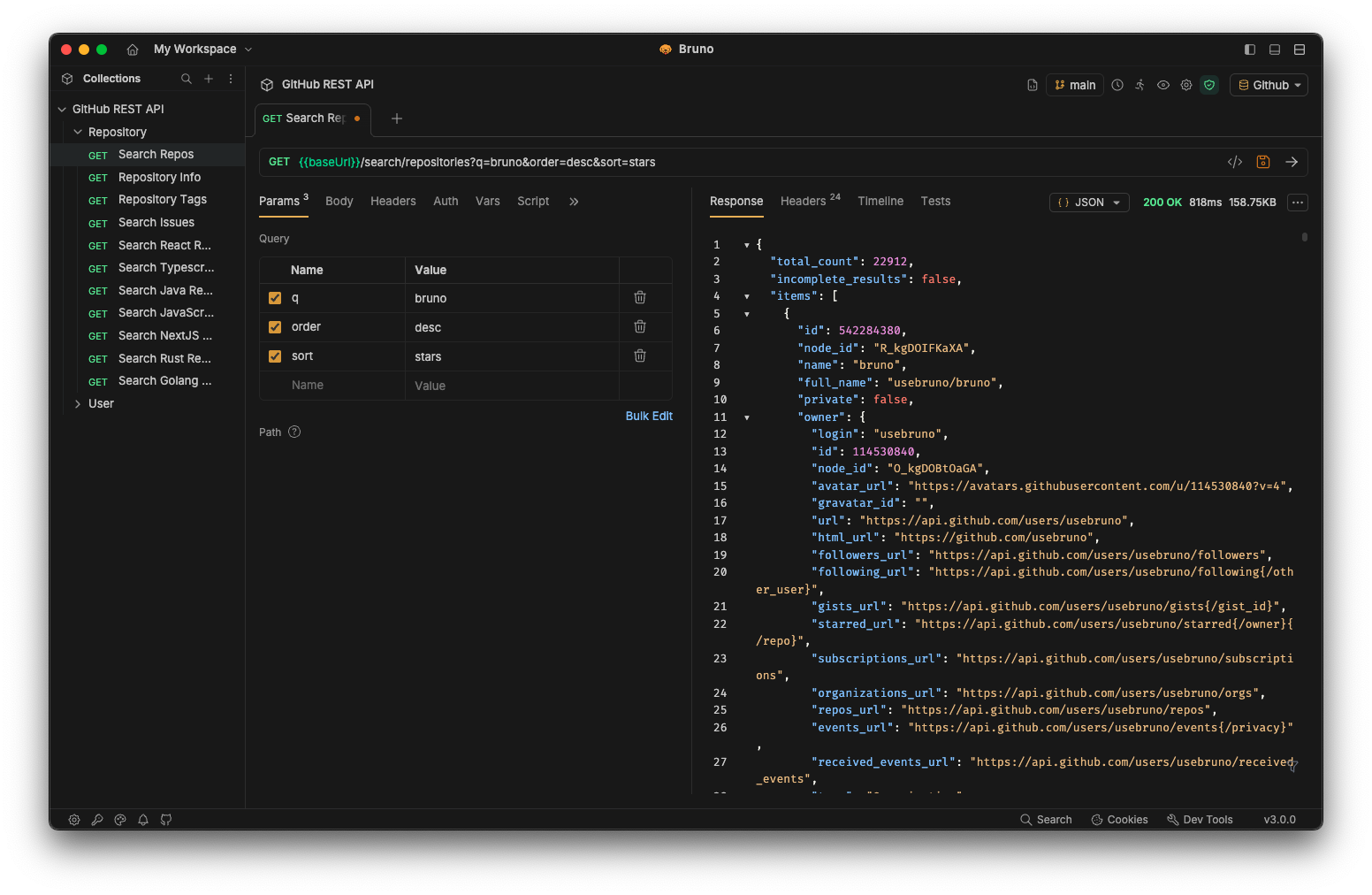
Bruno 是一款全新且创新的 API 客户端,旨在彻底改变 Postman 及类似工具所代表的现状。
Bruno 将你的集合直接存储在文件系统上的文件夹中。我们使用一种纯文本标记语言 Bru 来保存 API 请求的相关信息。
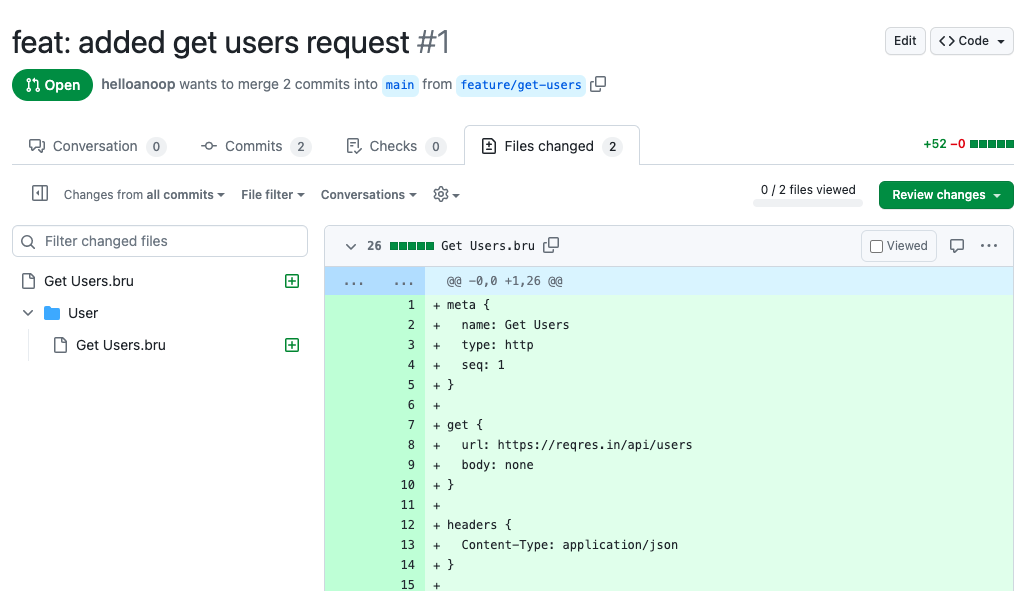
你可以使用 Git 或任何你选择的版本控制系统来协作管理你的 API 集合。
Bruno 仅支持离线使用。我们永远不会为 Bruno 添加云同步功能。我们重视你的数据隐私,并认为数据应当保留在你的设备上。请阅读我们的长期愿景 [此处](https://github.com/usebruno/bruno/discussions/269)
[下载 Bruno](https://www.usebruno.com/downloads)
📢 观看我们在 India FOSS 3.0 大会上的最新演讲 [此处](https://www.youtube.com/watch?v=7bSMFpbcPiY)
 <br /><br />
## 商业版本 ✨
我们的大部分功能都是免费且开源的。
我们致力于在[开源原则与可持续性](https://github.com/usebruno/bruno/discussions/269)之间取得和谐平衡。
你可以了解我们的[付费版本](https://www.usebruno.com/pricing),看看是否有你或你的团队可能觉得有用的额外功能! <br/>
## 目录
- [安装](#installation)
- [Bruno CLI](#bruno-cli)
- [使用 Docker 运行](#run-with-docker)
- [功能特性](#features)
- [跨多个平台运行 🖥️](#run-across-multiple-platforms-%EF%B8%8F)
- [通过 Git 协作 👩💻🧑💻](#collaborate-via-git-%E2%80%8D%E2%80%8D)
- [重要链接 📌](#important-links-)
- [展示 🎥](#showcase-)
- [分享评价 📣](#share-testimonials-)
- [发布到新的包管理器](#publishing-to-new-package-managers)
- [保持联系 🌐](#stay-in-touch-)
- [商标](#trademark)
- [贡献 👩💻🧑💻](#contribute-%E2%80%8D%E2%80%8D)
- [作者](#authors)
- [许可证 📄](#license-)
## 安装
Bruno 可在[我们的网站](https://www.usebruno.com/downloads)上以二进制文件形式下载,支持 Mac、Windows 和 Linux。
你也可以通过 Homebrew、Chocolatey、Scoop、Snap、Flatpak 和 Apt 等包管理器安装 Bruno。
```sh
# On Mac via Homebrew
brew install bruno
# On Windows via Chocolatey
choco install bruno
# On Windows via Scoop
scoop bucket add extras
scoop install bruno
# On Windows via winget
winget install Bruno.Bruno
# On Linux via Snap
snap install bruno
# On Linux via Flatpak
flatpak install com.usebruno.Bruno
# On Arch Linux via AUR
yay -S bruno
# On Linux via Apt
sudo mkdir -p /etc/apt/keyrings
sudo apt update && sudo apt install gpg curl
curl -fsSL "https://keyserver.ubuntu.com/pks/lookup?op=get&search=0x9FA6017ECABE0266" \
| gpg --dearmor \
| sudo tee /etc/apt/keyrings/bruno.gpg > /dev/null
sudo chmod 644 /etc/apt/keyrings/bruno.gpg
echo "deb [arch=amd64 signed-by=/etc/apt/keyrings/bruno.gpg] http://debian.usebruno.com/ bruno stable" \
| sudo tee /etc/apt/sources.list.d/bruno.list
sudo apt update && sudo apt install bruno
```
## Bruno CLI
**Bruno CLI** 让你可以从命令行运行 API 集合,非常适合自动化测试和 CI/CD 流水线。使用你选择的包管理器从 npm 安装:
```sh
npm install -g @usebruno/cli
```
导航到包含你的集合的目录并运行:
```sh
# Run every request in the collection
bru run
# Run a single request
bru run request.bru
# Run a folder against a specific environment
bru run folder --env Local
```
完整的命令参考,请参阅 [Bruno CLI 文档](https://docs.usebruno.com/bru-cli/overview)。
## 使用 Docker 运行
**Bruno CLI** 的官方 Docker 镜像让你可以在 CI/CD 流水线和本地运行 API 集合,而无需在主机上安装 Node.js 或 npm。每次 CLI 发布时,镜像都会同时发布到 [Docker Hub](https://hub.docker.com/r/usebruno/cli) 和 [GitHub Container Registry](https://ghcr.io/usebruno/cli),提供适用于 `linux/amd64` 和 `linux/arm64` 的 `alpine` 和 `debian` 变体。
```sh
# Pull from Docker Hub
docker pull usebruno/cli:latest
# Or pull from the GitHub Container Registry
docker pull ghcr.io/usebruno/cli:latest
# Run a collection by mounting the current directory
docker run -v $(pwd):/bruno usebruno/cli run
```
关于变体、标签矩阵、环境文件和 CI 示例(GitHub Actions、GitLab CI、Jenkins),请参阅完整的 [Bruno CLI Docker 文档](https://docs.usebruno.com/bru-cli/docker)。
## 功能特性
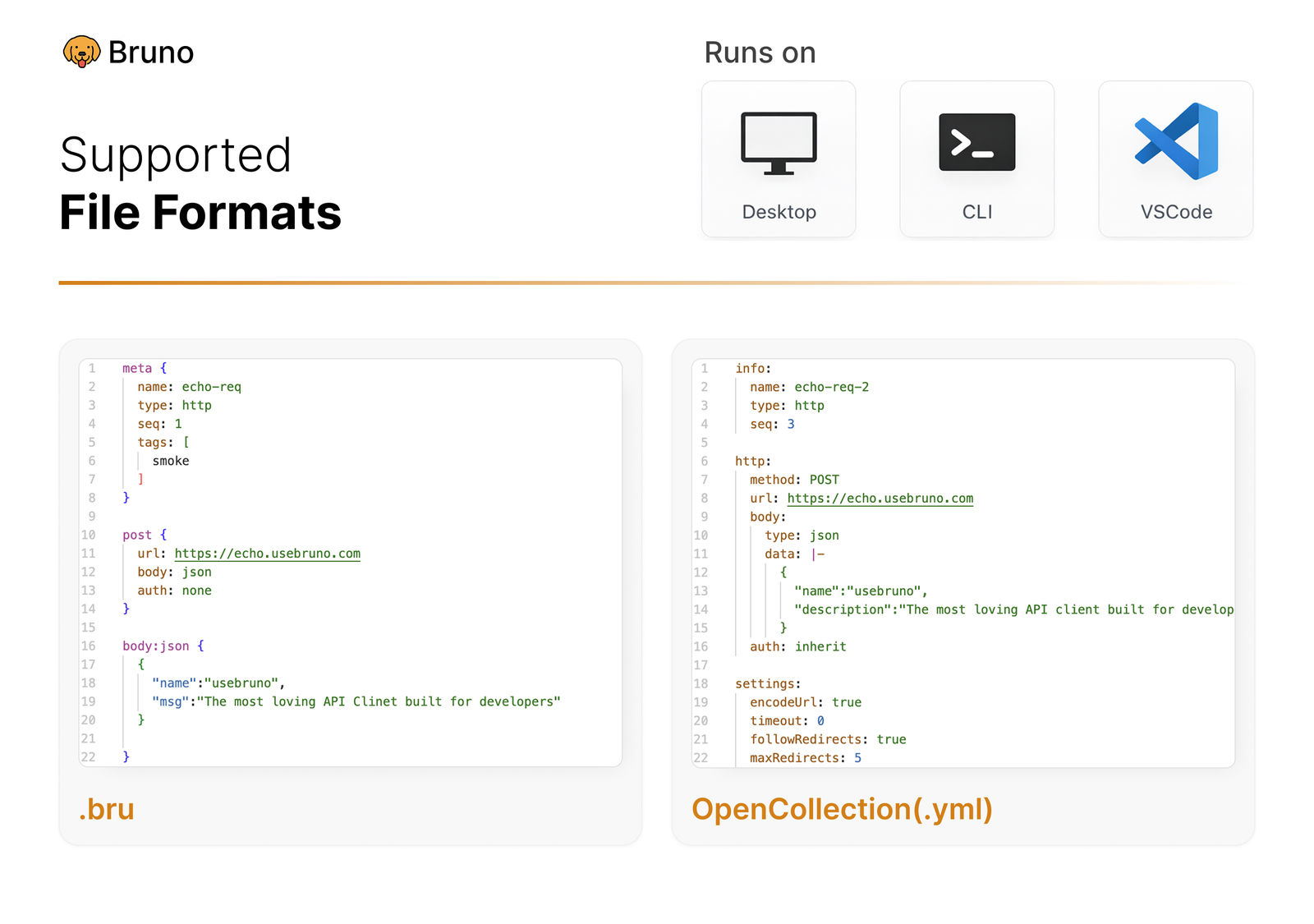
### 跨多个平台运行 🖥️
 <br /><br />
### 通过 Git 协作 👩💻🧑💻
或任何你选择的版本控制系统
 <br /><br />
## 重要链接 📌
- [我们的长期愿景](https://github.com/usebruno/bruno/discussions/269)
- [路线图](https://www.usebruno.com/roadmap)
- [文档](https://docs.usebruno.com)
- [Stack Overflow](https://stackoverflow.com/questions/tagged/bruno)
- [网站](https://www.usebruno.com)
- [定价](https://www.usebruno.com/pricing)
- [下载](https://www.usebruno.com/downloads)
## 展示 🎥
- [用户评价](https://github.com/usebruno/bruno/discussions/343)
- [知识中心](https://github.com/usebruno/bruno/discussions/386)
- [Scriptmania](https://github.com/usebruno/bruno/discussions/385)
## 分享评价 📣
如果 Bruno 在工作中和你的团队中帮助到了你,请不要忘记在我们的 [GitHub 讨论区分享你的评价](https://github.com/usebruno/bruno/discussions/343)
## 发布到新的包管理器
请参阅[此处](https://github.com/usebruno/bruno/blob/main/publishing.md)了解更多信息。
## 保持联系 🌐
[𝕏 (Twitter)](https://twitter.com/use_bruno) <br />
[网站](https://www.usebruno.com) <br />
[Discord](https://discord.com/invite/KgcZUncpjq) <br />
[LinkedIn](https://www.linkedin.com/company/usebruno)
## 商标
**名称**
`Bruno` 是 [Anoop M D](https://www.helloanoop.com/) 持有的商标
**Logo**
Logo 来源于 [OpenMoji](https://openmoji.org/library/emoji-1F436/)。许可证:CC [BY-SA 4.0](https://creativecommons.org/licenses/by-sa/4.0/)
## 贡献 👩💻🧑💻
我很高兴你希望改进 bruno。请查看[贡献指南](https://github.com/usebruno/bruno/blob/main/contributing.md)
即使你无法通过代码做出贡献,也请不要犹豫,提交需要实现的 bug 和功能请求,以解决你的使用场景。
## 作者
<div align="center">
<a href="https://github.com/usebruno/bruno/graphs/contributors">
<img src="https://contrib.rocks/image?repo=usebruno/bruno" />
</a>
</div>
## 许可证 📄
[MIT](https://github.com/usebruno/bruno/blob/main/license.md)