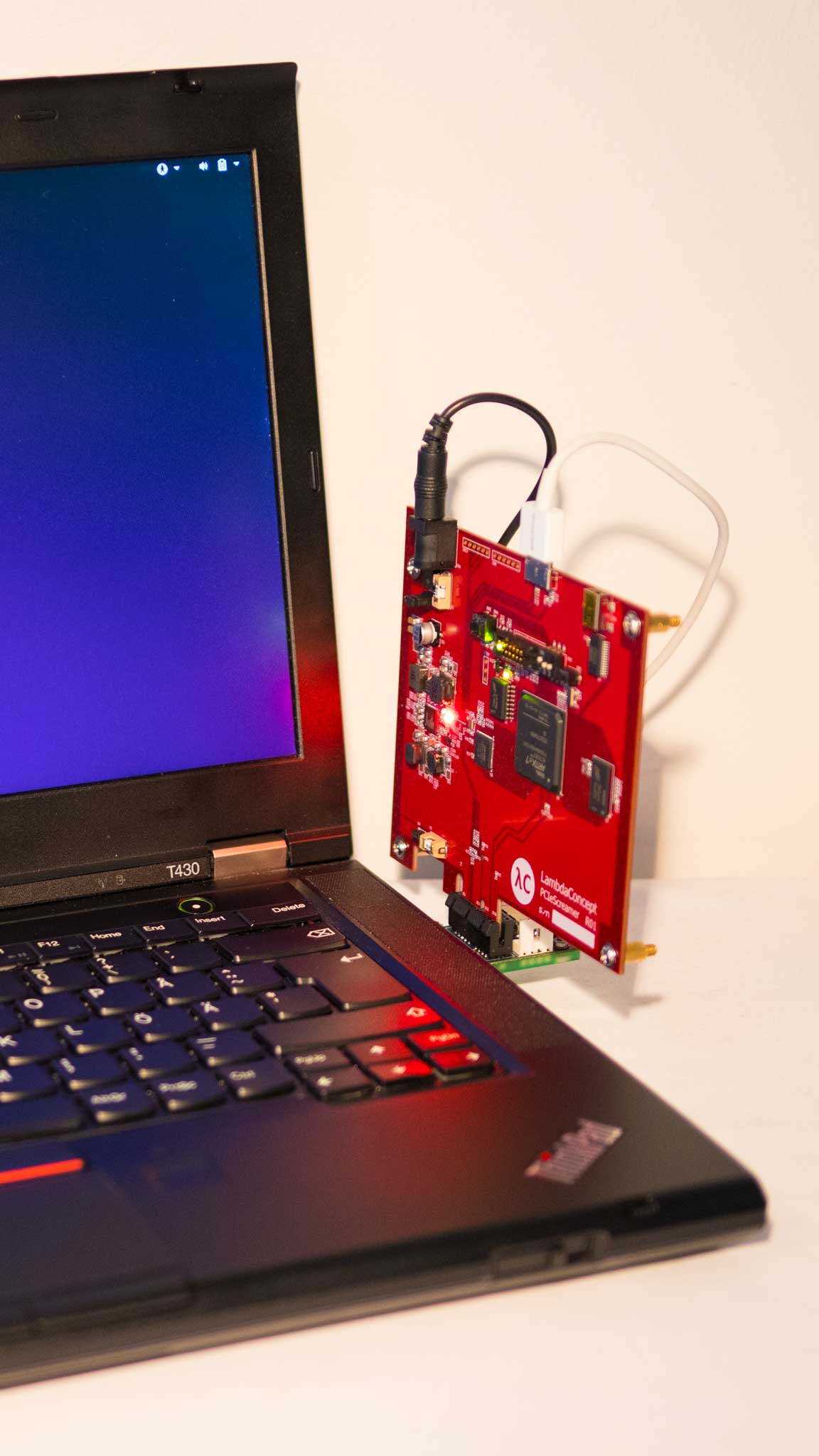
MemProcFS: =============================== MemProcFS 是一种简单便捷的方式,可将物理内存视为虚拟文件系统中的文件进行查看。 无需复杂的命令行参数,即可轻松实现简单的点击式内存分析!通过挂载的虚拟文件系统中的文件,或通过功能丰富的应用程序库(可集成到你自己的项目中)访问内存内容和痕迹! 分析内存转储文件、通过 DumpIt 或 WinPMEM 获取的<b>实时内存</b>、来自虚拟机的<b>读写模式下的实时内存</b>,或来自 [PCILeech](https://github.com/ufrisk/pcileech/) [FPGA](https://github.com/ufrisk/pcileech-fpga/) 硬件设备的实时内存! 甚至可以通过安全连接连接到远程 LeechAgent 内存采集代理——从而支持远程实时内存事件响应——即使是在较高延迟、低带宽的连接上!深入了解[使用 MemProcFS 分析虚拟机](https://github.com/ufrisk/MemProcFS/wiki/VM)、[LiveCloudKd](https://github.com/ufrisk/LeechCore/wiki/Device_LiveCloudKd) 或 [VMware](https://github.com/ufrisk/LeechCore/wiki/Device_VMWare)! 使用你最喜欢的工具来分析内存——使用你最喜欢的十六进制编辑器、Python 和 PowerShell 脚本、WinDbg,或你最喜欢的反汇编器和调试器——只需通过读写文件,所有这些工具都能与 MemProcFS 轻松配合工作! <p align="center"><img src="https://assets.kitploit.com/production/public/readmes/2830/a111e1c899f2551096ce422ed932f3525456af2bc6ffa2d5e6abac1fee1f8849.png" height="190"/><img src="https://assets.kitploit.com/production/public/readmes/2830/4ecebbb25e1d08180796de105a630a7760973a6f47f2403ef1a48644126de979.jpg" height="190"/><img src="https://assets.kitploit.com/production/public/readmes/2830/11e55ba5f11c9d1137246542e03037eb387b0d64d14314d6e775e5f80108b691.png" height="190"/><img src="https://assets.kitploit.com/production/public/readmes/2830/7b379ca3d99eb25b9c638181fa4f0d0bf4c53f8c1f0e9475b03346670eeaab42.png" height="190"/></p> 快速入门! ============ 查看来自 [13Cubed](https://www.13cubed.com/) 的精彩快速演示,立即上手!此外,还可以查看我早前在 Disobey 和 BlueHat 上的会议演讲。 <p align="center"> <a href="https://youtu.be/hjWVUrf7Obk" alt="13Cubed: MemProcFS - This Changes Everything" target="_new"><img src="https://assets.kitploit.com/production/public/readmes/placeholders/f0fc86cfe65f76d40e15aaec61704ec8220a56dc89d4be03c46f67cb31b9fa8c.svg" height="230"/></a> <a href="https://youtu.be/mca3rLsHuTA?t=952" alt="Disobey 2020 talk - Live Memory Attacks and Forensics" target="_new"><img src="https://assets.kitploit.com/production/public/readmes/placeholders/f0fc86cfe65f76d40e15aaec61704ec8220a56dc89d4be03c46f67cb31b9fa8c.svg" height="230"/></a> <a href="https://www.youtube.com/watch?v=Da_9SV9FA34" alt="Microsoft BlueHatIL 2019 talk - Practical Uses for Hardware-assisted Memory Visualization" target="_new"><img src="https://assets.kitploit.com/production/public/readmes/placeholders/f0fc86cfe65f76d40e15aaec61704ec8220a56dc89d4be03c46f67cb31b9fa8c.svg" height="230"/></a></p> 如需更多文档,**请查看[项目 wiki](https://github.com/ufrisk/MemProcFS/wiki)**,了解有关文件系统本身、其 API 及其插件模块的深入详细信息!如需了解有关内存采集方法的更多信息,请查看 **[LeechCore 项目](https://github.com/ufrisk/LeechCore/)**,或加入 [PCILeech/MemProcFS](https://pcileech.com/discord) Discord 服务器! 要开始使用,请下载[最新的二进制文件、模块和配置文件](https://github.com/ufrisk/MemProcFS/releases/latest)并查看[指南](https://github.com/ufrisk/MemProcFS/wiki)! 安装: =========== <b>从最新版本获取最新的[二进制文件、模块和配置文件](https://github.com/ufrisk/MemProcFS/releases/latest)。</b>或者克隆仓库并从源代码构建。 ## Windows 挂载文件系统需要安装 <b>Dokany 文件系统库</b>。请在以下地址下载并安装 Dokany 版本 2 的最新版本:https://github.com/dokan-dev/dokany/releases/latest 要捕获实时内存(无需 PCILeech FPGA 硬件),请下载 [DumpIt](https://www.magnetforensics.com/resources/magnet-dumpit-for-windows) 并通过 DumpIt /LIVEKD 模式启动 MemProcFS。或者,获取 WinPMEM:下载最新的已签名 [WinPMEM 驱动](https://github.com/Velocidex/c-aff4/tree/master/tools/pmem/resources/winpmem) 并将其与 MemProcFS 放在一起——详细说明见 [LeechCore Wiki](https://github.com/ufrisk/LeechCore/wiki/Device_WinPMEM)。 PCILeech FPGA 需要硬件,并且需要将 _FTD3XXWU.dll_ 与 MemProcFS 二进制文件放在一起。请查看 [LeechCore](https://github.com/ufrisk/LeechCore) 项目以获取说明。 ## Linux 在安装了 FUSE 的大多数 Linux 发行版上,MemProcFS 应该可以直接开箱即用。如果从源代码构建,请查看关于 [Linux 上的 MemProcFS](https://github.com/ufrisk/MemProcFS/wiki/_Linux) 的指南。 ## macOS 从[此处](https://github.com/ufrisk/MemProcFS/releases/latest)下载最新的 MemProcFS 版本。当 MemProcFS 用作挂载的虚拟文件系统时,它依赖于 **macFuse**,而后者需要 .kext。请在[此处](https://github.com/macfuse/macfuse/releases/latest)下载并安装 macFuse。如果通过受支持的 C/C++/Rust API 使用 MemProcFS,则不需要 macFuse。 广泛的 Python、Rust、Java、Go、C# 和 C/C++ API: =============================== 将 MemProcFS 集成到你的 [C/C++](https://github.com/ufrisk/MemProcFS/wiki/API_C)、[C#](https://github.com/ufrisk/MemProcFS/wiki/API_CSharp)、[Java](https://github.com/ufrisk/MemProcFS/wiki/API_Java)、[Go](https://github.com/TexHik620953/go-memprocfs/)(第三方)、[Python](https://github.com/ufrisk/MemProcFS/wiki/API_Python) 或 [Rust](https://github.com/ufrisk/MemProcFS/wiki/API_Rust) 编程项目中!MemProcFS 中的所有内容都通过易于使用的 API 暴露,供你自己的项目使用!插件友好的架构允许用户轻松地使用 C/C++/Rust/Python 插件扩展 MemProcFS! MemProcFS 中的所有内容都以 API 形式暴露。API 适用于 C/C++ `vmmdll.h`、C# [nuget 包](https://www.nuget.org/packages/Vmmsharp/)、Java、Python [pip 包](https://pypi.org/project/memprocfs/) 和 Rust [crate](https://crates.io/crates/memprocfs)。文件系统本身通过 API 以虚拟方式提供,无需挂载。既可以读取虚拟进程内存,也可以读取物理内存!下面的示例展示了从物理地址 0x1000 读取 0x20 字节: ``` >>> import memprocfs >>> vmm = memprocfs.Vmm(['-device', 'c:/temp/win10_memdump.raw']) >>> print(vmm.hex( vmm.memory.read(0x1000, 0x20) )) 0000 e9 4d 06 00 01 00 00 00 01 00 00 00 3f 00 18 10 .M..........?... 0010 00 00 00 00 00 00 00 00 00 00 00 00 00 00 00 00 ................ ``` MemProcFS 以 Python pip 包的形式提供,并且很容易集成到你的 [Jupyter Notebooks](https://github.com/ufrisk/MemProcFS/wiki/API_Python_Jupyter) 中。 示例: ========= 从命令行启动 MemProcFS——可以使用下面的某个示例。 或者将内存转储文件扩展名与 MemProcFS.exe 关联,这样双击内存转储文件时就会自动挂载文件系统! - 将内存转储文件挂载为默认的 M: <br>`memprocfs.exe -device c:\temp\win10x64-dump.raw` - 将内存转储文件挂载为默认的 M:,并输出更详细的日志:<br>`memprocfs.exe -device c:\temp\win10x64-dump.raw -v` - 将内存转储文件挂载为默认的 M:,并启动取证模式:<br>`memprocfs.exe -device c:\temp\win10x64-dump.raw -forensic 1` - 将内存转储文件挂载为默认的 M:,并启动带 yara 扫描的取证模式:<br>`memprocfs.exe -device c:\temp\win10x64-dump.raw -forensic 1 -forensic-yara-rules c:\yara\rules\windows_malware_index.yar` - 在 Linux 上将内存转储文件挂载到 /home/pi/mnt/:<br>`./memprocfs -mount /home/pi/linux -device /dumps/win10x64-dump.raw` - 将内存转储文件挂载为 S: <br>`memprocfs.exe -mount s -device c:\temp\win10x64-dump.raw` - 使用 WinPMEM 驱动以只读模式挂载实时目标内存:<br>`memprocfs.exe -device pmem` - 使用 PCILeech FPGA 内存采集设备以读/写模式挂载实时目标内存:<br>`memprocfs.exe -device fpga -memmap auto` - 挂载带有对应页面文件的内存转储:<br>`memprocfs.exe -device unknown-x64-dump.raw -pagefile0 pagefile.sys -pagefile1 swapfile.sys` PCILeech 和 MemProcFS 社区: ========= 觉得这些内容有点应接不暇?或者只是想快速问个问题?加入 Discord 上的 PCILeech 和 MemProcFS DMA 社区服务器吧! <a href="https://pcileech.com/discord"><img src="https://assets.kitploit.com/production/public/readmes/2830/dd08fab787215b19b3e40b783ad638e783a82877e2327db7ccfd42e1454d1a94/1b0a45deb2d3a6f0b2933330f855a6c788343ce3e9f4a6df439c161a52dc460a-display-v1.webp"/></a> 构建: ========= <b>预编译的[二进制文件、模块和配置文件](https://github.com/ufrisk/MemProcFS/releases/latest)可在最新发行版中找到。</b>。MemProcFS 二进制文件使用 Visual Studio 2022 以及 Ubuntu x64/AARCH64 构建。 详细的构建说明可在 [Wiki](https://github.com/ufrisk/MemProcFS/wiki) 的 [Building](https://github.com/ufrisk/MemProcFS/wiki/Dev_Building) 部分找到。 许可证: ======== 本项目源代码依据 GNU Affero General Public License v3.0 发布。部分捆绑的依赖项和插件依据 GPLv3 发布。部分捆绑的 Microsoft 可再发行二进制文件依据单独的许可证发布。如有需求,可能可以提供替代许可。 贡献: ============= PCILeech、MemProcFS 和 LeechCore 是开源的,但不接受公开贡献。PCILeech、MemProcFS 和 LeechCore 提供了高度灵活的插件架构,允许以插件的形式进行贡献。如果你希望向核心项目做出插件以外的贡献,请在开始开发之前与我联系。 链接: ====== * Twitter: [](https://twitter.com/intent/follow?screen_name=UlfFrisk) * Discord: [](https://pcileech.com/discord) * PCILeech: https://github.com/ufrisk/pcileech * PCILeech FPGA: https://github.com/ufrisk/pcileech-fpga * LeechCore: https://github.com/ufrisk/LeechCore * MemProcFS: https://github.com/ufrisk/MemProcFS * 博客: http://blog.frizk.net 链接 - 相关项目: ========================= * [MemProcFS-Analyzer](https://github.com/LETHAL-FORENSICS/MemProcFS-Analyzer/) 是一个第三方 PowerShell 应用程序,用于简化 MemProcFS 的使用并优化你的内存分析工作流程。MemProcFS-Analyzer 由 [@evild3ad](https://github.com/evild3ad) 在 [LETHAL-FORENSICS](https://github.com/LETHAL-FORENSICS) 维护。 更新日志: =================== <details><summary>之前的版本(点击展开):</summary> v1.0 * 初始版本。 v1.1-v4.9 * 各种更新。请查看各个版本以获取更多信息。 v5.0 * 主要版本,包含支持并行分析任务的新功能。 * 破坏性 API 变更和重大更新。 * 扩展了取证分析能力并支持 [CSV 文件](https://github.com/ufrisk/MemProcFS/wiki/FS_Forensic_CSV)。 * 支持 Linux 插件。 * 新增 [Java API](https://github.com/ufrisk/MemProcFS/wiki/API_Java)。 v5.1 * 支持 Windows 11 22H2。 * 在 '/misc/view/' 提供文本和仅二进制视图。 v5.2 * 错误修复。 * [虚拟机支持](https://github.com/ufrisk/MemProcFS/wiki/VM)。 * [ARM64 Windows 支持](https://github.com/ufrisk/MemProcFS/wiki/_ARM64)。 * FPGA 性能改进。 * /sys/drivers 中的设备树信息。 * Linux 功能新增:memcompress 和 token。 * 在离线系统上手动下载调试符号(PDB)(仅限 Windows)。 v5.3 * 错误修复和性能优化。 * PE 转发函数。 * PE 版本信息。 * MemProcFS Python 批处理模式。 * Linux Python 插件支持。 * Hyper-V 容器/沙盒支持。 * Windows Hypervisor Platform 支持(Hyper-V 上的 VMware 和 VirtualBox)。 v5.4 * Rust API 支持。 * 在 Linux 上运行时支持调试符号。 v5.5 * [Findevil](https://github.com/ufrisk/MemProcFS/wiki/FS_FindEvil):新的基于线程的检测。Findevil 现在仅限取证模式。 * [Jupyter Notebook 示例](https://github.com/ufrisk/MemProcFS/wiki/API_Python_Jupyter) * 在[取证模式](https://github.com/ufrisk/MemProcFS/wiki/FS_Forensic_Yara)和[搜索](https://github.com/ufrisk/MemProcFS/wiki/FS_YaraSearch)中支持 Yara。 v5.6 * 错误修复、性能优化和小幅更新。 * 取证模式下的 [files](https://github.com/ufrisk/MemProcFS/wiki/FS_Forensic_Files) 插件 - 显示具有可恢复内容的文件。 * 取证模式下 [Findevil](https://github.com/ufrisk/MemProcFS/wiki/FS_FindEvil) 的内置 yara 规则,来自 [Elastic Security](https://github.com/elastic/protections-artifacts)。<br>通过启动选项 [`-license-accept-elastic-license-2.0`](https://github.com/ufrisk/MemProcFS/wiki/_CommandLine#-license-accept-elastic-license-2.0) 接受 Elastic 许可证 2.0 来激活。 v5.7 * 错误修复。 * Rust API 更新。 * 新的 FindEvil Yara 检测。 * 对文件对象进行 Yara 扫描(提高 FindEvil 检测易受攻击驱动程序的机会)。 * 改进较小读取的 FPGA 性能。 * 通过远程 [LeechAgent](https://github.com/ufrisk/LeechCore/wiki/LeechAgent) 改进 [MemProcFS 远程连接](https://github.com/ufrisk/MemProcFS/wiki/_Remoting)。通过 SMB - tcp/445 提供完整的 MemProcFS 远程支持。非常适合内存取证事件响应(IR)! v5.8 * LeechCore API 更新,适用于 C/C++、C#、Rust、Python、Java。 * 支持分析 ARM64 Windows 内存。 [v5.9](https://github.com/ufrisk/MemProcFS/releases/tag/v5.9) * 错误修复。 * 模块改进:ntfs、procinfo、web。 * C# API:改进。 * Java API:支持 java.lang.foreign(JDK21+)以实现高效内存访问。 * Linux PCIe FPGA 性能改进。 * FindEvil:现在显示触发的 Yara 规则。 * FindEvil:来自被分析系统上 Windows Defender 的 AV 检测。 * Python API:新功能(多重读取、类型读取)和改进的分散读取性能。 * 支持 Proxmox 内存转储文件。 [v5.10](https://github.com/ufrisk/MemProcFS/releases/tag/v5.10) * 支持 Windows 11 24H2 版本。 * 错误修复。 * 在 VAD 映射中添加了命名的 _SECTION 对象。 * `-memmap auto` 改进。 * 休眠文件支持。 * FindEvil:UM APC 检测。感谢 [@thejanit0r](https://github.com/thejanit0r) 的贡献。 * [Sysinfo 模块](https://github.com/ufrisk/MemProcFS/wiki/FS_Sys_Sysinfo),用于轻松读取系统信息。 * [Eventlog 模块](https://github.com/ufrisk/MemProcFS/wiki/FS_Misc_Eventlog),用于便捷访问事件日志文件。 * 二进制搜索 API 现在允许最多 1600 万个搜索词(此前为 16 个)。 * Prefetch 解析。 [v5.11](https://github.com/ufrisk/MemProcFS/releases/tag/v5.11) * 错误修复。 * [新的 Vmmsharp C# API](https://github.com/ufrisk/MemProcFS/wiki/API_CSharp)。 [v5.12](https://github.com/ufrisk/MemProcFS/releases/tag/v5.12) * 错误修复。 * 更新(FindEvil、新签名等)。 * 用于内核对象、驱动程序和设备的新 API。 [v5.13](https://github.com/ufrisk/MemProcFS/releases/tag/v5.13) * 错误修复。 * 新增[控制台模块](https://github.com/ufrisk/MemProcFS/wiki/FS_Process_Console)。 * [文件模块](https://github.com/ufrisk/MemProcFS/wiki/FS_Forensic_Files)的文件恢复改进(文件大小、签名信息)。 * 内存回调 API 功能(仅限 C/C++ API)。 * 针对 x64 用户模式进程调用栈的[调用栈解析](https://github.com/ufrisk/MemProcFS/wiki/FS_Process_Threads)。 [v5.14](https://github.com/ufrisk/MemProcFS/releases/tag/v5.14) * 错误修复。 * 支持 Linux clang 编译。 * 支持 macOS。 [v5.15](https://github.com/ufrisk/MemProcFS/releases/tag/v5.15) * 错误修复。 * 使用 gRPC 的 Linux LeechAgent 支持(LeechCore v2.21)。 * 新的 FindEvil 检测:高熵。 * [DNS 缓存解析](https://github.com/ufrisk/MemProcFS/wiki/FS_SysInfo_Network)。感谢 [@MattCore71](https://github.com/MattCore71) 的贡献。 [v5.16](https://github.com/ufrisk/MemProcFS/releases/tag/v5.16) * 错误修复。 * 支持 Windows 11 25H2 </details> [v5.17](https://github.com/ufrisk/MemProcFS/releases/tag/v5.17) * 支持 Windows 11 26H1。 * 改进的注册表解析。 * API 中新增刷新选项。 * API 中新增可选日志回调。 * 支持文件路径中的非 ASCII 字符。 [v5.18](https://github.com/ufrisk/MemProcFS/releases/tag/v5.18) * 错误修复。 * 新模块:Windows Terminal 解析器(Win11+)。 * 新取证模块:amcache 解析器(Win10+)。 * PTE 映射上限从 65536 调整为 131072。 * 修复:在 WSL 挂载的 MemProcFS(drvfs)中的文件写入现在可以正常工作。 [v5.19](https://github.com/ufrisk/MemProcFS/releases/tag/v5.19) * 支持 Windows 11 26H2。 * 错误修复。 * 修复:堆恢复现在可在 Windows 11 24H2 及更高版本上工作。 * 修复:改进的池和堆解析。 * 修复:改进的压缩内存恢复率。 * 新模块:/sys/eventlog(Windows 事件日志恢复)。 * 新模块:/sys/proc/cpu - 进程 CPU 使用率,当前和总计。 * 新 API 函数:VMMDLL_MemVirtualQuery。 * 新 API 函数:VMMDLL_WinReg_QueryNameOriginalU。 最新: * 错误修复。