Octoscan 是一个用于 GitHub Actions 工作流的静态漏洞扫描器。

$ go mod tidy
$ go build
或者使用 Docker:
$ docker pull ghcr.io/synacktiv/octoscan:latest
Octoscan 可以针对本地 git 仓库运行,也可以使用 dl 操作下载所有工作流:
$ octoscan dl -h
Octoscan.

Usage:
	octoscan dl [options] --org <org> [--repo <repo> --token <pat> --default-branch --max-branches <num> --path <path> --output-dir <dir> --include-archives]

Options:
	-h, --help  						Show help
	-d, --debug  						Debug output
	--verbose  						Verbose output
	--org <org>  						Organizations to target
	--repo <repo>  						Repository to target
	--token <pat>  						GHP to authenticate to GitHub
	--default-branch  					Only download workflows from the default branch
	--max-branches <num>  					Limit the number of branches to download
	--path <path>  						GitHub file path to download [default: .github/workflows]
	--output-dir <dir>  					Output dir where to download files [default: octoscan-output]
	--include-archives  					Also download archived repositories
./octoscan dl --token ghp_<token> --org apache --repo incubator-answer
如果你不知道该运行什么,直接运行以下命令:
./octoscan scan path/to/repos/ --disable-rules shellcheck,local-action --filter-triggers external
这会减少误报并给出最有趣的结果。
如果你使用 dl 命令下载了工作流,可能会得到重复的工作流,因为默认情况下 octoscan 会下载所有分支的所有工作流。要删除重复的工作流并加快分析速度,可以在运行分析之前使用 fdupes 命令:
fdupes -n -r -N -d path/to/repo
$ octoscan scan -h
octoscan

Usage:
	octoscan scan [options] --list-rules
	octoscan scan [options] <target>
	octoscan scan [options] <target> [--debug-rules --filter-triggers=<triggers> --filter-run --ignore=<pattern> ((--disable-rules | --enable-rules ) <rules>) --config-file <config>]

Options:
	-h, --help
	-v, --version
	-d, --debug
	--verbose
	--format <format>  				Output format, json, sarif or custom template to format error messages in Go template syntax. See https://github.com/rhysd/actionlint/tree/main/docs/usage.md#format
	--oneline 					Use one line per one error. Useful for reading error messages from programs

Args:
	<target>					Target File or directory to scan
	--filter-triggers <triggers>			Scan workflows with specific triggers (comma separated list: "push,pull_request_target" or pre-configured: external/allnopr)
	--filter-run					Search for expression injection only in run shell scripts.
	--ignore <pattern>				Regular expression matching to error messages you want to ignore.
	--disable-rules <rules>				Disable specific rules. Split on ","
	--enable-rules <rules>				Enable specific rules, this will disable all other rules. Split on ","
	--debug-rules					Enable debug rules.
	--config-file <config>				Config file.

Examples:
	$ octoscan scan ci.yml --disable-rules shellcheck,local-action --filter-triggers external
此工具也可以直接作为 GitHub Action 使用,在 push/pull_request 事件时扫描你的仓库。更多信息请查看这个仓库。
可通过以下命令查看完整的规则列表:
$ octoscan scan --list-rules
2024/08/07 16:50:48 [INFO] Available rules
- shellcheck
	Checks for shell script sources in "run:" using shellcheck
- credentials
	Checks for credentials in "services:" configuration
- dangerous-action
	Check for dangerous actions.
- dangerous-checkout
	Check for dangerous checkout.
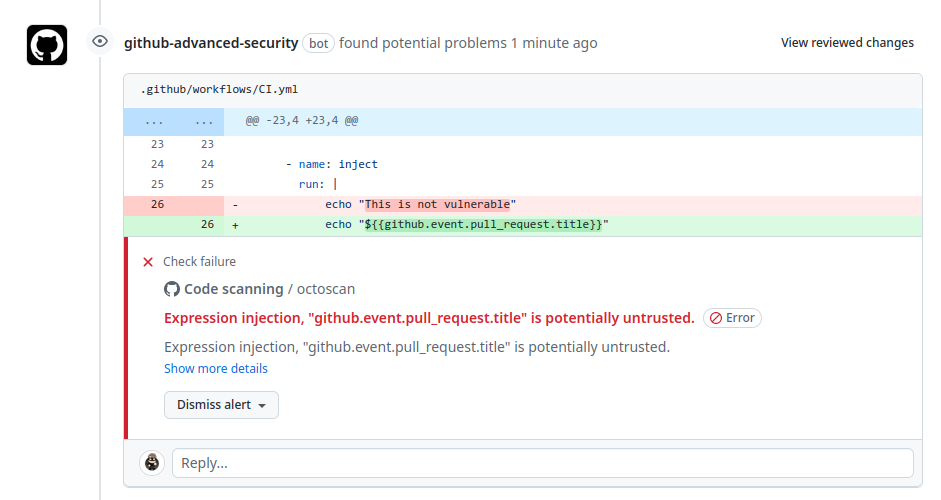
- expression-injection
	Check for expression injection.
- dangerous-write
	Check for dangerous write operation on $GITHUB_OUTPUT or $GITHUB_ENV.
- local-action
	Check for local actions.
- runner-label
	Checks for GitHub-hosted and preset self-hosted runner labels in "runs-on:"
- unsecure-commands
	Check 'ACTIONS_ALLOW_UNSECURE_COMMANDS' env variable.
- known-vulnerability
	Check for known vulnerabilities.
- bot-check
	Check for if statements that are based on a bot identity.
- dangerous-artefact
	Check for workflow that upload artefacts containing sensitive files.
- debug-external-trigger
	Check for workflow that can be externally triggered.
- debug-artefacts
	Check for workflow that upload artefacts.
- debug-js-exec
	Check for workflow that execute system commands in JS scripts.
- debug-oidc-action
	Check for OIDC actions.
- repo-jacking
	Verify that external actions are pointing to a valid GitHub user or organization.
像 workflow_run 或 pull_request_target 这类触发器在特权上下文中运行,因为它们可以读取 secrets,并且可能对目标仓库拥有写权限。在此上下文中对不受信任的代码执行显式 checkout,会导致攻击者的代码被下载。

该规则在使用了危险 action 时向用户发出警告,主要关注不受信任的 artifacts。
使用 artifacts 在不同工作流之间传递数据是一种常见做法。在处理 workflow_run 触发器时经常遇到这种情况:触发方工作流会准备一些数据,然后将其发送给被触发的工作流。鉴于这些 artifact 数据的不可信性质,务必谨慎对待并将其视为潜在威胁。该漏洞的产生源于外部实体(例如恶意行为者)可以影响 artifact 数据的内容。

GitHub 会创建默认环境变量,可在工作流的每个步骤中使用。其中 GITHUB_ENV 和 GITHUB_OUTPUT 变量尤其值得关注。可以在一个步骤中定义环境变量,然后在另一个步骤中使用该变量。这可以通过将其写入关联的变量来实现。如果用户可以控制被设置变量的内容,就可能导致任意代码执行。