
 projectdiscovery/katana
下一代爬取与爬虫框架。





功能特性 • 安装 • 使用方法 • 作用域 • 配置 • 过滤器 • 加入 Discord
katana 需要 Go 1.26+ 才能成功安装。如果遇到任何安装问题,我们建议尝试使用最新可用的 Go 版本,因为最低要求版本可能已发生变化。运行以下命令,或从 发布页面 下载预编译的二进制文件。```console CGO_ENABLED=1 go install github.com/projectdiscovery/katana/cmd/katana@latest
**安装 / 运行 katana 的更多选项**

<details>
  <summary>Docker</summary>

> 安装 / 更新 docker 到最新标签 -```sh
docker pull projectdiscovery/katana:latest
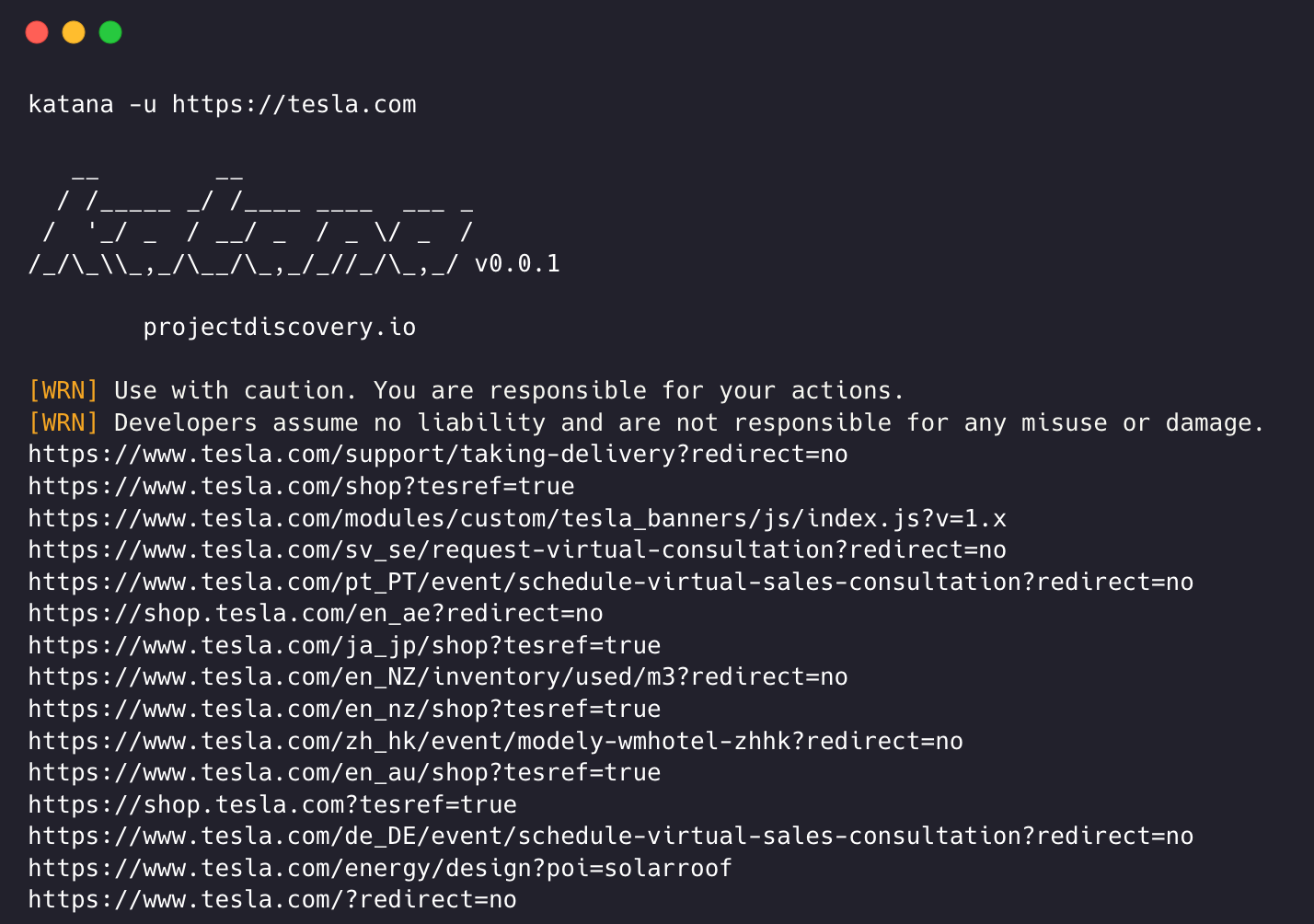
使用 docker 以标准模式运行 katana -```sh docker run projectdiscovery/katana:latest -u https://tesla.com
> 使用 docker 以无头模式运行 katana -```sh
docker run projectdiscovery/katana:latest -u https://tesla.com -system-chrome -headless
建议安装以下先决条件 -```sh sudo apt update sudo apt install zip curl wget git snapd sudo snap refresh sudo snap install golang --classic
sudo install -d -m 0755 /etc/apt/keyrings
curl -fsSL https://dl.google.com/linux/linux_signing_key.pub
| sudo gpg --dearmor -o /etc/apt/keyrings/google-chrome.gpg
echo "deb [arch=amd64 signed-by=/etc/apt/keyrings/google-chrome.gpg]
http://dl.google.com/linux/chrome/deb/ stable main"
| sudo tee /etc/apt/sources.list.d/google-chrome.list > /dev/null
sudo apt update sudo apt install google-chrome-stable
> 安装 katana -```sh
go install github.com/projectdiscovery/katana/cmd/katana@latest
katana -h
这将显示该工具的帮助信息。以下是它支持的所有开关。```console
Katana is a fast crawler focused on execution in automation
pipelines offering both headless and non-headless crawling.

Usage:
  ./katana [flags]

Flags:
INPUT:
   -u, -list string[]     target url / list to crawl
   -resume string         resume scan using resume.cfg
   -e, -exclude string[]  exclude host matching specified filter ('cdn', 'private-ips', cidr, ip, regex)

CONFIGURATION:
   -r, -resolvers string[]       list of custom resolver (file or comma separated)
   -d, -depth int                maximum depth to crawl (default 3)
   -jc, -js-crawl                enable endpoint parsing / crawling in javascript file
   -jsl, -jsluice                enable jsluice parsing in javascript file (memory intensive)
   -ct, -crawl-duration value    maximum duration to crawl the target for (s, m, h, d) (default s)
   -kf, -known-files string      enable crawling of known files (all,robotstxt,sitemapxml), a minimum depth of 3 is required to ensure all known files are properly crawled.
   -mrs, -max-response-size int  maximum response size to read (default 4194304)
   -timeout int                  time to wait for request in seconds (default 10)
   -aff, -automatic-form-fill    enable automatic form filling (experimental)
   -fx, -form-extraction         extract form, input, textarea & select elements in jsonl output
   -retry int                    number of times to retry the request (default 1)
   -proxy string                 http/socks5 proxy to use
   -td, -tech-detect             enable technology detection
   -H, -headers string[]         custom header/cookie to include in all http request in header:value format (file)
   -config string                path to the katana configuration file
   -fc, -form-config string      path to custom form configuration file
   -flc, -field-config string    path to custom field configuration file
   -s, -strategy string          Visit strategy (depth-first, breadth-first) (default "depth-first")
   -iqp, -ignore-query-params    Ignore crawling same path with different query-param values
   -fsu, -filter-similar         filter crawling of similar looking URLs (e.g., /users/123 and /users/456)
   -fst, -filter-similar-threshold int  number of distinct values before a path position is treated as parameter (default 10)
   -tlsi, -tls-impersonate       enable experimental client hello (ja3) tls randomization
   -dr, -disable-redirects       disable following redirects (default false)
   -pcs, -page-content-similar   enable page content similarity filtering (simhash|tfidf|bm25)
   -pcsm, -page-content-similar-mode string  similarity mode: simhash, tfidf, or bm25 (default simhash)
   -pcsd, -page-content-similar-distance int  simhash max hamming distance (default 3)
   -pcst, -page-content-similar-threshold float  tfidf/bm25 min score 0-1 (default 0.85)
   -pcsn, -page-content-similar-budget int  pages to fully process per similarity cluster (default 1)
   -sdd, -similarity-deduplication  alias for -pcs
   -kb, -knowledge-base          enable knowledge base classification
   -kb-secrets                   enable secrets extractor in the knowledge base
   -kb-validate-secrets          validate detected secrets against their provider (sends live API calls)
   -kb-endpoints                 enable endpoints extractor (classifies REST/GraphQL/SOAP/XHR requests)
   -mdp, -max-domain-pages int   maximum number of pages to crawl per domain (default unlimited)

DEBUG:
   -health-check, -hc        run diagnostic check up
   -elog, -error-log string  file to write sent requests error log
   -pprof-server             enable pprof server

HEADLESS:
   -hl, -headless                    enable headless hybrid crawling (experimental)
   -sc, -system-chrome               use local installed chrome browser instead of katana installed
   -sb, -show-browser                show the browser on the screen with headless mode
   -ho, -headless-options string[]   start headless chrome with additional options
   -nos, -no-sandbox                 start headless chrome in --no-sandbox mode
   -cdd, -chrome-data-dir string     path to store chrome browser data
   -scp, -system-chrome-path string  use specified chrome browser for headless crawling
   -noi, -no-incognito               start headless chrome without incognito mode
   -cwu, -chrome-ws-url string       use chrome browser instance launched elsewhere with the debugger listening at this URL
   -xhr, -xhr-extraction             extract xhr request url,method in jsonl output
   -pls, -page-load-strategy string  page load strategy (heuristic, load, domcontentloaded, networkidle, none) (default "heuristic")
   -dwt, -dom-wait-time int          time in seconds to wait after page load when using domcontentloaded strategy (default 5)
   -csp, -captcha-solver-provider string  captcha solver provider (e.g. capsolver)
   -csk, -captcha-solver-key string       captcha solver provider api key
