Skip to content
KitploitKITPLOIT
工具漏洞利用博客
Log in
提交
工具漏洞利用博客
提交

黑客、渗透测试和网络安全工具,武装您的安全武器库!

Kitploit 是一个黑客、网络安全和渗透测试工具的目录。发现最新的项目更新,查找漏洞、分析系统、自动化测试并加强你的安全。

··订阅源·联系·隐私·© 2026 Kitploit

工具目录

分类

查看所有分类
Loading categories
simvyn — Universal mobile devtool for Agents & Humans - control iOS Simulators, Android Emulators, and real devices from a single dashboard and CLI | Kitploit
工具/GitHubGitHub/pranshuchittora/simvyn
Android SecurityGeneral Purpose UtilitiesDynamic Analysis (Sandboxing)iOS SecurityScripting & AutomationDebuggersInformation GatheringPenetration TestingMobile SecurityUtilities & FrameworksDatabase Security
344232816天前Kitploit 审核通过

最受欢迎

查看全部 →

发现我们社区最常用的工具。

探索所有工具

浏览我们的工具集合

查看所有工具 →
分享
Log Analysis
GitHubpranshuchittora/simvyn

simvyn

Universal mobile devtool for Agents & Humans - control iOS Simulators, Android Emulators, and real devices from a single dashboard and CLI

查看仓库
内容在请求的语言中不可用。显示英文版本。

simvyn

simvyn

Universal mobile devtool — control iOS Simulators, Android Emulators, and real devices from a single dashboard and CLI

npm version npm downloads CI status MIT License Node version

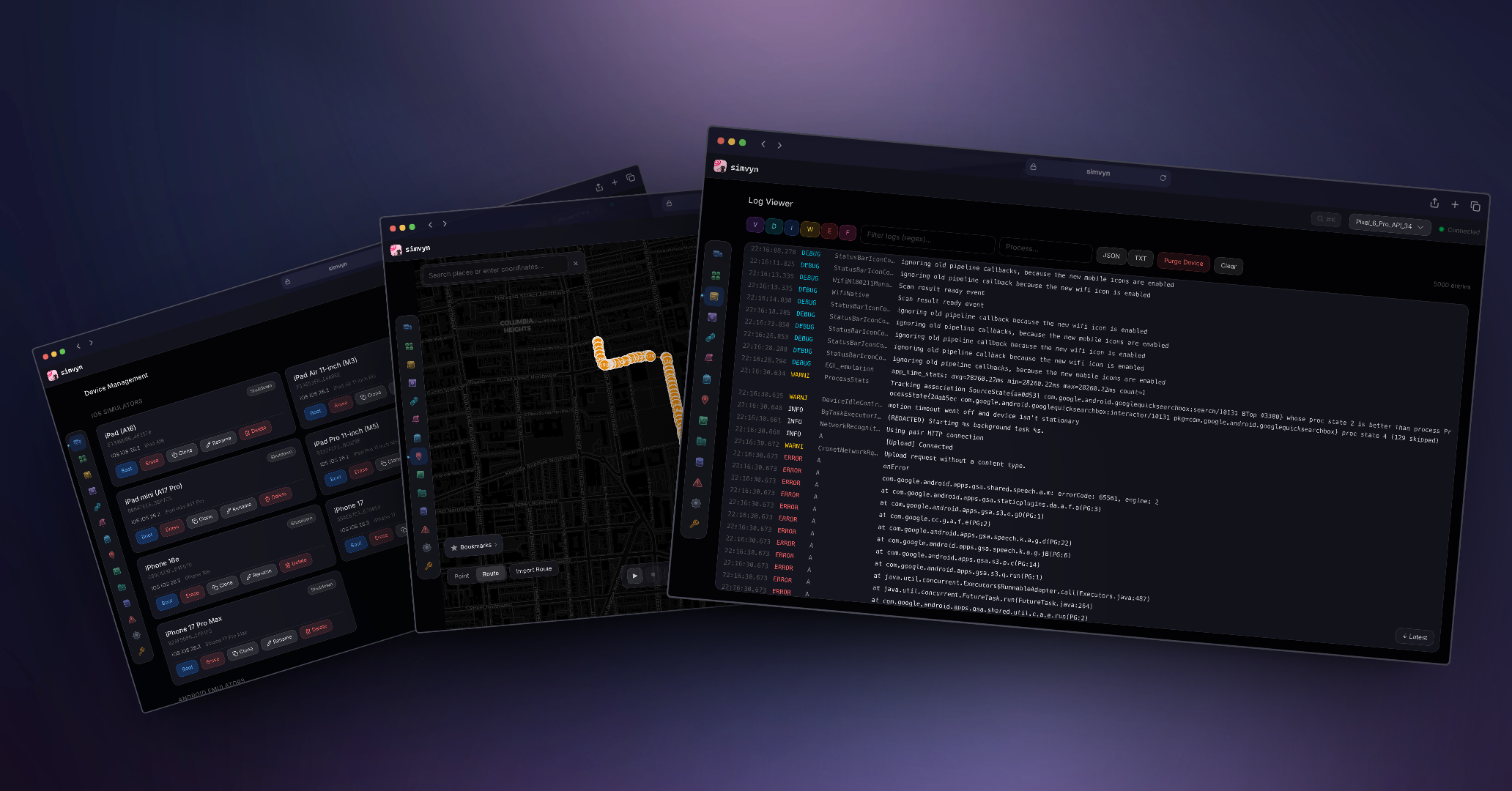
simvyn dashboard

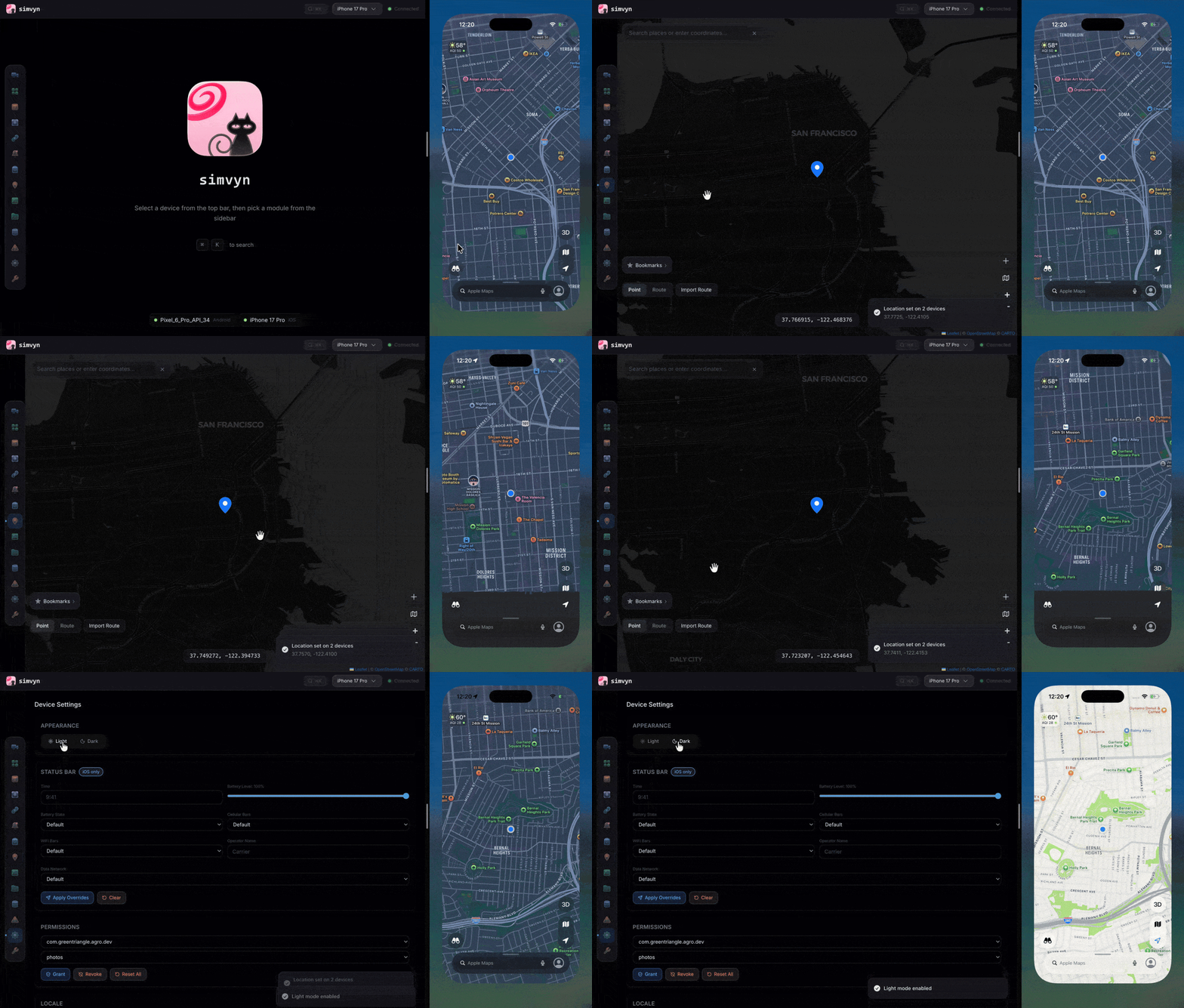
simvyn demo

Table of Contents

  • Quick Start
  • Installation
  • AI Coding Agents
  • Features
  • Module Showcases
  • Collections Guide
  • CLI Reference
  • How It Works
  • Supported Platforms
  • Contributing
  • Security
  • License

Quick Start

npx simvyn

Starts the local server, opens the web dashboard in your browser, and discovers all connected simulators, emulators, and USB-connected physical devices automatically.

Installation

Global install:

npm install -g simvyn

One-time use (no install):

npx simvyn

Requirements:

  • Node.js 22 (22.14.0+) or 24+
  • macOS (full iOS + Android support) or Linux (Android only)

AI Coding Agents

simvyn includes a portable Agent Skill for discovering devices, running supported CLI commands, capturing screenshots, inspecting app data, and collecting bounded logs. It teaches an agent to use the CLI with explicit device IDs and platform limits. The skill uses the agent's existing terminal tool; it does not register an MCP server or new agent tools.

Pi: the npm package is a Pi package. Along with the skill, it adds simvyn, simvyn_screenshot, simvyn_logs, and simvyn_record tools, a /simvyn command that runs the dashboard, and /simvyn-repro, /simvyn-screen, and /simvyn-logs prompt templates. It requires Pi 0.74 or later:

pi install npm:simvyn

Other compatible agents: install the portable skill from GitHub, selecting your agent, and install the simvyn CLI separately:

npm install -g simvyn
npx skills add pranshuchittora/simvyn --skill simvyn --agent codex --yes

The GitHub command requires these skill files to be present on the default branch; the Pi command requires the Pi resources in the published npm release. For unreleased changes, use the local checkout instructions.

See the agent setup and workflow guide for the bundled launcher, supported outputs, noninteractive operation, and current limitations. A compact documentation index is also available for tools that accept documentation URLs.

Features

  • Device Management — Discover, boot, shutdown, erase, create, and clone simulators, emulators, and physical devices with favourite pinning
  • App Management — Install, launch, terminate, uninstall apps via drag-and-drop or CLI
  • Log Viewer — Real-time streaming with level filtering, find-in-page search (Cmd+F), regex search, pagination, and export
  • Location Simulation — Set GPS coordinates, play GPX/KML routes with speed control, save favorites
  • Device Settings — Dark mode, locale, orientation, permissions, status bar overrides, accessibility presets
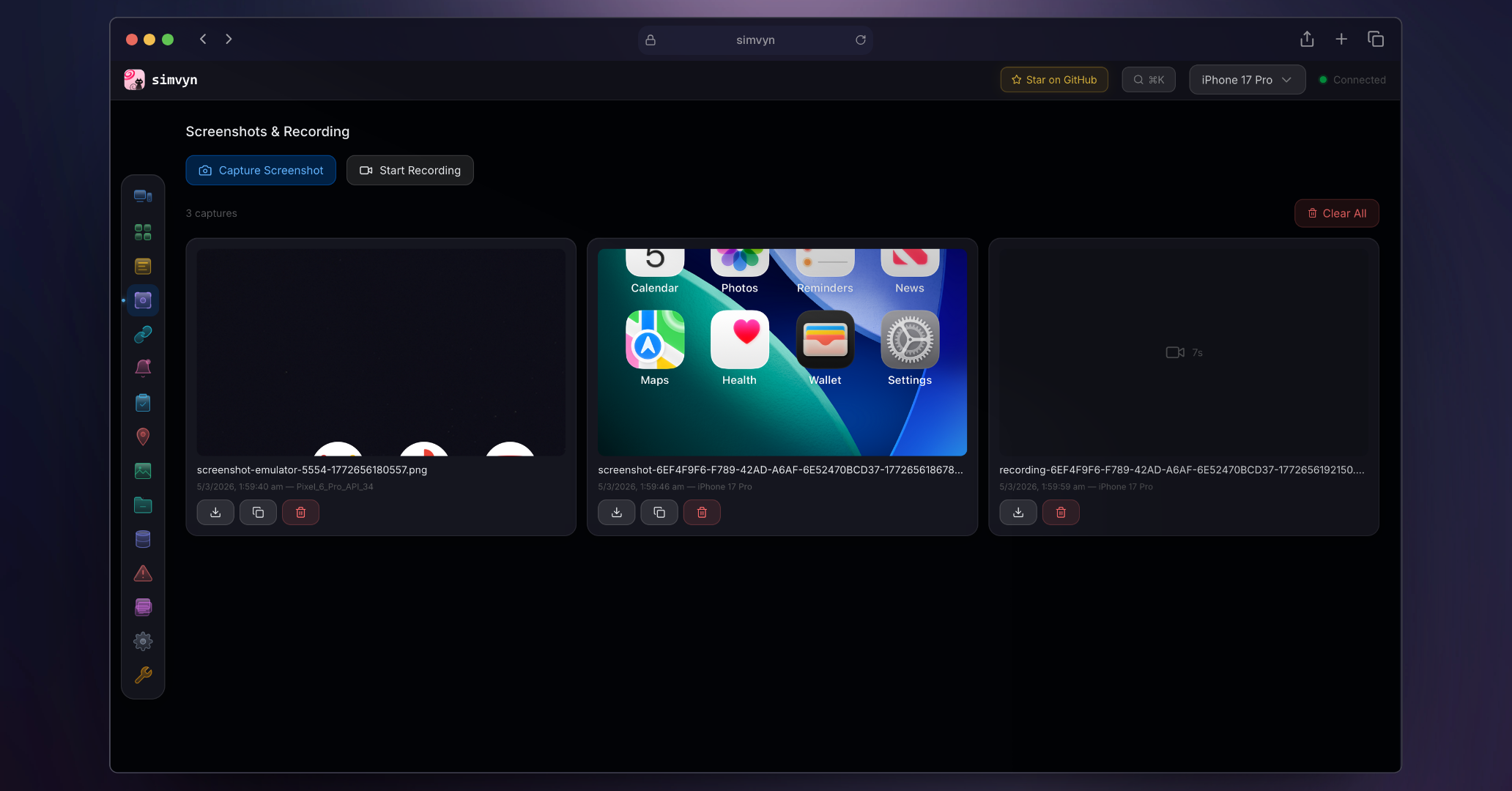
  • Screenshots and Recording — Capture screenshots and record screen video with history
  • Deep Links — Open URLs and custom schemes, save favorites per app
  • Database Inspector — Browse SQLite tables, run SQL queries, view SharedPreferences and NSUserDefaults
  • File Browser — Browse app sandboxes, upload/download files, edit text inline
  • Push Notifications — Compose JSON payloads, send to iOS simulators, template library
  • Collections — Bundle device actions into reusable sequences, apply to multiple devices at once
  • Crash Logs — iOS diagnostic reports and Android logcat/tombstone crashes
  • Clipboard — Read and write device clipboard contents
  • Media — Push photos and videos to device camera rolls and galleries
  • Tool Settings — Server configuration, storage management, diagnostics, and debug reports
  • Real Device Support — Connect physical Android and iOS devices via USB with automatic discovery
  • Web Dashboard — Apple Liquid Glass design with command palette, keyboard navigation
  • Full CLI — Every feature works headlessly via simvyn <command>

Module Showcases

Device Management

Discover all connected iOS Simulators, Android Emulators, and USB-connected physical devices in one unified list. Boot, shutdown, and erase devices without touching Xcode or Android Studio. Create new iOS simulators by choosing a device type and runtime, or clone an existing one to quickly spin up duplicates. Physical devices appear automatically when plugged in and are grouped separately in the device selector.
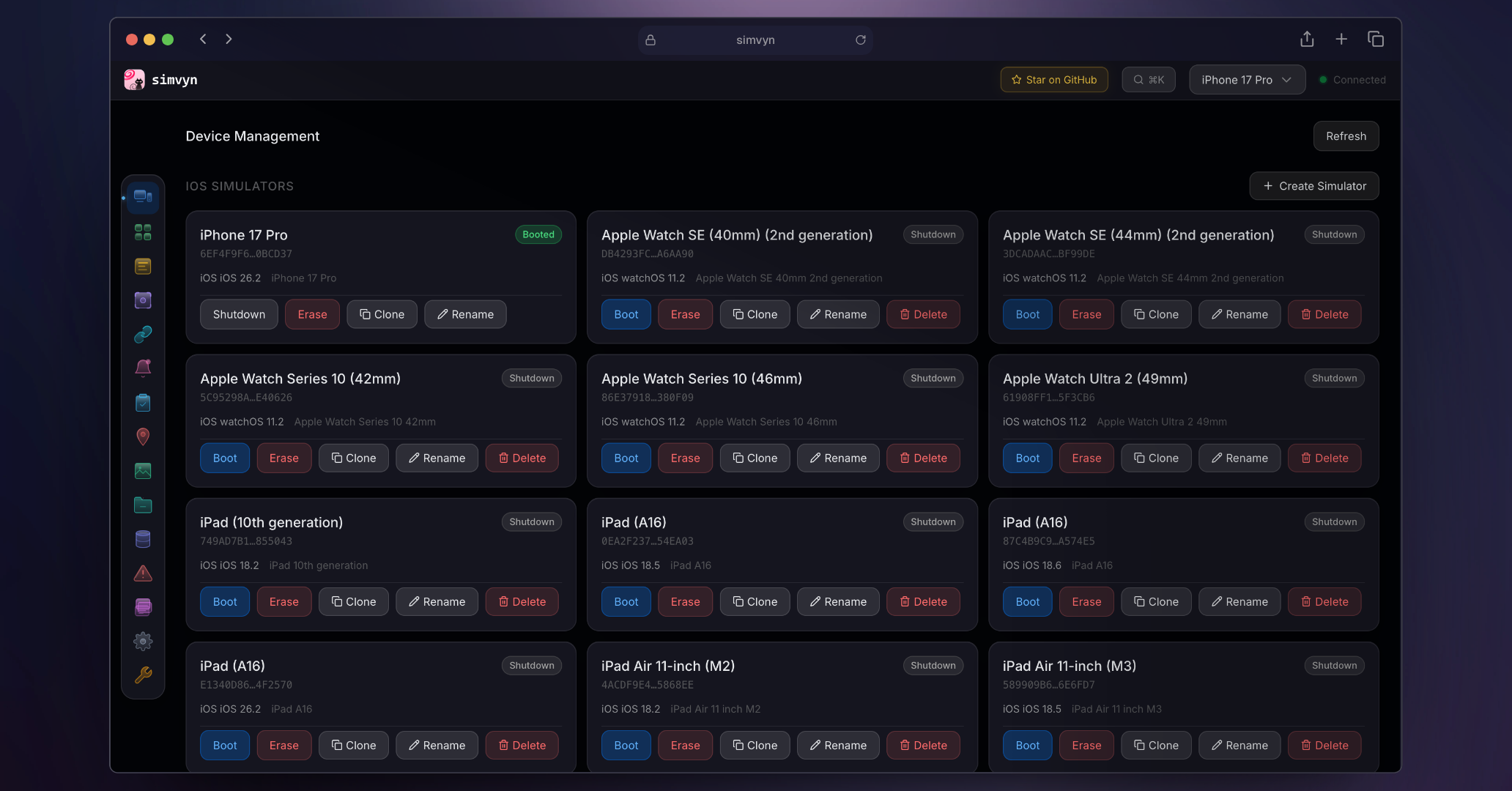
Device Management

  • List all available simulators, emulators, and physical devices across platforms
  • Boot, shutdown, and erase devices with one click or CLI command
  • Create new iOS simulators with device type and runtime selection
  • Clone and rename existing simulators
  • Pin favourite devices to the top of the device selector
  • Real-time device state updates via WebSocket

App Management

Install, launch, terminate, and uninstall apps on any connected device. Drag and drop IPA, APK, or iOS simulator .app bundles directly onto the dashboard. View detailed app information and clear app data without manual adb or simctl commands.
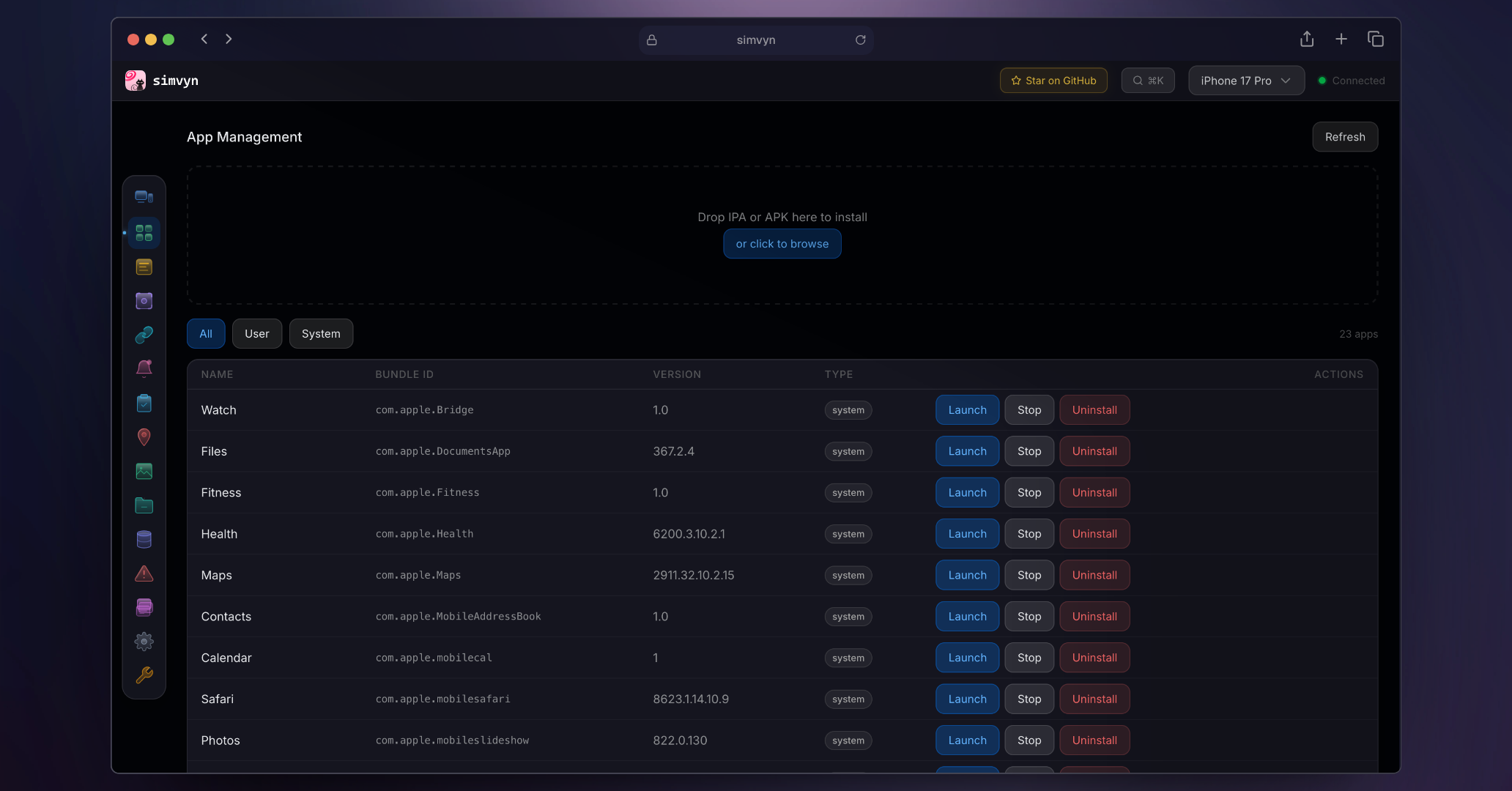
App Management

  • Drag-and-drop IPA, APK, and iOS simulator .app installation
  • Launch, terminate, and uninstall apps by bundle ID
  • View app details including version, size, and permissions
  • Clear app data on Android devices
  • List all installed apps with search filtering

Log Viewer

Stream device logs in real time with powerful filtering. Filter by log level, search with regex patterns, and filter by process name. Use find-in-page search (Cmd+F) to highlight specific entries without hiding surrounding context. Export filtered logs for sharing or archival. Paginated history lets you scroll back through thousands of entries without performance issues.

下载工具