idahunt 是一个使用 IDA Pro 分析二进制文件并在 IDA Pro 中搜寻目标的框架。它是一个命令行工具,可递归分析给定文件夹中的所有可执行文件。它在后台执行 IDA,因此你无需手动打开每个文件。它支持执行外部 IDA Python 脚本。
有用的示例包括(非详尽列表):
IDA Python 脚本的能力是无限的。你可以导入任何现有的 IDA Python 脚本,或编写自己的脚本。一些示例:
idahunt.py:分析可执行文件的主工具filters/:包含基础过滤器,用于决定输入目录中的哪些文件需要用 IDA 分析
filters/default.py:默认的基础过滤器,不过滤任何内容,且默认使用filters/ciscoasa.py:用于分析 Cisco ASA 防火墙镜像filters/hpilo.py:用于分析 HP iLO 镜像filters/names.py:基于名称、名称长度或扩展名的基础过滤器script_template.py:包含一个 hello world IDA Python 脚本C:\idahunt> C:\Python37-x64\python.exe .\idahunt.py -h
usage: idahunt.py [-h] [--inputdir INPUTDIR] [--analyse] [--open]
[--ida-args IDA_ARGS] [--scripts SCRIPTS [SCRIPTS ...]]
[--filter FILTER] [--cleanup] [--temp-cleanup] [--verbose]
[--max-ida MAX_IDA] [--list-only] [--version IDA_VERSION]
optional arguments:
-h, --help show this help message and exit
--inputdir INPUTDIR Input folder to search for files
--analyse, --analyze analyse all files i.e. create .idb for all of them
--open open all files into IDA (debug only)
--ida-args IDA_ARGS Additional arguments to pass to IDA (e.g.
-p<processor> -i<entry_point> -b<load_addr>)
--scripts SCRIPTS [SCRIPTS ...]
List of IDA Python scripts to execute in this order
--filter FILTER External python script with optional arguments
defining a filter for the names of the files to
analyse. See filters/names.py for example
--cleanup Cleanup i.e. remove .asm files that we don't need
--temp-cleanup Cleanup temporary database files i.e. remove .id0,
.id1, .id2, .nam, .dmp files if IDA Pro crashed and
did not delete them
--verbose be more verbose to debug script
--max-ida MAX_IDA Maximum number of instances of IDA to run at a time
(default: 10)
--list-only List only what files would be handled without
executing IDA
--version IDA_VERSION
Override IDA version (e.g. "7.5"). This is used to
find the path of IDA on Windows.
你可以将 --list-only 与任何命令行结合使用,仅列出工具将执行的操作,而不会真正执行。
C:\idahunt>idahunt.py --inputdir C:\re --analyse --filter "filters\names.py -a 32 -v" --list-only
[idahunt] Simulating only...
[idahunt] ANALYSING FILES
[idahunt] Analysing C:\re\cves\cve-2014-4076.dll
[idahunt] Analysing C:\re\cves\cve-2014-4076.exe
[idahunt] Analysing C:\re\DownloadExecute.exe
[idahunt] Analysing C:\re\ReverseShell.exe
这里我们开始初始分析。它会在几秒后完成:
C:\idahunt>idahunt.py --inputdir C:\re --analyse --filter "filters\names.py -a 32 -v"
[idahunt] ANALYSING FILES
[idahunt] Analysing C:\re\cves\cve-2014-4076.dll
[idahunt] Analysing C:\re\cves\cve-2014-4076.exe
[idahunt] Analysing C:\re\DownloadExecute.exe
[idahunt] Analysing C:\re\ReverseShell.exe
[idahunt] Waiting on remaining 4 IDA instances
这里我们清理初始分析生成的临时 .asm 文件:
C:\idahunt>idahunt.py --inputdir C:\re --cleanup
[idahunt] Deleting C:\re\cves\cve-2014-4076.asm
[idahunt] Deleting C:\re\DownloadExecute.asm
[idahunt] Deleting C:\re\ReverseShell.asm
我们可以看到生成的 .idb 文件,以及一些包含 IDA Pro 输出窗口内容的 .log 文件。
C:\idahunt>tree /f C:\re
Folder PATH listing
Volume serial number is XXXX-XXXX
C:\RE
│   DownloadExecute.exe
│   DownloadExecute.idb
│   DownloadExecute.log
│   ReverseShell.exe
│   ReverseShell.idb
│   ReverseShell.log
│
└───cves
        cve-2014-4076.dll
        cve-2014-4076.exe
        cve-2014-4076.idb
        cve-2014-4076.log
这里我们执行一个基础的 IDA Python 脚本,它会在 IDA Pro 输出窗口中打印 [script_template] I execute in IDA, yay!。
C:\idahunt>idahunt.py --inputdir C:\re --filter "filters\names.py -a 32 -v" --scripts C:\idahunt\script_template.py
[idahunt] EXECUTE SCRIPTS
[idahunt] Executing script C:\idahunt\script_template.py for C:\re\cves\cve-2014-4076.dll
[idahunt] Executing script C:\idahunt\script_template.py for C:\re\cves\cve-2014-4076.exe
[idahunt] Executing script C:\idahunt\script_template.py for C:\re\DownloadExecute.exe
[idahunt] Executing script C:\idahunt\script_template.py for C:\re\ReverseShell.exe
[idahunt] Waiting on remaining 4 IDA instances
由于它被保存在 .log 文件中,我们可以确认其执行成功:
Autoanalysis subsystem has been initialized.
Database for file 'ReverseShell.exe' has been loaded.
Compiling file 'C:\Program Files (x86)\IDA 6.95\idc\ida.idc'...
Executing function 'main'...
[script_template] I execute in IDA, yay!
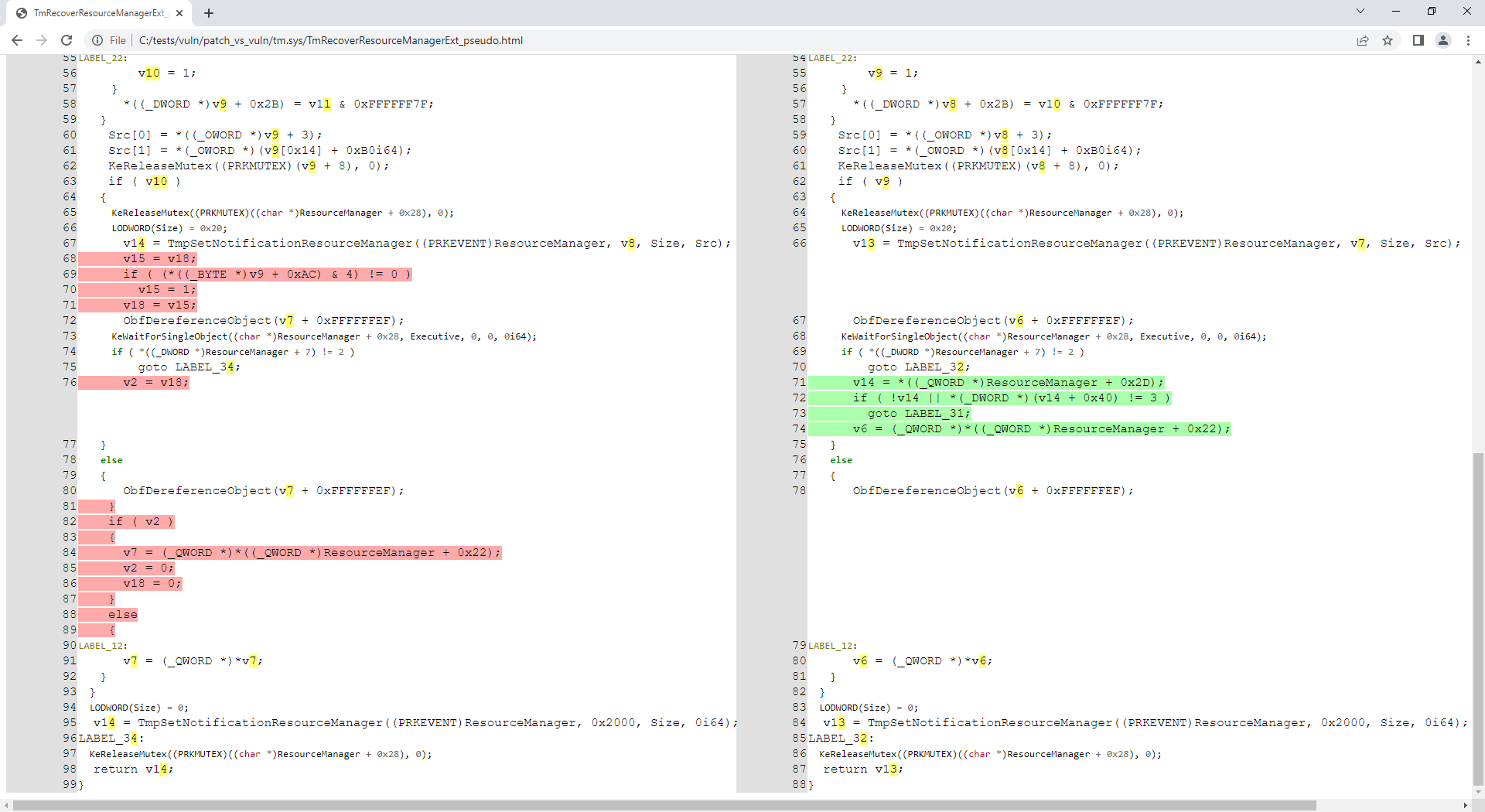
自这个 PR 起,idahunt 已与 diaphora 完美集成,用于进行二进制差异比较。
你需要一个包含同一文件不同版本的文件夹层级结构,例如:
C:\> tree C:\tests\ /F
C:\tests
├───patch
│       tm.sys
│
└───vuln
        tm.sys
如果尚未完成,你需要先进行初始 IDA 分析以创建 IDB 文件。
C:\idahunt> python idahunt.py --inputdir C:\tests\ --analyse --verbose
[idahunt] IDA32 = C:\Program Files\IDA Core 8.1\ida.exe
[idahunt] IDA64 = C:\Program Files\IDA Core 8.1\ida64.exe
[idahunt] ANALYSING FILES
[idahunt] Analysing C:\tests\patch\tm.sys
[idahunt] C:\Program Files\IDA Core 8.1\ida64.exe -B -oC:\tests\patch\tm.i64 -LC:\tests\patch\tm.log C:\tests\patch\tm.sys
[idahunt] Analysing C:\tests\vuln\tm.sys
[idahunt] C:\Program Files\IDA Core 8.1\ida64.exe -B -oC:\tests\vuln\tm.i64 -LC:\tests\vuln\tm.log C:\tests\vuln\tm.sys
[idahunt] Executed IDA 2/2 times IDA instances
[idahunt] Took 0:00:15.03 to execute this
C:\> tree C:\tests\ /F
C:\tests
├───patch
│       tm.i64
│       tm.log
│       tm.sys
│
└───vuln
        tm.i64
        tm.log
        tm.sys
这里使用 diaphora 对每个文件进行 diff 导出(创建 <filename>.sqlite sqlite3 数据库),然后进行版本间的 diff(创建 <filename>.diaphora sqlite3 数据库)。