msidumpMSI Dump – 一款用于分析恶意 MSI 安装包的工具,支持提取文件、流、二进制数据,并集成 YARA 扫描器。
对于启用了宏的 Office 文档,我们可以快速使用 oletools mraptor 判断文档是否恶意。如果希望进一步分析,可以使用 oletools olevba 或 oledump。
对于恶意 MSI 文件的分解,目前为止我们只有一个可靠且值得信赖的工具:lessmsi。
然而,lessmsi 并不具备我所需的功能:
因此,msidump 应运而生。
该工具有助于快速分类以及详细检查恶意 MSI 文件集合。它能够:
file/MIME 类型推断确定内部数据类型。它是作为我发布的博文配套工具而创建的:
WindowsInstaller.Installer 接口,目前无法原生支持 Linux 平台。也许可以使用 wine python msidump.py,但我尚未尝试过。cmd> python msidump.py evil.msi -y rules.yara
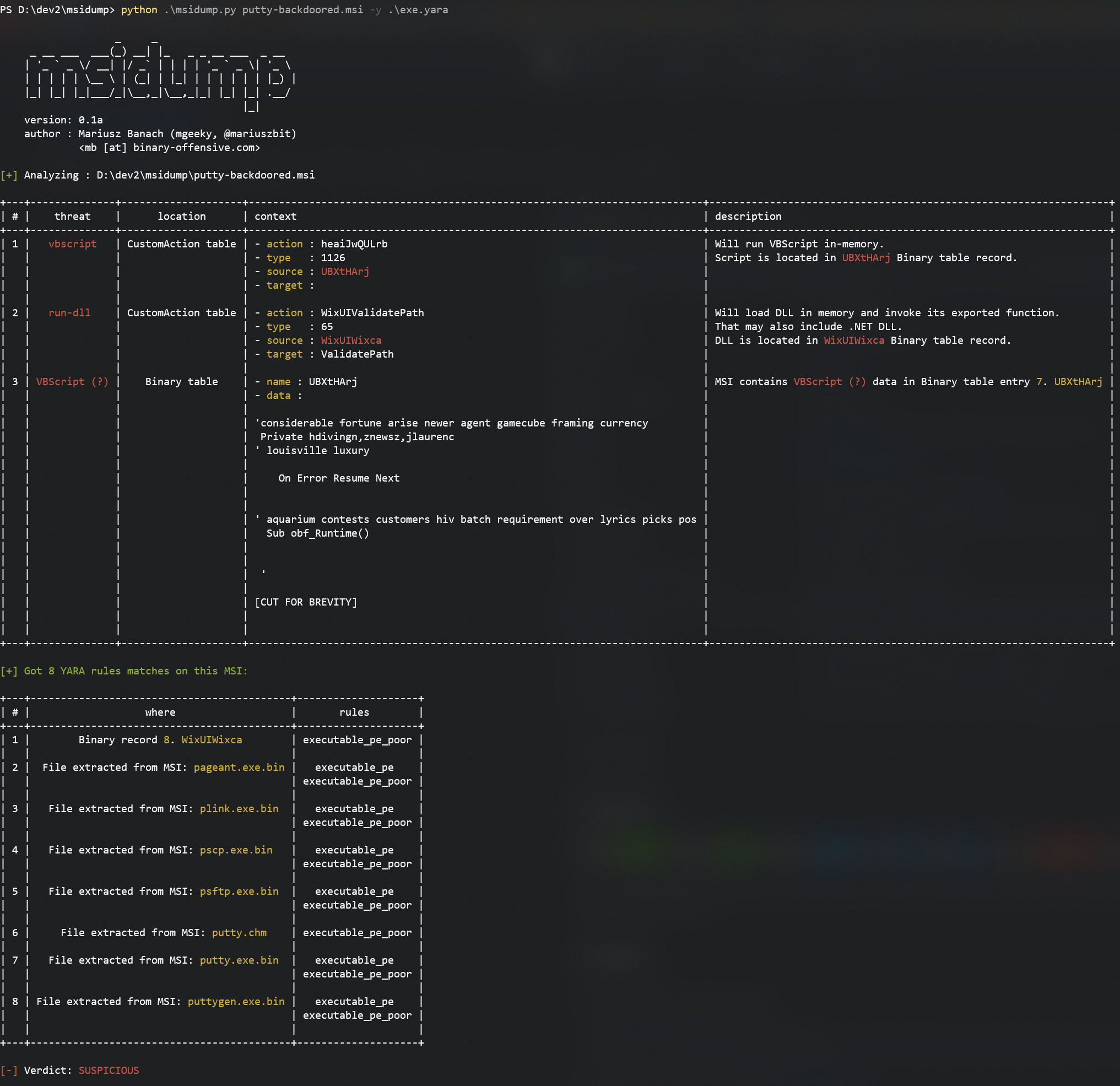
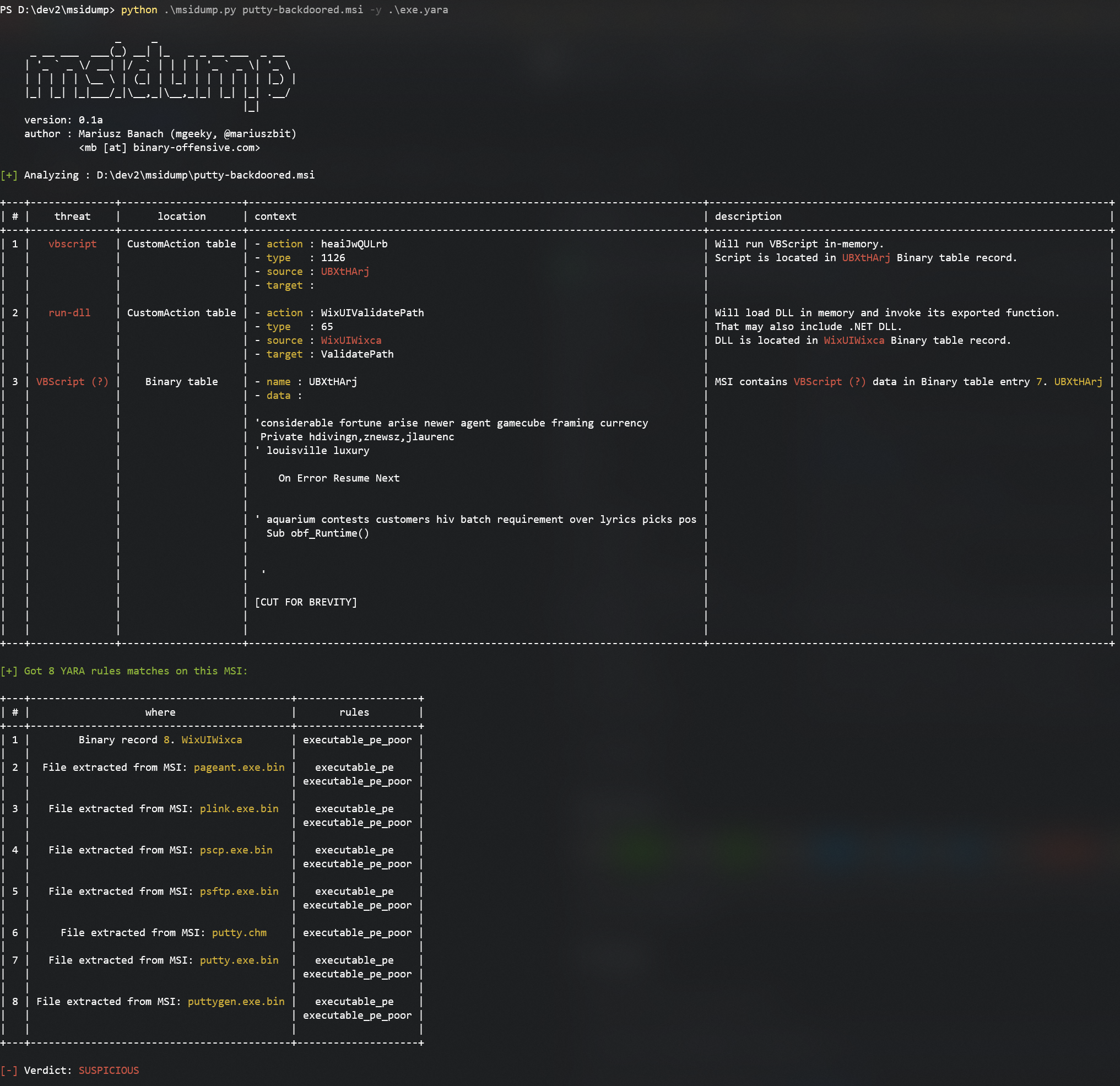
此处可见,输入的 MSI 被注入了可疑的 VBScript,并包含大量可执行文件。
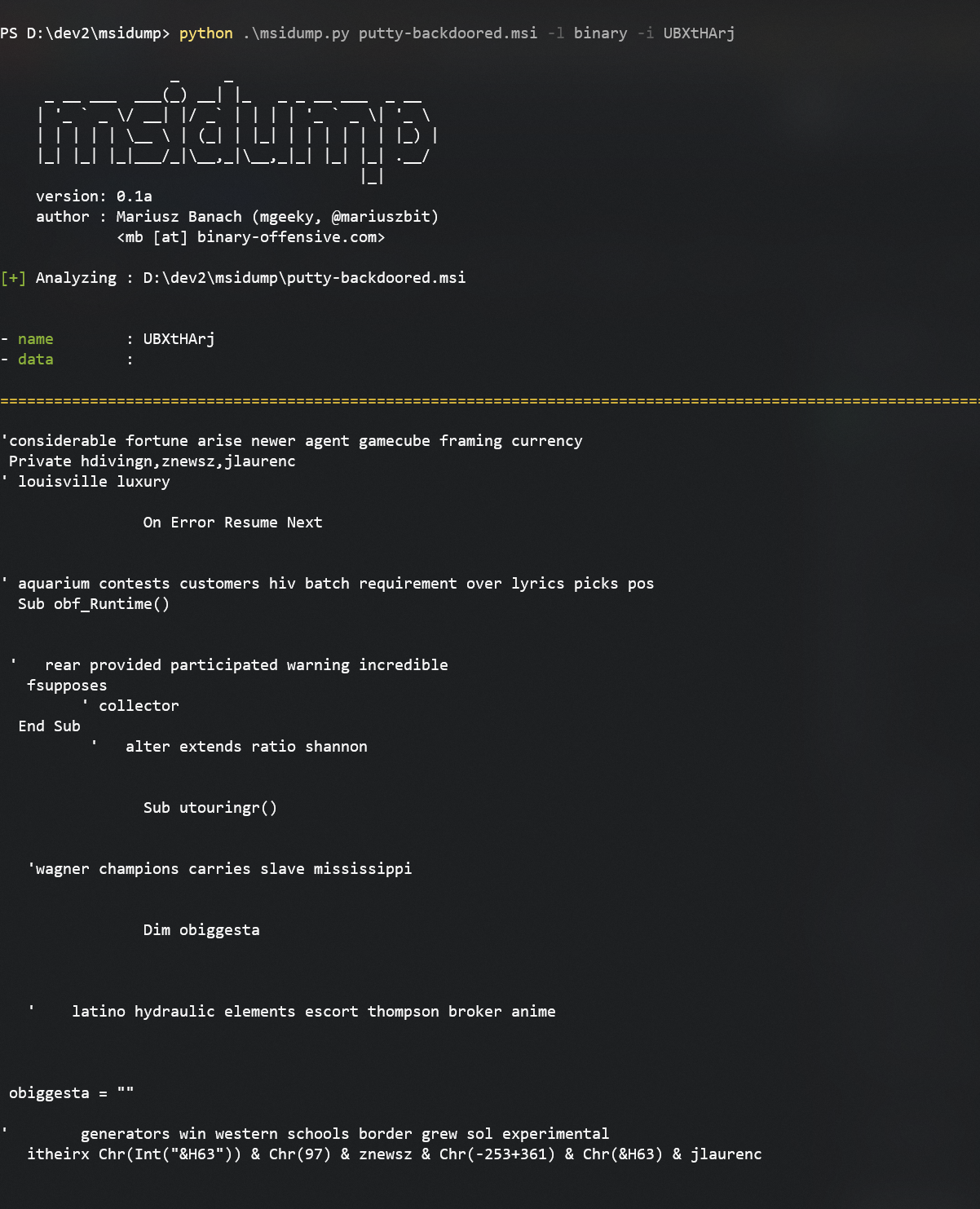
从分类表中可以看到,它存在于 Binary 表中。让我们提取它:
python msidump.py putty-backdoored.msi -l binary -i UBXtHArj
我们可以根据记录的名称/ID 或索引号(此处为 7)指定要导出的记录。
再看另一个例子。这次在 Binary 表中存储了一个可执行文件,会在安装过程中执行:
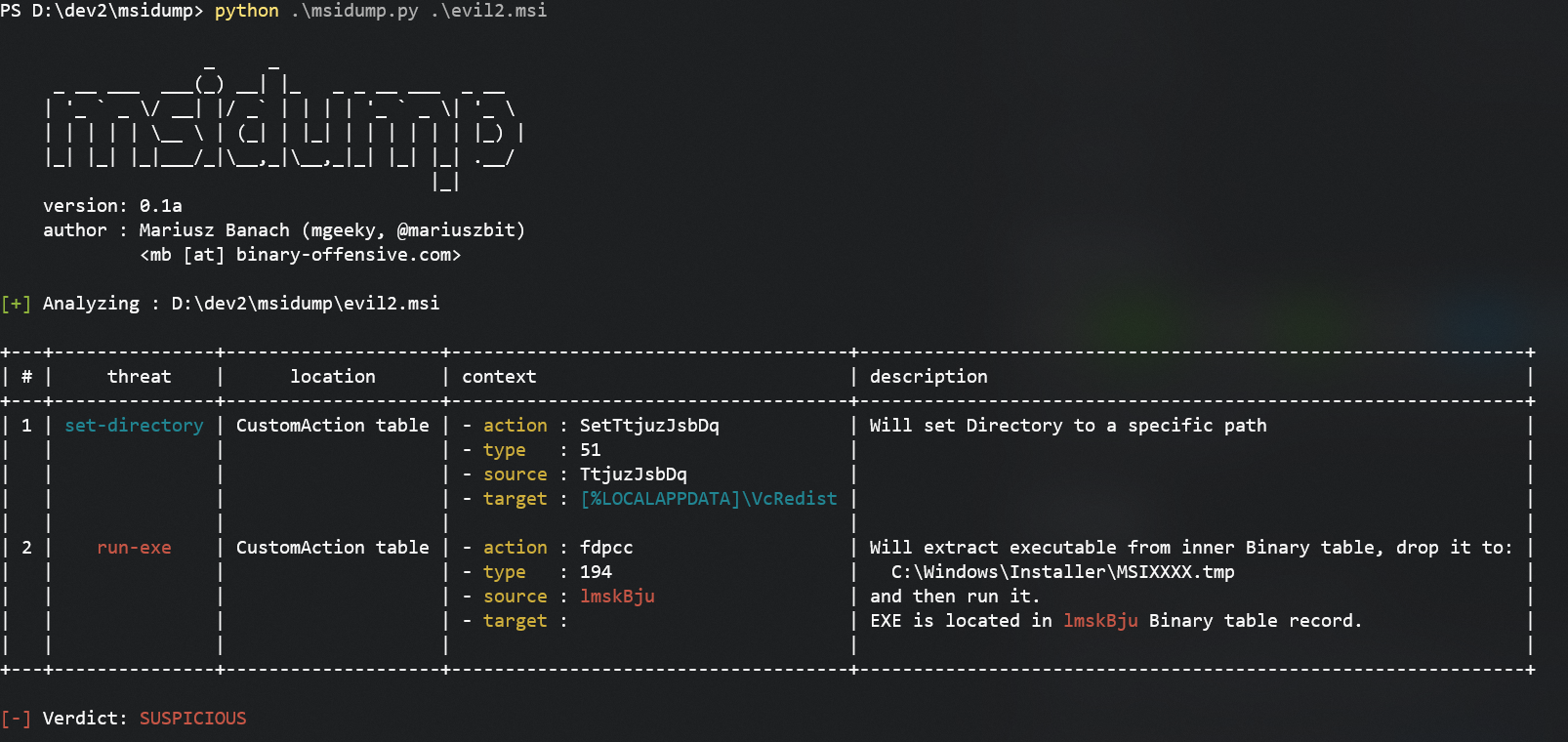
要提取该文件,我们可以使用:
python msidump.py evil2.msi -x binary -i lmskBju -O extracted
其中:
-x binary 表示提取 Binary 表的内容-i lmskBju 指定要提取的具体记录-O extracted 设置输出目录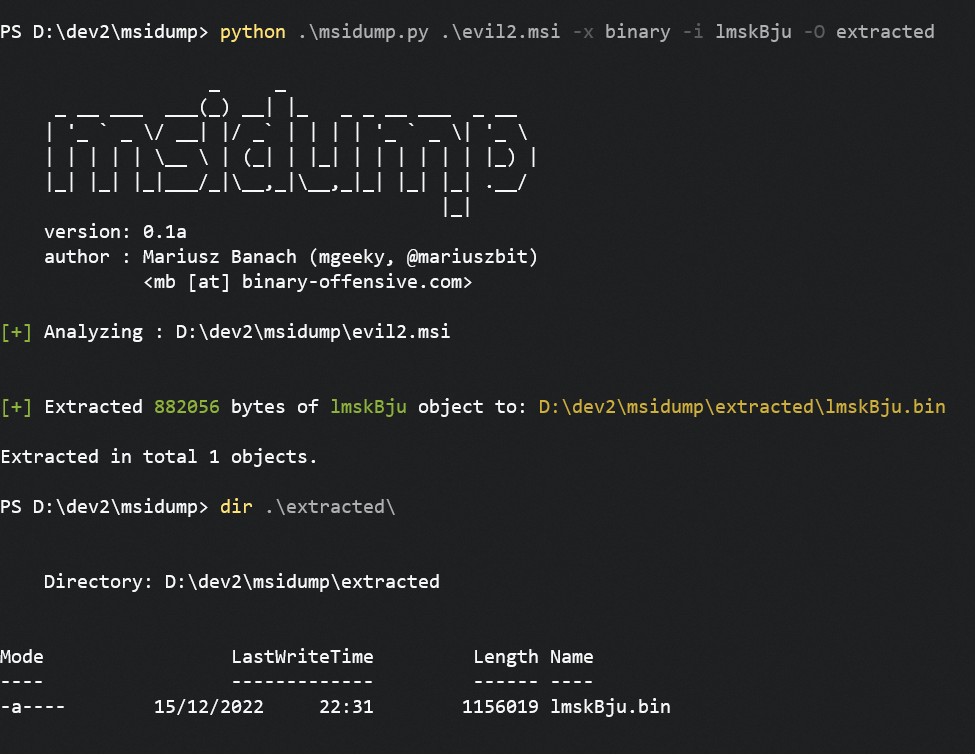
为获得最佳输出体验,请在最大化控制台窗口中运行工具,或将输出重定向到文件:
python msidump.py [...] -o analysis.log
PS D:\> python .\msidump.py --help
options:
  -h, --help            show this help message and exit

Required arguments:
  infile                Input MSI file (or directory) for analysis.

Options:
  -q, --quiet           Surpress banner and unnecessary information. In triage mode, will display only verdict.
  -v, --verbose         Verbose mode.
  -d, --debug           Debug mode.
  -N, --nocolor         Dont use colors in text output.
  -n PRINT_LEN, --print-len PRINT_LEN
                        When previewing data - how many bytes to include in preview/hexdump. Default: 128
  -f {text,json,csv}, --format {text,json,csv}
                        Output format: text, json, csv. Default: text
  -o path, --outfile path
                        Redirect program output to this file.
  -m, --mime            When sniffing inner data type, report MIME types

Analysis Modes:
  -l what, --list what  List specific table contents. See help message to learn what can be listed.
  -x what, --extract what
                        Extract data from MSI. For what can be extracted, refer to help message.

Analysis Specific options:
  -i number|name, --record number|name
                        Can be a number or name. In --list mode, specifies which record to dump/display entirely. In --extract mode dumps only this particular record to --outdir
  -O path, --outdir path
                        When --extract mode is used, specifies output location where to extract data.
  -y path, --yara path  Path to YARA rule/directory with rules. YARA will be matched against Binary data, streams and inner files

------------------------------------------------------

- What can be listed:
    --list CustomAction     - Specific table
    --list Registry,File    - List multiple tables
    --list stats            - Print MSI database statistics
    --list all              - All tables and their contents
    --list olestream        - Prints all OLE streams & storages.
                              To display CABs embedded in MSI try: --list _Streams
    --list cabs             - Lists embedded CAB files
    --list binary           - Lists binary data embedded in MSI for its own purposes.
                              That typically includes EXEs, DLLs, VBS/JS scripts, etc

- What can be extracted:
    --extract all           - Extracts Binary data, all files from CABs, scripts from CustomActions
    --extract binary        - Extracts Binary data
    --extract files         - Extracts files
    --extract cabs          - Extracts cabinets
    --extract scripts       - Extracts scripts

------------------------------------------------------
CustomAction Type 的数字来匹配恶意类型,这容易被绕过。
显然,在命名我的工具时,我没有检查该名称是否已被占用。
还有一个名为 msidump 的工具,是 msitools GNU 包的一部分:
这个项目以及其他项目都是不眠之夜和大量辛勤工作的成果。如果你喜欢我所做的事情,并欣赏我总是回馈社区, 请考虑请我喝杯咖啡 (或者更好,喝杯啤酒) 以表示感谢!💪
Mariusz Banach / mgeeky, (@mariuszbit)
<mb [at] binary-offensive.com>