# ESP32 Bit Pirate
[](https://geo-tp.github.io/ESP32-Bit-Pirate/)
**ESP32 Bit Pirate** 是一款开源固件,可将你的设备变成多协议开发与分析工具,灵感来自传奇的 Bus Pirate。
它支持通过串口终端或基于 Web 的 CLI 对各种数字协议(I2C、UART、1-Wire、SPI 等)进行嗅探、发送、脚本编写和交互。它还能与蓝牙、Wi-Fi、Sub-GHz、LoRa 和 RFID 等无线电协议通信。
官方项目网站汇集了所有内容:[ESP32 Bit Pirate 网站](https://geo-tp.github.io/ESP32-Bit-Pirate/)。
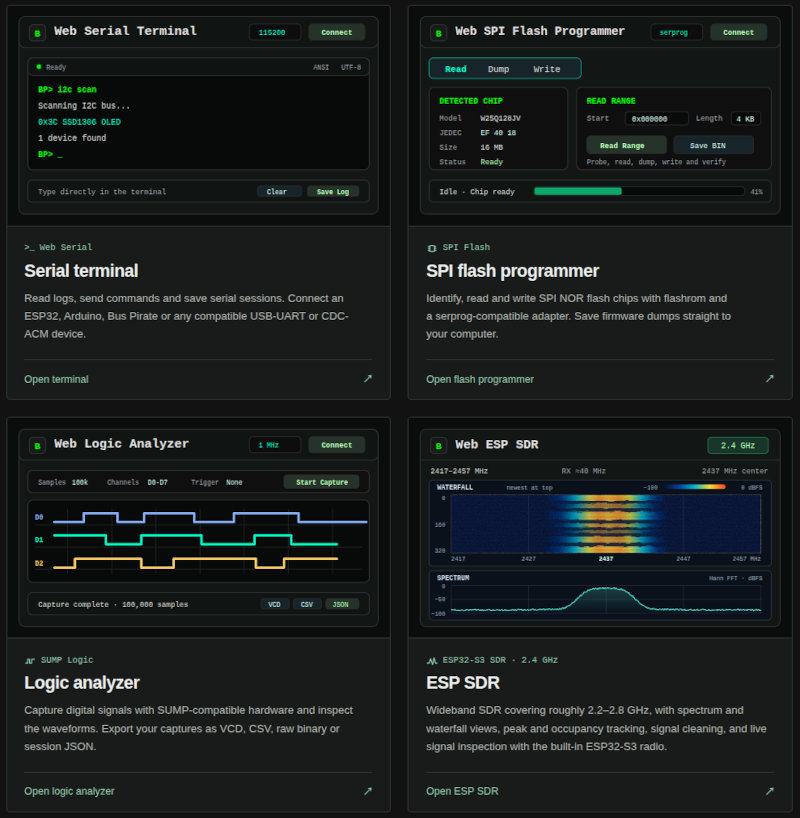
在那里你可以[安装固件](https://geo-tp.github.io/ESP32-Bit-Pirate/webflasher/)、打开[网络工具](https://geo-tp.github.io/ESP32-Bit-Pirate/web-tools/)、查阅[硬件指南](https://geo-tp.github.io/ESP32-Bit-Pirate/hardware/)、探索[配方](https://geo-tp.github.io/ESP32-Bit-Pirate/recipes/),并访问[文档](https://github.com/geo-tp/ESP32-Bit-Pirate/wiki)。
[](https://geo-tp.github.io/ESP32-Bit-Pirate/web-tools/)
## 功能特性
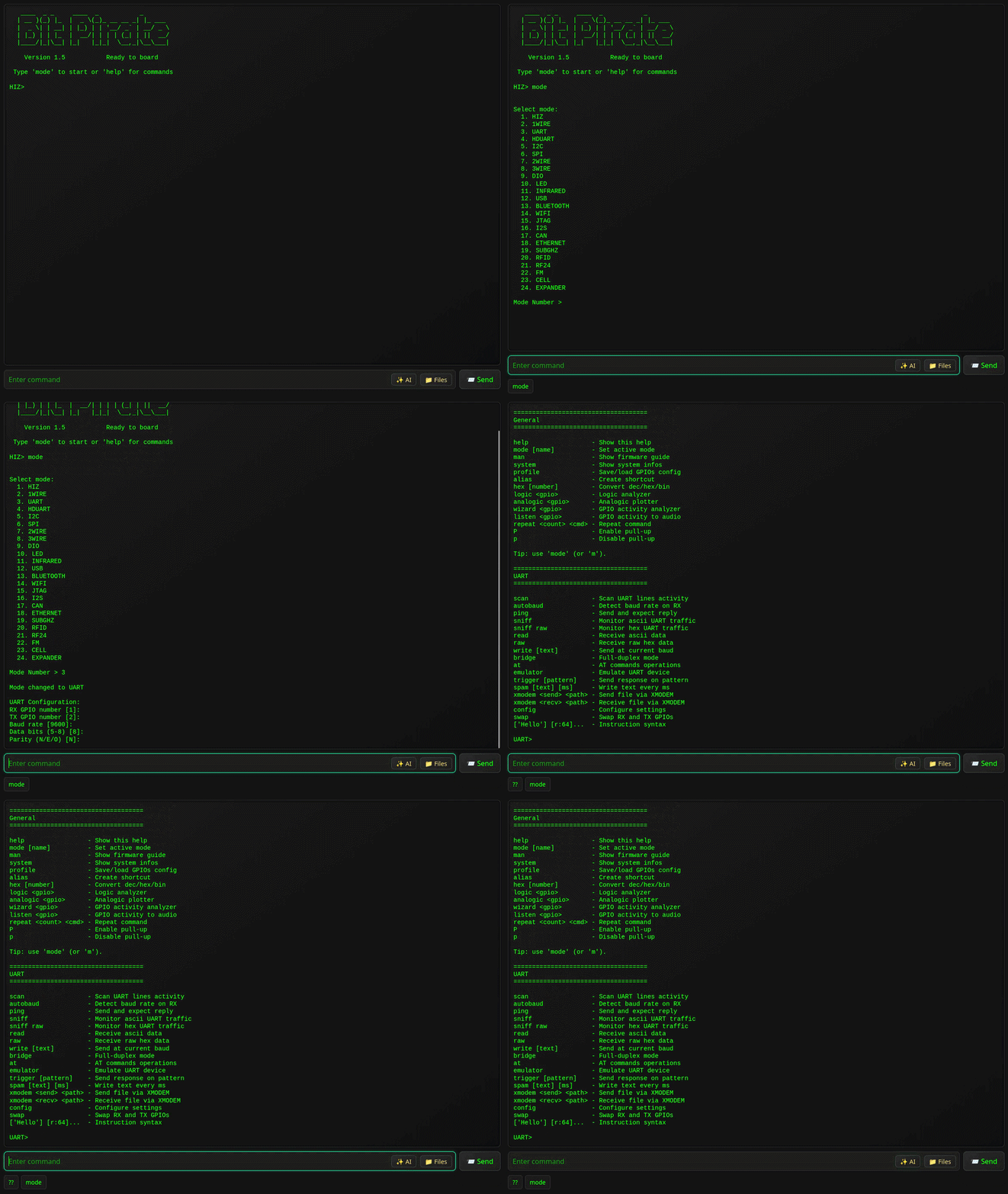
- 通过 **USB 串口或 WiFi Web** 提供交互式命令行界面(CLI)。
- **支持以下模式:**
- [HiZ](https://github.com/geo-tp/ESP32-Bit-Pirate/wiki/01-HiZ)(默认)
- [I2C](https://github.com/geo-tp/ESP32-Bit-Pirate/wiki/05-I2C)(扫描、毛刺、从机模式、转储、eeprom)
- [SPI](https://github.com/geo-tp/ESP32-Bit-Pirate/wiki/06-SPI)(eeprom、flash、sdcard、从机模式)
- [UART](https://github.com/geo-tp/ESP32-Bit-Pirate/wiki/03-UART) / [半双工 UART](https://github.com/geo-tp/ESP32-Bit-Pirate/wiki/04-HDUART)(桥接、读取、写入)
- [1WIRE](https://github.com/geo-tp/ESP32-Bit-Pirate/wiki/02-1WIRE)(ibutton、eeprom)
- [2WIRE](https://github.com/geo-tp/ESP32-Bit-Pirate/wiki/07-2WIRE)(嗅探、智能卡) / [3WIRE](https://github.com/geo-tp/ESP32-Bit-Pirate/wiki/08-3WIRE)(eeprom)
- [DIO](https://github.com/geo-tp/ESP32-Bit-Pirate/wiki/09-DIO)(数字 I/O、读取、上拉、设置、pwm)
- [红外](https://github.com/geo-tp/ESP32-Bit-Pirate/wiki/11-INFRARED)(发送、录制、万能遥控器)
- [USB](https://github.com/geo-tp/ESP32-Bit-Pirate/wiki/12-USB)(HID、flashrom、存储、usb-uart)
- [蓝牙](https://github.com/geo-tp/ESP32-Bit-Pirate/wiki/13-BLUETOOTH)(BLE HID、扫描、欺骗、嗅探)
- [Wi-Fi](https://github.com/geo-tp/ESP32-Bit-Pirate/wiki/14-WIFI) / [以太网](https://github.com/geo-tp/ESP32-Bit-Pirate/wiki/18-ETHERNET)(嗅探、deauth、nmap、netcat)
- [JTAG](https://github.com/geo-tp/ESP32-Bit-Pirate/wiki/15-JTAG)(扫描、SWD、openOCD)
- [LED](https://github.com/geo-tp/ESP32-Bit-Pirate/wiki/10-LED)(动画、设置 LED)
- [I2S](https://github.com/geo-tp/ESP32-Bit-Pirate/wiki/16-I2S)(测试扬声器、麦克风、播放声音)
- [CAN](https://github.com/geo-tp/ESP32-Bit-Pirate/wiki/17-CAN)(嗅探、发送和接收帧)
- [SUBGHZ](https://github.com/geo-tp/ESP32-Bit-Pirate/wiki/19-SUBGHZ)(分析、录制、重放)
- [RFID](https://github.com/geo-tp/ESP32-Bit-Pirate/wiki/20-RFID)(读取、写入、克隆)
- [RF24](https://github.com/geo-tp/ESP32-Bit-Pirate/wiki/21-RF24)(扫描、发送、接收)
- [FM](https://github.com/geo-tp/ESP32-Bit-Pirate/wiki/22-FM)(分析、广播)
- [CELL](https://github.com/geo-tp/ESP32-Bit-Pirate/wiki/23-CELL)(转储 SIM 卡、短信、通话)
- [LORA](https://github.com/geo-tp/ESP32-Bit-Pirate/wiki/24-LORA)(嗅探、载荷、meshtatic)
- **协议嗅探器**:I2C、UART、SPI、1Wire、2wire、CAN、Wi-Fi、蓝牙、SubGhz。
- 波特率**自动检测**、AT 命令以及各种 UART 工具。
- 寄存器操作、**EEPROM 转储工具**、I2C 设备识别。
- 读取各种 **EEPROM、Flash** 以及 SPI 的其他多种工具。
- 使用 **Bus Pirate 风格字节码**指令或 **Python** 进行脚本编写。
- 红外支持,涵盖超过 **80 种协议**。
- 直接 I/O 管理、**PWM、舵机、GPIO 状态**。
- **在所有频段**上分析无线电信号和频率。
- 支持近 **50 种可寻址 LED 协议**。
- **Pirate 助手**帮助你使用固件。
- **USB-Uart 适配器、SPI 编程器、逻辑分析仪、ESP-SDR** 等。
- [**Web Serial 工具**](https://geo-tp.github.io/ESP32-Bit-Pirate/web-tools/),可在网页浏览器中使用 USB 串口。
## 支持的设备
下面列出的所有开发板都提供完全相同的 Bit Pirate 功能,在功能或开发状态上没有差异。某些功能可能需要额外的硬件。
| 设备 | | 描述 |
|-----------------------|------------------------------------------|---------------------------------------------------|
| **ESP32 S3 Dev Kit (N8, N8R2, N8R8, N16R8...)** | 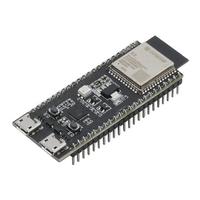 | 超过 20 个可用 GPIO,1 个按钮 |
| **ESP32 S3 Zero / Super Mini** | 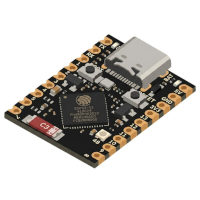 | 15 个 GPIO(引出引脚),1 个按钮 |
| [**M5 AtomS3 Lite**](https://shop.m5stack.com/products/atoms3-lite-esp32s3-dev-kit?ref=pvosfmid) | [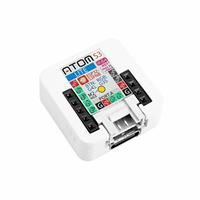](https://shop.m5stack.com/products/atoms3-lite-esp32s3-dev-kit?ref=pvosfmid) | 8 个 GPIO(Grove、排针),IR TX,1 个按钮 |
| **M5 Cardputer** | 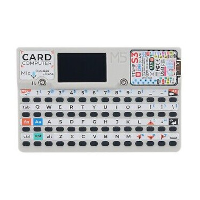 | 2 个 GPIO(Grove),屏幕,键盘,麦克风,扬声器,IR TX,SD 卡,电池,[独立模式](#standalone-mode-for-the-cardputer) |
| [**M5 Cardputer ADV**](https://shop.m5stack.com/products/m5stack-cardputer-adv-version-esp32-s3?ref=pvosfmid) | [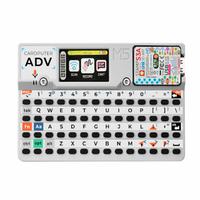](https://shop.m5stack.com/products/m5stack-cardputer-adv-version-esp32-s3?ref=pvosfmid) | 12 个 GPIO(Grove、排针),屏幕,键盘,麦克风,扬声器,IR TX,SD 卡,IMU,电池,[Lora](https://shop.m5stack.com/products/cap-lora-1262-for-cardputer-adv-sx1262-atgm336h?ref=pvosfmid),[CC1101](https://shop.m5stack.com/products/cap-cc1101-nfc-for-cardputer?ref=pvosfmid),[独立模式](#standalone-mode-for-the-cardputer) |
| [**M5 StampS3**](https://shop.m5stack.com/products/m5stamps3a-with-2-54-header-pin?ref=pvosfmid) | [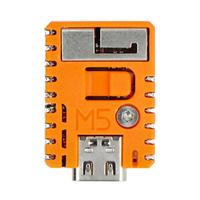](https://shop.m5stack.com/products/m5stamps3a-with-2-54-header-pin?ref=pvosfmid) | 9 个 GPIO(引出引脚),1 个按钮 |
| [**M5 Stick S3**](https://shop.m5stack.com/products/m5sticks3-esp32s3-mini-iot-dev-kit?ref=pvosfmid) | [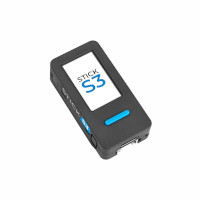](https://shop.m5stack.com/products/m5sticks3-esp32s3-mini-iot-dev-kit?ref=pvosfmid) | 13 个 GPIO(Grove、排针),屏幕,麦克风,扬声器,IR TX,IR RX,IMU,3 个按钮,电池 |
| **LILYGO T-Display** | 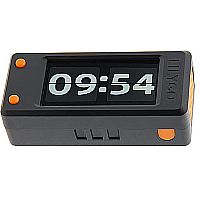 | 13 个 GPIO(1 个 Qwicc),屏幕,2 个按钮 |
| **LILYGO T-Embed** | 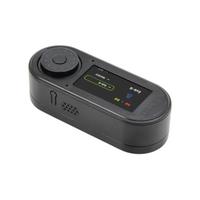 | 9 个 GPIO(Grove、排针),屏幕,编码器,扬声器,麦克风,SD 卡 |
| **LILYGO T-Embed CC1101** | 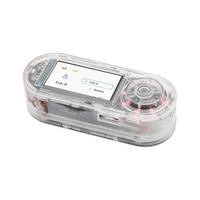 | 4 个 GPIO(2x Qwiic),屏幕,编码器,扬声器,麦克风,SD 卡,CC1101,PN532,IR TX,IR RX,电池 |
| **LILYGO T-Embed CC1101 Plus** |  | 4 个 GPIO(2x Qwiic),屏幕,编码器,扬声器,麦克风,SD 卡,CC1101,NRF24,PN532,IR TX,IR RX,电池 |
| **Heltec WiFi LoRa 32 V4** | 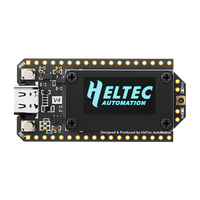 | 15 个 GPIO(排针),SX1262 LoRa,2 个按钮,**不支持屏幕** |
| **Heltec Vision Master T190** | 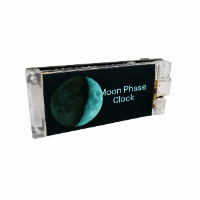 | 15 个 GPIO(排针、Qwiiic),屏幕,2 个按钮,SX1262 LoRa |
| **Seeed Studio Xiao S3** | 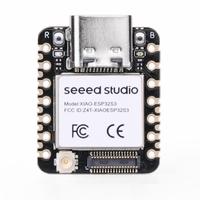 | 9 个 GPIO(引出引脚),1 个按钮 |
| **Waveshare ESP32-S3-GEEK** | 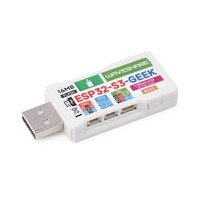 | 7 个 GPIO(杜邦排针),屏幕,1 个按钮,SD 卡 |
| **Unexpected Maker ProS3**| [](https://www.adafruit.com/product/5401) | 超过 20 个可用 GPIO(排针、STEMMA QT),1 个按钮|
- **其他基于 ESP32-S3 的开发板**
- 所有基于 **ESP32-S3 的开发板都可以支持**,前提是它们至少有 **4 MB 的 flash。**
- 你可以**将 s3 dev-kit(8MB flash)或 supermini(4MB flash)固件烧录到任何 ESP32-S3 开发板上。**
- 请记住,**固件中的默认引脚映射可能不匹配**你的具体开发板。
## 快速开始
[](https://geo-tp.github.io/ESP32-Bit-Pirate/webflasher/)
1. 🔧 烧录固件
- 使用 [ESP32 Bit Pirate Web 烧录器](https://geo-tp.github.io/ESP32-Bit-Pirate/webflasher/)直接从网页浏览器烧录固件。
- 你也可以在 [M5Burner](https://docs.m5stack.com/en/download) 中烧录,位于 StickS3、AtomS3、M5StampS3 或 Cardputer 分类下。
2. 🔌 通过串口或 Web 连接
- 串口:任何终端应用,或[免费的基于浏览器的 Web Serial 终端](https://geo-tp.github.io/ESP32-Bit-Pirate/web-tools/web-serial-terminal/)(参见[通过串口连接](https://github.com/geo-tp/ESP32-Bit-Pirate/wiki/99-Serial))
- Web:配置 Wi-Fi 并通过浏览器访问 CLI(参见 [Wi-Fi 连接](https://github.com/geo-tp/ESP32-Bit-Pirate/wiki/00-Terminal))
3. 🧪 使用如下命令:
```
mode
help
scan
sniff
...
```
## Wiki
[](https://github.com/geo-tp/ESP32-Bit-Pirate/wiki/)
📚 **[访问 Wiki](https://github.com/geo-tp/ESP32-Bit-Pirate/wiki)** 获取关于每种模式和命令的详细文档。
包括:
- [终端模式](https://github.com/geo-tp/ESP32-Bit-Pirate/wiki/00-Terminal) - 关于串口和 Web 终端。
- [模式概览](https://github.com/geo-tp/ESP32-Bit-Pirate/wiki) - 浏览支持的模式。
- [串口设置](https://github.com/geo-tp/ESP32-Bit-Pirate/wiki/99-Serial) - 通过 USB 进行串口访问。
Wiki 是了解一切如何运作的最佳去处。
## 脚本编写
[](https://github.com/geo-tp/ESP32-Bit-Pirate-Scripts/)
🛠️ [**使用 Python 脚本通过串口自动化与 ESP32 Bit Pirate 的交互**](https://github.com/geo-tp/ESP32-Bit-Pirate/wiki/99-Python)。
你可以使用 [ESP32 Bit Pirate Python Lab](https://geo-tp.github.io/ESP32-Bit-Pirate/web-tools/python-lab/) 直接在浏览器中编写和测试脚本。
**包括:** 将数据记录到文件、eeprom 和 flash 转储、与 GPIO 交互、LED 动画……
## 扩展器
[](https://github.com/geo-tp/ESP32-Bus-Expander)
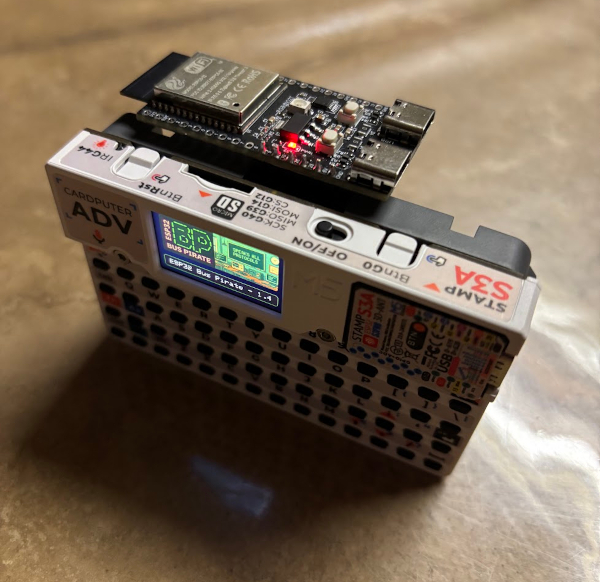
🔌 **[使用额外的硬件模块扩展 ESP32 Bit Pirate 的能力](https://github.com/geo-tp/ESP32-Bus-Expander)**。
扩展器增加了对 **WiFi 5 GhZ、Zigbee** 或其他无线电协议的支持。
[](https://github.com/geo-tp/ESP32-Bus-Expander)
## 底座
[](https://github.com/AndreiVladescu/ESP32-Bit-Pirate-Dock)
🔧 **[一款专为 ESP32 S3 DevKit 设计的扩展坞](https://github.com/AndreiVladescu/ESP32-Bit-Pirate-Dock),可与原版 Bus Pirate 适配器配合使用。**
它允许你插入并使用原版 [Bus Pirate](https://buspirate.com/) 生态系统的适配器和配件。
[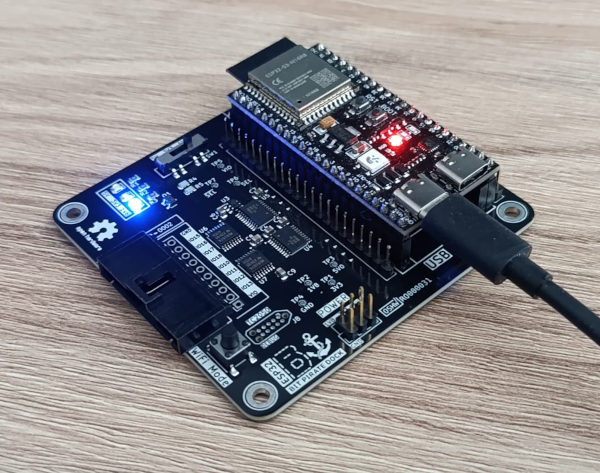](https://www.pcbway.com/project/shareproject/ESP32_Bit_Pirate_Dock_ca02ded7.html)
[**在 PCBWay 上获取 ESP32 Bit Pirate 底座。**](https://www.pcbway.com/project/shareproject/ESP32_Bit_Pirate_Dock_ca02ded7.html)
[](https://www.pcbway.com/project/shareproject/ESP32_Bit_Pirate_Dock_ca02ded7.html)
## 命令行界面
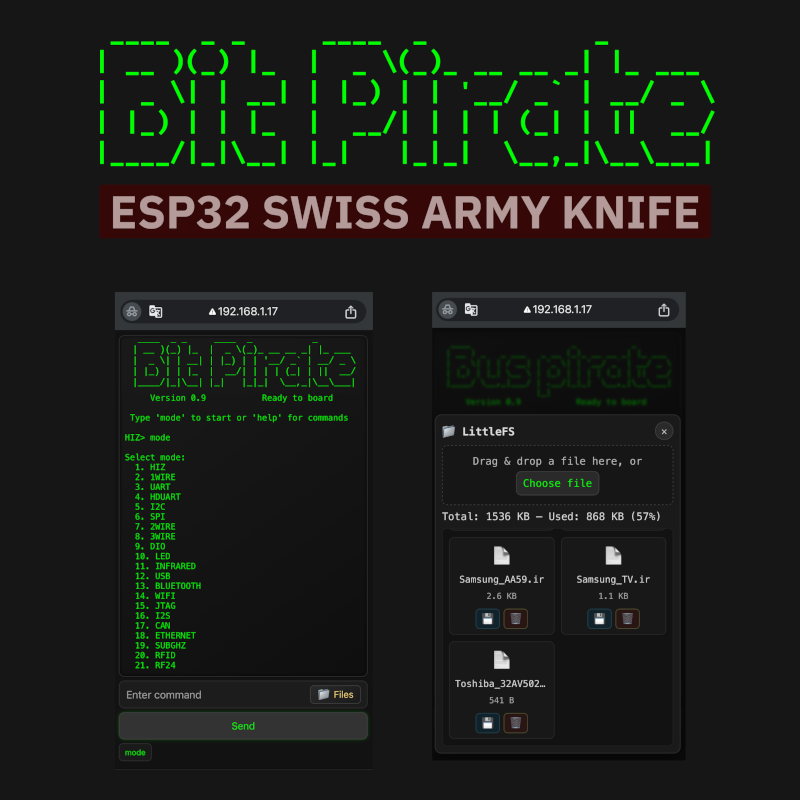
ESP32 Bit Pirate 固件提供三种命令行界面(CLI)模式:
| 界面 | 优势 | 适用于…… |
|------------------|-----------------------------------------------------------------------------|----------------------------------------|
| **Web 界面** | - 可从任何浏览器访问<br>- PC、平板、手机<br>- 通过 Wi-Fi 工作<br>- 无需线缆 | 快速测试、演示、无头设置 |
| **串口界面** | - 性能更快<br>- 即时响应<br>- 流畅处理大数据 | 密集会话、频繁交互 |
| **独立模式** | - 仅适用于 Cardputer<br>- 设备上的键盘<br>- 设备上的屏幕 | 便携会话、快速测试 |
所有界面共享相同的命令结构,可以互换使用([更多详情](https://github.com/geo-tp/ESP32-Bit-Pirate/wiki/00-Terminal))。
## 通过 WiFi 的移动 Web 界面
## Cardputer 的独立模式
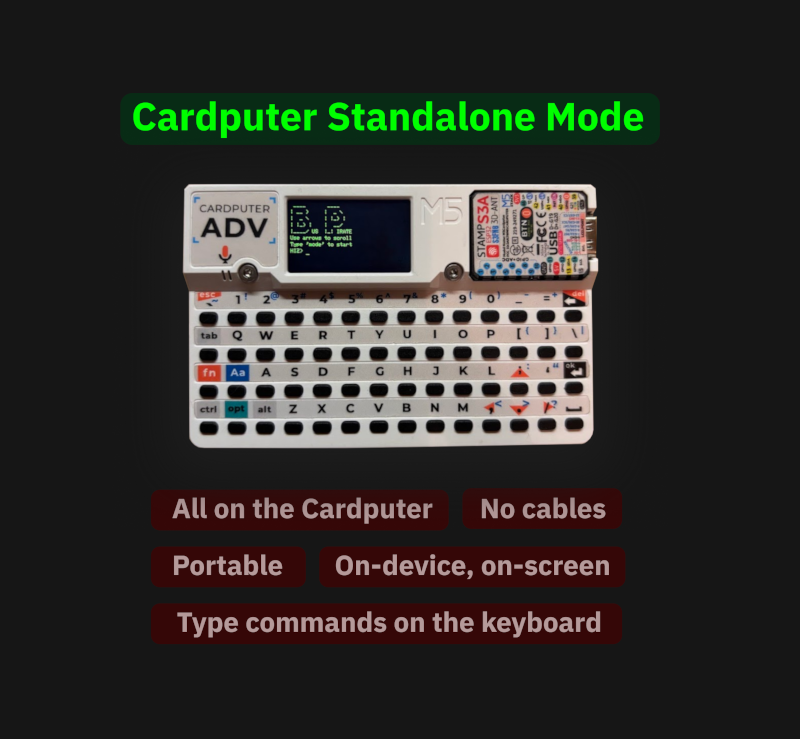
## 贡献
参见[如何贡献](https://github.com/geo-tp/ESP32-Bit-Pirate/wiki/99-Contribute)部分,其中概述了**添加新开发板或新命令的简单方法**。
## 视觉素材
#### [](https://github.com/geo-tp/ESP32-Bit-Pirate/wiki/99-Visual-Assets)
参见[图片、标志、演示文稿、照片、视频、插图](https://github.com/geo-tp/ESP32-Bit-Pirate/wiki/99-Visual-Assets)。这些视觉素材可以**自由用于博客文章、文档、视频或文章中**,以帮助解释和推广该固件。
## 警告
> ⚠️ **电压警告**:设备应仅在 **3.3V** 或 **5V** 下运行。
> - **不要**连接使用其他电压电平的外设——这样做可能会**损坏你的 ESP32**。
> ⚠️ **使用警告**:本固件仅供**教育、诊断和互操作性测试目的**提供。
> - 请勿在未经适当授权的情况下使用它来干扰、探测或操纵设备。
> - 避免任何可能违反当地法规或干扰网络和通信的未经授权的射频传输(例如 sub-GHz)。
> - 作者不对本软件或硬件的任何滥用负责,包括因未经授权的访问或信号发射而导致的法律后果。
> - 请始终遵守你所在国家的法律和负责任的披露政策。