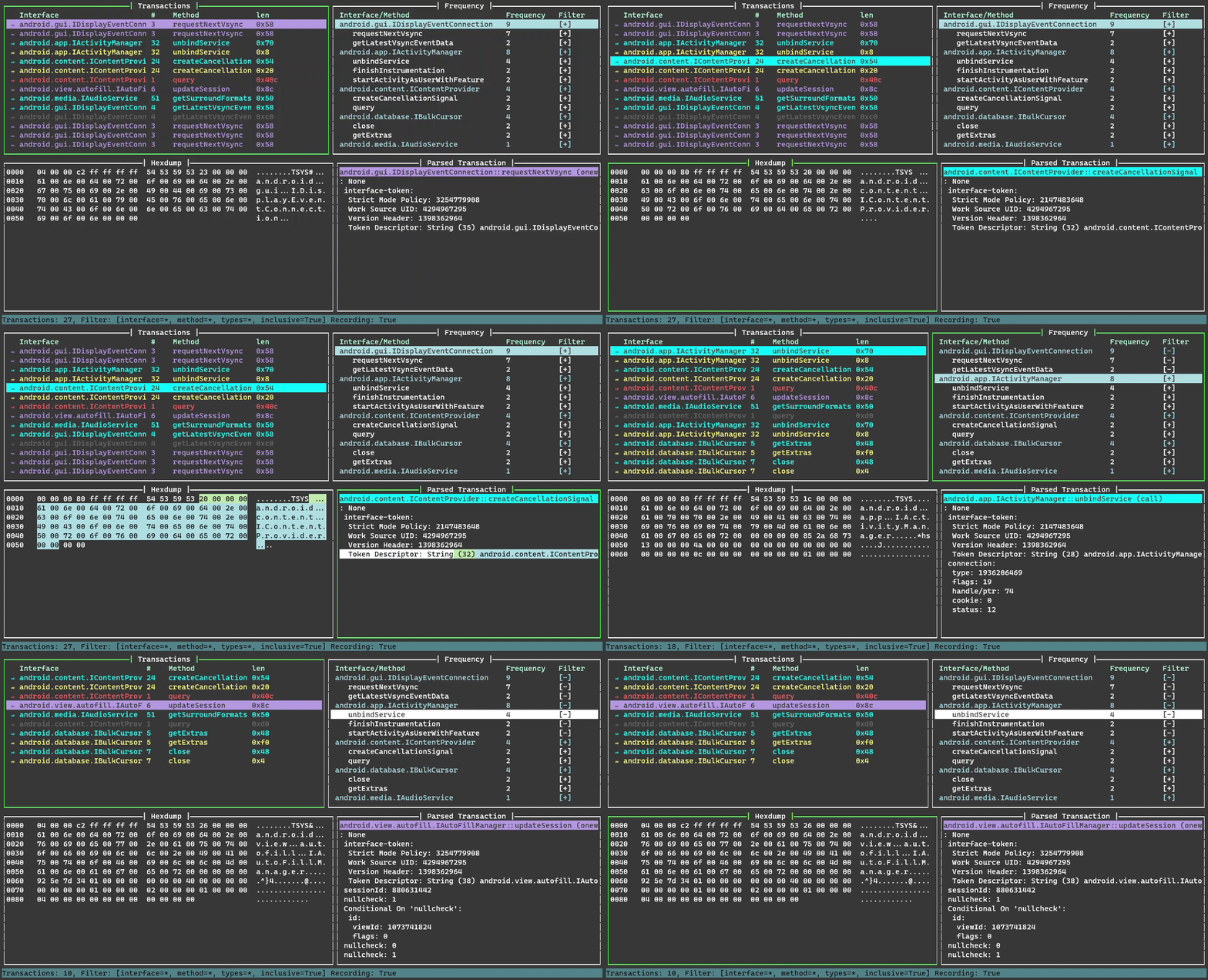
Binder Trace 是一款用于拦截和解析 Android Binder 消息的工具。你可以把它视为“Binder 版 Wireshark”。
python 版本 >= 3.9
你需要一台已 root 的 Android 设备或模拟器。
(仅限 Linux)- 安装 xclip 或 xsel 以获得“复制到剪贴板”功能
sudo apt-get install xclip
sudo apt-get install xsel
从 PyPi 安装
pip install binder-trace
检查已安装的 frida 版本(请确保已通过 pip 安装所需依赖)
pip list | grep frida
从 frida 发布页面 下载匹配版本的 frida-server
确保 adb 以 root 身份运行,将 frida-server 推送到设备上并运行它
adb root
adb push frida-server /data/local/tmp
adb shell
chmod u+x /data/local/tmp/frida-server
/data/local/tmp/frida-server
| 参数 | 描述 |
|---|---|
| -h | 打印参数帮助。 |
| -d DEVICE | 要附加到的设备,例如“emulator-5554”。使用 adb devices 列出可用设备。如果未提供,则默认使用 USB 设备。 |
| -p PID | 要附加到的 DEVICE 上进程的 pid。 |
| -n NAME | 要附加到的 DEVICE 上进程的名称,例如“Messaging”。 |
| -a [9, 10, 11, 12, 13, 14] | 目标设备的 Android 版本。如果未提供 struct 路径,则使用默认结构体。 |
| -s STRUCTPATH | 结构文件目录的路径。 |
| -c CONFIG | 用于过滤的配置文件的路径。 |
| --spawn | 在附加前生成(spawn)进程。必须提供 -n 选项,并且其值必须为有效的进程标识符。 |
要启动 binder trace,我们需要选择一个要附加到的设备和进程。
在下面的示例中,我们使用 adb 和 frida-ps 来识别本地模拟器上要附加到的进程。由于它是 Android 11 模拟器,我们选择 Android 11 structs 目录。请选择与你的 Android 版本最接近的 struct 目录。如果你需要其他 Android 版本的结构体,请告诉我们。运行起来后,开始使用目标应用来产生一些 binder 事务。
> adb devices
List of devices attached
emulator-5554   device

> frida-ps -Ua
 PID  Name           Identifier
----  -------------  ----------------------------
8334  Messaging      com.android.messaging
7941  Phone          com.android.dialer
9607  Settings       com.android.settings

> cd binder_trace
> binder-trace -d emulator-5554 -n Messaging -a 11
| 按键 | 操作 |
|---|---|
up | 上移 |
down | 下移 |
shift + up | 上一页 |
shift + down | 下一页 |
home | 回到顶部 |
end | 回到底部 |
tab | 下一个窗格 |
shift + tab | 上一个窗格 |
ctrl + c | 将窗格复制到剪贴板 |
space | 暂停/恢复事务记录 |
c | 清除 |
h | 打开帮助 |
r | 重新加载配置文件 |
q | 退出 |
| 按键 | 操作 |
|---|---|
p | 切换排序(升序/降序) |
w | 跳转到下一个接口 |
s | 跳转到上一个接口 |
a | 开启全部过滤器 |
n | 关闭全部过滤器 |
enter | 切换过滤器 |
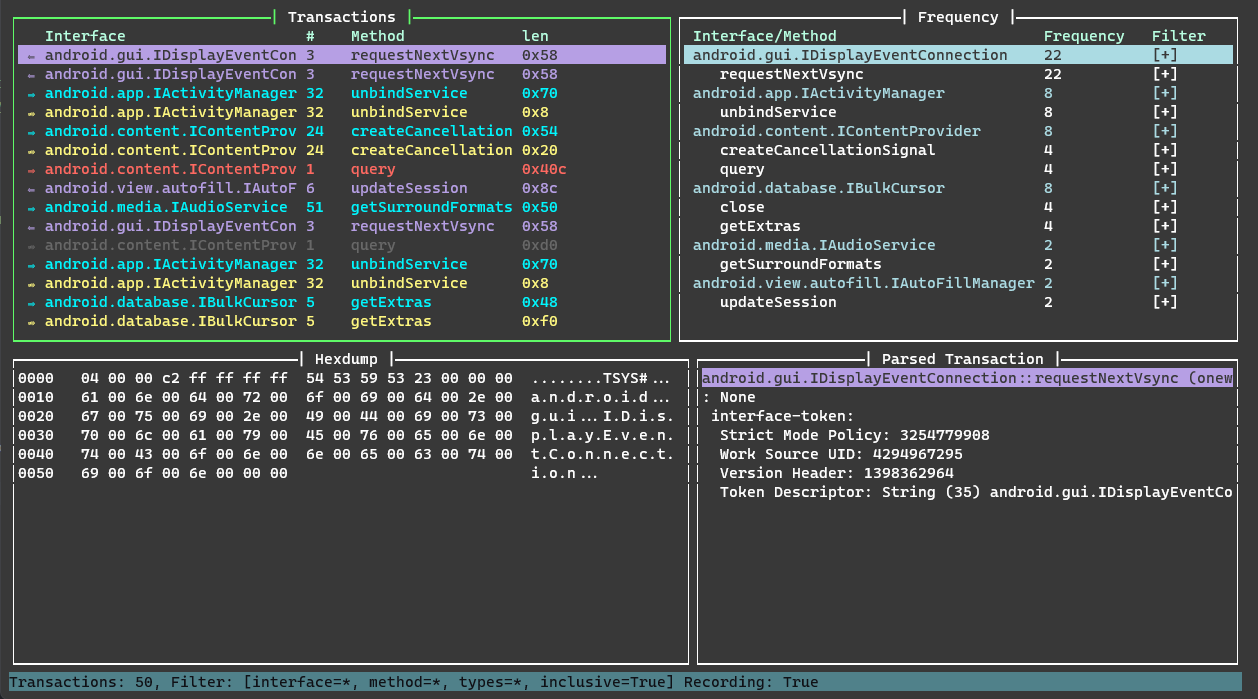
要过滤,请定义 interface、method、type 和 inclusive 选项中的任意一个或全部。不使用某个选项时,请将其留空 ""
> binder-trace -d emulator-5554 -n Contacts -a 13
{
    "filters": [
        {
            "interface": "android.gui.IDisplayEventConnection",
            "method": "requestNextVsync",
            "type": "",
            "inclusive": false
        },
        {
            "interface": "android.content.IContentProvider",
            "method": "",
            "type": "call",
            "inclusive": false
        }
    ]
}
> binder-trace -d emulator-5554 -n Contacts -a 13 -c .\binder_trace\binder_trace\config.json
android.gui.IDisplayEventConnection->requestNextVsync->"" 和 android.content.IContentProvider->"" ->call 已被过滤掉
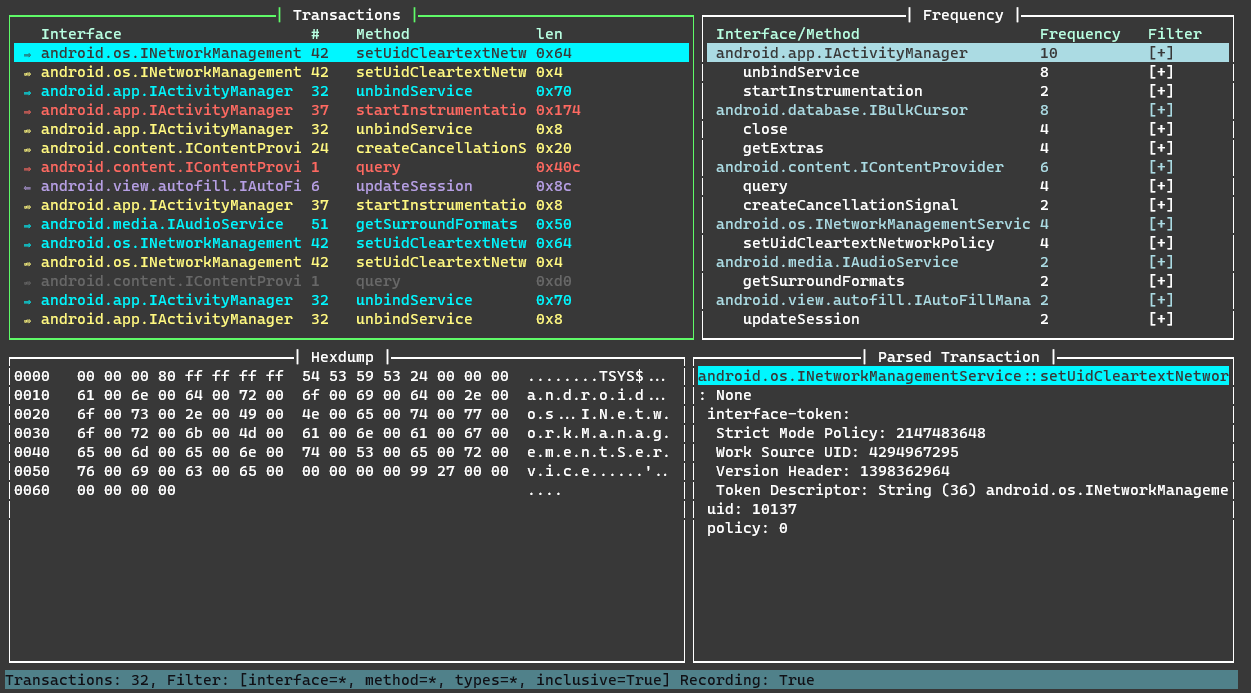
内部 binder 接口可能会在不同的小版本之间发生变化,而由于它们实际上是整体编译在一起的,没有运行时版本信息,因此很难为 Android 高度碎片化的生态系统中的每个版本提供 100% 准确的结构信息。
有关结构体的更多详细信息,请参见 结构说明页面。