Skip to content
KitploitKITPLOIT
工具博客
提交
工具博客
提交

黑客、渗透测试和网络安全工具,武装您的安全武器库!

Kitploit 是一个黑客、网络安全和渗透测试工具的目录。发现最新的项目更新,查找漏洞、分析系统、自动化测试并加强你的安全。

··订阅源·联系·隐私·© 2026 Kitploit

工具目录

分类

查看所有分类
Loading categories
OffensivePipeline — OffensivePipeline 允许您下载并构建 C# 工具,同时应用某些修改以提高其在红队演练中的规避能力。 | Kitploit
工具/GitHubGitHub/aetsu/offensivepipeline
Payload生成IDS/IPS规避红队Shellcode 生成
GitHubaetsu/offensivepipeline

OffensivePipeline

OffensivePipeline 允许您下载并构建 C# 工具,同时应用某些修改以提高其在红队演练中的规避能力。

查看仓库
8201492年前Kitploit 审核通过

最受欢迎

查看全部 →

发现我们社区最常用的工具。

探索所有工具

浏览我们的工具集合

查看所有工具 →
分享

OffensivePipeline

OffensivePipeline 允许你下载并构建 C# 工具,在构建过程中应用特定修改,以提高其在红队演练中的逃逸能力。 OffensivePipeline 的常见用途是从 Git 仓库下载工具,对项目中的某些值进行随机化,构建它,混淆生成的二进制文件,并生成 shellcode。

特性

  • 目前仅支持 C#(.Net Framework)项目
  • 允许克隆公共和私有(你需要凭据 :D)Git 仓库
  • 允许使用本地文件夹
  • 随机化项目 GUID
  • 随机化 AssemblyInfo 中包含的应用程序信息
  • 构建 C# 项目
  • 混淆生成的二进制文件
  • 从二进制文件生成 shellcode
  • 在 YML 模板中参数化了 79 个工具(并非所有工具都能工作 :D)
  • 可以使用 YML 模板添加新工具
  • 应该易于添加新插件...

2.0 版本的新特性

  • 几乎完全重写了代码(新的 bug?)
  • 可以从私有仓库克隆(通过 GitHub authToken 进行身份验证)
  • 可以复制本地文件夹,而不是从远程仓库克隆
  • 新模块:使用 Donut 生成 shellcode
  • 新模块:随机化应用程序的 GUID
  • 新模块:随机化每个应用程序的 AssemblyInfo
  • 新增了 60 个工具

示例

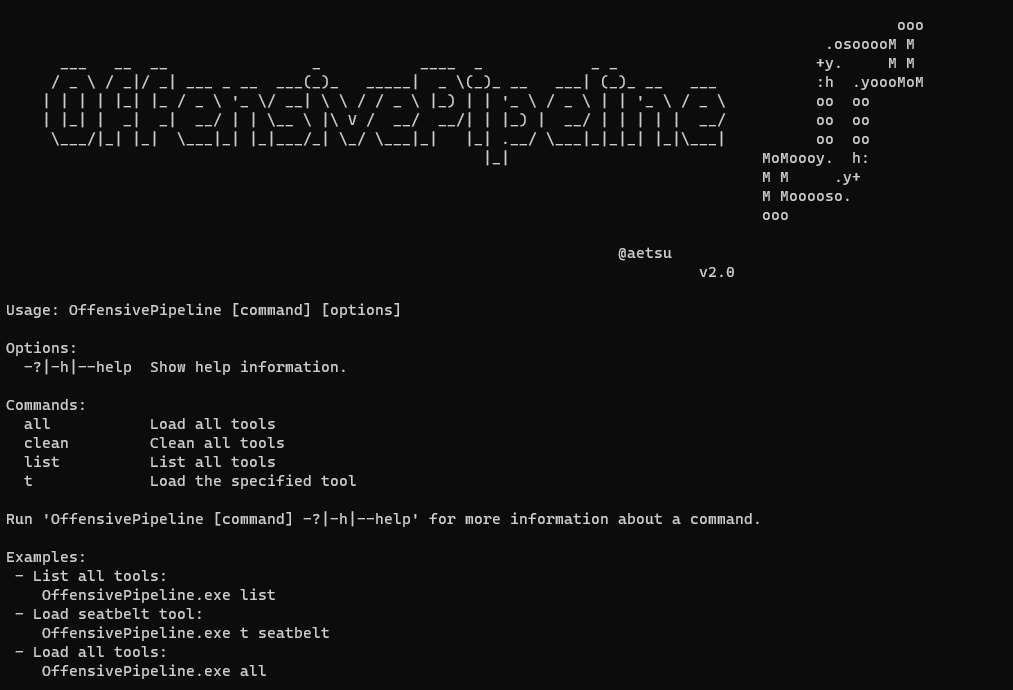
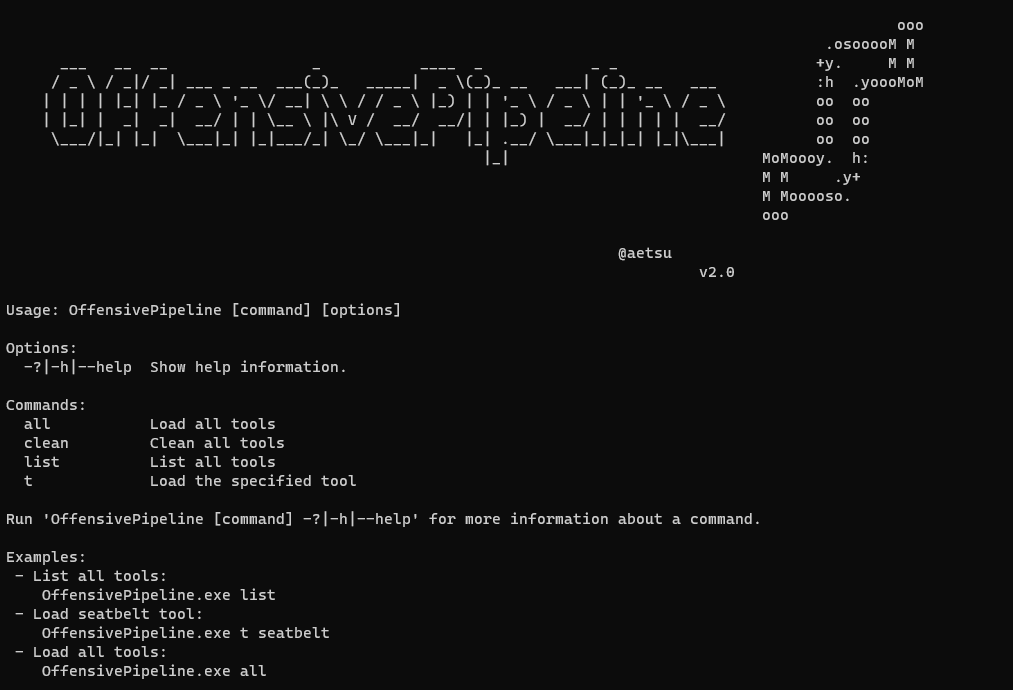
  • 列出所有工具:``` OffensivePipeline.exe list
root@kitploit:~
- 构建所有工具:```
OffensivePipeline.exe all
  • 构建一个工具``` OffensivePipeline.exe t toolName
root@kitploit:~
- 清理克隆的仓库和构建工具```
OffensivePipeline.exe 

输出示例```

PS C:\OffensivePipeline> .\OffensivePipeline.exe t rubeus

root@kitploit:~
                                                                                               ooo
                                                                                       .osooooM M
  ___   __  __                _           ____  _            _ _                      +y.     M M
 / _ \ / _|/ _| ___ _ __  ___(_)_   _____|  _ \(_)_ __   ___| (_)_ __   ___           :h  .yoooMoM
| | | | |_| |_ / _ \ '_ \/ __| \ \ / / _ \ |_) | | '_ \ / _ \ | | '_ \ / _ \          oo  oo
| |_| |  _|  _|  __/ | | \__ \ |\ V /  __/  __/| | |_) |  __/ | | | | |  __/          oo  oo
 \___/|_| |_|  \___|_| |_|___/_| \_/ \___|_|   |_| .__/ \___|_|_|_| |_|\___|          oo  oo
                                                 |_|                            MoMoooy.  h:
                                                                                M M     .y+
                                                                                M Mooooso.
                                                                                ooo

                                                                @aetsu
                                                                            v2.0.0

[+] Loading tool: Rubeus Clonnig repository: Rubeus into C:\OffensivePipeline\Git\Rubeus Repository Rubeus cloned into C:\OffensivePipeline\Git\Rubeus

root@kitploit:~
[+] Load RandomGuid module
    Searching GUIDs...
            > C:\OffensivePipeline\Git\Rubeus\Rubeus.sln
            > C:\OffensivePipeline\Git\Rubeus\Rubeus\Rubeus.csproj
            > C:\OffensivePipeline\Git\Rubeus\Rubeus\Properties\AssemblyInfo.cs
    Replacing GUIDs...
            File C:\OffensivePipeline\Git\Rubeus\Rubeus.sln:
                    > Replacing GUID 658C8B7F-3664-4A95-9572-A3E5871DFC06 with 3bd82351-ac9a-4403-b1e7-9660e698d286
                    > Replacing GUID FAE04EC0-301F-11D3-BF4B-00C04F79EFBC with 619876c2-5a8b-4c48-93c3-f87ca520ac5e
                    > Replacing GUID 658c8b7f-3664-4a95-9572-a3e5871dfc06 with 11e0084e-937f-46d7-83b5-38a496bf278a
            [+] No errors!
            File C:\OffensivePipeline\Git\Rubeus\Rubeus\Rubeus.csproj:
                    > Replacing GUID 658C8B7F-3664-4A95-9572-A3E5871DFC06 with 3bd82351-ac9a-4403-b1e7-9660e698d286
                    > Replacing GUID FAE04EC0-301F-11D3-BF4B-00C04F79EFBC with 619876c2-5a8b-4c48-93c3-f87ca520ac5e
                    > Replacing GUID 658c8b7f-3664-4a95-9572-a3e5871dfc06 with 11e0084e-937f-46d7-83b5-38a496bf278a
            [+] No errors!
            File C:\OffensivePipeline\Git\Rubeus\Rubeus\Properties\AssemblyInfo.cs:
                    > Replacing GUID 658C8B7F-3664-4A95-9572-A3E5871DFC06 with 3bd82351-ac9a-4403-b1e7-9660e698d286
                    > Replacing GUID FAE04EC0-301F-11D3-BF4B-00C04F79EFBC with 619876c2-5a8b-4c48-93c3-f87ca520ac5e
                    > Replacing GUID 658c8b7f-3664-4a95-9572-a3e5871dfc06 with 11e0084e-937f-46d7-83b5-38a496bf278a
            [+] No errors!


[+] Load RandomAssemblyInfo module
    Replacing strings in C:\OffensivePipeline\Git\Rubeus\Rubeus\Properties\AssemblyInfo.cs
            [assembly: AssemblyTitle("Rubeus")] -> [assembly: AssemblyTitle("g4ef3fvphre")]
            [assembly: AssemblyDescription("")] -> [assembly: AssemblyDescription("")]
            [assembly: AssemblyConfiguration("")] -> [assembly: AssemblyConfiguration("")]
            [assembly: AssemblyCompany("")] -> [assembly: AssemblyCompany("")]
            [assembly: AssemblyProduct("Rubeus")] -> [assembly: AssemblyProduct("g4ef3fvphre")]
            [assembly: AssemblyCopyright("Copyright ©  2018")] -> [assembly: AssemblyCopyright("Copyright ©  2018")]
            [assembly: AssemblyTrademark("")] -> [assembly: AssemblyTrademark("")]
            [assembly: AssemblyCulture("")] -> [assembly: AssemblyCulture("")]


[+] Load BuildCsharp module
    [+] Checking requirements...
    [*] Downloading nuget.exe from https://dist.nuget.org/win-x86-commandline/latest/nuget.exe
            [+] Download OK - nuget.exe
            [+] Path found - C:\Program Files (x86)\Microsoft Visual Studio\2022\BuildTools\Common7\Tools\VsDevCmd.bat
    Solving dependences with nuget...
    Building solution...
            [+] No errors!
            [+] Output folder: C:\OffensivePipeline\Output\Rubeus_vh00nc50xud


[+] Load ConfuserEx module
    [+] Checking requirements...
    [+] Downloading ConfuserEx from https://github.com/mkaring/ConfuserEx/releases/download/v1.6.0/ConfuserEx-CLI.zip
            [+] Download OK - ConfuserEx
    Confusing...
            [+] No errors!


[+] Load Donut module
    Generating shellcode...

Payload options: Domain: RMM6XFC3 Runtime:v4.0.30319

Raw Payload: C:\OffensivePipeline\Output\Rubeus_vh00nc50xud\ConfuserEx\Donut\Rubeus.bin B64 Payload: C:\OffensivePipeline\Output\Rubeus_vh00nc50xud\ConfuserEx\Donut\Rubeus.bin.b64

root@kitploit:~
            [+] No errors!


[+] Generating Sha256 hashes
            Output file: C:\OffensivePipeline\Output\Rubeus_vh00nc50xud

root@kitploit:~
            SUMMARY
  • Rubeus - RandomGuid: OK - RandomAssemblyInfo: OK - BuildCsharp: OK - ConfuserEx: OK - Donut: OK

root@kitploit:~
## 插件

- **RandomGuid**:随机化 *.sln*、*.csproj* 和 *AssemblyInfo.cs* 文件中的 GUID
- **RandomAssemblyInfo**:随机化 *AssemblyInfo.cs* 中定义的值
- **BuildCsharp**:构建 C# 项目
- **ConfuserEx**:混淆 C# 工具
- **Donut**:使用 Donut 生成 shellcode。生成的 shellcode 不带参数,未来版本可能会改变。

## 从远程 git 添加工具

下载工具的脚本位于 **Tools** 文件夹中,格式为 ***yml***。可以通过创建以下格式的新 *yml* 文件来添加新工具:

- *Rubeus.yml* 文件:```yml
tool:
  - name: Rubeus
    description: Rubeus is a C# toolset for raw Kerberos interaction and abuses
    gitLink: https://github.com/GhostPack/Rubeus
    solutionPath: Rubeus\Rubeus.sln
    language: c#
    plugins: RandomGuid, RandomAssemblyInfo, BuildCsharp, ConfuserEx, Donut
    authUser:
    authToken: 
    toolArguments: 

其中:

  • Name: 工具名称
  • Description: 工具描述
  • GitLink: 用于克隆的 Git 链接
  • SolutionPath: 解决方案(.sln 文件)路径
  • Language: 使用的语言(目前仅支持 C#)
  • Plugins: 构建此工具时使用的插件
  • AuthUser: GitHub 用户名(公共仓库不使用)
  • AuthToken: GitHub 认证令牌(公共仓库不使用)

从私有 Git 仓库添加工具```yml

tool:

  • name: SharpHound3-Custom description: C# Rewrite of the BloodHound Ingestor gitLink: https://github.com/aaaaaaa/SharpHound3-Custom solutionPath: SharpHound3-Custom\SharpHound3.sln language: c# plugins: RandomGuid, RandomAssemblyInfo, BuildCsharp, ConfuserEx, Donut authUser: aaaaaaa authToken: abcdefghijklmnopqrsthtnf toolArguments: "-c All,GPOLocalGroup -d whatever.youlike.local"
root@kitploit:~
其中:

- Name: 工具的名称
- Description: 工具的描述
- GitLink: 用于克隆的 Git 链接
- SolutionPath: 解决方案(*sln* 文件)路径
- Language: 使用的语言(目前仅支持 C#)
- Plugins: 在此工具构建过程中使用的插件
- AuthUser: GitHub 用户名
- AuthToken: 来自 GitHub 的认证令牌(在 GitHub 文档中:[创建个人访问令牌](https://docs.github.com/en/authentication/keeping-your-account-and-data-secure/creating-a-personal-access-token))
- toolArguments: 要嵌入 donut shellcode 中的参数

## 从本地 Git 文件夹添加工具```yml
tool:
  - name: SeatbeltLocal
    description: Seatbelt is a C# project that performs a number of security oriented host-survey "safety checks" relevant from both offensive and defensive security perspectives.
    gitLink: C:\Users\alpha\Desktop\SeatbeltLocal
    solutionPath: SeatbeltLocal\Seatbelt.sln
    language: c#
    plugins: RandomGuid, RandomAssemblyInfo, BuildCsharp, ConfuserEx, Donut
    authUser:
    authToken: 
    toolArguments:

其中:
  • Name:工具名称
  • Description:工具描述
  • GitLink:工具所在路径
  • SolutionPath:解决方案(.sln 文件)路径
  • Language:使用的语言(目前仅支持 C#)
  • Plugins:此工具构建过程中使用的插件
  • AuthUser:来自 GitHub 的用户名(不用于本地仓库)
  • AuthToken:来自 GitHub 的身份验证令牌(不用于本地仓库)
  • toolArguments:要嵌入 donut shellcode 的参数

发布版本的要求(无需 Visual Studio 2019/2022)

  • Microsoft .NET Framework 3.5 Service Pack 1(用于某些工具):https://www.microsoft.com/en-us/download/details.aspx?id=22
  • Visual Studio 2022 构建工具:https://aka.ms/vs/17/release/vs_BuildTools.exe
    • 安装 .NET 桌面构建工具
  • (备选)Visual Studio 2019 构建工具:https://aka.ms/vs/16/release/vs_BuildTools.exe
  • 禁用防病毒软件 :D
  • 已在 Windows 10 Pro - 版本 20H2 - 内部版本 19045.2486 上测试

在 OffensivePipeline.dll.config 文件中,可以更改所使用的构建工具版本。

  • Build Tools 2019:```xml
root@kitploit:~
- Build Tools 2022:```xml
<add key="BuildCSharpTools" value="C:\Program Files (x86)\Microsoft Visual Studio\2022\BuildTools\Common7\Tools\VsDevCmd.bat"/>

Requirements for build

  • Net framework 3.5.1(用于某些工具):https://www.microsoft.com/en-us/download/details.aspx?id=22
  • Visual Studio 2022 -> https://visualstudio.microsoft.com/thank-you-downloading-visual-studio/?sku=Community&rel=17
    • 安装 .NET 桌面生成工具
  • 手动添加 Donut 包。(感谢 @n1xbyte 提供的包 (DonutCore.1.0.1.nupkg))

致谢

  • ConfuserEx 项目:https://github.com/mkaring/ConfuserEx
  • Donut 项目:https://github.com/TheWover/donut
  • Donut C# 生成器:https://github.com/n1xbyte/donutCS
  • SharpCollection:https://github.com/Flangvik/SharpCollection

支持的工具- ADCollector:

  • 描述: ADCollector 是一个轻量级工具,用于枚举 Active Directory 环境以识别可能的攻击向量。
  • 链接: https://github.com/dev-2null/ADCollector
  • ADCSPwn:
    • 描述: 一种通过强制获取机器帐户身份验证(Petitpotam)并中继到证书服务来在 Active Directory 网络中提升权限的工具。
    • 链接: https://github.com/bats3c/ADCSPwn
  • ADFSDump:
    • 描述: 一个 C# 工具,用于转储 AD FS 中的各种好东西。
    • 链接: https://github.com/mandiant/ADFSDump
  • ADSearch:
    • 描述: 一个为 cobalt-strike 的 execute-assembly 命令编写的工具,允许更高效地查询 AD。
    • 链接: https://github.com/tomcarver16/ADSearch
  • BetterSafetyKatz:
    • 描述: 这个 SafetyKatz 的修改分支动态地从 gentilkiwi GitHub 仓库获取最新的预编译 Mimikatz 版本,对检测到的签名进行运行时补丁,并使用 SharpSploit DInvoke 将其加载到内存中。
    • 链接: https://github.com/Flangvik/BetterSafetyKatz
  • Certify:
    • 描述: Certify 是一个 C# 工具,用于枚举和滥用 Active Directory 证书服务 (AD CS) 中的错误配置。
    • 链接: https://github.com/GhostPack/Certify
  • DeployPrinterNightmare:
    • 描述: C# 工具,用于安装共享网络打印机,利用 PrinterNightmare 漏洞使其他网络机器轻松提权!
    • 链接: https://github.com/Flangvik/DeployPrinterNightmare
  • EDD:
    • 描述: Enumerate Domain Data 设计上类似于 PowerView,但基于 .NET。PowerView 本质上是终极的域枚举工具,我们希望有一个我们自己开发的 .NET 实现。这个工具主要通过查看现有项目中不同功能的实现,并将它们整合到 EDD 中构建而成。
    • 链接: https://github.com/FortyNorthSecurity/EDD
  • ForgeCert:
    • 描述: C# 工具,用于查找 AD 组策略中的漏洞,但比 Grouper2 做得更好。
    • 链接: https://github.com/GhostPack/ForgeCert
  • Group3r:
    • 描述: Rubeus 是一个用于原始 Kerberos 交互和滥用的 C# 工具集。
    • 链接: https://github.com/Group3r/Group3r
下载工具
  • KrbRelay:
    • 描述: 用于 Kerberos 中继的 C# 框架。
    • 链接: https://github.com/cube0x0/KrbRelay
  • KrbRelayUp:
    • 描述: 围绕 Rubeus 和 KrbRelay 某些功能的简单包装器。
    • 链接: https://github.com/Dec0ne/KrbRelayUp
  • LockLess:
    • 描述: LockLess 是一个 C# 工具,允许枚举打开的文件句柄并复制锁定文件。
    • 链接: https://github.com/GhostPack/LockLess
  • PassTheCert:
    • 描述: 一个小型概念验证工具,允许使用证书对 LDAP/S 服务器进行身份验证以执行不同的攻击操作。
    • 链接: https://github.com/AlmondOffSec/PassTheCert
  • PurpleSharp:
    • 描述: PurpleSharp 是一个用 C# 编写的开源对手模拟工具,在 Windows Active Directory 环境中执行对手技术。
    • 链接: https://github.com/mvelazc0/PurpleSharp
  • Rubeus:
    • 描述: Rubeus 是一个用于原始 Kerberos 交互和滥用的 C# 工具集。
    • 链接: https://github.com/GhostPack/Rubeus
  • SafetyKatz:
    • 描述: SafetyKatz 是 @gentilkiwi 的 Mimikatz 项目和 @subtee 的 .NET PE 加载器的略微修改版本组合而成。
    • 链接: https://github.com/GhostPack/SafetyKatz
  • SauronEye:
    • 描述: SauronEye 是一个搜索工具,旨在帮助红队查找包含特定关键字的文件。
    • 链接: https://github.com/vivami/SauronEye
  • SearchOutlook:
    • 描述: 一个 C# 工具,用于在正在运行的 Outlook 实例中搜索关键字。
    • 链接: https://github.com/RedLectroid/SearchOutlook
  • Seatbelt:
    • 描述: Seatbelt 是一个 C# 项目,执行许多面向安全的主机调查“安全检查”,从进攻和防守安全角度来看都具有相关性。
    • 链接: https://github.com/GhostPack/Seatbelt
  • Sharp-SMBExec:
    • 描述: Kevin Robertson 的 Invoke-SMBExec PowerShell 脚本的原生 C# 转换版本。
    • 链接: https://github.com/checkymander/Sharp-SMBExec
  • SharpAppLocker:
    • 描述: Get-AppLockerPolicy PowerShell cmdlet 的 C# 移植版本,并带有扩展功能。
    • 链接: https://github.com/Flangvik/SharpAppLocker
  • SharpBypassUAC:
    • 描述: 用于 UAC 绕过的 C# 工具。
    • 链接: https://github.com/FatRodzianko/SharpBypassUAC
  • SharpChisel:
    • 描述: Chisel 的 C# 包装器,来自 https://github.com/jpillora/chisel
    • 链接: https://github.com/shantanu561993/SharpChisel
  • SharpChromium:
    • 描述: SharpChromium 是一个 .NET 4.0+ CLR 项目,用于从 Google Chrome、Microsoft Edge 和 Microsoft Edge Beta 中检索数据。目前,它可以提取
    • 链接: https://github.com/djhohnstein/SharpChromium
  • SharpCloud:
    • 描述: SharpCloud 是一个简单的 C# 工具,用于检查与 Amazon Web Services、Microsoft Azure 和 Google Compute 相关的凭据文件是否存在。
    • 链接: https://github.com/chrismaddalena/SharpCloud
  • SharpCOM:
    • 描述: SharpCOM 是 Invoke-DCOM 的 C# 移植版本。
    • 链接: https://github.com/rvrsh3ll/SharpCOM
  • SharpCookieMonster:
    • 描述: 这是 @defaultnamehere 的 cookie-crimes 模块的 Sharp 移植版本——完全归功于他们出色的工作!
    • 链接: https://github.com/m0rv4i/SharpCookieMonster
  • SharpCrashEventLog:
    • 描述: 使用 OpenEventLogA/ElfClearEventLogFileW 在本地或远程使 Windows 事件日志服务崩溃。
    • 链接: https://github.com/slyd0g/SharpCrashEventLog
  • SharpDir:
    • 描述: SharpDir 是一个简单的代码集,用于通过 dir.exe 相同的 SMB 进程(使用 TCP 端口 445)搜索本地和远程文件系统中的文件。
    • 链接: https://github.com/jnqpblc/SharpDir
  • SharpDPAPI:
    • 描述: SharpDPAPI 是 @gentilkiwi 的 Mimikatz 项目中部分 DPAPI 功能的 C# 移植版本。
    • 链接: https://github.com/GhostPack/SharpDPAPI
  • SharpDump:
    • 描述: SharpDump 是 PowerSploit 的 Out-Minidump.ps1 功能的 C# 移植版本。
    • 链接: https://github.com/GhostPack/SharpDump
  • SharpEDRChecker:
    • 描述: 检查正在运行的进程、进程元数据、当前进程加载的 DLL 及每个 DLL 的元数据、常见安装目录、已安装的服务及每个服务二进制文件的元数据、已安装的驱动程序及每个驱动程序的元数据,所有这些都是为了检测已知的防御产品,如防病毒、EDR 和日志记录工具。
    • 链接: https://github.com/PwnDexter/SharpEDRChecker
  • SharPersist:
    • 描述: 用 C# 编写的 Windows 持久性工具包。
    • 链接: https://github.com/mandiant/SharPersist
  • SharpExec:
    • 描述: SharpExec 是一个进攻性安全 C# 工具,旨在帮助横向移动。
    • 链接: https://github.com/anthemtotheego/SharpExec
  • SharpGPOAbuse:
    • 描述: SharpGPOAbuse 是一个用 C# 编写的 .NET 应用程序,可用于利用用户对组策略对象 (GPO) 的编辑权限,以破坏该 GPO 控制的对象。
    • 链接: https://github.com/FSecureLABS/SharpGPOAbuse
  • SharpHandler:
    • 描述: 该项目重用 lsass 的开放句柄来解析或 minidump lsass,因此您不需要使用自己的 lsass 句柄与其交互。(Dinvoke 版本)
    • 链接: https://github.com/jfmaes/SharpHandler
  • SharpHose:
    • 描述: SharpHose 是一个 C# 密码喷射工具,设计为快速、安全,并可通过 Cobalt Strike 的 execute-assembly 使用。
    • 链接: https://github.com/ustayready/SharpHose
  • SharpHound3:
    • 描述: BloodHound 摄取器的 C# 重写版本。
    • 链接: https://github.com/BloodHoundAD/SharpHound3
  • SharpKatz:
    • 描述: 移植 mimikatz 的 sekurlsa::logonpasswords、sekurlsa::ekeys 和 lsadump::dcsync 命令。
    • 链接: https://github.com/b4rtik/SharpKatz
  • SharpLAPS:
    • 描述: 此可执行文件旨在使用 execute-assembly 在 Cobalt Strike 会话中执行。它将从 Active Directory 检索 LAPS 密码。
    • 链接: https://github.com/swisskyrepo/SharpLAPS
  • SharpMapExec:
    • 描述: CrackMapExec 的锐化版本。
    • 链接: https://github.com/cube0x0/SharpMapExec
  • SharpMiniDump:
    • 描述: 从内存创建 LSASS 进程的 minidump(Windows 10 - Windows Server 2016)。整个过程使用动态 API 调用、直接系统调用和 Native API 脱钩来规避 AV/EDR 检测。
    • 链接: https://github.com/b4rtik/SharpMiniDump
  • SharpMove:
    • 描述: 用于远程主机的 .NET 认证执行。
    • 链接: https://github.com/0xthirteen/SharpMove
  • SharpNamedPipePTH:
    • 描述: 该项目是一个 C# 工具,用于在本地命名管道上使用 Pass-the-Hash 进行身份验证以模拟用户。您需要本地管理员或 SEImpersonate 权限才能使用它。
    • 链接: https://github.com/S3cur3Th1sSh1t/SharpNamedPipePTH
  • SharpNoPSExec:
    • 描述: 用于横向移动的无文件命令执行。
    • 链接: https://github.com/juliourena/SharpNoPSExec
  • SharpPrinter:
    • 描述: Printer 是 ListNetworks 的修改版和控制台版本。
    • 链接: https://github.com/rvrsh3ll/SharpPrinter
  • SharpRDP:
    • 描述: 用于认证命令执行的远程桌面协议控制台应用程序。
    • 链接: https://github.com/0xthirteen/SharpRDP
  • SharpReg:
    • 描述: SharpReg 是一个简单的代码集,用于通过 reg.exe 相同的 SMB 进程(使用 TCP 端口 445)与远程注册表服务 API 交互。
    • 链接: https://github.com/jnqpblc/SharpReg
  • SharpSCCM:
    • 描述: SharpSCCM 是一个后利用工具,旨在利用 Microsoft Endpoint Configuration Manager(又称 ConfigMgr,原 SCCM)进行横向移动和凭据收集,无需访问 SCCM 管理控制台 GUI。
    • 链接: https://github.com/Mayyhem/SharpSCCM
  • SharpScribbles:
    • 描述: 从 Windows 便签数据库中提取数据。适用于 Windows 10 Build 1607 及更高版本。此
    • 链接: https://github.com/V1V1/SharpScribbles
  • SharpSearch:
    • 描述: 用于快速筛选文件共享中的目标文件以查找所需信息的项目。
    • 链接: https://github.com/djhohnstein/SharpSearch
  • SharpSecDump:
    • 描述: impacket 的 secretsdump.py 中远程 SAM + LSA 密钥转储功能的 .Net 移植版本。
    • 链接: https://github.com/G0ldenGunSec/SharpSecDump
  • SharpShares:
    • 描述: 快速而粗糙的二进制文件,用于列出当前域中所有机器的网络共享信息以及它们是否可读。
    • 链接: https://github.com/djhohnstein/SharpShares
  • SharpSniper:
    • 描述: SharpSniper 是一个简单的工具,用于查找这些用户的 IP 地址,以便您可以针对其主机进行操作。
    • 链接: https://github.com/HunnicCyber/SharpSniper
  • SharpSphere:
    • 描述: SharpSphere 使红队人员能够轻松地与 vCenter 管理的虚拟机的客户操作系统进行交互。
    • 链接: https://github.com/JamesCooteUK/SharpSphere
  • SharpSpray:
    • 描述: SharpSpray 是一个简单的代码集,用于通过 LDAP 对域中所有用户执行密码喷射攻击,并兼容 Cobalt Strike。
    • 链接: https://github.com/jnqpblc/SharpSpray
  • SharpSQLPwn:
    • 描述: C# 工具,用于识别和利用 Active Directory 环境中 MSSQL 实例的弱点。
    • 链接: https://github.com/lefayjey/SharpSQLPwn
  • SharpStay:
    • 描述: .NET 持久性。
    • 链接: https://github.com/0xthirteen/SharpStay
  • SharpSvc:
    • 描述: SharpSvc 是一个简单的代码集,用于通过 sc.exe 相同的 DCERPC 进程(通过 TCP 端口 135 打开,随后使用临时 TCP 端口)与 SC Manager API 交互。
    • 链接: https://github.com/jnqpblc/SharpSvc
  • SharpTask:
    • 描述: SharpTask 是一个简单的代码集,用于通过 schtasks.exe 相同的 DCERPC 进程(通过 TCP 端口 135 打开,随后使用临时 TCP 端口)与任务计划程序服务 API 交互。
    • 链接: https://github.com/jnqpblc/SharpTask
  • SharpUp:
    • 描述: SharpUp 是各种 PowerUp 功能的 C# 移植版本。
    • 链接: https://github.com/GhostPack/SharpUp
  • SharpView:
    • 描述: PowerView 的 .NET 移植版本。
    • 链接: https://github.com/tevora-threat/SharpView
  • SharpWebServer:
    • 描述: 面向红队的简单 HTTP 和 WebDAV 服务器,用 C# 编写,具备捕获 Net-NTLM 哈希的功能。
    • 链接: https://github.com/mgeeky/SharpWebServer
  • SharpWifiGrabber:
    • 描述: 以明文形式检索工作站上所有 WLAN 配置文件保存的 Wi-Fi 密码。
    • 链接: https://github.com/r3nhat/SharpWifiGrabber
  • SharpWMI:
    • 描述: SharpWMI 是各种 WMI 功能的 C# 实现。
    • 链接: https://github.com/GhostPack/SharpWMI
  • SharpZeroLogon:
    • 描述: 针对 CVE-2020-1472(又称 Zerologon)的漏洞利用。此工具利用 Netlogon 中的加密漏洞实现身份验证绕过。
    • 链接: https://github.com/nccgroup/nccfsas
  • Shhmon:
    • 描述: 虽然 Sysmon 的驱动程序可以在安装时重命名,但它始终加载在海拔 385201。此工具的目标是挑战我们的防御工具始终在收集事件的假设。
    • 链接: https://github.com/matterpreter/Shhmon
  • Snaffler:
    • 描述: Snaffler 是渗透测试人员和红队人员的工具,用于在一堆枯燥庞大的干草堆(大型 Windows/AD 环境)中查找美味的糖果针(主要是凭据,但也很灵活)。
    • 链接: https://github.com/SnaffCon/Snaffler
  • SqlClient:
    • 描述: C# .NET mssql 客户端,用于通过 beacon 访问数据库数据。
    • 链接: https://github.com/FortyNorthSecurity/SqlClient
  • StandIn:
    • 描述: StandIn 是一个小型 AD 后利用工具包。
    • 链接: https://github.com/FuzzySecurity/StandIn
  • SweetPotato:
    • 描述: 一系列从服务帐户到 SYSTEM 的各种原生 Windows 权限提升技术。
    • 链接: https://github.com/CCob/SweetPotato
  • ThreatCheck:
    • 描述: Matterpreter 的 DefenderCheck 的修改版本。
    • 链接: https://github.com/rasta-mouse/ThreatCheck
  • TokenStomp:
    • 描述: 针对报告的令牌特权删除漏洞的 C# 概念验证。
    • 链接: https://github.com/MartinIngesen/TokenStomp
  • TruffleSnout:
    • 描述: 供进攻性操作人员使用的迭代式 AD 发现工具包。
    • 链接: https://github.com/dsnezhkov/TruffleSnout
  • Watson:
    • 描述: Watson 是一个 .NET 工具,旨在枚举缺失的 KB 并建议利用提权漏洞的利用方法。
    • 链接: https://github.com/rasta-mouse/Watson
  • Whisker:
    • 描述: Whisker 是一个 C# 工具,用于通过操纵 Active Directory 用户和计算机帐户的 msDS-KeyCredentialLink 属性来接管这些帐户,从而向目标帐户添加“影子凭据”。
    • 链接: https://github.com/eladshamir/Whisker
  • winPEAS:
    • 描述: 权限提升 Awesome 脚本套件。
    • 链接: https://github.com/carlospolop/privilege-escalation-awesome-scripts-suite
  • WMIReg:
    • 描述: Whisker 是一个 C# 工具,用于通过操纵 Active Directory 用户和计算机帐户的 msDS-KeyCredentialLink 属性来接管这些帐户。
    • 链接: https://github.com/airzero24/WMIReg
