新发布Aug 24, 2026
bbot v3.0.2
面向黑客的递归互联网扫描器。🧡







BEE·bot 是一个多功能扫描器,灵感来自 Spiderfoot,旨在自动化你的侦察、漏洞赏金和ASM!
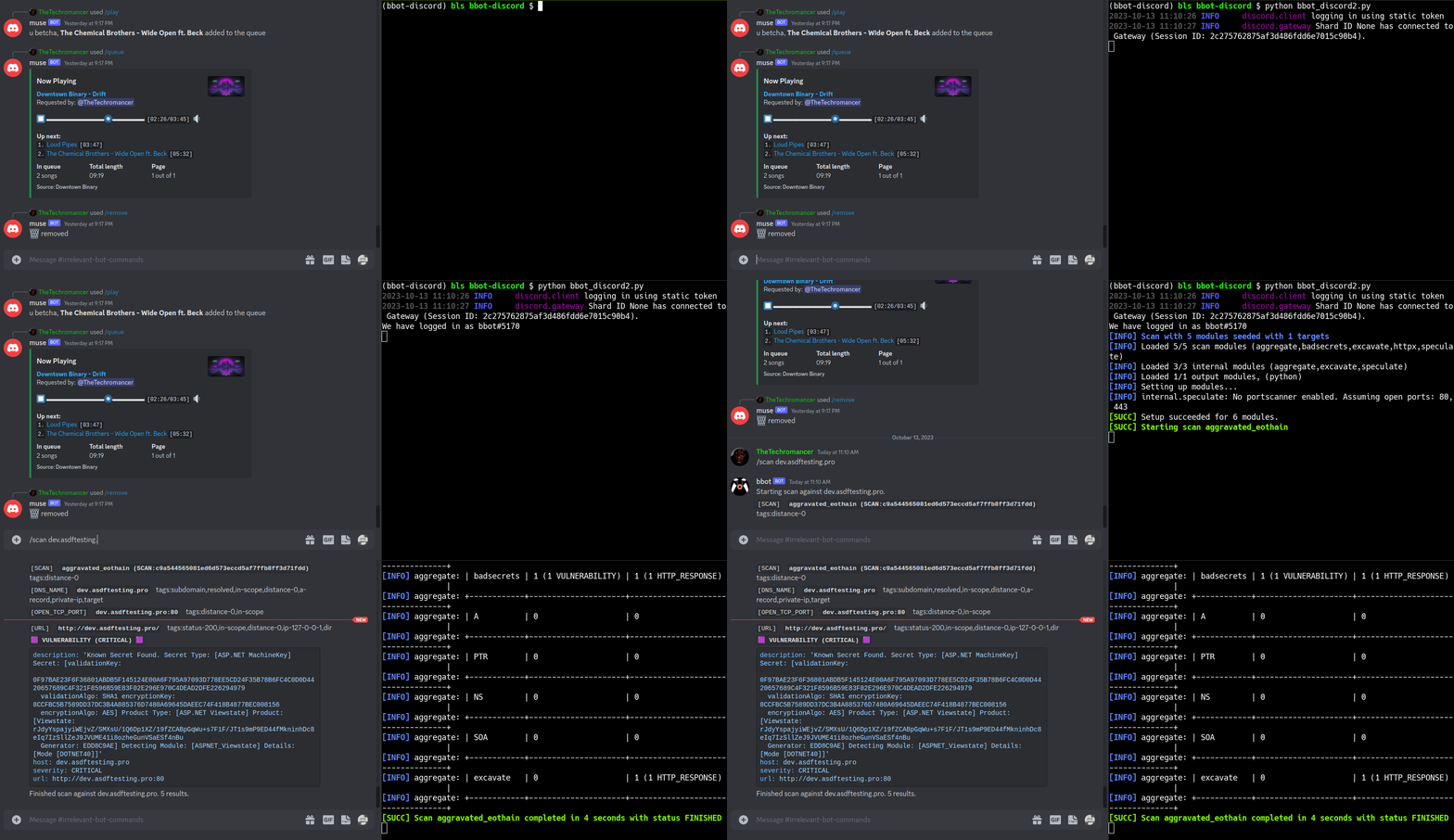
https://github.com/blacklanternsecurity/bbot/assets/20261699/e539e89b-92ea-46fa-b893-9cde94eebf81
实时 BBOT 扫描 - 使用 VivaGraphJS 进行可视化
安装
# stable version
pipx install bbot

# bleeding edge (dev branch)
pipx install --pip-args '\--pre' bbot
从 2.x 升级? BBOT 3.0 包含对 CLI、预设、模块、事件和 Python API 的破坏性更改。升级前请参阅 2.x → 3.0 迁移指南(来源)。
提速提示: BBOT 的 DNS 解析器(blastdns)会为
/etc/resolv.conf中的每个解析器启动多个线程。添加更多无过滤的解析器可大幅加快扫描速度。详见 示例 resolv.conf 和 技巧与诀窍。
示例命令
1) 子域名发现
被动 API 源,以及使用目标特定子域名变异的递归 DNS 暴力破解。
# find subdomains of evilcorp.com
bbot -t evilcorp.com -p subdomain-enum

# passive sources only
bbot -t evilcorp.com -p subdomain-enum -rf passive
subdomain-enum.yml
description: Enumerate subdomains via APIs, brute-force

flags:
  # enable every module with the subdomain-enum flag
  - subdomain-enum

output_modules:
  # output unique subdomains to TXT file
  - subdomains

config:
  dns:
    threads: 25
    brute_threads: 1000
  # put your API keys here
  # modules:
  #   github:
  #     api_key: ""
  #   chaos:
  #     api_key: ""
  #   securitytrails:
  #     api_key: ""
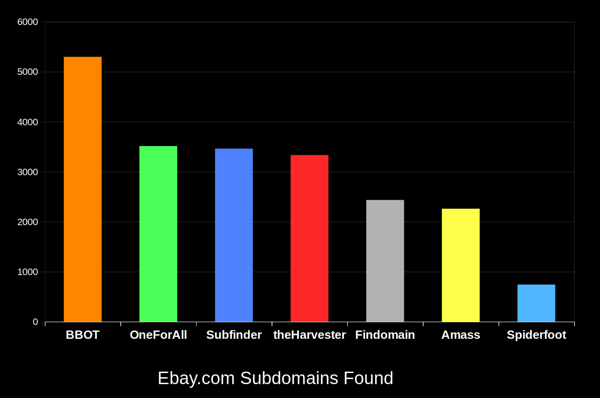
BBOT 始终能比其他工具多发现 20-50% 的子域名。域名越大,差异越大。想了解这是如何实现的,请参阅工作原理。
2) Web 爬虫
# crawl evilcorp.com, extracting emails and other goodies
bbot -t evilcorp.com -p spider
spider.yml
description: Recursive web spider

modules:
  - http

blacklist:
  # Prevent spider from invalidating sessions by logging out
  - "RE:/.*(sign|log)[_-]?out"

config:
  web:
    # how many links to follow in a row
    spider_distance: 2
    # don't follow links whose directory depth is higher than 4
    spider_depth: 4
    # maximum number of links to follow per page
    spider_links_per_page: 25
3) 邮箱收集器
# quick email enum with free APIs + scraping
bbot -t evilcorp.com -p email-enum

# pair with subdomain enum + web spider for maximum yield
bbot -t evilcorp.com -p email-enum subdomain-enum spider
email-enum.yml
description: Enumerate email addresses from APIs, web crawling, etc.

flags:
  - email-enum

output_modules:
  - emails
4) Web 扫描器
# run a light web scan against www.evilcorp.com
bbot -t www.evilcorp.com -p web

# run a heavy web scan against www.evilcorp.com
bbot -t www.evilcorp.com -p web-heavy
web.yml
description: Quick web scan

include:
  - iis-shortnames

flags:
  - web
web-heavy.yml
description: Aggressive web scan

include:
  # include the web preset
  - web

flags:
  - web-heavy
5) 包罗万象(Everything Everywhere All at Once)
# everything everywhere all at once
bbot -t evilcorp.com -p kitchen-sink

# roughly equivalent to:
bbot -t evilcorp.com -p subdomain-enum cloud-enum code-enum email-enum spider web paramminer webbrute web-screenshots
kitchen-sink.yml
description: Everything everywhere all at once

include:
  - subdomain-enum
  - cloud-enum
  - code-enum
  - email-enum
  - spider
  - web
  - paramminer
  - webbrute
  - web-screenshots
  - baddns-heavy

config:
  modules:
    dnsbrute:
      recursive_mutations: true
    dnscommonsrv:
      recursive_mutations: true
    webbrute:
      avoid_wafs: False
    wayback:
      urls: True
      parameters: True
      archive: True
工作原理
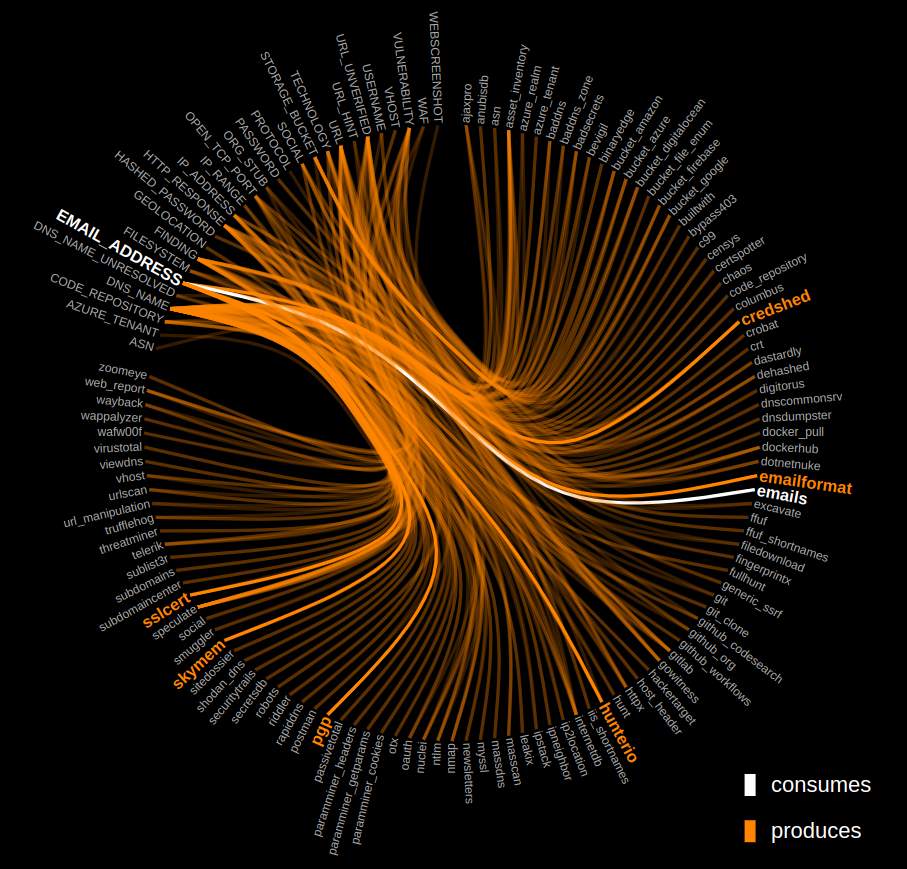
点击下方图表,探索 BBOT 的内部工作原理。