
monitor v0.34.0
针对Valkey和Redis数据库的实时监控与慢查询日志分析,具备异常检测、ACL审计以及Prometheus指标导出功能。
BetterDB Monitor









The monitoring layer that Valkey deserves.
BetterDB persists what Valkey throws away - slowlogs, command patterns, client activity, anomaly signals - so you can debug what happened at 3am, not just what's happening now. Built for Valkey 8.x with native support for COMMANDLOG, CLUSTER SLOT-STATS, and per-thread I/O metrics. Redis 6+ compatible for everything else.
Website | Docker Hub | npm | Documentation | Blog
BetterDB is built by BetterDB Inc., a public benefit company operating under the OCV Open Charter.
Quick Start (Docker)
docker run -d --name betterdb -p 3001:3001 betterdb/monitor:latest
Point your browser to http://localhost:3001. To monitor a specific instance:
docker run -d \
  --name betterdb \
  -p 3001:3001 \
  -e DB_HOST=your-valkey-host \
  -e DB_PORT=6379 \
  -e DB_PASSWORD=your-password \
  betterdb/monitor:latest
Connecting to a database on your host machine? Inside the container
localhostis the container itself, not your host — so usehost.docker.internalas the database host. On Docker Desktop (macOS/Windows) it works out of the box; on Linux add--add-host=host.docker.internal:host-gatewayto thedocker runcommand so the name resolves. The dashboard's one-click "connect to local instance" button auto-detects this and pre-fills the right host for you.
Two image variants are published, both multi-arch (linux/amd64, linux/arm64):
| Tag | What it is |
|---|---|
latest, X.Y.Z-no-ai | Default image - every monitoring feature included, without the dependencies for the experimental local-LLM AI Helper |
X.Y.Z | Adds the experimental AI Helper (bring your own Ollama; disabled by default via AI_ENABLED) |
See Docker Production Deployment for persistent storage, custom ports, licensing, and air-gapped setups.
Quick Start (Kubernetes / Helm)
helm repo add betterdb https://docs.betterdb.com/charts
helm repo update
helm install betterdb-monitor betterdb/betterdb-monitor \
  --namespace betterdb --create-namespace \
  --set db.host=my-valkey.default.svc.cluster.local \
  --set db.password=yourpassword
Then kubectl port-forward -n betterdb svc/betterdb-monitor 3001:3001 and open http://localhost:3001, or enable the chart's ingress. PostgreSQL-backed history, bring-your-own Secrets, and air-gapped licensing are all covered in the Kubernetes guide and the chart README.
Quick Start (CLI)
Run BetterDB Monitor without Docker:
npx @betterdb/monitor
On first run, an interactive setup wizard guides you through database connection, storage backend (SQLite, PostgreSQL, or in-memory), and server settings. Configuration is saved to ~/.betterdb/config.json.
npm install -g @betterdb/monitor   # global install
betterdb --setup                   # re-run setup wizard
betterdb --port 8080               # override server port
betterdb --db-host 1.2.3.4         # override database host
betterdb --help                    # all options
Requires Node.js >= 20.0.0 and a Valkey or Redis instance to monitor. For SQLite storage, also npm install -g better-sqlite3.
What You Get
See everything, keep everything
- Historical analytics - query slowlogs, command patterns, client activity, and latency across any time range. The data that used to disappear after a log rotation.
- COMMANDLOG support - Valkey 8.1+ exclusive. Large requests and large replies, not just the slow ones.
- MONITOR capture sessions - record real traffic on demand: live tail, filter, replay, export to JSON/CSV, and cross-reference against connection history.
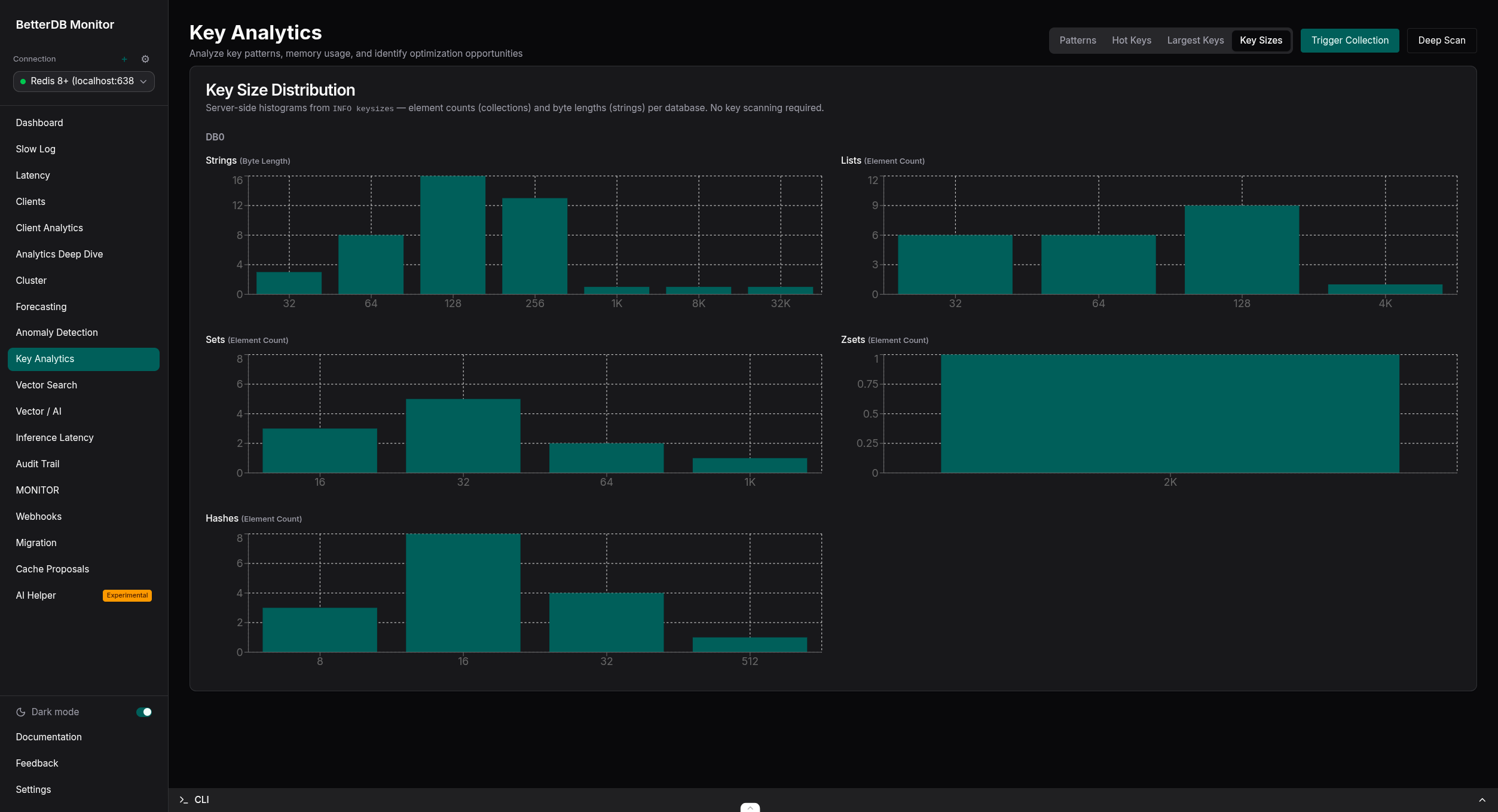
- Hot key tracking - top keys by access frequency with rank movement over time. Key Analytics (Pro, free in early access) adds type, TTL, and size distributions from live sampling.
- Cluster visibility - topology graphs, SLOT-STATS heatmaps, per-slot CPU and key distribution.
- Cluster auto-registration - a cluster connection can auto-register every node as its own monitored connection, kept in sync as the cluster scales. See docs/cluster-auto-registration.md.
- CPU & I/O thread metrics - per-thread visibility that no Redis tool can provide.
- Client analytics - see exactly which service is responsible for what, attributed by client name and pattern.
- ACL audit trail - track who accessed what, persisted for compliance and post-incident debugging.
Understand and act
- Anomaly detection (Pro, free in early access) - automatic baseline learning with correlated events and plain-English diagnoses. 20+ detectors, no manual thresholds.
- Capacity forecasting - projected time-to-ceiling for memory, ops/sec, CPU, and fragmentation.
- Webhooks - HMAC-signed alert deliveries with retries and a full delivery log.
- Live migration - move between Redis and Valkey, self-hosted or managed (ElastiCache node-based or Serverless, MemoryDB, Redis Cloud, Upstash), standalone or cluster (a cluster source needs a cluster target). Three-phase analysis, execution, and validation workflow, with PSYNC-based continuous replication for near-zero-downtime cutovers when the source permits replication commands. Other RESP-compatible engines such as KeyDB and Dragonfly work in the modes listed in the engine table; they are not part of the test suite. See docs/migration.md.