
rhabdomancer v0.10.0
Ассистент для исследования уязвимостей, который находит вызовы потенциально небезопасных функций API в бинарном файле.
rhabdomancer





"The road to exploitable bugs is paved with unexploitable bugs."
-- Mark Dowd
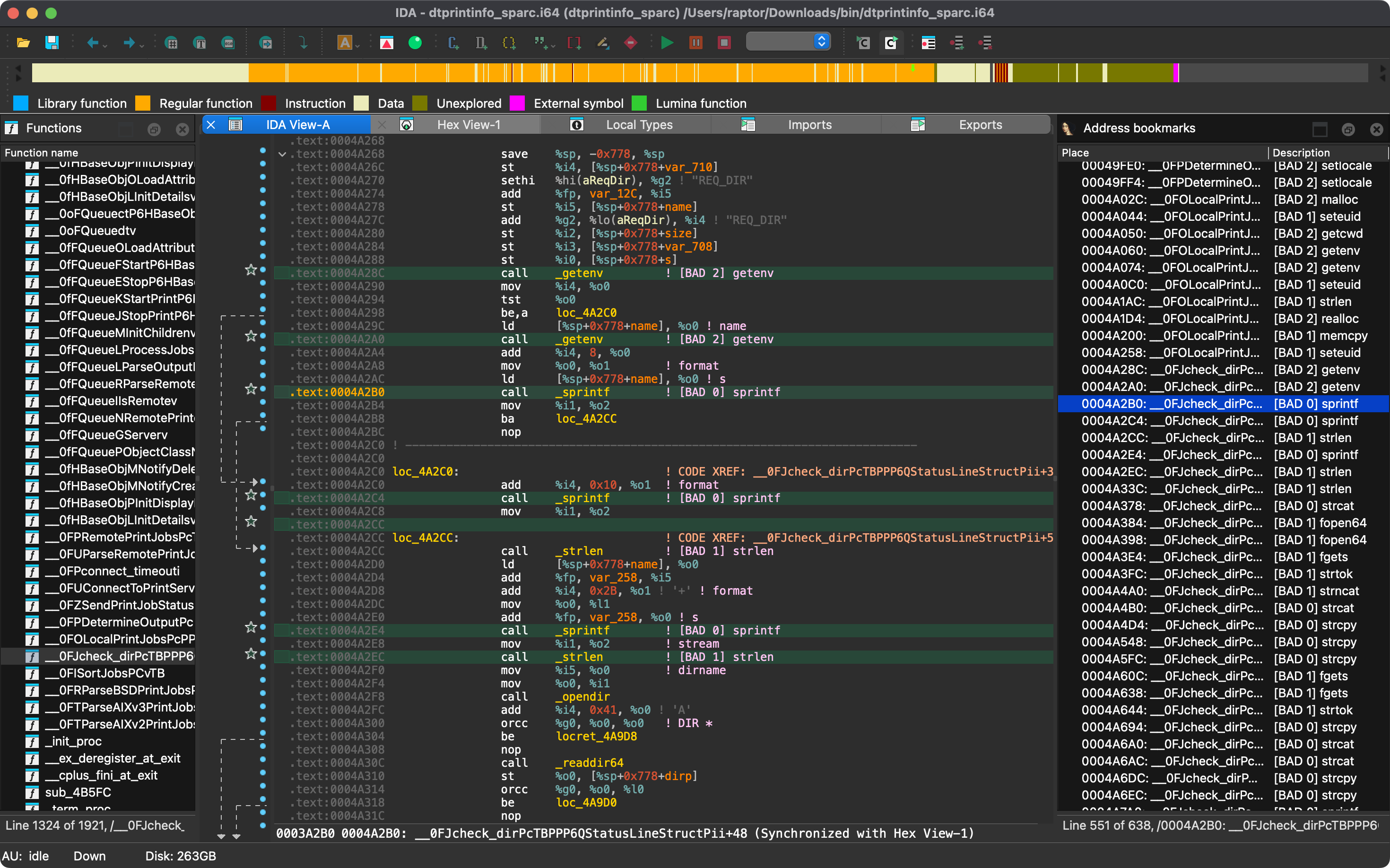
Rhabdomancer is a blazing-fast IDA headless plugin that locates calls to potentially insecure API functions in a binary file. Auditors can backtrace from these candidate points to find pathways allowing access to untrusted input.
Features
- Blazing-fast, headless user experience courtesy of IDA 9.x and idalib-rs Rust bindings.
- Support for C/C++ binary targets compiled for any architecture implemented by IDA.
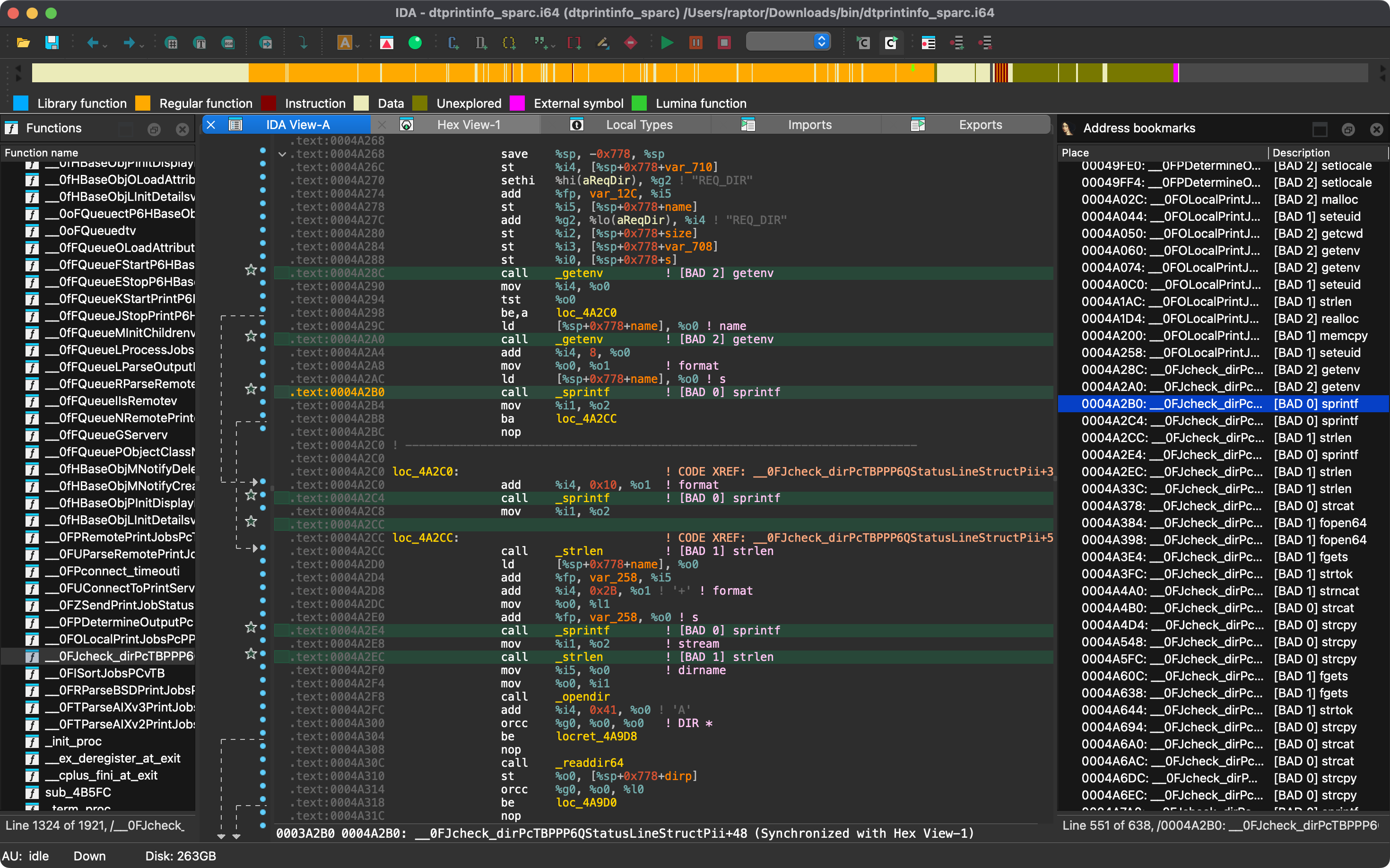
- Bad API function call locations are printed to stdout and marked in the IDB.
- Call locations in library code recognized by IDA (e.g., a statically linked runtime matched by FLIRT signatures) are
labeled
(lib). - Calls through stubs (e.g., the
.pltentries of ELF binaries or the import stubs of PE and Mach-O binaries, listed as thunks) are traced back to their callers. - In ELF binaries, a function is deliberately listed twice with the same call locations: once as its
.pltstub (marked as thunk) and once as its import. Each call location is marked only once in the IDB.
- Call locations in library code recognized by IDA (e.g., a statically linked runtime matched by FLIRT signatures) are
labeled
- Known bad API functions are grouped in tiers of badness to help prioritize the audit work.
- [BAD 0] High priority - Functions that are generally considered insecure.
- [BAD 1] Medium priority - Interesting functions that should be checked for insecure use cases.
- [BAD 2] Low priority - Code paths involving these functions should be carefully checked.
- The list of known bad API functions is built in and can be easily customized with a configuration file based on
conf/rhabdomancer.toml. - Function names are matched without these decorations: the
#marking native ARM64EC functions (e.g.,#memcpy), the variant suffixes of Apple's SDK (e.g.,realpath$DARWIN_EXTSN,stat$INODE64), the size of the arguments that 32-bit x86 calling conventions append (e.g.,_WinExec@8), leading dots and underscores (e.g.,_strcpy), the prefixes of library aliases and redirects (e.g.,__o_mallocin the Universal CRT,__libc_system,__GI___snprintf,_IO_fwrite, and__isoc23_sscanfin glibc, also in ELF.pltstubs such as.__isoc23_sscanf), and, for stubs and such aliases only, the numeric suffix that IDA appends to names already in use (e.g.,memset_0). In custom configurations, a leading#, Apple's variant suffixes, the size of the arguments, dots, and underscores are ignored as well, and each name may be listed under one priority only.
[!NOTE] Fortified functions (e.g.,
__strcpy_chk, used instead ofstrcpywhen building with_FORTIFY_SOURCE) are deliberately not matched, since they are the checked variants of the listed functions. The exception is the fortifiedprintffamily (e.g.,__printf_chk,__snprintf_chk,__syslog_chk), listed with low priority and labeled with their own names (e.g.,[BAD 2] printf_chk): their checks prevent buffer overflows and reject%nin writable format strings, but not format string bugs such as information leaks through%por%s. To also mark the calls to other fortified functions, add them explicitly to a custom configuration (e.g.,"__strcpy_chk"with the same priority asstrcpy). The same works for other redirected names that rhabdomancer doesn't map to their base function yet (e.g.,"__xstat"forstat): they are matched by name, and labeled with it once normalized (e.g.,[BAD 2] xstat).
Articles
- https://hex-rays.com/blog/divining-vulnerabilities-contributor-program
- https://hex-rays.com/blog/streamlining-vulnerability-research-idalib-rust-bindings
- https://hnsecurity.it/blog/streamlining-vulnerability-research-with-ida-pro-and-rust
See also
- https://github.com/0xdea/ghidra-scripts/blob/main/Rhabdomancer.java
- https://docs.hex-rays.com/release-notes/9_0#headless-processing-with-idalib
- https://github.com/idalib-rs/idalib
- https://books.google.it/books/about/The_Art_of_Software_Security_Assessment.html
Installing
The easiest way to get the latest release is via crates.io:
- Download, install, and configure IDA (see https://hex-rays.com/ida-pro).
- Install LLVM/Clang (see https://rust-lang.github.io/rust-bindgen/requirements.html).
- On Linux/macOS, install as follows:
On Windows, instead, use the following commands:export IDADIR=/path/to/ida # if not set, the build script will check common locations cargo install rhabdomancer --locked$env:LIBCLANG_PATH="\path\to\clang+llvm\bin" $env:PATH="\path\to\ida;$env:PATH" $env:IDADIR="\path\to\ida" # if not set, the build script will check common locations cargo install rhabdomancer --locked
Compiling
Alternatively, you can build from source:
- Download, install, and configure IDA (see https://hex-rays.com/ida-pro).
- Install LLVM/Clang (see https://rust-lang.github.io/rust-bindgen/requirements.html).
- On Linux/macOS, compile as follows:
On Windows, instead, use the following commands:git clone --depth 1 https://github.com/0xdea/rhabdomancer cd rhabdomancer export IDADIR=/path/to/ida # if not set, the build script will check common locations cargo build --release --lockedgit clone --depth 1 https://github.com/0xdea/rhabdomancer cd rhabdomancer $env:LIBCLANG_PATH="\path\to\clang+llvm\bin" $env:PATH="\path\to\ida;$env:PATH" $env:IDADIR="\path\to\ida" # if not set, the build script will check common locations cargo build --release --locked
Usage
- Make sure IDA is properly configured with a valid license.
- Optionally customize the list of known bad API functions: copy
conf/rhabdomancer.toml(pick the tag that matches your installed version for its exact built-in list), edit the copy, and set theRHABDOMANCER_CONFIGenvironment variable to its path. The file must define thehigh,medium, andlowarrays, and no other keys. Otherwise, the built-in list is used, which is embedded in the binary at build time fromconf/rhabdomancer.toml(editing that file requires a rebuild). - Make sure the
IDADIRenvironment variable is set if your IDA installation is in a non-standard location. - Run as follows:
Any existingrhabdomancer <binary_file>.i64IDB file will be updated; otherwise, a new IDB file will be created. - Open the resulting
.i64IDB file with IDA. - Select
View>Open subviews>Bookmarks - Enjoy your results conveniently collected into an IDA window.
[!NOTE] Rhabdomancer also adds comments at marked call locations. Both bookmarks and comments are tagged as
[BAD n] <function_name>, wherenis the priority tier (0 = high, 1 = medium, 2 = low), so that scripts can search IDBs for them. This format is stable across releases.