mrexodia/ida-pro-mcp
Assistente de engenharia reversa alimentado por IA que conecta o IDA Pro a modelos de linguagem por meio do MCP.
[!IMPORTANT] Recomendo usar o Servidor MCP Oficial da Hex-Rays IDA em vez disso!
Consulte o post de anúncio no blog para mais informações.
MCP Server simples para permitir vibe reversing no IDA Pro.
https://github.com/user-attachments/assets/6ebeaa92-a9db-43fa-b756-eececce2aca0
Os binários e o prompt para o vídeo estão disponíveis no repositório mcp-reversing-dataset.
idapyswitch para alternar para a versão mais recente do Pythonida-pro-mcp --config para obter a configuração JSON para o seu cliente.Nota: Isso requer ter o idalib ativado globalmente e o uv instalado:```bash
uv run "C:\Program Files\IDA Professional 9.3\idalib\python\py-activate-idalib.py"
uv run "/Applications/IDA Professional 9.3.app/Contents/MacOS/idalib/python/py-activate-idalib.py"
uv run "/path/to/idapro-9.3/idalib/python/py-activate-idalib.py"
## Instalação (Claude Code)

Para instalar o IDA Pro MCP mais recente no Claude Code:```bash
claude plugin marketplace add mrexodia/claude-marketplace
claude plugin uninstall ida-pro-mcp@mrexodia
claude plugin install ida-pro-mcp@mrexodia
Para instalar o IDA Pro MCP mais recente no Codex:```bash codex plugin marketplace add mrexodia/codex-marketplace codex plugin remove ida-pro-mcp@mrexodia codex plugin add ida-pro-mcp@mrexodia
## Instalação (Kimi Code)

Para instalar o IDA Pro MCP mais recente no Kimi Code, execute este comando slash no chat:```
/plugins install https://github.com/mrexodia/ida-pro-mcp/tree/main
/reload
Isso instala o servidor MCP idalib e a skill idapython. Os plugins são copiados para
$KIMI_CODE_HOME/plugins/managed/, portanto o uv deve estar no seu PATH. A primeira sessão após
a instalação é mais lenta, porque o uv resolve as dependências antes que o servidor responda.
Nota: o plugin MCP não é mais recomendado e eventualmente será descontinuado. Use idalib-mcp em vez disso.
Se você quiser configurar o servidor MCP manualmente a partir da GUI do IDA:```sh pip uninstall ida-pro-mcp pip install https://github.com/mrexodia/ida-pro-mcp/archive/refs/heads/main.zip
Configure os servidores MCP e instale o Plugin IDA:```
ida-pro-mcp --install
Importante: Certifique-se de reiniciar completamente o IDA e o seu cliente MCP para que a instalação tenha efeito. Alguns clientes (como o Claude) são executados em segundo plano e precisam ser encerrados a partir do ícone da bandeja.
Os LLMs são propensos a alucinações e é necessário ser específico na elaboração dos prompts. Para engenharia reversa, a conversão entre inteiros e bytes é especialmente problemática. Abaixo está um exemplo mínimo de prompt; sinta-se à vontade para iniciar uma discussão ou abrir uma issue se obtiver bons resultados com um prompt diferente:```md Your task is to analyze a crackme in IDA Pro. You can use the MCP tools to retrieve information. In general use the following strategy:
int_convert MCP tool if needed!Este prompt foi apenas o primeiro experimento, por favor compartilhe se você encontrou maneiras de melhorar o resultado!
Outro prompt por [@can1357](https://github.com/can1357):```md
Your task is to create a complete and comprehensive reverse engineering analysis. Reference AGENTS.md to understand the project goals and ensure the analysis serves our purposes.
Use the following systematic methodology:
1. **Decompilation Analysis**
- Thoroughly inspect the decompiler output
- Add detailed comments documenting your findings
- Focus on understanding the actual functionality and purpose of each component (do not rely on old, incorrect comments)
2. **Improve Readability in the Database**
- Rename variables to sensible, descriptive names
- Correct variable and argument types where necessary (especially pointers and array types)
- Update function names to be descriptive of their actual purpose
3. **Deep Dive When Needed**
- If more details are necessary, examine the disassembly and add comments with findings
- Document any low-level behaviors that aren't clear from the decompilation alone
- Use sub-agents to perform detailed analysis
4. **Important Constraints**
- NEVER convert number bases yourself - use the int_convert MCP tool if needed
- Use MCP tools to retrieve information as necessary
- Derive all conclusions from actual analysis, not assumptions
5. **Documentation**
- Produce comprehensive RE/*.md files with your findings
- Document the steps taken and methodology used
- When asked by the user, ensure accuracy over previous analysis file
- Organize findings in a way that serves the project goals outlined in AGENTS.md or CLAUDE.md
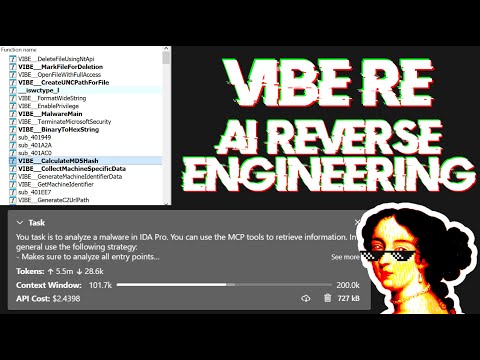
Live stream discutindo prompting e mostrando alguma análise de malware do mundo real:
Os Large Language Models (LLMs) são ferramentas poderosas, mas às vezes podem ter dificuldades com cálculos matemáticos complexos ou apresentar "alucinações" (inventar fatos). Certifique-se de instruir o LLM a usar a ferramenta MCP int_convert e você também pode precisar do math-mcp para certas operações.
Outra coisa a ter em mente é que os LLMs não terão um bom desempenho em código ofuscado. Antes de tentar usar um LLM para resolver o problema, dê uma olhada no binário e passe algum tempo (automaticamente) removendo as seguintes coisas: