
Skip to content
KitploitKITPLOIT
FerramentasExploitsBlog
Log in
Enviar
FerramentasExploitsBlog
Enviar

Ferramentas de Hacking, PenTest e Cibersegurança para o seu Arsenal de Segurança!

Kitploit é um diretório de ferramentas de hacking, cibersegurança e pentesting. Descubra as últimas atualizações de projetos para encontrar vulnerabilidades, analisar sistemas, automatizar testes e fortalecer sua segurança.

FeedsContatoPrivacidade© 2026 Kitploit

Diretório de Ferramentas

Categorias

Ver todas as categorias
Loading categories
Crow-Eye — Open-source Windows forensics engine that acquires, parses, and correlates artifacts (MFT, USN, Registry, etc.) to reconstruct timelines with AI-assisted analysis and court-grade evidence sealing. | Kitploit
Ferramentas/GitHubGitHub/ghassan-elsman/crow-eye
Defensive ToolsDisk ForensicsForensicsDigital ForensicsIncident ResponseLog Analysis
GitHubghassan-elsman/crow-eye

Crow-Eye

Open-source Windows forensics engine that acquires, parses, and correlates artifacts (MFT, USN, Registry, etc.) to reconstruct timelines with AI-assisted analysis and court-grade evidence sealing.

Ver Repositório
1111170há 8 diasRevisado pelo Kitploit
Compartilhar
Site
Conteúdo não disponível no idioma solicitado. Mostrando versão em inglês.

Crow-Eye — Windows Forensics Engine

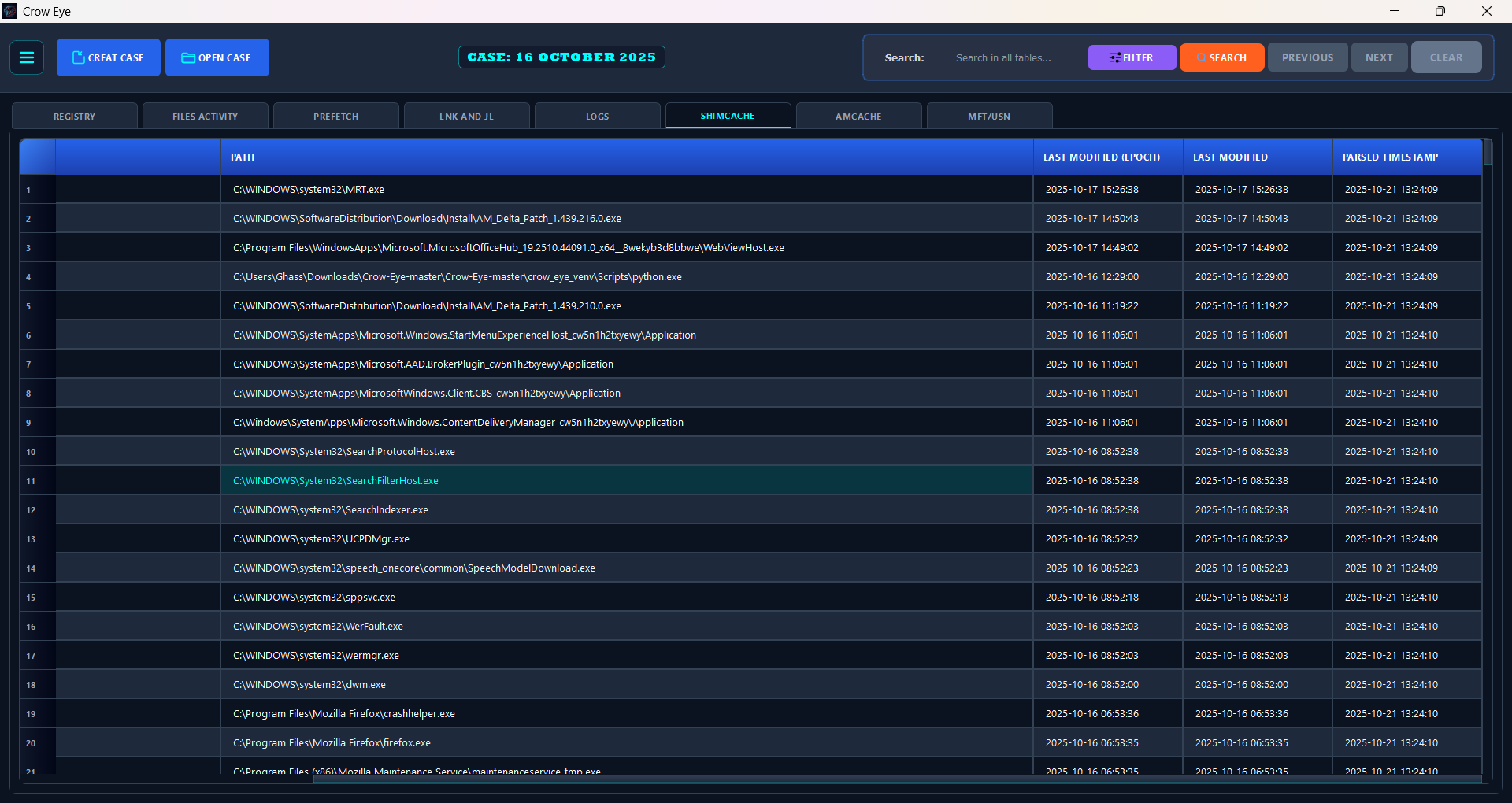
Crow-Eye Logo

A forensic time machine for Windows.
Crow-Eye doesn't just detect — it reconstructs what actually happened on the timeline, from acquisition all the way to a verdict traceable to its source records.

License: GPL v3 Version Correlation Engine Platform Python Discord GitHub stars GitHub issues Last commit


📥 Download & Install

Recommended: get the packaged Windows build (MSI installer / EXE) from the official website — no Python setup, runs out of the box.

▶️ Download Crow-Eye for Windows → crow-eye.com/download

The installed MSI/EXE build is the recommended way to run Crow-Eye, and it is our top priority for updates:

  • 🛡️ Fastest fixes. When an issue is found or a bug is reported, we release an updated EXE as soon as possible — the packaged build is where fixes land first.
  • 🔄 Built-in auto-update. In the installed app, open Settings → Updates to check for updates and install them automatically — no manual reinstall.
  • 📦 Zero setup. No Python, Node, or dependency installation required.

Prefer to run from source? See Quick Start below. The from-source build is intended for contributors and does not include the auto-updater — use the MSI/EXE for automatic updates.

📘 Interactive User Guide → crow-eye.com/user-guide

New to Crow-Eye, or want the deep dive? The detailed, interactive user guide walks through every feature — acquisition, parsing, the Timeline, chart dashboards, UBA, the Correlation Engine and Eye — on a clickable map of the whole application, so you can jump straight to the part you need.

🚀 Quick Start

Option A — Installed build (recommended)

Download the MSI/EXE from crow-eye.com/download, install, and launch Crow-Eye as Administrator. Create a case and start analyzing.

Option B — Run from source (developers)

For contributors and advanced users. This path does not include the auto-updater — use the MSI/EXE for automatic updates.

Requirements (installed automatically on first run):

  • Python 3.12.4
  • Node.js & npm — required for Timeline Visualization
  • Key packages: PyQt5, python-registry, pywin32, pandas, streamlit, altair, olefile, windowsprefetch, sqlite3, colorama, setuptools

Recommended hardware

MinimumRecommended for large cases
RAM8 GB16 GB+ (MFT/USN sets of millions of records)
Disk5 GB freeFree space ≥ 2× the size of the evidence being parsed
CPU4 cores8+ cores
OSWindows 10/11 (full) · Linux (offline & image analysis)—

Correlation streams in constant memory for very large datasets, so RAM is rarely the hard limit — disk throughput and free space usually are.

Launch (run as Administrator so Crow-Eye can access system artifacts):

python "Crow Eye.py"

The main interface opens, you create a case, and all analysis output is organized under that case directory for later review and reporting.

🖥️ Cross-platform note: on Linux, live parsers are disabled automatically and Crow-Eye runs in offline / forensic-image mode. Full live acquisition is Windows-only.

On Linux (tested on Debian 12 with the system Python), install the venv module and Qt's system libraries once, then start Crow-Eye the same way. It creates crow_eye_venv/ and installs everything else into it:

sudo apt install python3-venv libxcb-cursor0 libxkbcommon-x11-0 libxcb-icccm4 libxcb-keysyms1 \
    libxcb-image0 libxcb-render-util0 libnss3 libxcomposite1 libxdamage1 libxrandr2 libxtst6 \
    libasound2 libpango-1.0-0 libpangoft2-1.0-0
python3 "Crow Eye.py"

requirements.txt lists the same packages for a manual or container install. On a machine with no GPU (a VM without passthrough, a container), web views switch to software rendering on their own.

Table of Contents

  • Overview
  • ✨ Highlights
  • 👥 Who Crow-Eye Is For
  • 🧭 Subsystems at a Glance
  • 🏗️ Architecture
  • 📥 Download & Install
  • 🚀 Quick Start
  • 📂 Supported Artifacts
  • 🔧 Analysis Modes
    • 📎 Import Evidence (third-party data)
  • 🧠 User Behavior Analytics (UBA)
  • 🤖 AI Agent Forensics
  • 🧩 Correlation Engine
  • 👁️ Eye — The Forensics AI Assistant
  • 📖 Eye-Describe — Byte-Level Artifact Knowledge Base
  • 🧪 Quality & Validation
  • 🔬 Research Platform
  • 🛠️ Technical Notes
  • 📸 Screenshots
  • 🚧 Roadmap
  • 📚 Documentation
  • 🤝 Contributing
  • 🌐 Website & Community
  • 📄 License
  • 📝 Citing Crow-Eye
  • 💖 Support
  • Credits

Overview

Crow-Eye is an open-source (GPL-3.0) Windows forensics engine that unifies acquisition, analysis, verification, intelligence, and AI. Most security tools ask "is this bad?" and clear whatever looks legitimate. Crow-Eye asks a different question: "what happened?" It correlates all activity — suspicious or not — and reconstructs the actual sequence of events on a system, so the truth of an investigation is rebuilt from evidence rather than guessed from alerts.

That reconstruction-first design is exactly what it takes to hunt APT and nation-state threats: sophisticated adversaries live inside legitimate tools (powershell.exe, PsExec, certutil) and in the sequence of actions — invisible to tools that clear anything that looks normal. Because Crow-Eye never clears anything and reasons over execution artifacts (which survive log tampering and anti-forensics), the attack can't hide. The same engine stays approachable for everyday DFIR work and for non-experts who simply want to know what happened on a computer.

  • 🕰️ Reconstruct, don't just detect — rebuild the timeline of what actually occurred.
  • 🖥️ Cross-platform — full live + offline analysis on Windows; offline analysis and forensic-image parsing on Linux (live parsers are Windows-only).
  • 🔒 Private by design — 0 ms of data sent off-device; the Eye AI assistant can run fully air-gapped.
  • 🧾 Court-grade — evidence is cryptographically sealed and every step is auditable.
  • 📦 Current version: 0.15.1 · Correlation Engine: 1.8.0 · License: GPL-3.0.
Baixar ferramenta

Mais Populares

Ver todos →

Descubra as ferramentas mais usadas pela nossa comunidade.

  • 1

    OsintHunter

    letox4/osinthunter

    🎯 O kit definitivo de OSINT: grafo de investigação, pontuação de confiança, famílias de alias, mapa, linha do tempo e relatórios. 49 módulos, mais de 400 sites, sem necessidade de chaves de API.

    614
  • 2

    ghostlock-app

    yukonga/ghostlock-app

    # Aplicativo de Execução em Um Toque GhostLock (CVE-2026-43499)

    476
  • 3

    ARTEX

    baarai/artex

    Plataforma autônoma de testes de penetração multiagente com LLM, com agentes planejador/executor, grafos de ativos e de exploração, registro de tráfego MITM e reteste de vulnerabilidades.

    389
  • 4

    redforge

    cybersecurity91/redforge

    Kit de ferramentas de red team do lado do navegador com 102 ferramentas offline para reconhecimento, geração de payloads, ataques a credenciais, criptografia, codificação e relatórios de engajamento.

    334
  • 5

    CyberStrikeAI

    ed1s0nz/cyberstrikeai

    O sistema de ação para cibersegurança nativa em IA—onde a intenção se torna execução governada, a evidência se torna memória operacional, e cada operação melhora a próxima.

    257
  • 6

    antifox

    antifox-ai/antifox

    Plataforma de testes de penetração autónoma com multiagentes de IA que executa reconhecimento, descoberta de superfície de ataque, validação de exploração e entrega de relatórios com evidências.

    247

Explore todas as ferramentas

Navegue pela nossa coleção de ferramentas

Ver todas as ferramentas →






