 rubenbe/opensoho
Lightweight OpenWRT device management platform for small networks. Centralized configuration, monitoring, and WiFi management for 2–20 devices with simple deployment and OpenWISP compatibility.

Warning this is an early release, please read the release notes of ALL the releases until now
 OpenSOHO
Thanks for considering to support the project!

OpenSOHO is built to manage a small number OpenWRT based network devices. Hence the name SOHO from Small Office Home Office (SOHO) Networks.
It is inspired by OpenWISP, but aims for networks which are too small to be maintained with OpenWISP. As OpenWisp mentioned:
However, OpenWISP may not be the best fit for very small networks (fewer than 20 devices), organizations lacking IT expertise, or enterprises seeking open-source alternatives solely for cost-saving purposes.
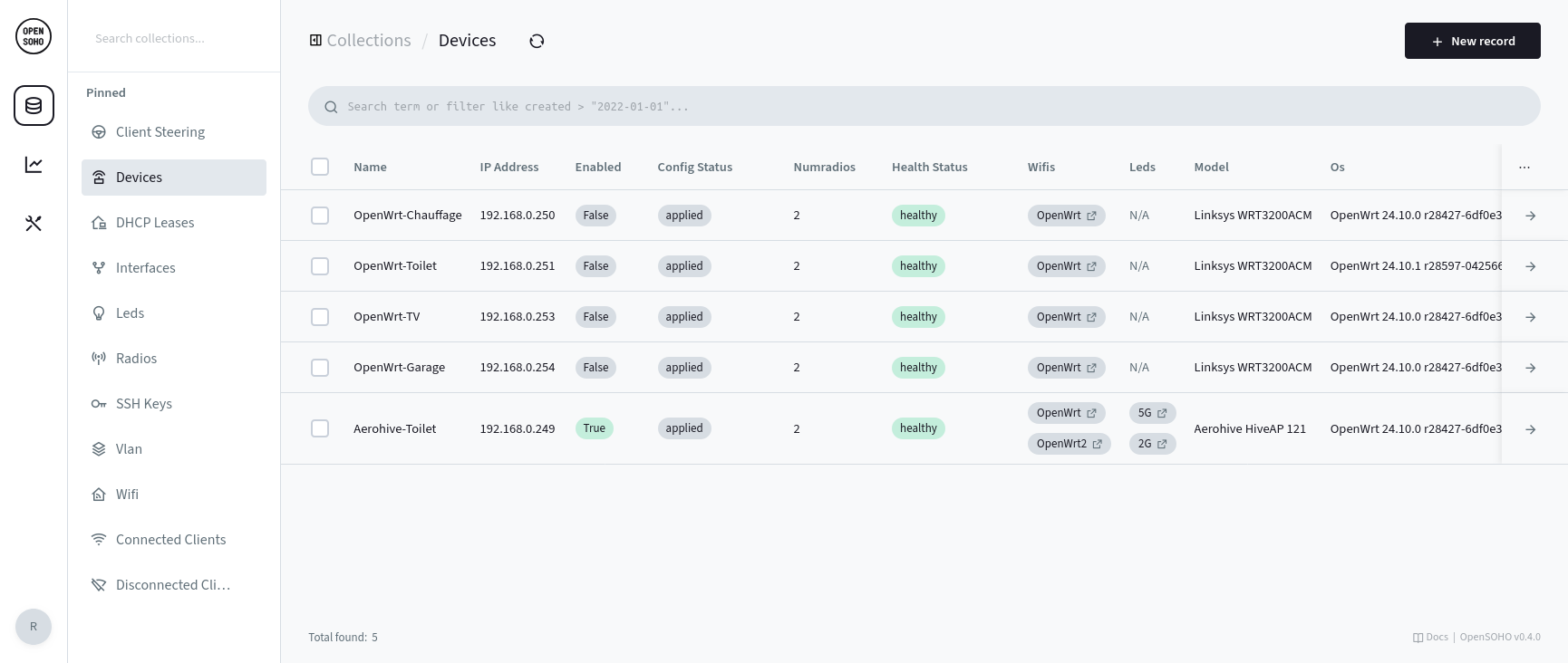
The following versions are tested
Setting up OpenSOHO requires a few simple steps, each detailed in the sections below:
Download the latest OpenSOHO release (or use a docker container)
Start OpenSOHO
First, choose a shared secret which allows the OpenWRT devices (using openwisp-config) to register with OpenSOHO.
Choose a long random string for optimal security.
It shall match what you configure in LuCI in the next steps.
OPENSOHO_SHARED_SECRET=randompassphrase ./opensoho serve --http 0.0.0.0:8090
Now, OpenSOHO outputs a URL on the command-line which allows you to create the admin account. Simply open the URL in your browser.
Alternatively, create the admin account via the command-line:
./opensoho superuser upsert EMAIL PASS
opkg install openwisp-config openwisp-monitoring luci-app-openwisp # OpenWRT 24.10
apk add openwisp-config openwisp-monitoring luci-app-openwisp # OpenWRT 25.12+
If you want to use 802.11v client steering, the full wpad-mbedtls is necessary.
On OpenWRT 24.10
opkg remove wpad-basic-mbedtls && \
opkg install wpad-mbedtls && \
service wpad restart
On OpenWRT 25.12+
apk del wpad-basic-mbedtls && \
apk add wpad-mbedtls && \
service wpad restart
After wpad-mbedtls is installed, try service restart wpad first, otherwise a reboot may be required to switch to the new wpad binary. If not you may get an error like daemon.notice netifd: radio1 (28210): WARNING (wireless_add_process): executable path /usr/sbin/wpad does not match process 1842 path (/usr/sbin/wpad (deleted)).
(Please note that 802.11v client steering is still a work in progress)
Server URL and the Shared secret only.
Server URL. An example URL: http://192.168.1.1:8090OPENSOHO_SHARED_SECRET).Update Interval to 30 seconds for faster updates. (OpenSOHO does this for you if you don't)It is highly recommended to enable monitoring, since OpenSOHO deduces a lot of the current OpenWRT settings and fills them in for easy configuration.
Enabled flag to true.numradios to the correct value. For example for a 2.4 + 5GHz device, this value would be 2.numradios).OpenSOHO comes with a basic dashboard. It is accessible via the button in the leftmost sidebar, right under the OpenSOHO logo.
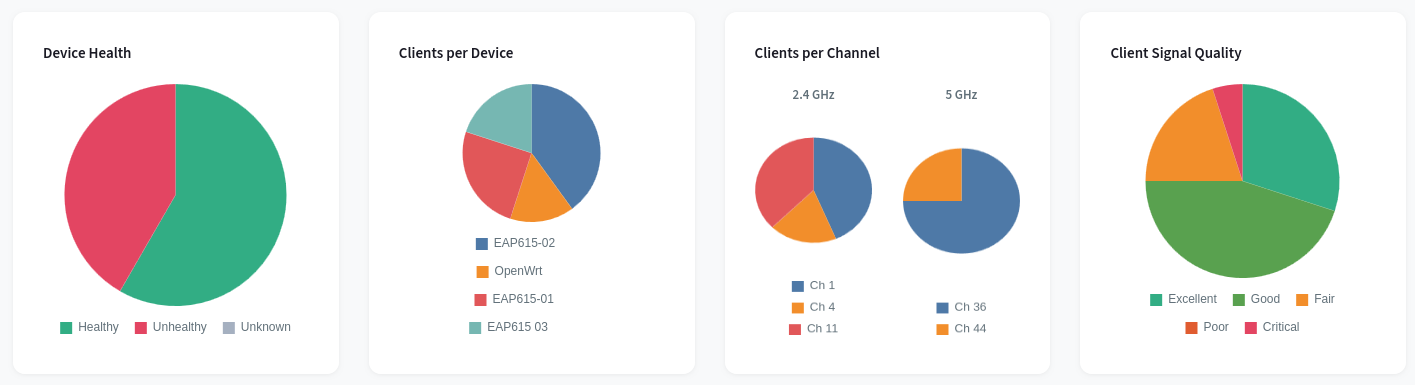
Please note that this is not intended as a replacement for more advanced graphing tools, it is and will be kept basic on purpose.
OpenSoho can now be accessed via http://ipaddress:8090/_/
There are several configuration collections:
These are the clients connected to Wifi. This table is read-only, except for the alias. It can be used to give devices a human-readable name. This only works properly when the client does not randomize its mac-address.
Contains the list of clients that are currently connected to your Wi-Fi. In order to show the IP address of the device, OpenSOHO needs access to your DHCP leases. To do so, you need to have the openwisp monitoring daemon running on the device that contains the DHCP server, or use the OPNsense integration. Devices with a static IP will not get an IP. This is a known limitation as of 0.12.0.
These are the connected devices.
healthy means the device has communicated within the last minute. If it hasn't, the health status becomes unhealthy and there might be something wrong with the device or its connection.Create a reservation with a hostname, MAC address, IPv4 address, and one or
more DHCP servers. OpenSOHO adds the same named config host section to
/etc/config/dhcp on every selected server. Clear the DHCP server selection to
disable the reservation without deleting it. Hostnames, MAC addresses, and IP
addresses are unique across the reservation list.






