 rezmoss/sbomlyze
SBOM용 Git diff—CycloneDX, SPDX, Syft 문서를 비교하고, 변조를 탐지하며, CI를 게이팅합니다.

SBOM을 위한 git diff. 두 개의 소프트웨어 자재 명세서(Software Bill of Materials)를 비교하여 빌드, 버전, 릴리스 간에 무엇이 변경되었는지 확인합니다.
sbomlyze는 버전 문자열뿐만 아니라 컴포넌트 해시도 비교합니다. 공격자가 버전을 올리지 않고 패키지를 교체하면 sbomlyze가 이를 탐지합니다. 생성기와 취약점 스캐너는 이를 놓칩니다.
[![CI][ci-img]][ci] [![GitHub Marketplace][marketplace-img]][marketplace] [![GitHub Release][release-img]][release] [![Go Report Card][go-report-img]][go-report] [![OpenSSF Scorecard][scorecard-img]][scorecard] [![OpenSSF Best Practices][best-practices-img]][best-practices] [![License: Apache-2.0][license-img]][license] [![Downloads][download-img]][download]
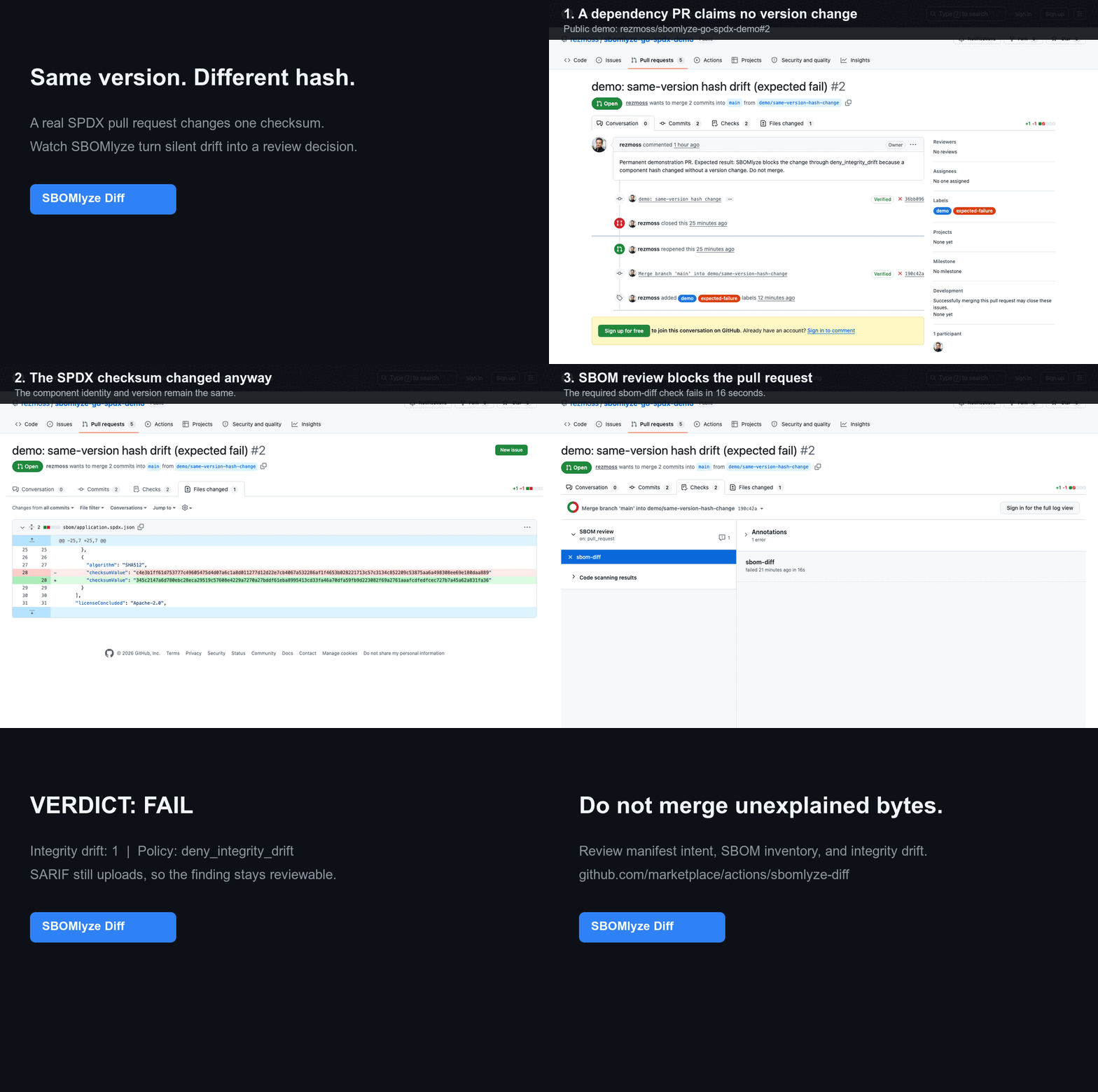
이 신호가 매니페스트나 일반적인 컴포넌트 diff와 어떻게 다른지 알아보려면 Manifest diff vs. SBOM diff vs. integrity drift를 참조하세요.
생성기는 SBOM을 만들고 스캐너는 CVE를 찾습니다. sbomlyze는 두 SBOM 사이에 무엇이 변경되었는지, 그리고 그것을 신뢰해야 하는지를 알려줍니다. 생성기 실행 후에 실행하세요:
syft image:tag -o cyclonedx-json | sbomlyze - --compliance는 임시 파일 없이 생성된 SBOM을 분석하고 점수를 매깁니다. 베이스라인과 비교하여 드리프트를 분류하고 파이프라인을 게이트하세요.
체크인된 SBOM 또는 별도로 생성된 SBOM을 git 베이스라인과 비교하려면 [SBOMlyze Diff from GitHub Marketplace][marketplace]를 추가하세요. 아래의 변경 불가능한 SHA는 게시된 v0.5.1 Action입니다:
steps:
  - uses: actions/checkout@3d3c42e5aac5ba805825da76410c181273ba90b1 # v7.0.1
    with:
      fetch-depth: 0

  - uses: rezmoss/sbomlyze@31503690611fda8ebba4ed2bd186eda000442594 # v0.5.1
    with:
      sbom-path: build/sbom.cdx.json
Action은 기본적으로 Job Summary를 작성하며, 정책을 강제하고 무결성 드리프트를 보고하며, SARIF를 업로드하거나 단일 pull-request 코멘트를 유지할 수 있습니다. 입력, 출력, 권한 및 보안 지침은 전체 Action 참조를 참조하세요. 통과하는 종속성 업데이트와 차단된 동일 버전 해시 변경(공개 워크플로 실행 및 SARIF 증거 포함)은 라이브 데모 저장소를 참조하세요.
형식별 도그푸딩에는 공개 Go + SPDX, Node + CycloneDX 또는 컨테이너 예제를 사용하세요. 각 예제에는 다섯 가지 재현 가능한 리뷰 시나리오가 포함되어 있습니다. 10분 베타 가이드는 네 가지 핵심 활성화 및 신호 품질 질문을 정리합니다.
생성된 SBOM은 커밋할 필요가 없습니다: baseline: workflow-artifact는 성공한 기본 브랜치 실행에서 가장 최근의 일치하는 아티팩트를 검색합니다. 고정된 Syft 컴패니언 워크플로는 SBOMlyze가 리뷰와 정책을 담당하는 동안 생성 및 베이스라인 게시를 보여줍니다.
많은 도구가 SBOM을 생성합니다. 이를 비교하는 도구는 적고, 변경이 일상적인 것인지 공급망 위험 신호인지 알려주는 도구는 더 적습니다. sbomlyze가 그 격차를 채웁니다.
| 기능 | sbomlyze | cyclonedx-cli | sbomqs | syft / trivy |
|---|---|---|---|---|
| SBOM 간 diff | ✅ | 기본 | ❌ | ❌ |
| 무결성 / 변조 드리프트 (버전 변경 없이 해시 변경) | ✅ | ❌ | ❌ | ❌ |
| 종속성 그래프 diff + 전이적 깊이 위험 | ✅ | ❌ | ❌ | ❌ |
| NTIA / CISA / BSI 준수 점수 | ✅ | ❌ | ✅ | ❌ |
| 형식 변환 (Syft / CycloneDX / SPDX) | ✅ | ✅ | ❌ | 부분 |
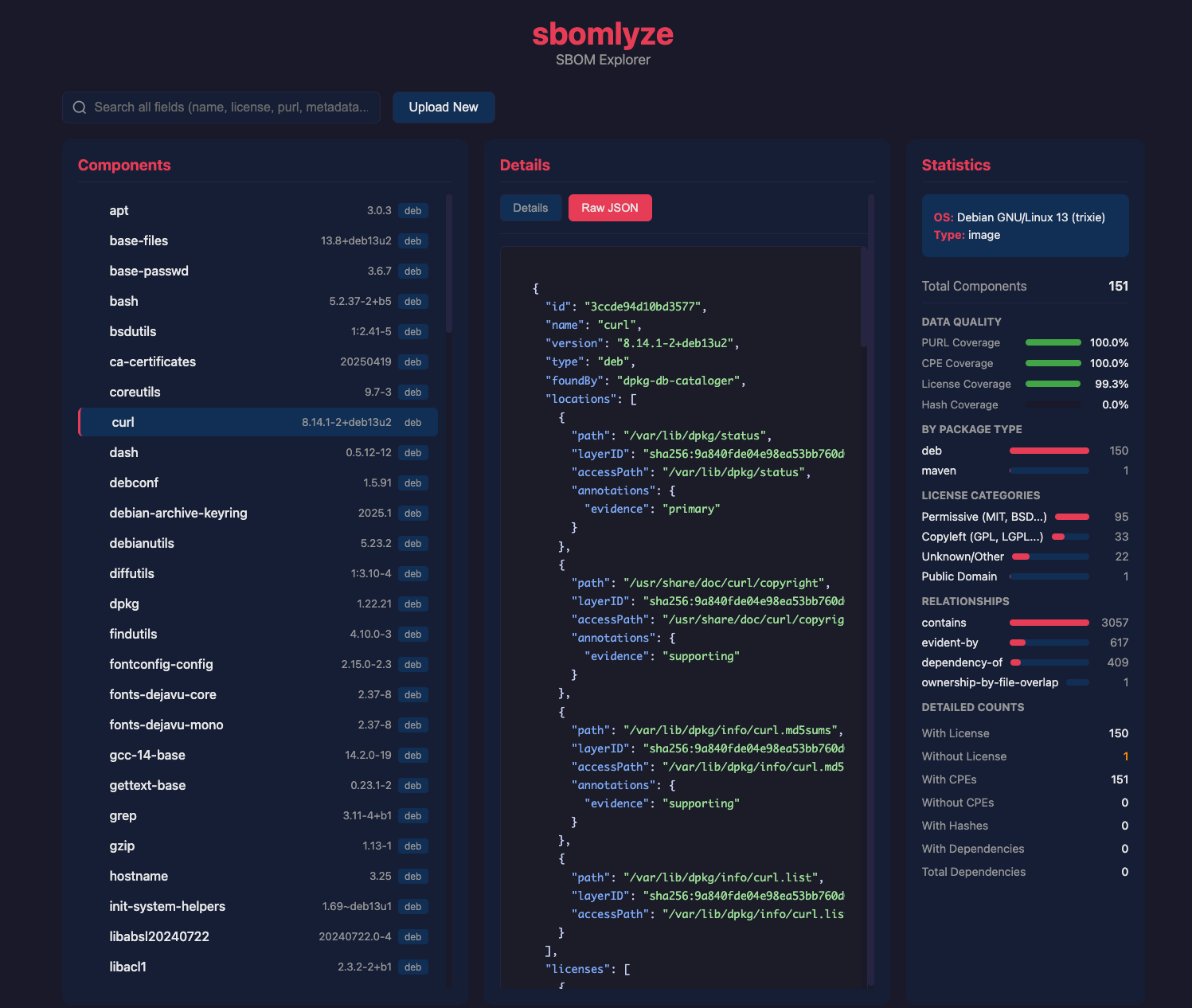
| TUI + Web UI 탐색기 | ✅ | ❌ | ❌ | ❌ |
| 정책 게이트 + SARIF / JUnit / Markdown / HTML / Patch | ✅ | 부분 | 부분 | 부분 |
brew install rezmoss/sbomlyze/sbomlyze
설치 스크립트는 사용자의 OS/아키텍처에 맞는 올바른 바이너리를 다운로드합니다:
# Install to ./bin
curl -sSfL https://raw.githubusercontent.com/rezmoss/sbomlyze/main/install.sh | sh

# Install to /usr/local/bin (requires sudo)
curl -sSfL https://raw.githubusercontent.com/rezmoss/sbomlyze/main/install.sh | sudo sh -s -- -b /usr/local/bin

# Install specific version
curl -sSfL https://raw.githubusercontent.com/rezmoss/sbomlyze/main/install.sh | sh -s -- -v 0.4.0
설치 프로그램 옵션:
| 옵션 | 설명 |
|---|---|
-b <dir> | 설치 디렉터리 (기본값: ./bin) |
-d | 디버그 출력 활성화 |
-v <ver> | 특정 버전 설치 (기본값: 최신) |
설치 프로그램은 항상 릴리스 체크섬을 검증합니다. 호환되는 GitHub CLI가 설치되어 있으면 릴리스의 빌드 출처도 검증하며, 해당 검증이 성공하지 않으면 실패 시 종료됩니다.
go install github.com/rezmoss/sbomlyze/cmd/sbomlyze@latest
GitHub Releases에서 최신 바이너리를 다운로드하세요.
v0.3.7부터 릴리스 아카이브는 GitHub 아티팩트 증명(attestation)과 함께 게시됩니다. 다음 명령으로 다운로드를 독립적으로 검증할 수 있습니다:
gh attestation verify ./sbomlyze_0.4.0_Linux_x86_64.tar.gz \
  --repo rezmoss/sbomlyze \
  --signer-workflow rezmoss/sbomlyze/.github/workflows/release.yml
서명되지 않은 apt, rpm, apk 저장소 지침은 저장소가 패키지 관리자 고유의 서명 검증을 지원할 때까지 제거되었습니다.
macOS 사용자: 다운로드 후 quarantine 플래그를 제거하세요:
xattr -d com.apple.quarantine ./sbomlyze
chmod +x ./sbomlyze
git clone https://github.com/rezmoss/sbomlyze.git
cd sbomlyze
go build -o sbomlyze ./cmd/sbomlyze
# Compare two SBOMs (the headline use case)
sbomlyze before.json after.json

# Analyze a single SBOM
sbomlyze image.json

# Read an SBOM from standard input
syft image:tag -o cyclonedx-json | sbomlyze -

# Use standard input on either side of a diff
syft image:tag -o cyclonedx-json | sbomlyze baseline.json -

# Score an SBOM against NTIA / CISA / BSI minimum elements
sbomlyze image.json --compliance

# Interactive TUI explorer
sbomlyze image.json -i

# Web UI (opens browser)
sbomlyze -web

# Convert between SBOM formats
sbomlyze convert syft.json --to spdx
sbomlyze convert cdx.json --to syft -o output.json

# JSON output for CI integration
sbomlyze before.json after.json --json

# SARIF output for GitHub Code Scanning
sbomlyze before.json after.json --format sarif

# Markdown report for PR comments
sbomlyze before.json after.json --format markdown

# Apply policy checks
sbomlyze before.json after.json --policy policy.json
sbomlyze <sbom1|-> [sbom2|-] [options]
sbomlyze convert <sbom|-> --to <format> [-o output]

Modes:
  Single file:  sbomlyze <sbom> [--json]            Show statistics
  Interactive:  sbomlyze <sbom> -i                  Interactive explorer
  Convert:      sbomlyze convert <sbom> --to <fmt>  Convert SBOM format
  Web server:   sbomlyze -web [--port 8080]         Web UI explorer
  Two files:    sbomlyze <sbom1> <sbom2> [...]      Show diff

Use `-` in place of one SBOM path to read it from standard input.

Options:
  -i, --interactive   Interactive TUI explorer
  -web, --web         Start web UI server
  --port <port>       Web server port (default 8080)
  --json              Output in JSON format (shortcut for --format json)
  --format <format>   Output format: text, json, sarif, junit, markdown, html, patch
  --compliance        Show NTIA/CISA/BSI compliance scoring
  --policy <file>     Policy file for CI checks
  --strict            Fail on parse warnings
  --tolerant          Continue on parse warnings (default)
  --no-pager          Disable automatic paging of output
  --to <format>       Target format for convert: cyclonedx (cdx), spdx, syft
  -o, --output <file> Output file for convert (default: stdout)
  --version, -v       Show version information
  --help, -h          Show this help message