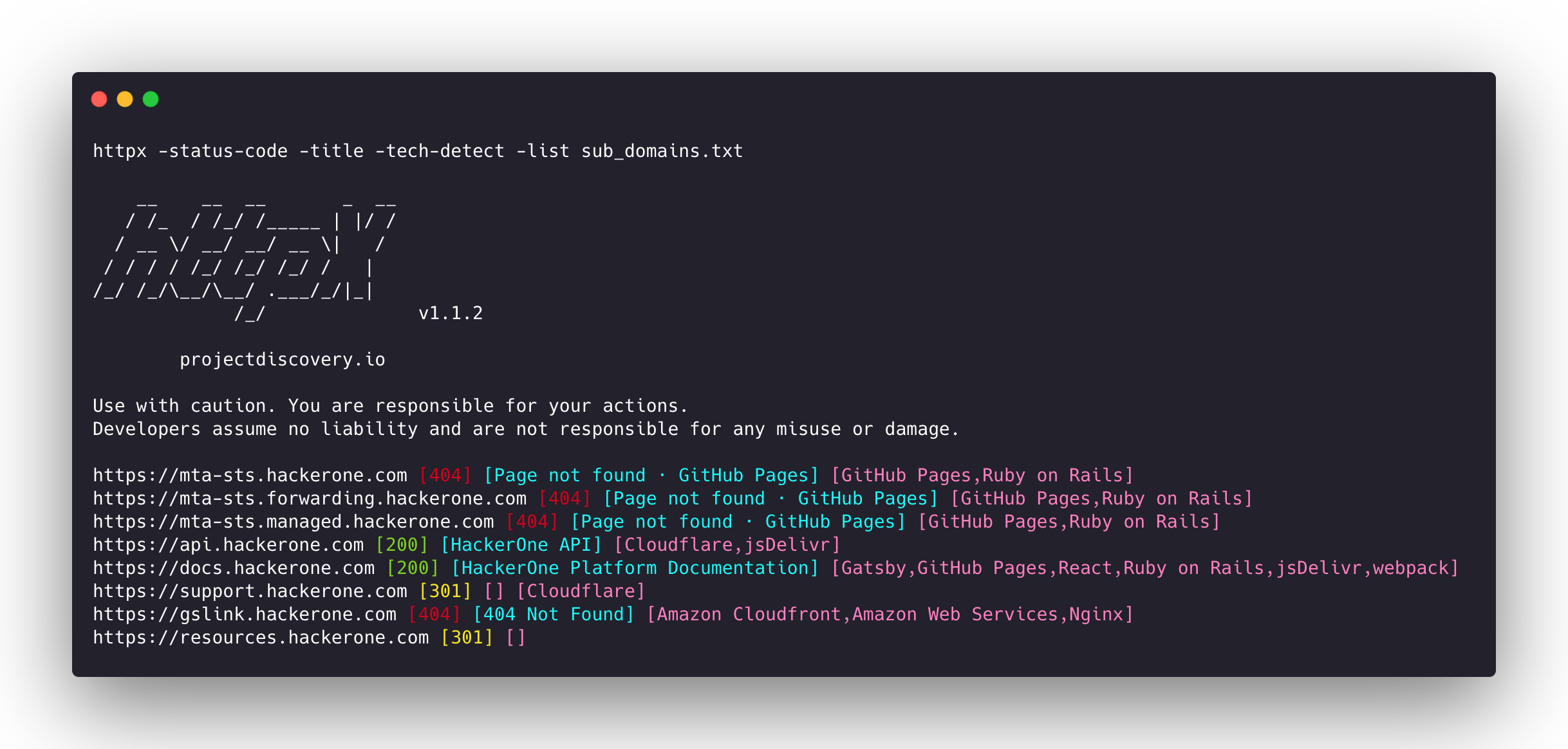
projectdiscovery/httpx
빠르고 다중 프로브를 사용하는 HTTP 툴킷으로, 정찰 및 정보 수집을 위한 도구입니다. TLS, CSP, 헤더, 기술 스택, CDN을 검사합니다. 매처, 필터 및 JSON 출력을 지원하여 자동화된 보안 테스트에 사용됩니다.






기능 • 설치 • 사용법 • 문서 • 참고사항 • Discord 참여
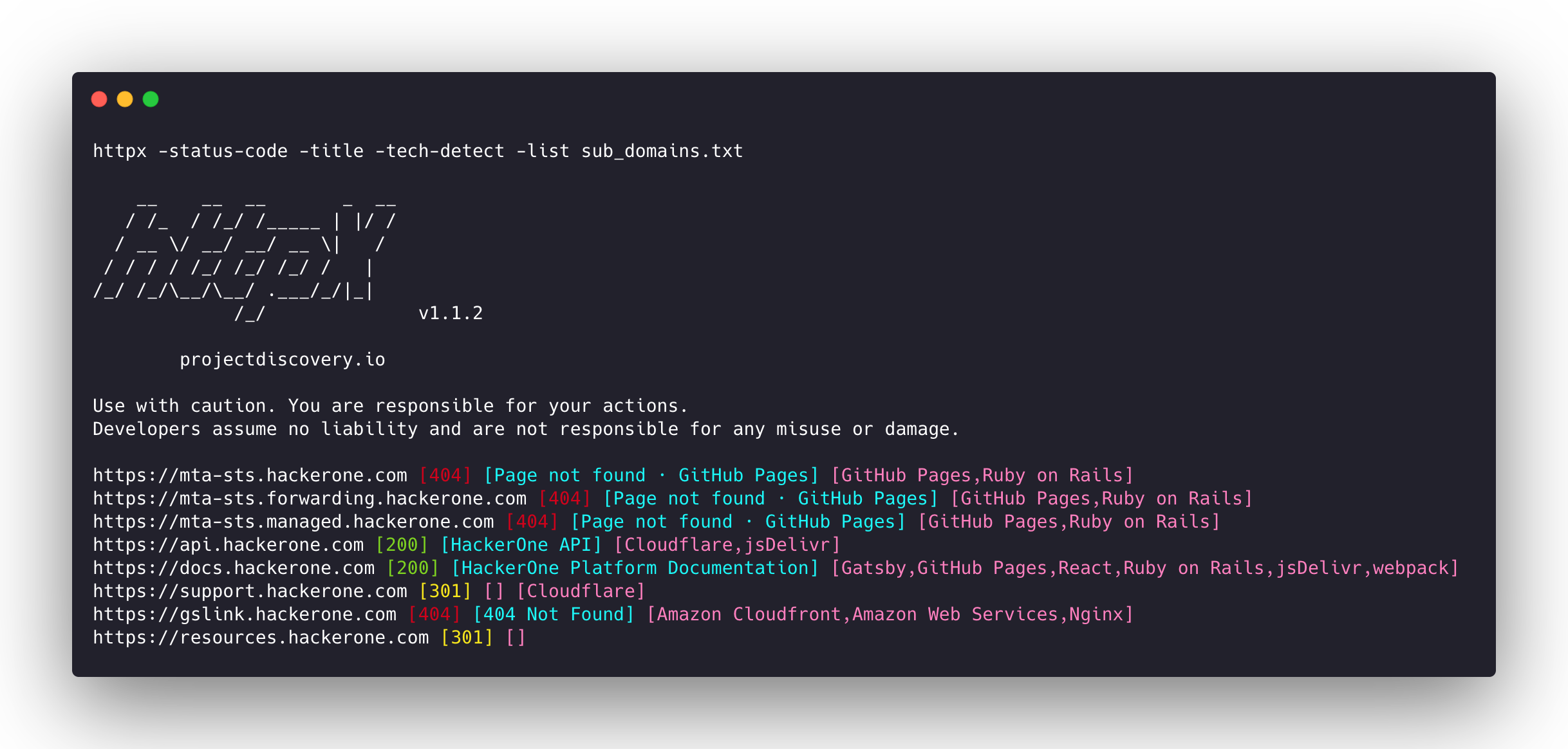
httpx는 retryablehttp 라이브러리를 사용하여 여러 프로브를 실행할 수 있는 빠르고 다목적 HTTP 툴킷입니다. 스레드 수를 늘려도 결과 신뢰성을 유지하도록 설계되었습니다.
| 프로브 | 기본 확인 | 프로브 | 기본 확인 |
|---|---|---|---|
| URL | true | IP | true |
| Title | true | CNAME | true |
| Status Code | true | Raw HTTP | false |
| Content Length | true | HTTP2 | false |
| TLS Certificate | true | HTTP Pipeline | false |
| CSP Header | true | Virtual host | false |
| Line Count | true | Word Count | true |
| Location Header | true | CDN | false |
| Web Server | true | Paths | false |
| Web Socket | true | Ports | false |
| Response Time | true | Request Method | true |
| Favicon Hash | false | Probe Status | false |
| Body Hash | true | Header Hash | true |
| Redirect chain | false | URL Scheme | true |
| JARM Hash | false | ASN | false |
httpx를 성공적으로 설치하려면 go >=1.25.0이 필요합니다. 다음 명령을 실행하여 리포지토리를 가져오세요:
go install -v github.com/projectdiscovery/httpx/cmd/httpx@latest
httpx 설치에 대한 자세한 내용은 https://docs.projectdiscovery.io/tools/httpx/install 를 참조하세요.
| ❗ 면책 조항 |
|---|
| 이 프로젝트는 활발히 개발 중입니다. 릴리스에 따라 주요 변경 사항이 발생할 수 있습니다. 업데이트 전에 변경 로그를 검토하세요. |
| 이 프로젝트는 주로 독립형 CLI 도구로 사용하기 위해 구축되었습니다. 서비스로 실행하면 보안 위험이 발생할 수 있습니다. 주의하여 사용하고 추가 보안 조치를 취하는 것이 좋습니다. |
httpx -h
이 명령은 도구의 도움말을 표시합니다. 아래는 지원되는 모든 스위치입니다.
httpx is a fast and multi-purpose HTTP toolkit that allows running multiple probes using the retryablehttp library.

Usage:
  ./httpx [flags]

Flags:
INPUT:
   -l, -list string              input file containing list of hosts to process
   -rr, -request string          file containing raw request
   -u, -target string[]          input target host(s) to probe
   -im, -input-mode string       mode of input file (burp)

PROBES:
   -sc, -status-code                      display response status-code
   -cl, -content-length                   display response content-length
   -ct, -content-type                     display response content-type
   -location                              display response redirect location
   -favicon                               display mmh3 hash for '/favicon.ico' file
   -hash string                           display response body hash (supported: md5,mmh3,simhash,sha1,sha256,sha512)
   -jarm                                  display jarm fingerprint hash
   -rt, -response-time                    display response time
   -lc, -line-count                       display response body line count
   -wc, -word-count                       display response body word count
   -title                                 display page title
   -bp, -body-preview                     display first N characters of response body (default 100)
   -server, -web-server                   display server name
   -td, -tech-detect                      display technology in use based on wappalyzer dataset
   -cff, -custom-fingerprint-file string  path to a custom fingerprint file for technology detection
   -method                                display http request method
   -ws, -websocket                        display server using websocket
   -ip                                    display host ip
   -cname                                 display host cname
   -extract-fqdn, -efqdn                  get domain and subdomains from response body and header in jsonl/csv output
   -asn                                   display host asn information
   -cdn                                   display cdn/waf in use (default true)
   -probe                                 display probe status

HEADLESS:
   -ss, -screenshot                 enable saving screenshot of the page using headless browser
   -system-chrome                   enable using local installed chrome for screenshot
   -ho, -headless-options string[]  start headless chrome with additional options
   -esb, -exclude-screenshot-bytes  enable excluding screenshot bytes from json output
   -ehb, -exclude-headless-body     enable excluding headless header from json output
   -no-screenshot-full-page         disable saving full page screenshot
   -st, -screenshot-timeout value   set timeout for screenshot in seconds (default 10s)
   -sid, -screenshot-idle value     set idle time before taking screenshot in seconds (default 1s)
   -jsc, -javascript-code string[]  execute JavaScript code after navigation

MATCHERS:
   -mc, -match-code string            match response with specified status code (-mc 200,302)
   -ml, -match-length string          match response with specified content length (-ml 100,102)
   -mlc, -match-line-count string     match response body with specified line count (-mlc 423,532)
   -mwc, -match-word-count string     match response body with specified word count (-mwc 43,55)
   -mfc, -match-favicon string[]      match response with specified favicon hash (-mfc 1494302000)
   -ms, -match-string string[]        match response with specified string (-ms admin)
   -mr, -match-regex string[]         match response with specified regex (-mr admin)
   -mcdn, -match-cdn string[]         match host with specified cdn provider (cloudfront, fastly, google, etc.)
   -mrt, -match-response-time string  match response with specified response time in seconds (-mrt '< 1')
   -mdc, -match-condition string      match response with dsl expression condition

EXTRACTOR:
   -er, -extract-regex string[]   display response content with matched regex
   -ep, -extract-preset string[]  display response content matched by a pre-defined regex (url,ipv4,mail)