 p0dalirius/dumpsmbshare
Windows SMB 공유에서 원격으로 파일과 폴더를 덤프하는 파이썬 스크립트.


Windows SMB 공유에서 원격으로 파일과 폴더를 덤프하는 파이썬 스크립트입니다.



--list-shares 옵션으로 공유 목록만 표시.--extensions)로만 파일을 선택하거나 모든 파일을 선택.--dump-dir 옵션으로 덤프할 로컬 폴더 선택.--base-dir 옵션으로 공유 내에서 검색할 기본 폴더 선택.$ ./DumpSMBShare.py -h
DumpSMBShare v1.3 - by Remi GASCOU (Podalirius)
usage: Dump.py [-h] (-s SHARE | -l) [-e EXTENSIONS] [-D DUMP_DIR] [-f FILE] [-B BASE_DIR] [--debug] [-q] [-H LMHASH:NTHASH] [--no-pass] [-k] [-A hex key]
[--dc-ip ip address] [-I ip address] [-P [destination port]]
target
positional arguments:
target [[domain/]username[:password]@]<targetName or address>
optional arguments:
-h, --help show this help message and exit
-s SHARE, --share SHARE
SMB Share to dump
-l, --list-shares Lists SMB shares on the remote machine.
-L, --list-files Lists all the files present in the SMB share.
-e EXTENSIONS, --extensions EXTENSIONS
Extensions
-D DUMP_DIR, --dump-dir DUMP_DIR
Dump directory
-f FILE, --file FILE SMB file to dump
-B BASE_DIR, --base-dir BASE_DIR
Directory to search in (Default: /)
--debug Turn on debug output. (Default: False)
-q, --quiet Turn DEBUG output ON
authentication:
-H LMHASH:NTHASH, --hashes LMHASH:NTHASH
NTLM hashes, format is LMHASH:NTHASH
--no-pass Don't ask for password (useful for -k)
-k, --kerberos Use Kerberos authentication. Grabs credentials from ccache file (KRB5CCNAME) based on target parameters. If valid credentials cannot
be found, it will use the ones specified in the command line
-A hex key, --aesKey hex key
AES key to use for Kerberos Authentication (128 or 256 bits)
connection:
--dc-ip ip address IP Address of the domain controller. If omitted it will use the domain part (FQDN) specified in the target parameter
-I ip address, --target-ip ip address
IP Address of the target machine. If omitted it will use whatever was specified as target. This is useful when target is the NetBIOS
name and you cannot resolve it
-P [destination port], --port [destination port]
Destination port to connect to SMB Server
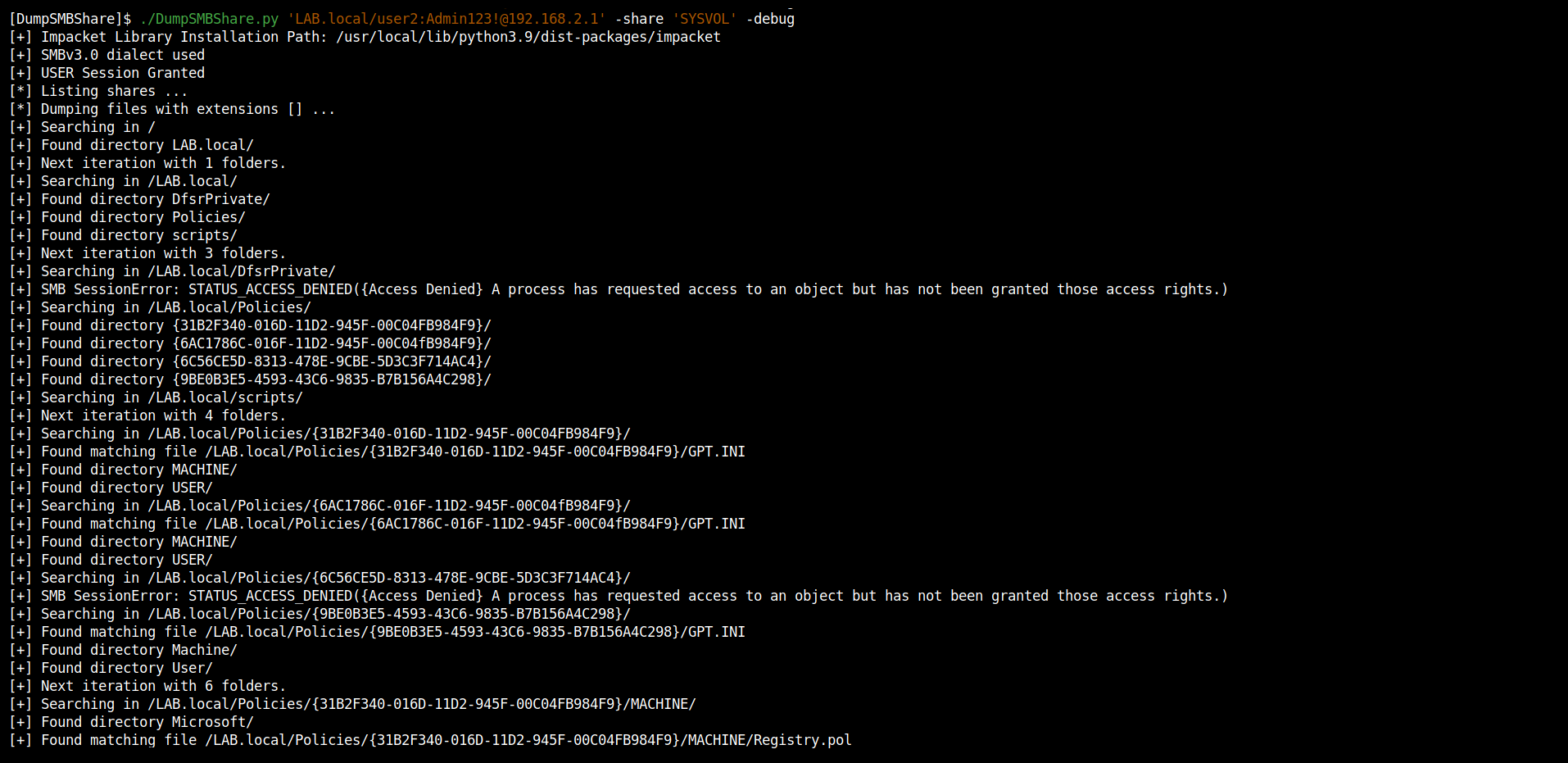
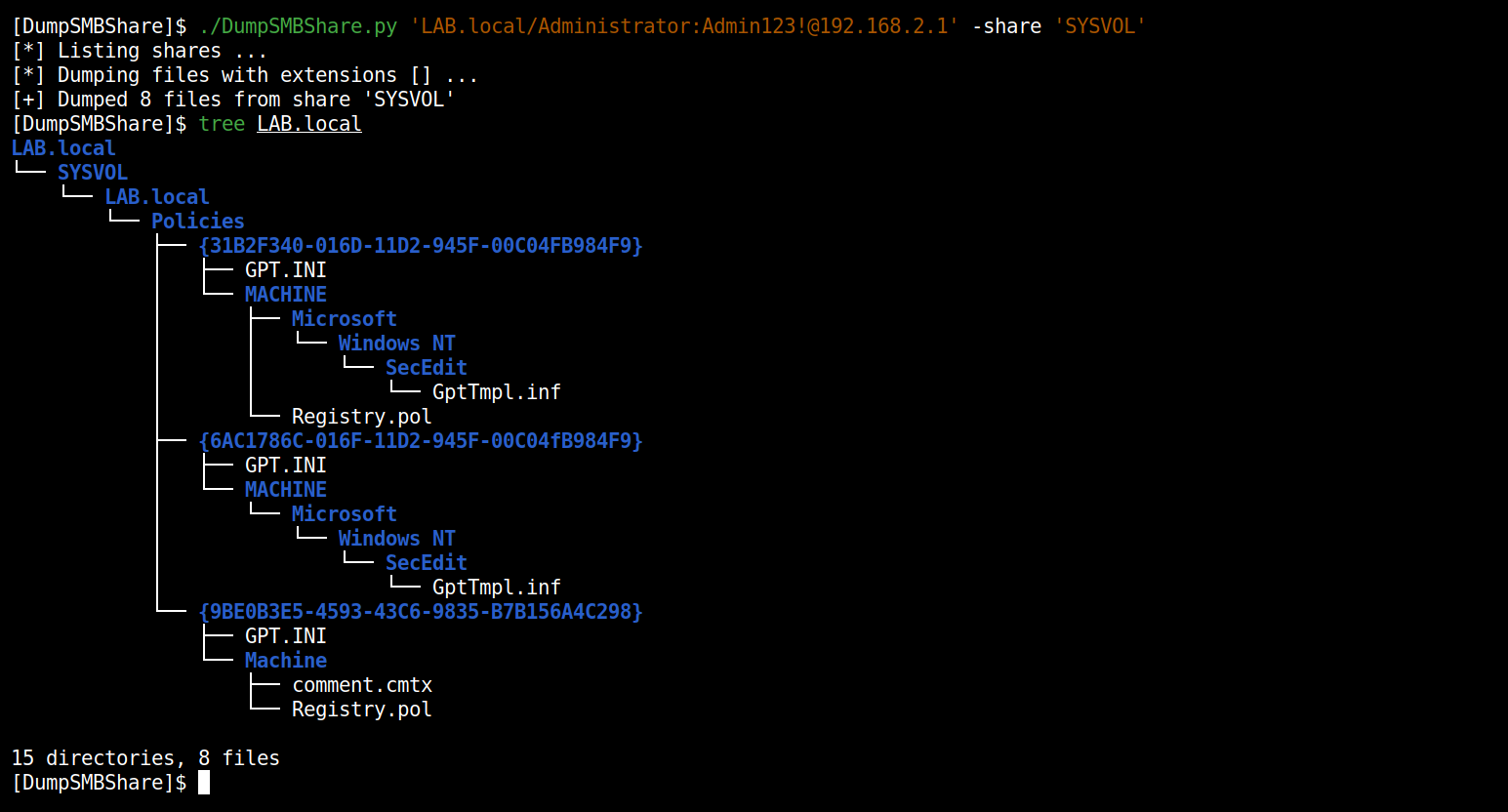
SYSVOL 공유에서 모든 파일 덤프:
./DumpSMBShare.py 'LAB.local/user2:[email protected]' --debug
풀 리퀘스트는 환영합니다. 다른 기능을 추가하고 싶다면 이슈를 열어 주세요.






