MemProcFS-Analyzer
MemProcFS-Analyzer.ps1은 MemProcFS 사용을 간소화하고 메모리 분석 워크플로를 최적화하기 위해 사용되는 PowerShell 스크립트입니다.
MemProcFS - Ulf Frisk의 메모리 프로세스 파일 시스템(Memory Process File System)
https://github.com/ufrisk/MemProcFS
기능:
- 빠르고 쉬운 메모리 분석!
- 메모리 스냅샷(원시 물리 메모리 덤프 또는 Microsoft 충돌 덤프)을 디스크 이미지처럼 마운트하고 Windows에서 메모리 압축 기능을 처리할 수 있습니다.
- MemProcFS, AmcacheParser, AppCompatCacheParser, Elasticsearch, entropy, EvtxECmd, ImportExcel, IPinfo CLI, jq, Kibana, lnk_parser, RECmd, SBECmd, xsv, YARA 및 Zircolite 자동 설치
- MemProcFS, AmcacheParser, AppCompatCacheParser, Elasticsearch, entropy, EvtxECmd(맵 포함), ImportExcel, IPinfo CLI, jq, Kibana, lnk_parser, RECmd, SBECmd, xsv, YARA 및 Zircolite 자동 업데이트
- ClamAV의 새 버전 또는 새 Dokany 파일 시스템 라이브러리 번들이 출시되었을 때 업데이트 정보 제공
- 페이지파일(Pagefile) 지원
- OS 핑거프린팅
- 사용자 지정 YARA 규칙으로 스캔(예: Chronicle 및 Elastic Security의 447개 규칙 포함)
- Windows용 ClamAV를 통한 멀티 스레드 스캔
- 추가 분석을 위해 ClamAV가 탐지한 감염 파일 수집 (PW: infected)
- 추가 분석을 위해 MemProcFS PE_INJECT가 탐지한 주입 모듈 수집 (PW: infected)
- IPv4/IPv6 추출
- IPinfo CLI를 통한 IP2ASN 매핑 및 GeoIP → 무료 토큰은 https://ipinfo.io/signup에서 받으세요.
- 의심스러운 포트 번호 확인
- 전체 프로세스 호출 체인을 포함한 프로세스 트리 (TreeView) (Dominik Schmidt 님에게 특별히 감사드립니다)
- 프로세스의 비정상적인 부모-자식 관계 및 인스턴스 수 확인
- 프로세스의 비정상적인 사용자 컨텍스트 확인
- 프로세스 경로 위장 및 프로세스 이름 위장 확인 (Damerau Levenshtein Distance)
- 웹 브라우저 기록 (Google Chrome, Microsoft Edge 및 Firefox)
- Windows 이벤트 로그 파일 추출 및 EvtxECmd로 처리 → Timeline Explorer (EZTools - Eric Zimmerman)
- 이벤트 로그 개요
- Zircolite로 Windows 이벤트 로그 처리 - EVTX용 독립형 SIGMA 기반 탐지 도구
- AmcacheParser로 추출된 Amcache.hve 분석 (EZTools - Eric Zimmerman)
- AppCompatCacheParser로 애플리케이션 호환성 캐시(일명 ShimCache) 분석 (EZTools - Eric Zimmerman)
- RECmd로 Syscache 분석 (EZTools - Eric Zimmerman)
- RECmd로 UserAssist 아티팩트 분석 (EZTools - Eric Zimmerman)
- RECmd로 ShellBags 아티팩트 분석 (EZTools - Eric Zimmerman)
- 간단한 Prefetch 보기 (포렌식 타임라인 기반)
- RECmd로 자동 시작 확장 지점(ASEP) 분석 (EZTools - Eric Zimmerman)
- RECmd로 RecentDocs, Office 신뢰할 수 있는 문서 분석 (EZTools - Eric Zimmerman)
- DFIR RECmd 배치 파일로 레지스트리 분석 (DFIR Batch File - Andrew Rathbun)
- 복구된 프로세스 모듈의 메타데이터 분석 (실험적)
- Windows 바로 가기 파일(LNK) 추출
- 악성 Windows 바로 가기 파일(LNK) 헌팅
- Doug Finke의 PowerShell 모듈 ImportExcel 통합
- Timeline Explorer로 분석할 수 있는 CSV 출력 데이터 (예: timeline-reverse.csv, findevil.csv, web.csv)
- 증거 파일 수집 (보안 아카이브 컨테이너 → PW: MemProcFS)
- 그 외에도 다양한 기능
다운로드
최신 버전의 MemProcFS-Analyzer를 Releases 섹션에서 다운로드하세요.
사용 방법
관리자 권한으로 Windows PowerShell(또는 Windows PowerShell ISE, PSVersion 5.1의 Visual Studio Code)을 실행하고 MemProcFS-Analyzer.ps1을 열거나 실행하세요.
File-Browser
그림 1: 메모리 스냅샷을 선택하고 pagefile.sys를 선택하세요 (선택 사항)
Auto-Install
그림 2: MemProcFS-Analyzer가 종속성을 자동 설치합니다 (첫 번째 실행)
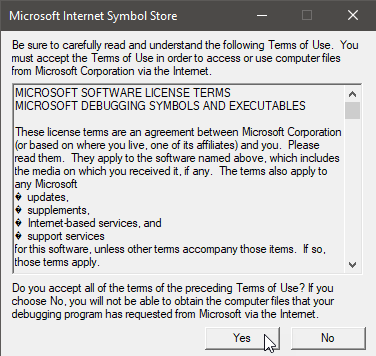
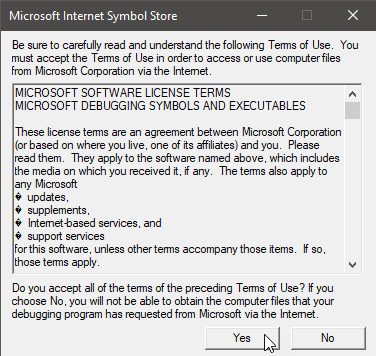
그림 3: 이용 약관에 동의하세요 (첫 번째 실행)
MemProcFS
그림 4: MemProcFS가 유용하다면 https://github.com/sponsors/ufrisk 에서 스폰서가 되어 주세요.
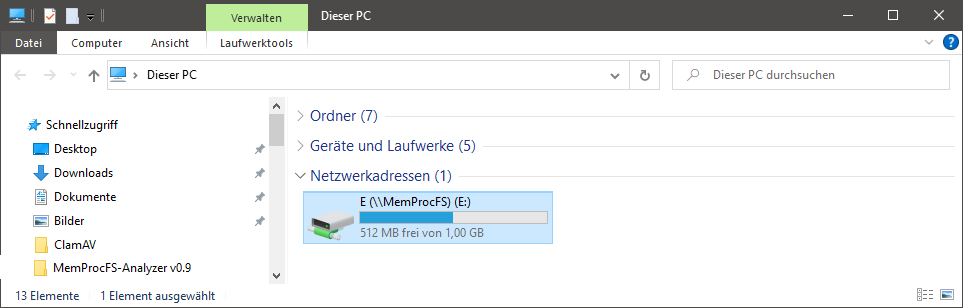
그림 5: 드라이브 문자를 탐색하여 마운트된 메모리 덤프를 조사할 수 있습니다.
Auto-Update
그림 6: MemProcFS-Analyzer가 업데이트를 확인합니다 (두 번째 실행)
참고: 설치 후에는 "Updater" 기능을 주석 처리/비활성화하는 것이 좋습니다. 스크립트 하단의 "Main"을 확인하세요.
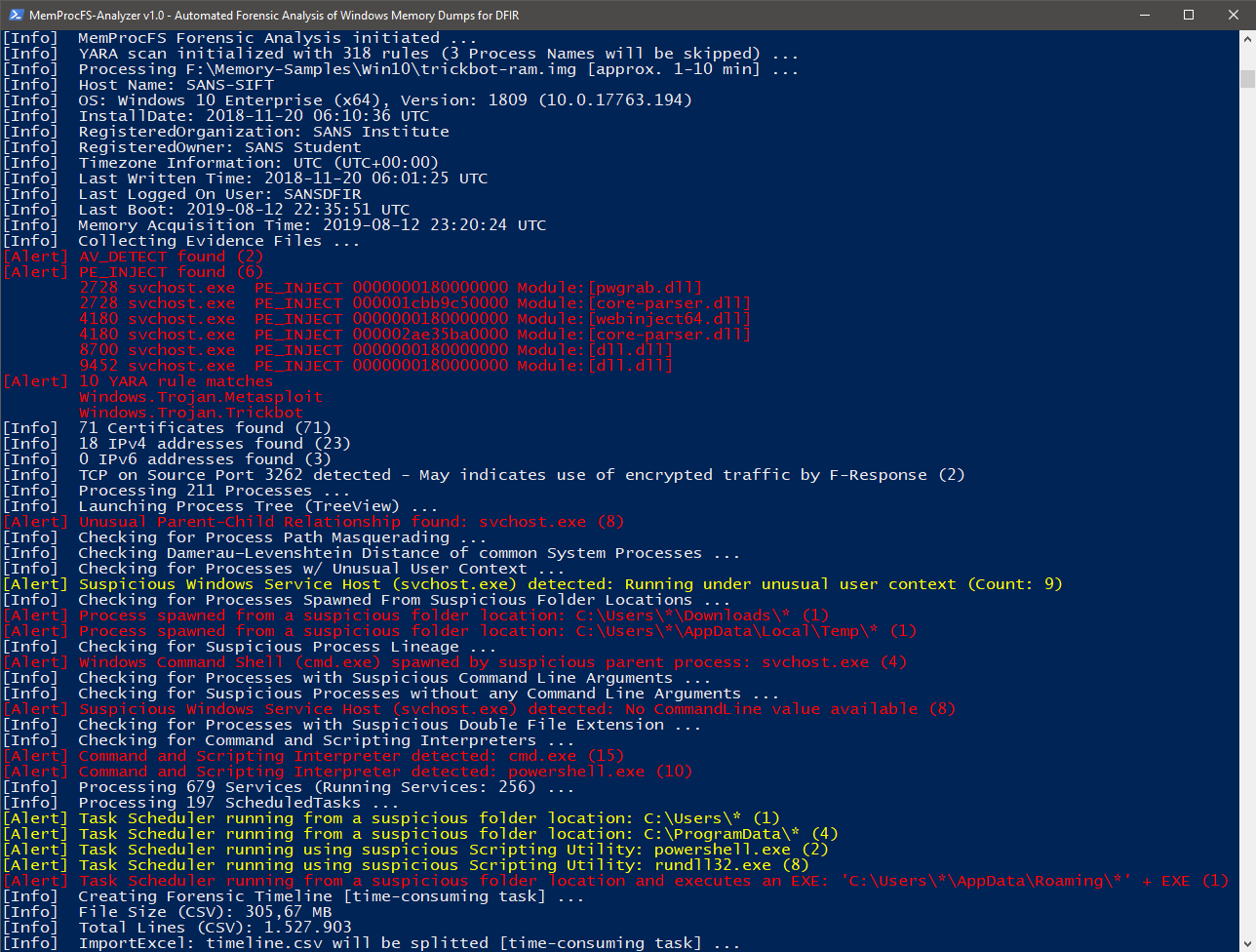
그림 7: FindEvil 기능 및 추가 분석
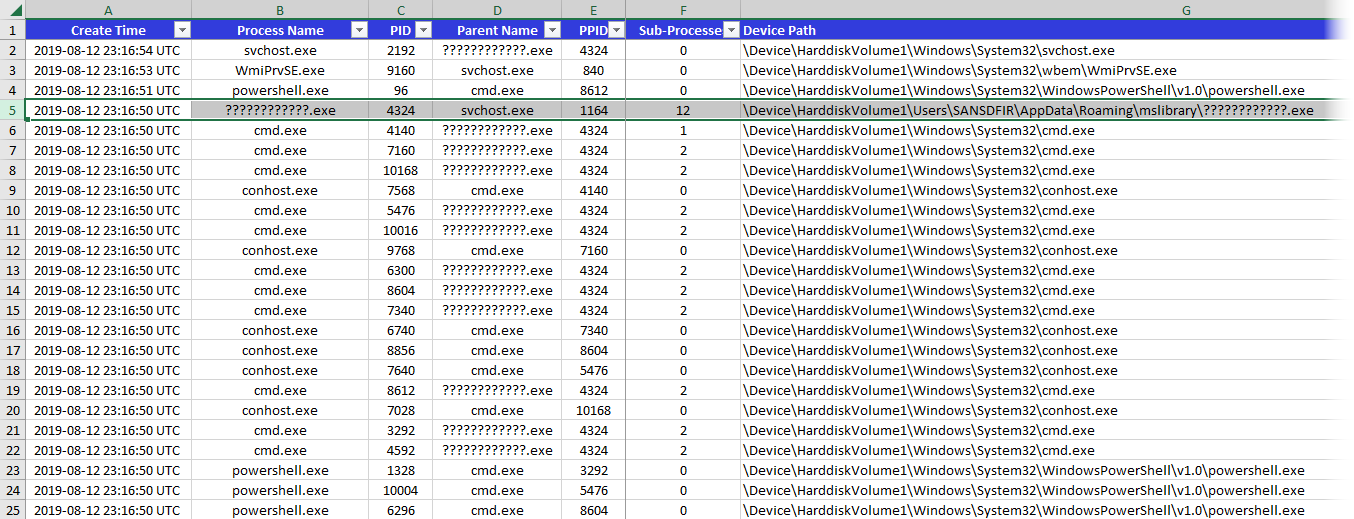
그림 8: 프로세스
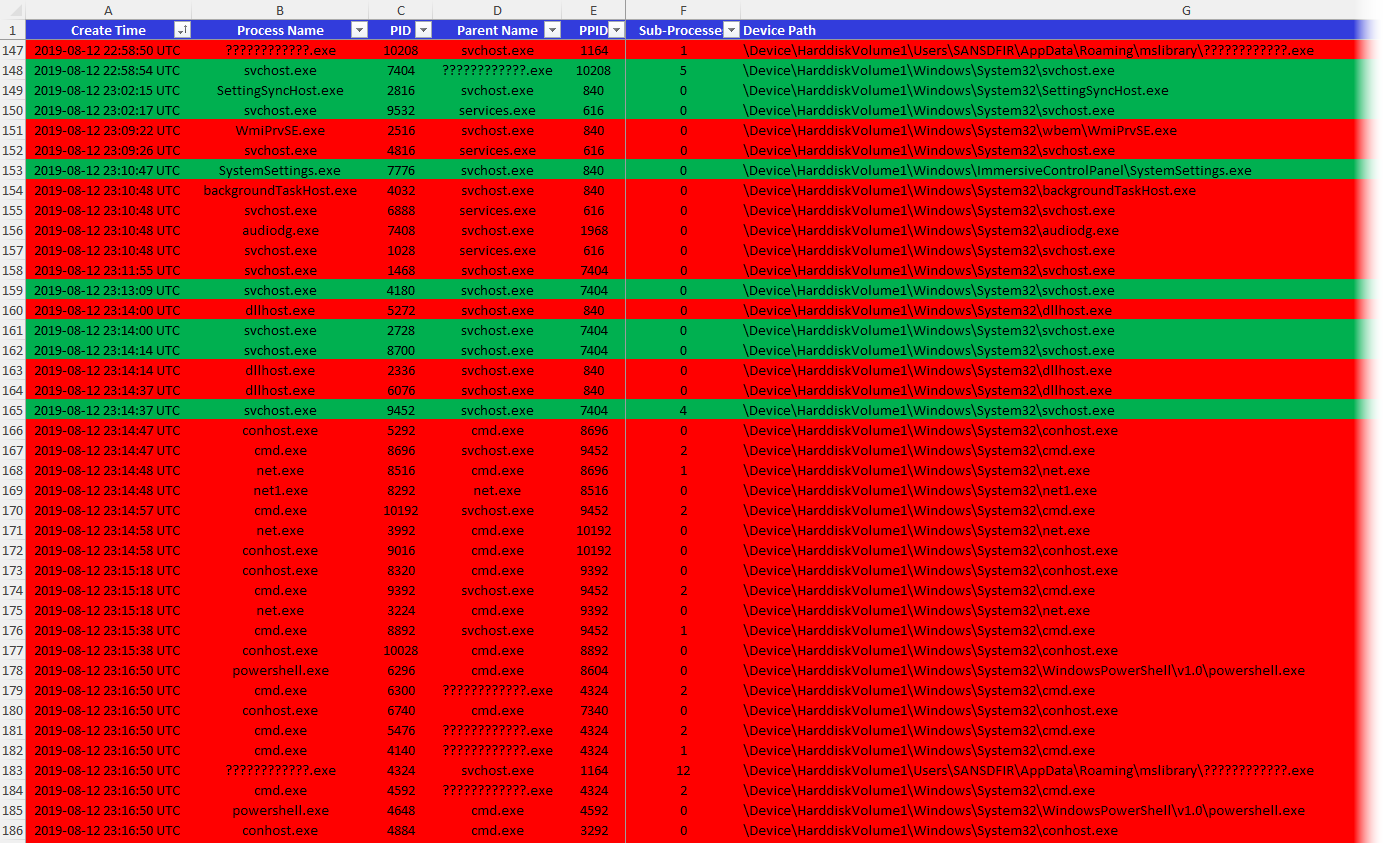
그림 9: 실행 중 및 종료된 프로세스
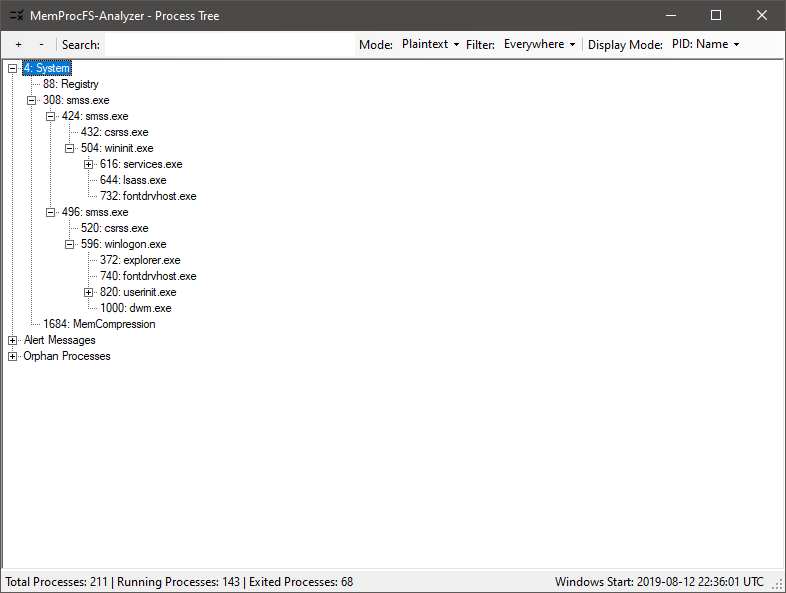
그림 10: 프로세스 트리 (GUI)
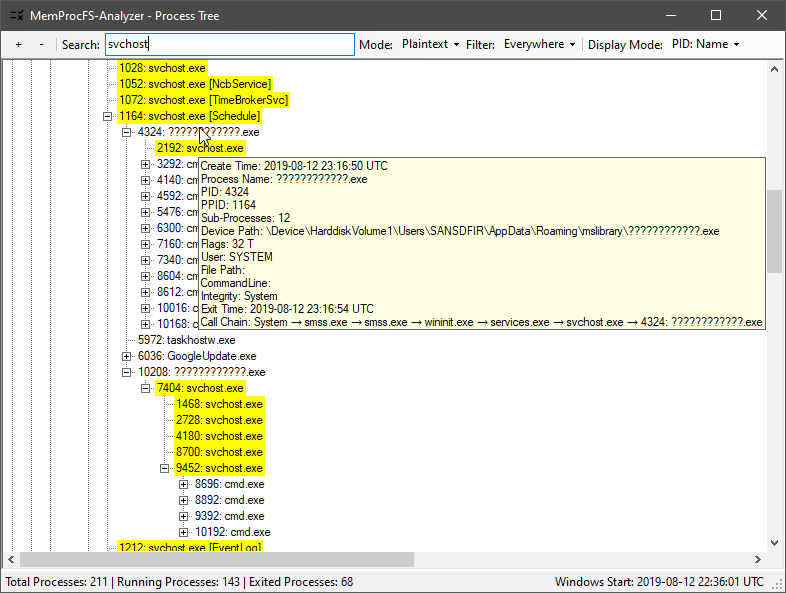
그림 11: 프로세스 트리 확인 (이상 징후 찾기)
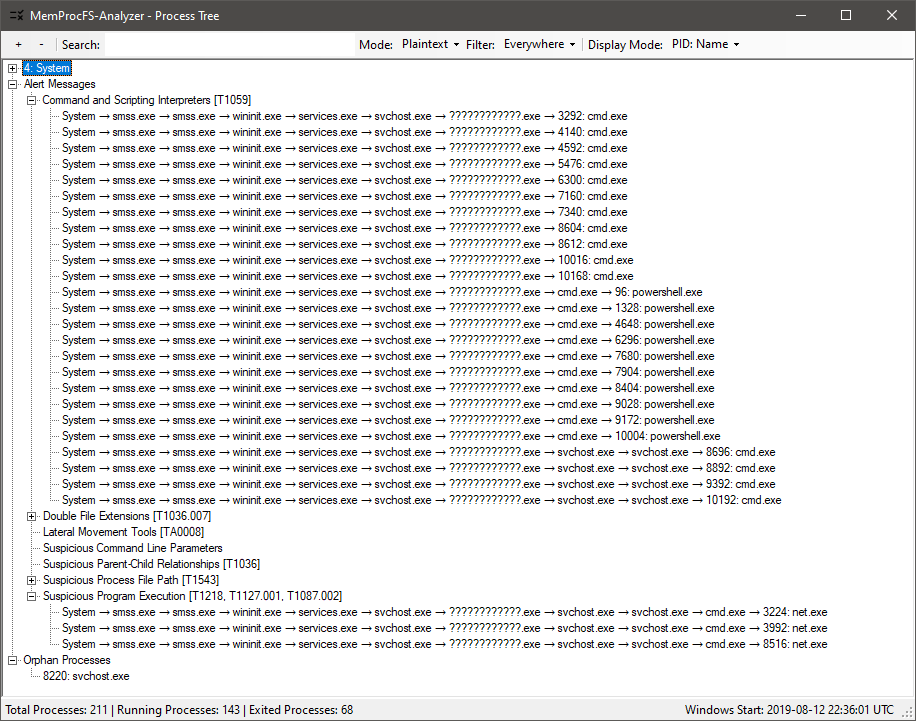
그림 12: 프로세스 트리: 프로세스 호출 체인이 포함된 경고 메시지
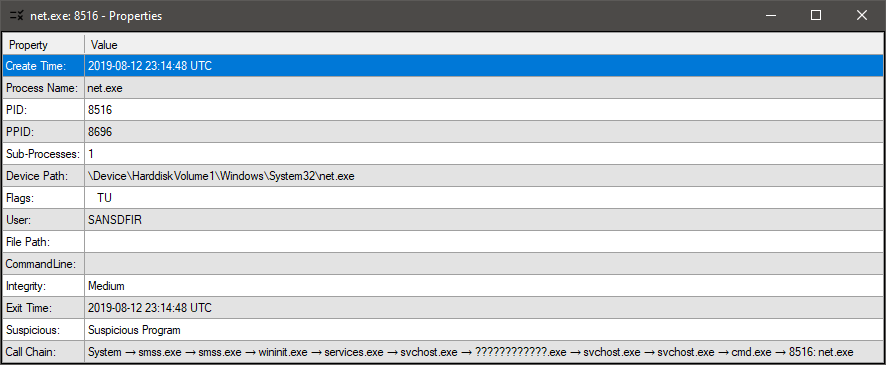
그림 13: 프로세스 트리: 속성 보기 → 프로세스 또는 경고 메시지를 더블 클릭하세요.
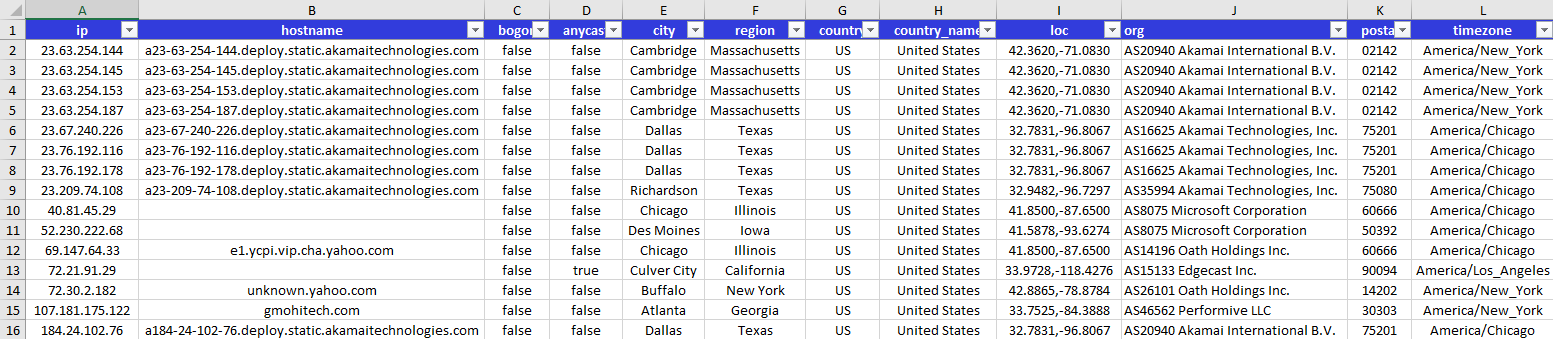
그림 14: IPinfo.io를 통한 GeoIP
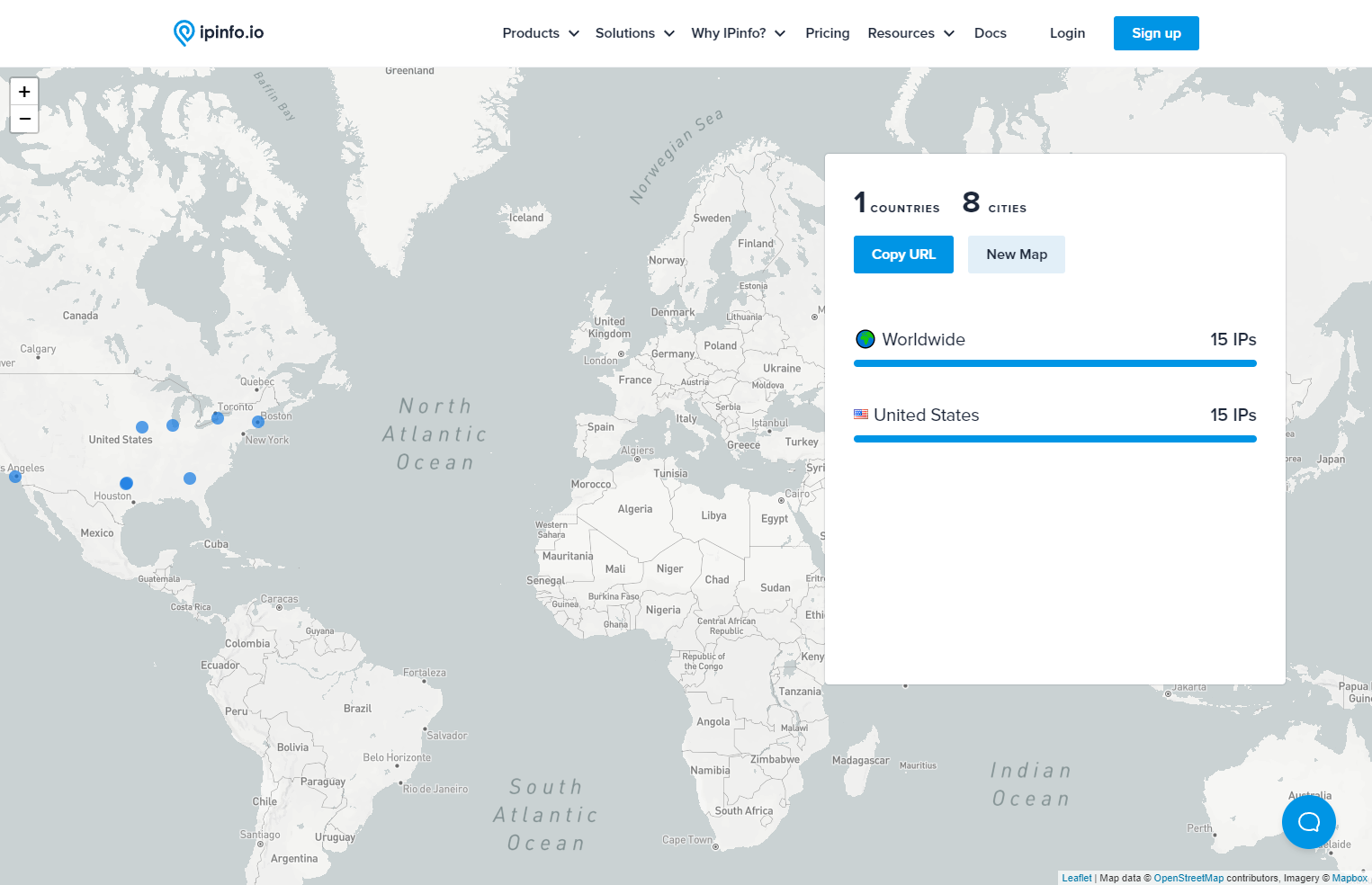
그림 15: IPinfo.io로 IP 매핑
EVTX
Detections
그림 16: Windows 이벤트 로그(EVTX) 처리
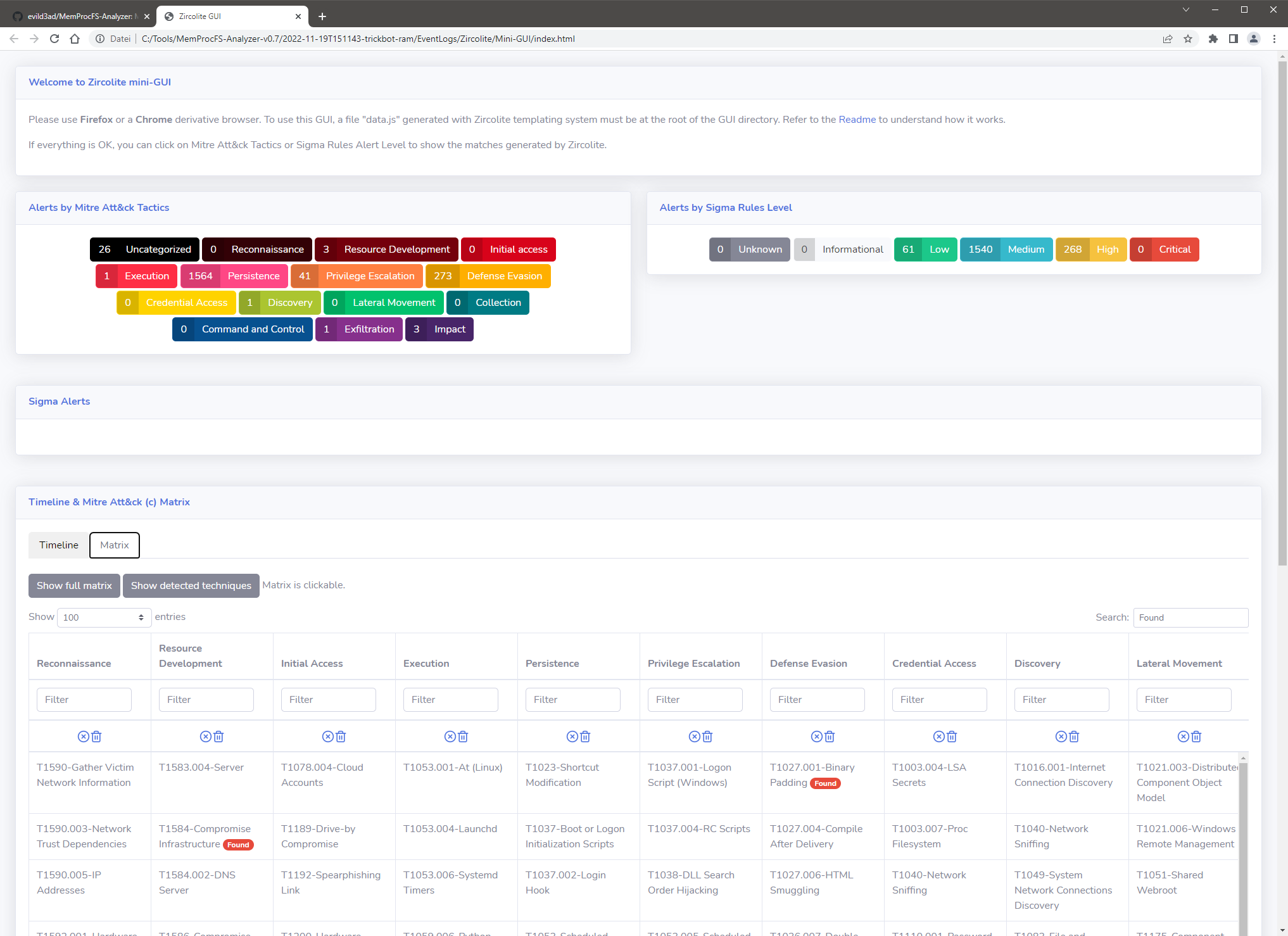
그림 17: Zircolite - EVTX용 독립형 SIGMA 기반 탐지 도구 (미니 GUI)

그림 18: 추출된 Amcache.hve 처리 → XLSX

그림 19: ShimCache 처리 → XLSX
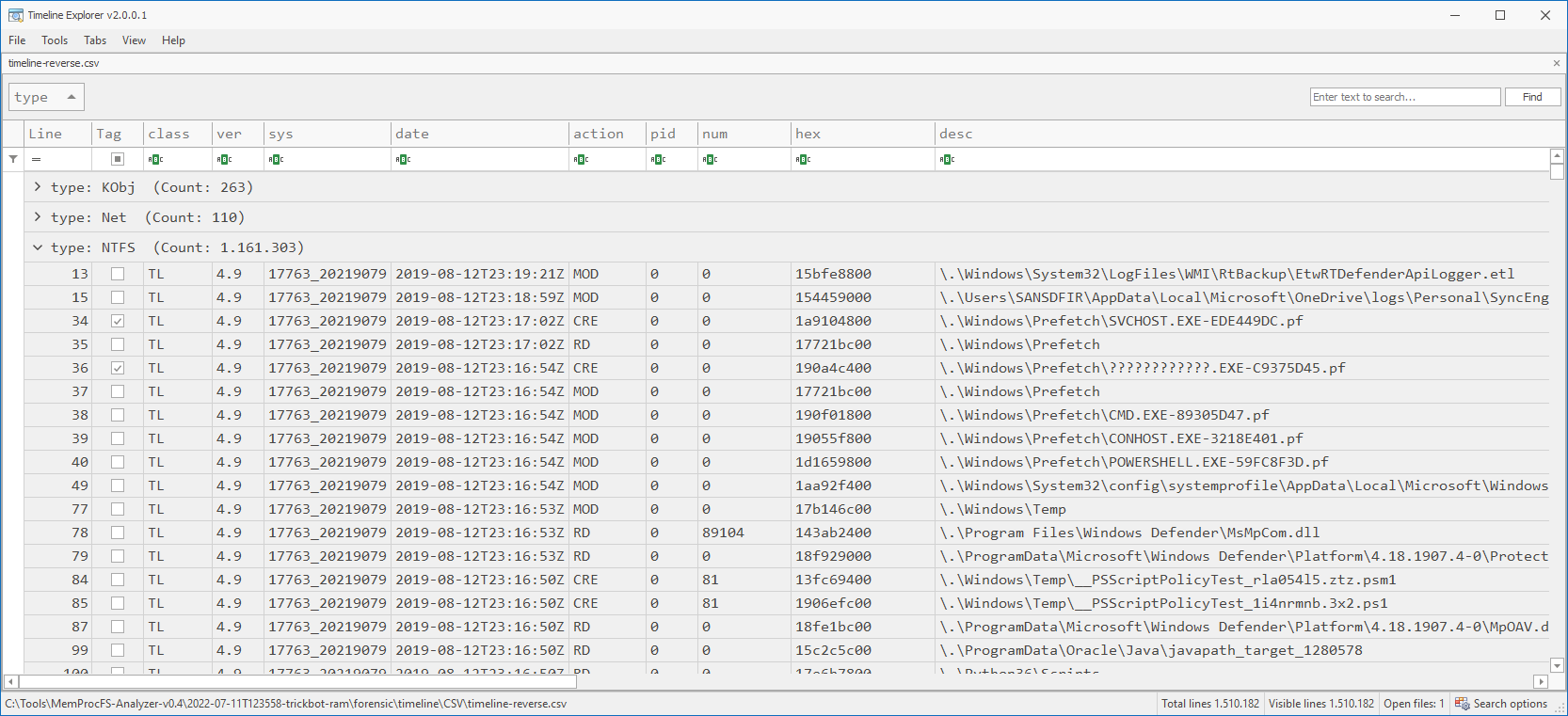
그림 20: Timeline Explorer (TLE)로 CSV 출력 분석
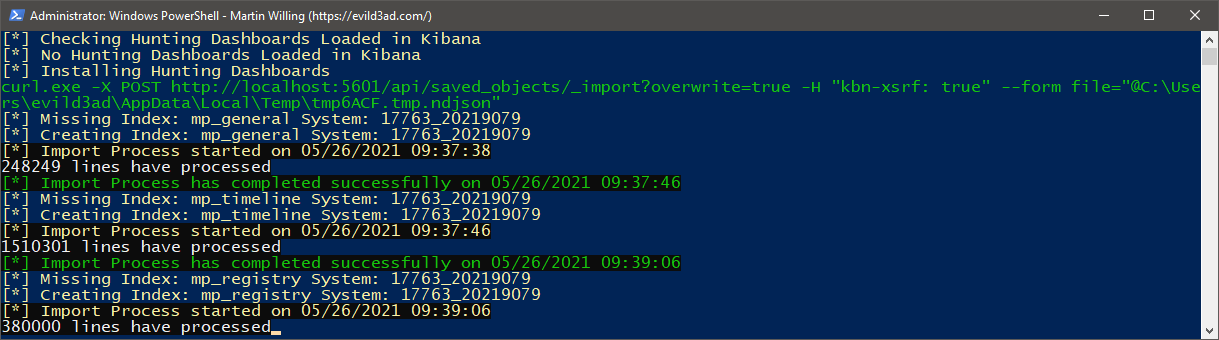
그림 21: ELK 가져오기
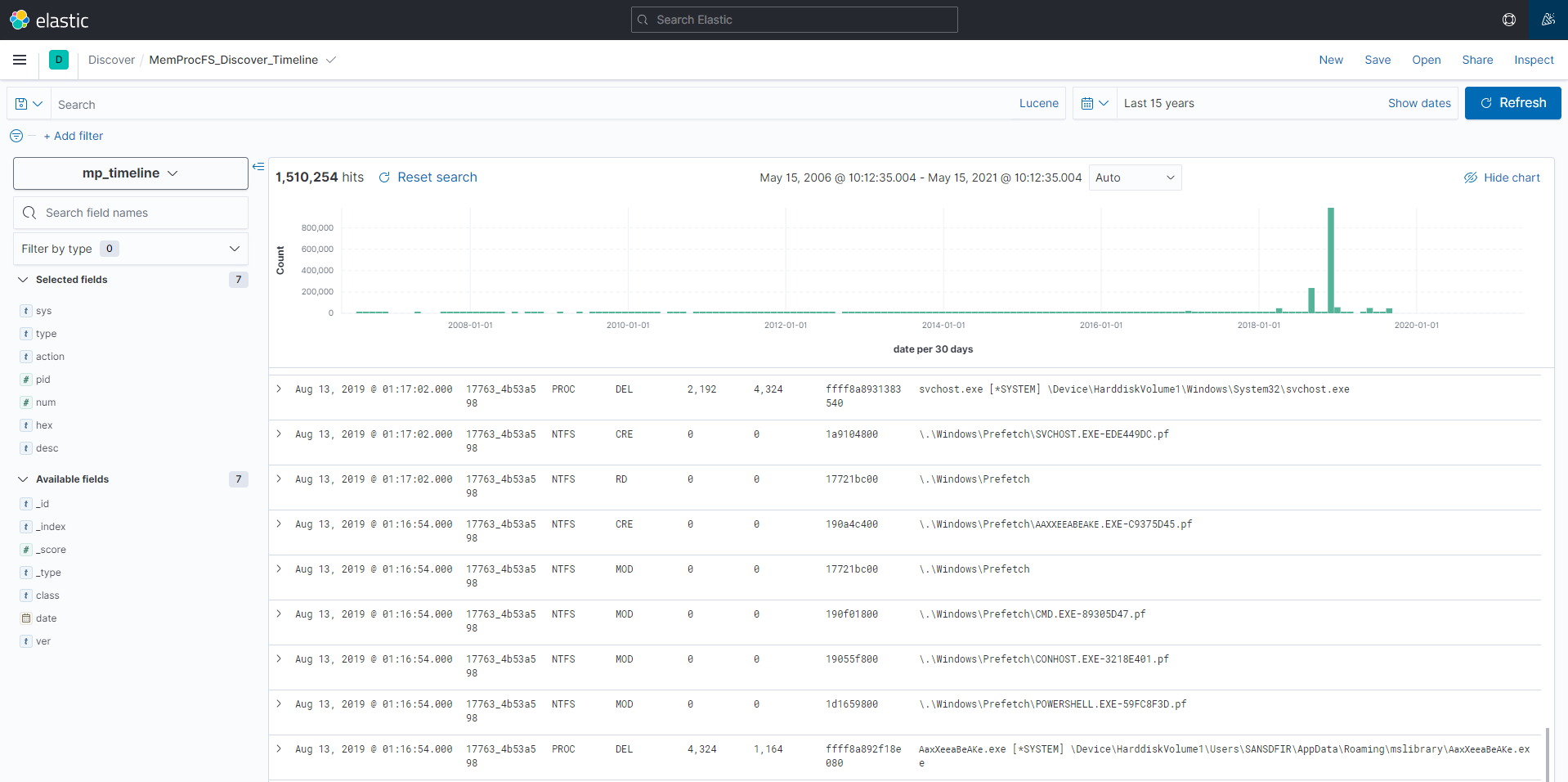
그림 22: 즐거운 ELK 헌팅 되세요!