 kevwan/tproxy
TCP 연결을 프록시하고 분석하는 CLI 도구입니다.



백엔드 서비스를 개발하고 go-zero를 작성할 때, 네트워크 트래픽을 모니터링해야 하는 경우가 자주 있습니다. 예를 들어:
$ go install github.com/kevwan/tproxy@latest
또는 docker 이미지를 사용할 수 있습니다:
$ docker run --rm -it -p <listen-port>:<listen-port> -p <remote-port>:<remote-port> kevinwan/tproxy:v1 tproxy -l 0.0.0.0 -p <listen-port> -r host.docker.internal:<remote-port>
arm64의 경우:
$ docker run --rm -it -p <listen-port>:<listen-port> -p <remote-port>:<remote-port> kevinwan/tproxy:v1-arm64 tproxy -l 0.0.0.0 -p <listen-port> -r host.docker.internal:<remote-port>
Windows에서는 scoop을 사용할 수 있습니다:
$ scoop install tproxy
$ tproxy --help
Usage of tproxy:
  -d duration
    	the delay to relay packets
  -down int
    	Downward speed limit(bytes/second)
  -l string
    	Local address to listen on (default "localhost")
  -p int
    	Local port to listen on, default to pick a random port
  -q	Quiet mode, only prints connection open/close and stats, default false
  -r string
    	Remote address (host:port) to connect
  -s	Enable statistics
  -t string
    	The type of protocol, currently support http2, grpc, redis and mongodb
  -up int
    	Upward speed limit(bytes/second)
$ tproxy -p 8088 -r localhost:8081 -t grpc -d 100ms
localhost:8081로 리디렉션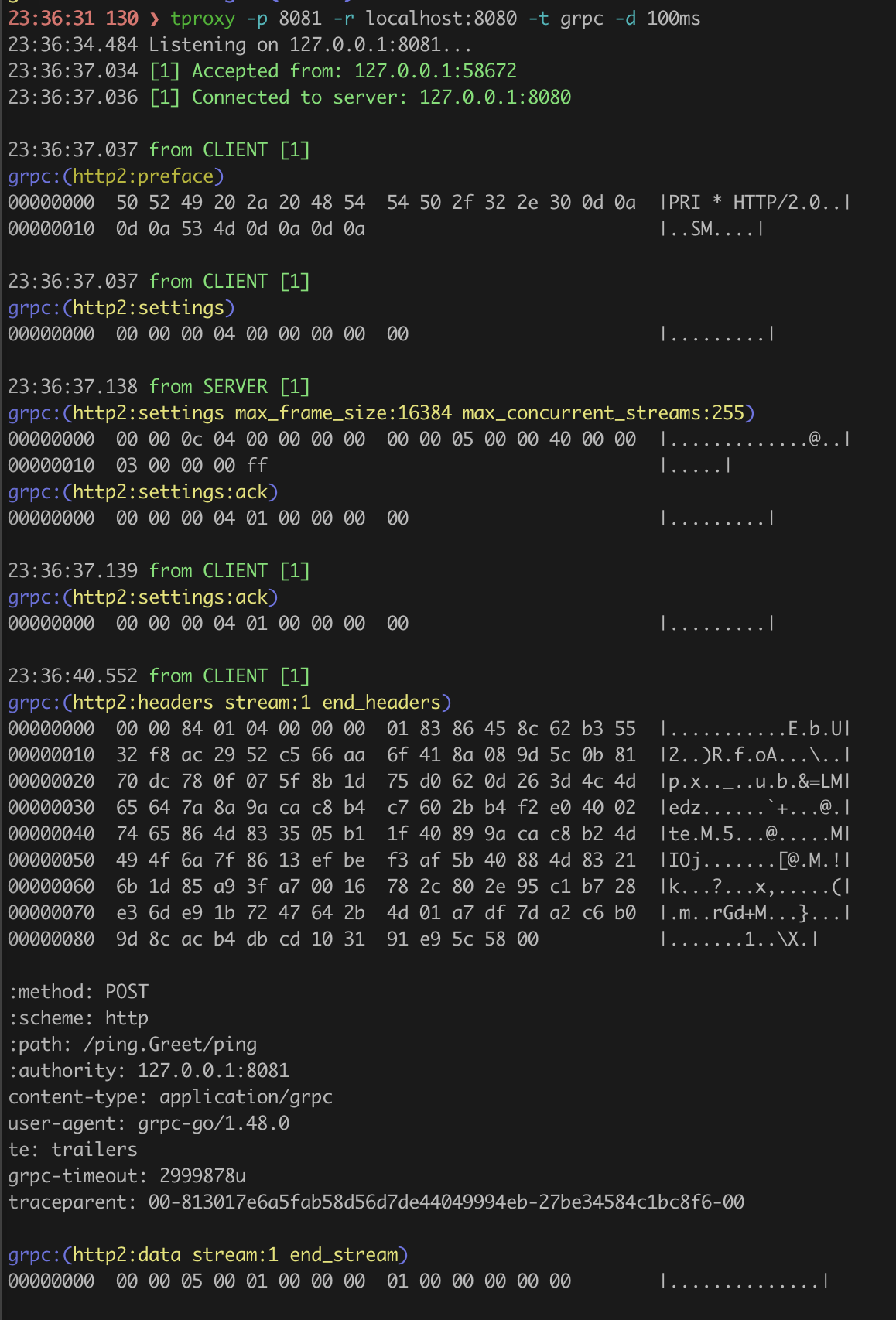
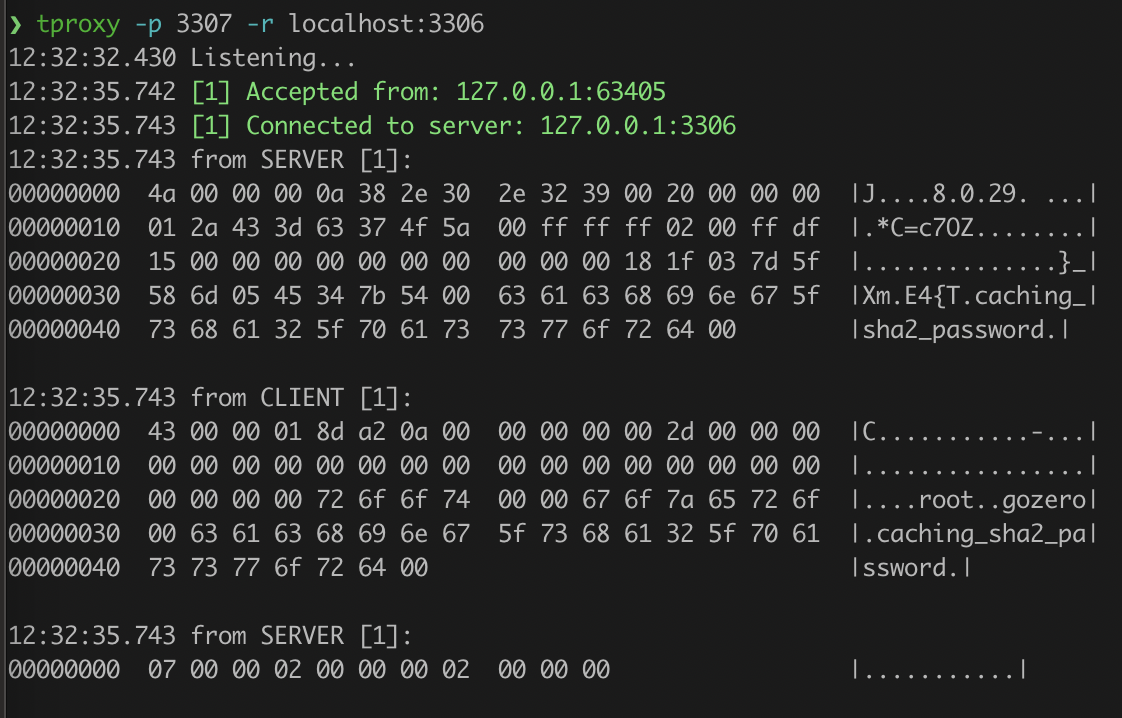
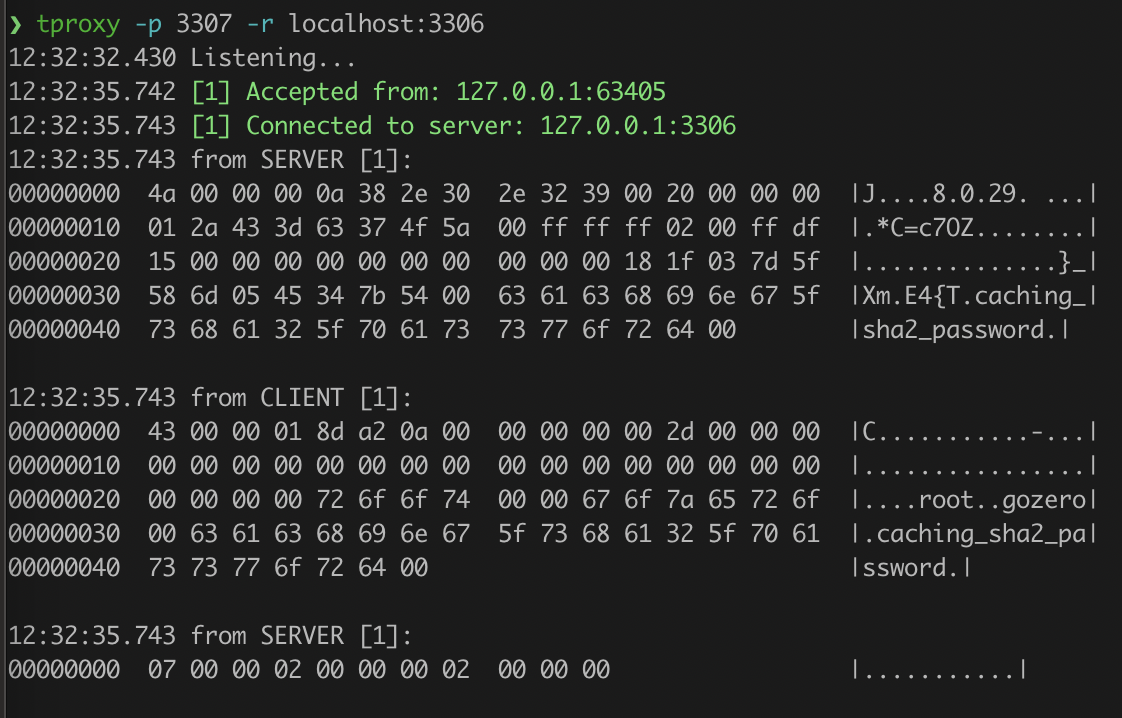
$ tproxy -p 3307 -r localhost:3306
$ tproxy -p 3307 -r remotehost:3306 -s -q
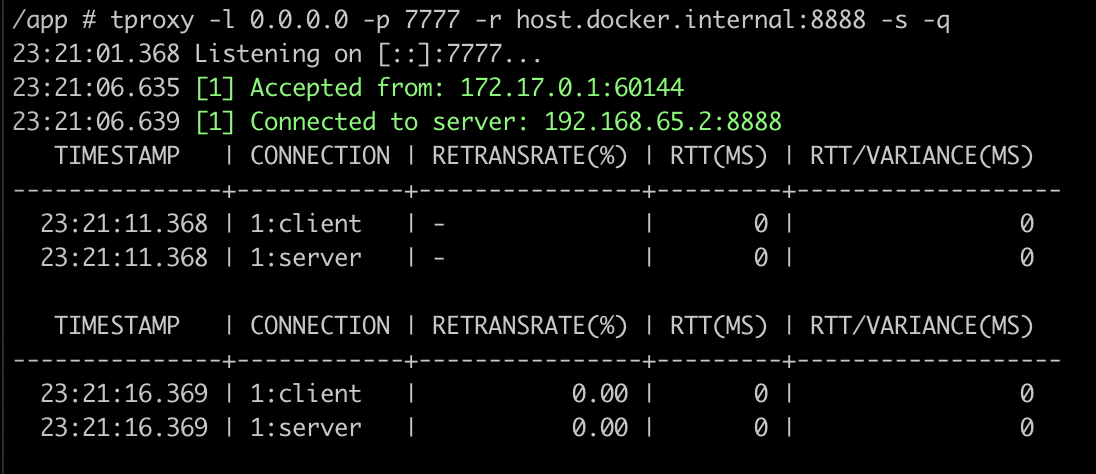
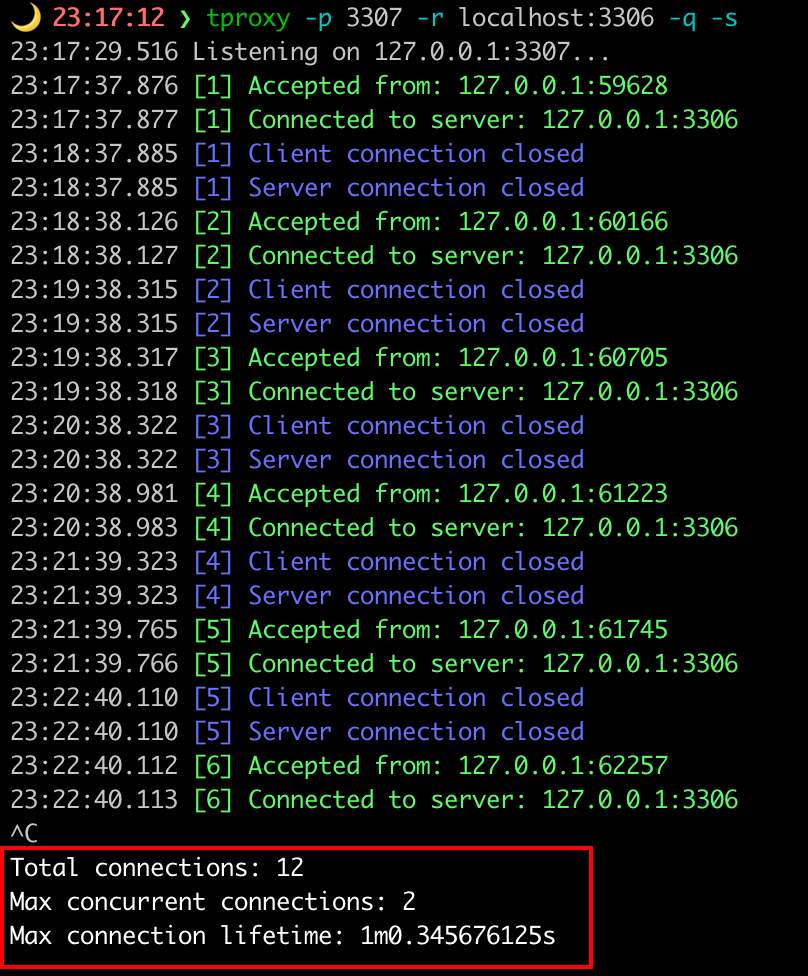
$ tproxy -p 3307 -r localhost:3306 -q -s
이 프로젝트가 마음에 들거나 사용 중이라면 스타를 눌러 주세요. 감사합니다!
