 foundryzero/binder-trace
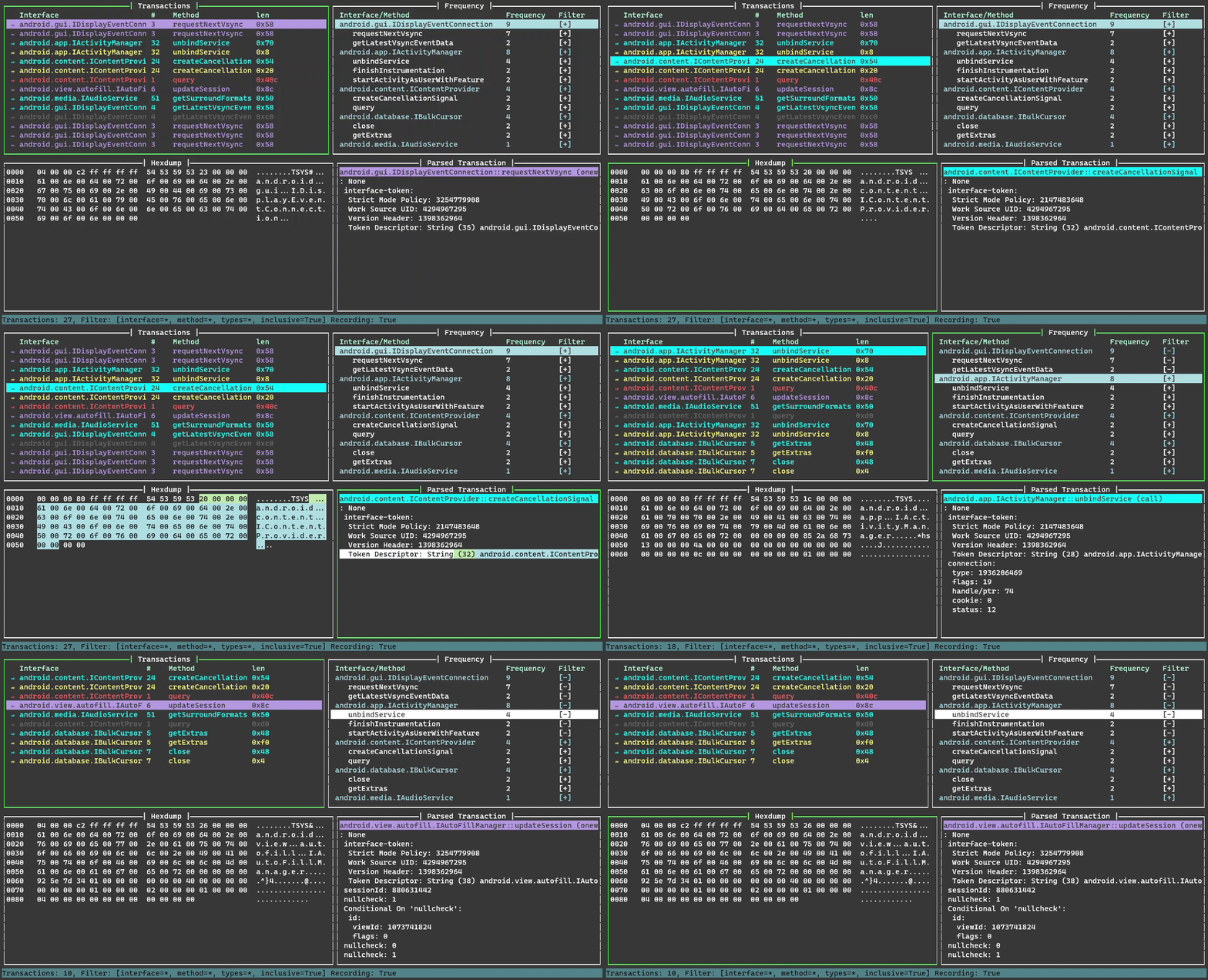
Binder Trace는 Android Binder 메시지를 가로채고 파싱하기 위한 도구입니다. "Binder용 Wireshark"라고 생각하면 됩니다.


Binder Trace는 Android Binder 메시지를 가로채고 파싱하는 도구입니다. "Binder용 Wireshark"라고 생각하면 됩니다.
python 버전 >= 3.9
루팅된 Android 기기 또는 에뮬레이터가 필요합니다.
(Linux만 해당) - "클립보드에 복사" 기능을 위해 xclip 또는 xsel 설치
sudo apt-get install xclip
sudo apt-get install xsel
PyPi에서 설치
pip install binder-trace
설치된 frida 버전 확인 (pip로 요구 사항을 설치했는지 확인하세요)
pip list | grep frida
frida releases 페이지에서 일치하는 버전의 frida-server 다운로드
adb가 root로 실행 중인지 확인하고, frida-server를 기기에 푸시한 후 실행
adb root
adb push frida-server /data/local/tmp
adb shell
chmod u+x /data/local/tmp/frida-server
/data/local/tmp/frida-server
| 인자 | 설명 |
|---|---|
| -h | 인자 도움말을 출력합니다. |
| -d DEVICE | 연결할 디바이스 (예: "emulator-5554"). 사용 가능한 디바이스를 보려면 adb devices를 사용하세요. 제공되지 않으면 기본적으로 USB 디바이스를 사용합니다. |
| -p PID | 연결할 DEVICE의 프로세스 pid. |
| -n NAME | 연결할 DEVICE의 프로세스 이름 (예: "Messaging"). |
| -a [9, 10, 11, 12, 13, 14] | 대상 디바이스의 Android 버전. 구조 파일 경로가 제공되지 않으면 기본 구조가 사용됩니다. |
| -s STRUCTPATH | 구조 파일 디렉터리 경로. |
| -c CONFIG | 필터링할 설정 파일 경로. |
| --spawn | 연결 전에 프로세스를 스폰합니다. 반드시 -n 옵션이 유효한 프로세스 식별자와 함께 있어야 합니다. |
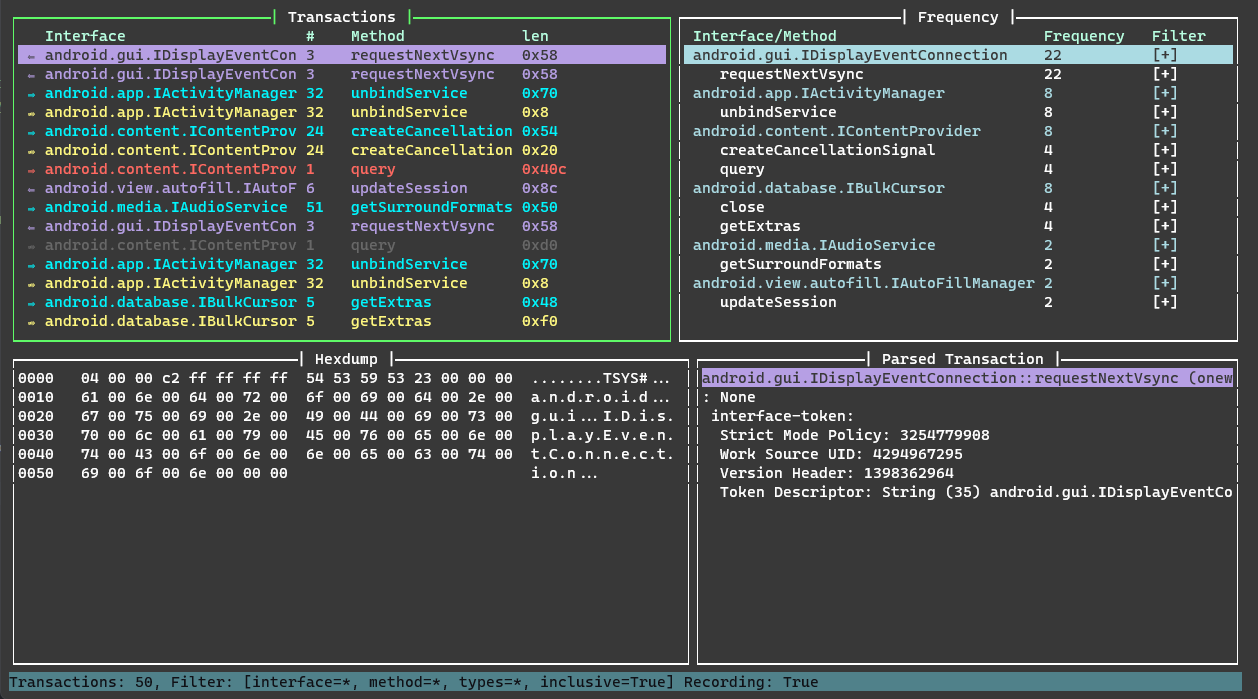
binder trace를 시작하려면 연결할 디바이스와 프로세스를 선택해야 합니다. 다음 예제에서는 adb와 frida-ps를 사용하여 로컬 에뮬레이터에서 연결할 프로세스를 식별합니다. Android 11 에뮬레이터이므로 Android 11 구조 디렉터리를 선택합니다. 여러분의 Android 버전과 가장 가까운 구조 디렉터리를 선택하세요. 다른 Android 버전용 구조가 필요하다면 알려주세요. 실행이 시작되면 대상 앱을 사용하여 일부 binder 트랜잭션을 생성하세요.
> adb devices
List of devices attached
emulator-5554   device

> frida-ps -Ua
 PID  Name           Identifier
----  -------------  ----------------------------
8334  Messaging      com.android.messaging
7941  Phone          com.android.dialer
9607  Settings       com.android.settings

> cd binder_trace
> binder-trace -d emulator-5554 -n Messaging -a 11
| 키 | 동작 |
|---|---|
up | 위로 이동 |
down | 아래로 이동 |
shift + up | 한 페이지 위로 |
shift + down | 한 페이지 아래로 |
home | 맨 위로 이동 |
end | 맨 아래로 이동 |
tab | 다음 창으로 이동 |
shift + tab | 이전 창으로 이동 |
ctrl + c | 창 내용을 클립보드에 복사 |
space | 트랜잭션 기록 일시 중지/재개 |
c | 지우기 |
h | 도움말 열기 |
r | 설정 파일 다시 로드 |
q | 종료 |
| 키 | 동작 |
|---|---|
p | 오름차순/내림차순 정렬 전환 |
w | 다음 인터페이스로 이동 |
s | 이전 인터페이스로 이동 |
a | 모든 필터 켜기 전환 |
n | 모든 필터 끄기 전환 |
enter | 필터 전환 |
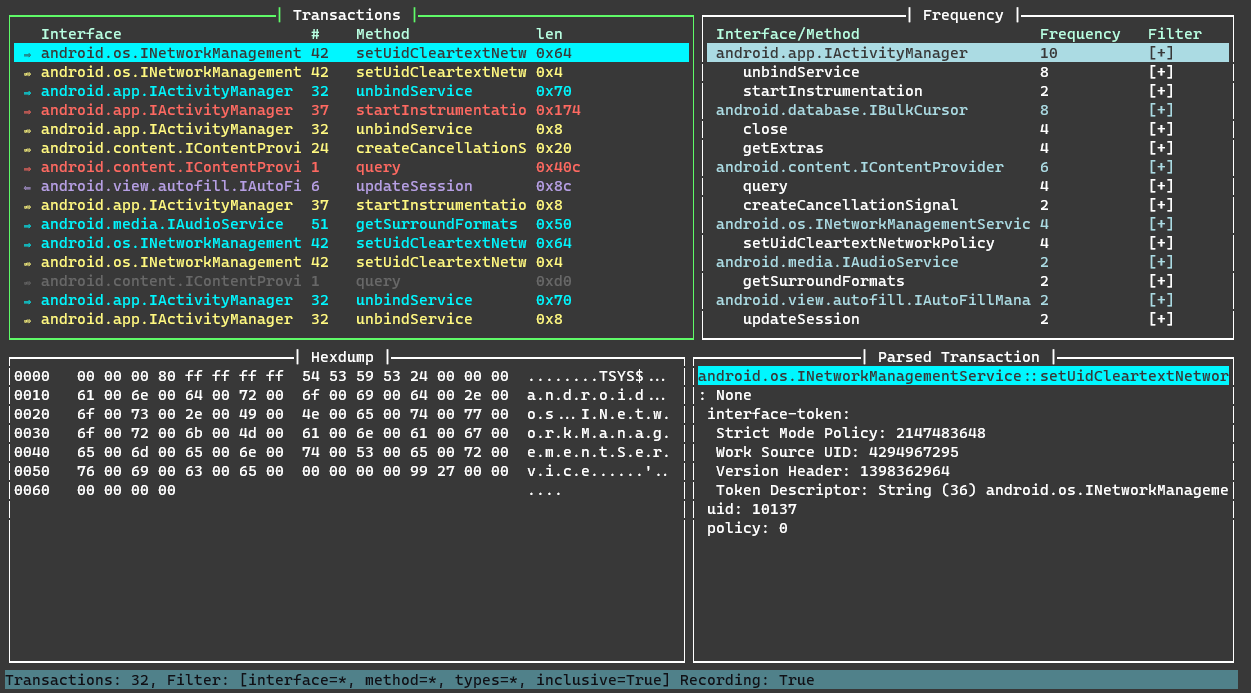
필터링하려면 interface, method, type, inclusive 옵션 중 일부 또는 전부를 정의하세요. 사용하지 않을 옵션은 ""로 비워 두세요.
> binder-trace -d emulator-5554 -n Contacts -a 13
{
    "filters": [
        {
            "interface": "android.gui.IDisplayEventConnection",
            "method": "requestNextVsync",
            "type": "",
            "inclusive": false
        },
        {
            "interface": "android.content.IContentProvider",
            "method": "",
            "type": "call",
            "inclusive": false
        }
    ]
}
> binder-trace -d emulator-5554 -n Contacts -a 13 -c .\binder_trace\binder_trace\config.json
android.gui.IDisplayEventConnection->requestNextVsync->"" 및 android.content.IContentProvider->"" ->call 가 필터링되었습니다.
내부 Binder 인터페이스는 마이너 버전 사이에 변경될 수 있으며, 실제로 런타임 버전 정보 없이 모두 함께 컴파일되기 때문에 매우 분열된 Android 생태계의 모든 릴리스에 대해 100% 정확한 구조 정보를 제공하기는 어렵습니다.
구조에 대한 자세한 내용은 구조 페이지에서 확인할 수 있습니다.
