 emrekybs/hawkopsec
One-tap Linux OPSEC hardening & anonymity toolkit


One-tap Linux OPSEC hardening & anonymity toolkit
-0b0d10)


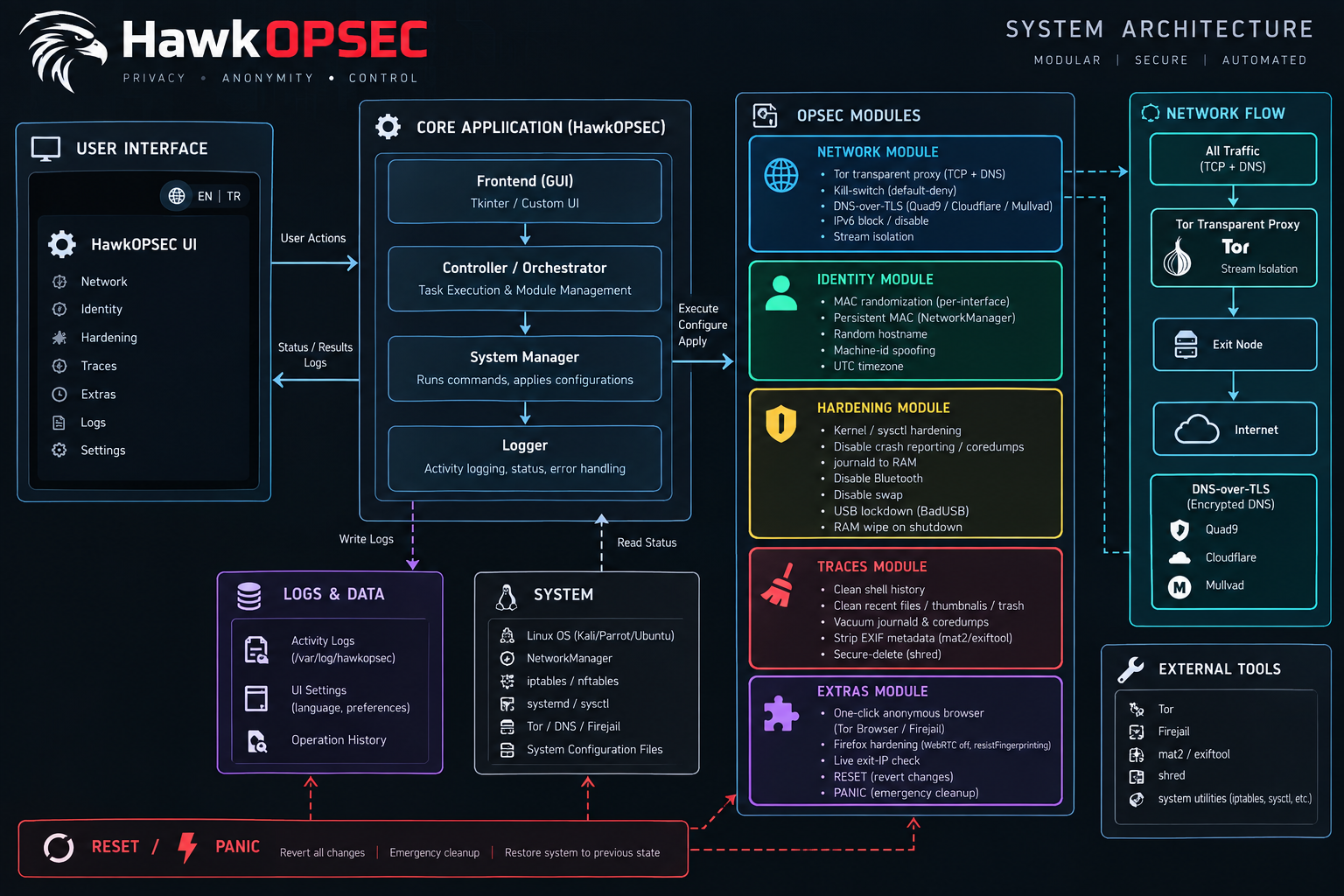
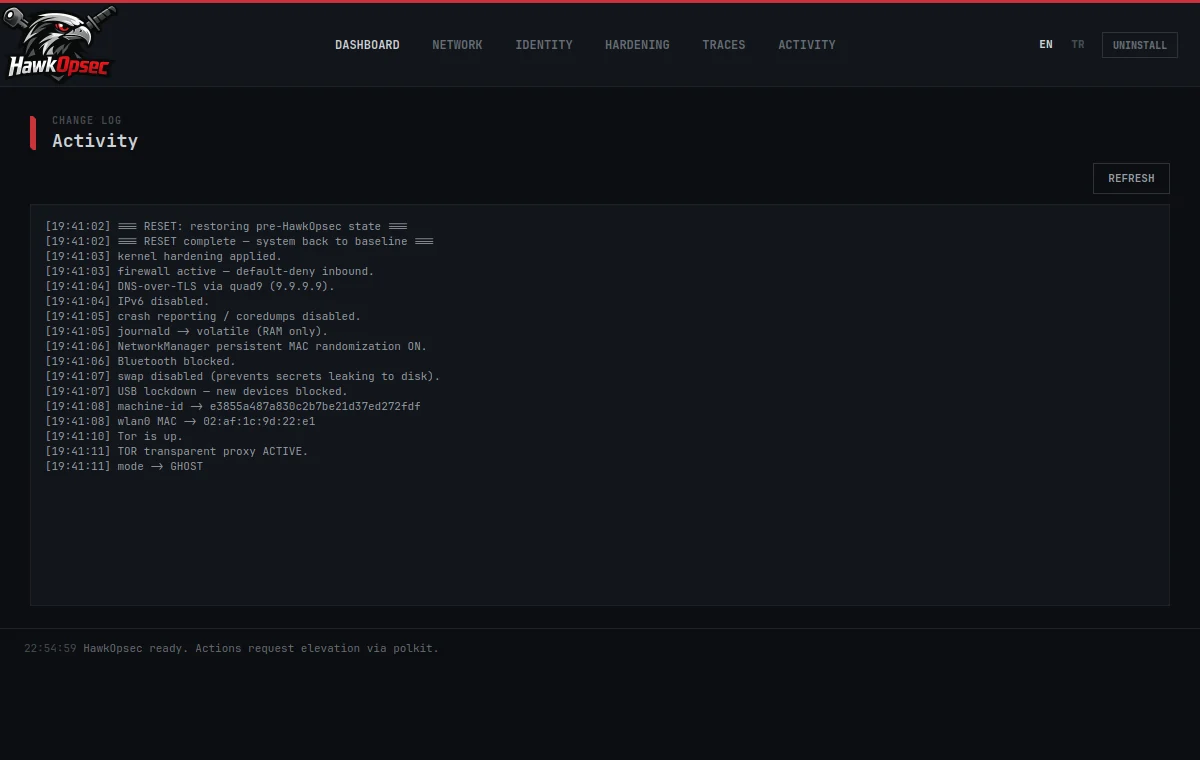
HawkOpsec turns a pile of manual privacy commands into security modes you apply with one tap. Pick a mode — the tool starts Tor, configures DNS, randomizes your identity and hardens the kernel for you. Hit RESET and every change is rolled back from snapshots to your original state.
The GUI never runs as root; privileged actions go through a small helper via polkit/pkexec. Every change is snapshotted before it is applied, so nothing is one-way.
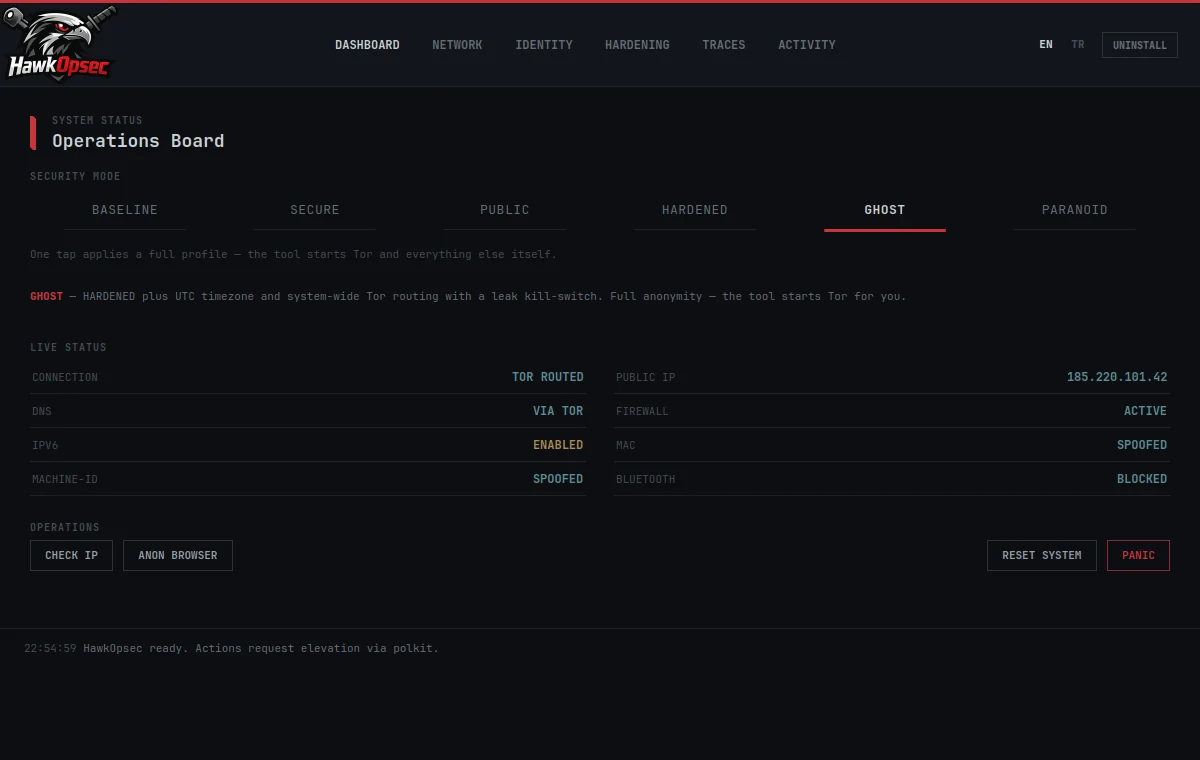
Each mode resets to baseline first, then applies a full profile — switching is always clean.
Dependencies
# Arch
sudo pacman -S --needed python-pyqt6 tor nftables polkit iproute2 rfkill systemd-resolvconf
# Debian / Ubuntu / Kali / Mint
sudo apt install -y python3-pyqt6 tor nftables policykit-1 iproute2 rfkill systemd-resolved
# optional extras: mat2 (or exiftool), secure-delete, firejail, torbrowser-launcher
Run from source (quickest)
python3 run.py                 # just run it
sudo ./packaging/install.sh    # or install: menu entry + launcher + polkit + helper
Compile to a standalone binary (Nuitka)
sudo apt install -y patchelf                 # or: sudo pacman -S patchelf
./packaging/build.sh                         # -> build/run.dist/hawkopsec
sudo ./packaging/install-compiled.sh
Then launch HawkOpsec from your application menu, or run hawkopsec.
Click UNINSTALL in the app (or HawkOpsec Uninstall in the menu), or:
sudo ./packaging/uninstall.sh
It reverts every system change, removes all files and menu icons, and refreshes the desktop cache.
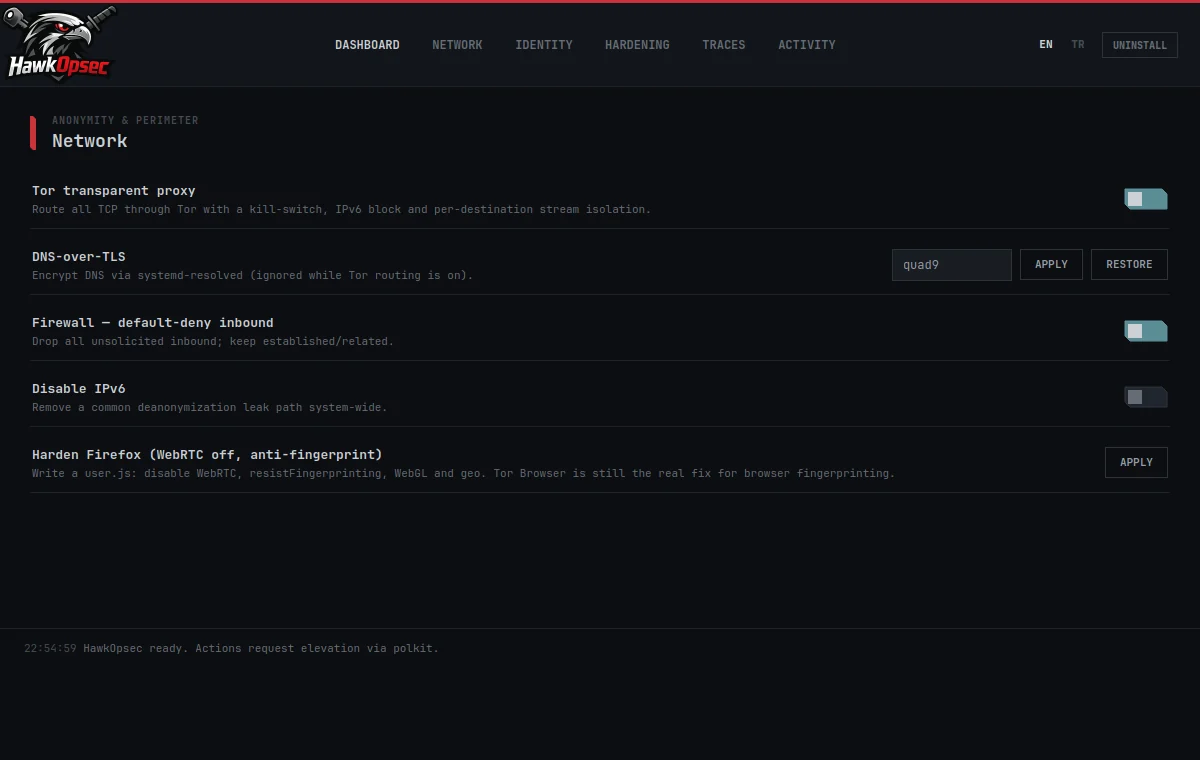
HawkOpsec hardens the network and system layers. It does not make a normal browser fingerprint-resistant — for real anonymous browsing use the built-in Tor Browser launcher, avoid logging into personal accounts while anonymous, and remember that browser fingerprinting, WebRTC and behavioural patterns are out of scope for a system tool. You are hardening your own machine.
MIT — see LICENSE.
| Mode | What it does |
|---|
| BASELINE | Everything off. Reverts all changes to the original state (same as RESET). |
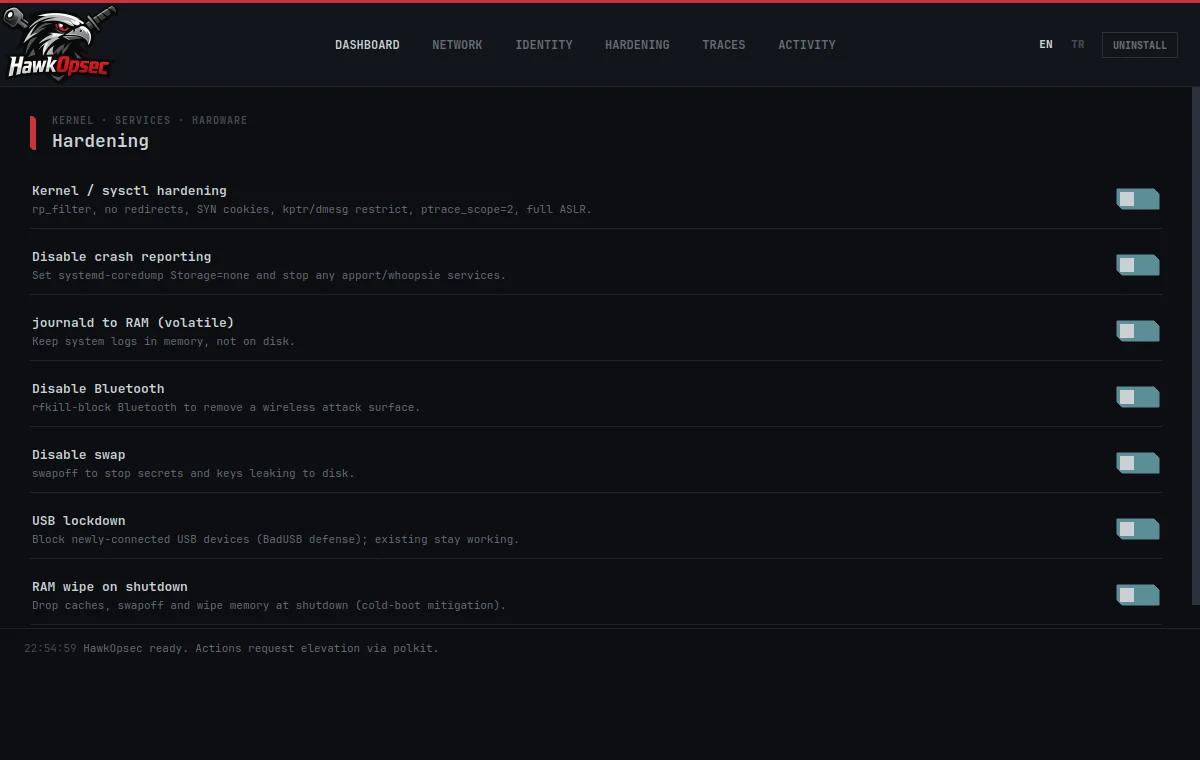
| SECURE | Kernel hardening · default-deny firewall · DNS-over-TLS · IPv6 off · no crash reports · logs in RAM. No Tor — daily-driver safe. |
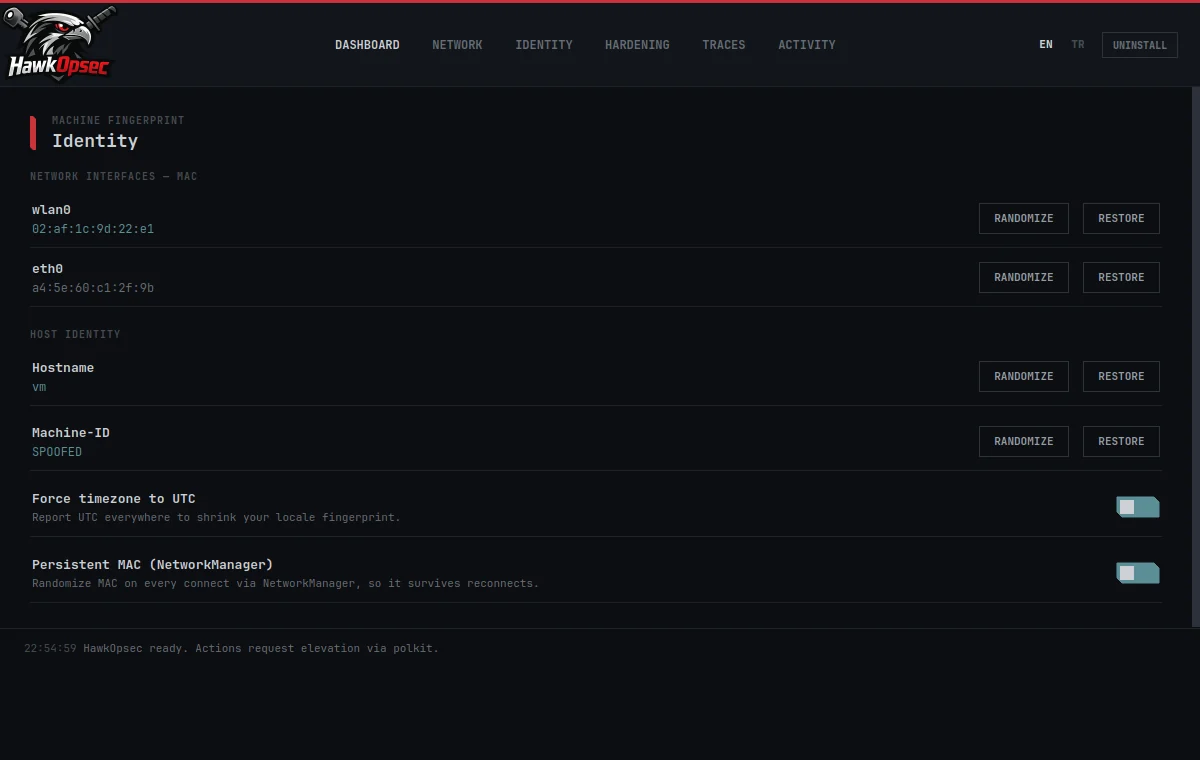
| PUBLIC | SECURE + MAC randomization (persistent via NetworkManager) + Bluetooth off. For untrusted / public wifi. |
| HARDENED | PUBLIC + random machine-id & hostname + swap off + USB lockdown. Strong anti-fingerprinting, no Tor. |
| GHOST | HARDENED + UTC timezone + system-wide Tor routing with a leak kill-switch. Full anonymity. |
| PARANOID | GHOST + RAM wipe on shutdown (cold-boot mitigation). Maximum protection. |
