 cracked5pider/stardust
현대적인 32/64비트 위치 독립적 임플란트 템플릿

최신식이고 사용하기 쉬운 32/64비트 쉘코드 템플릿입니다.
PEB에서 resolve::module을 사용하여 모듈 해결:
if ( ! (( ntdll.handle = resolve::module( expr::hash_string<wchar_t>( L"ntdll.dll" ) ) )) ) {
    return;
}

if ( ! (( kernel32.handle = resolve::module( expr::hash_string<wchar_t>( L"kernel32.dll" ) ) )) ) {
    return;
}
RESOLVE_API 매크로 또는 resolve::api 함수를 사용하여 함수 API 해결:
const auto user32 = kernel32.LoadLibraryA( symbol<const char*>( "user32.dll" ) );

decltype( MessageBoxA ) * msgbox = RESOLVE_API( reinterpret_cast<uintptr_t>( user32 ), MessageBoxA );

msgbox( nullptr, symbol<const char*>( "Hello world" ), symbol<const char*>( "caption" ), MB_OK );
RESOLVE_API는 resolve::api를 감싸는 래퍼로, 함수 이름을 자동으로 해싱하고 함수 포인터를 함수 타입으로 캐스팅합니다.
컴파일 타임 expr::hash_string 함수를 사용한 UTF-8 및 UTF-16 문자열 해싱:
auto user32_hash      = expr::hash_string<wchar_t>( L"user32.dll" );
auto loadlibrary_hash = expr::hash_string<char>( "LoadLibraryA" );
symbol 함수를 사용한 32/64비트 모두 지원하는 원시 문자열:
auto caption_string = symbol<const char*>( "hello from stardust" );

user32.MessageBoxA( nullptr, caption_string, symbol<const char*>( "message title" ), MB_OK );
인스턴스에 새 API 및 모듈을 쉽게 추가할 수 있습니다. include/common.h 아래에 다음 항목을 추가해야 합니다:
class instance {
    ...

    struct
    {
        uintptr_t handle; // user32.dll의 기본 주소

        struct {
            D_API( MessageBoxA );
            // 더 많은 항목을 여기에 추가 가능
        };
    } user32 = {
        RESOLVE_TYPE( MessageBoxA ),
        // 더 많은 항목을 여기에 추가 가능
    };

    ...
반면 src/main.cc에서는 user32의 기본 주소를 해결하고 API 포인터를 해결해야 합니다:
declfn instance::instance(
    void
) {
    ...
    //
    // 로드된 경우 PEB에서 user32.dll 해결
    if ( ! (( user32.handle = resolve::module( expr::hash_string<wchar_t>( L"user32.dll" ) ) )) ) {
        return;
    }

    //
    // 구조체에서 user32가 가져온 모든 항목을 자동으로 해결
    RESOLVE_IMPORT( user32 );
    ...
}
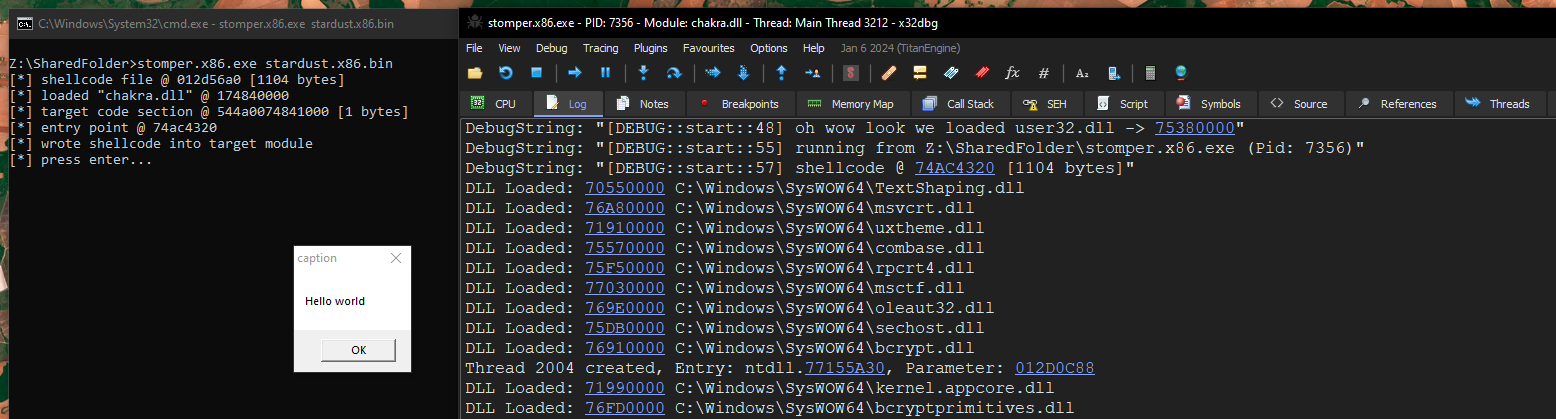
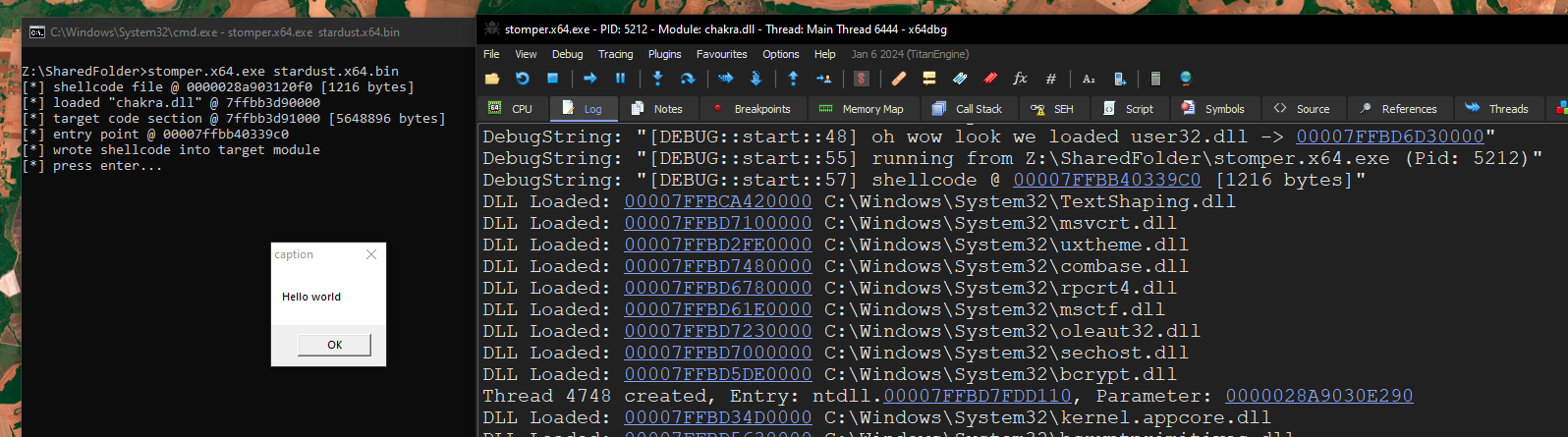
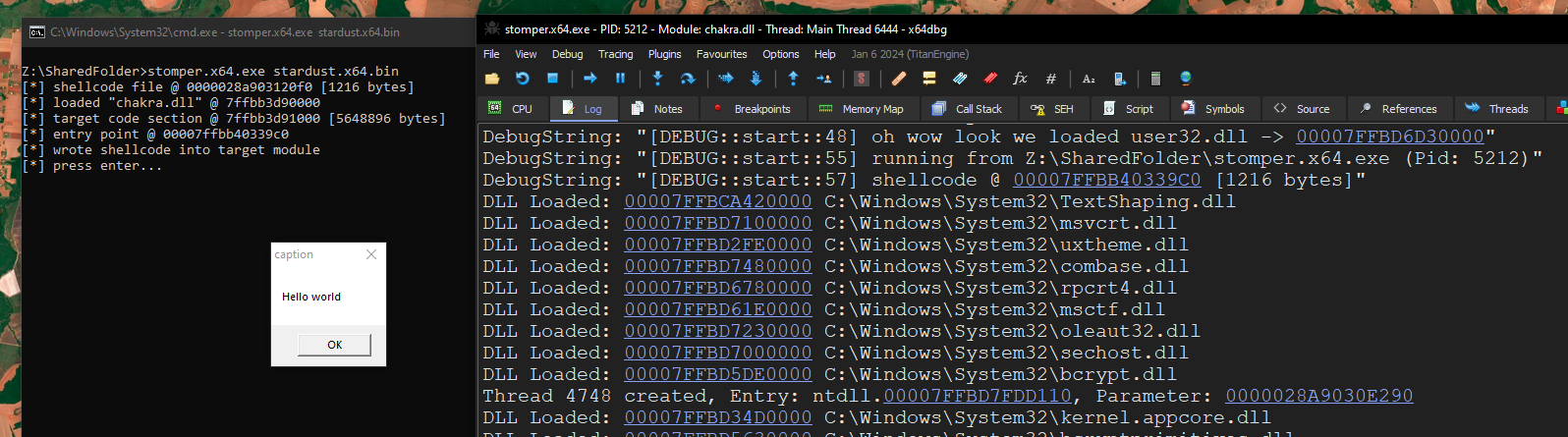
DbgPrint를 통한 반쯤 친숙한 디버깅 기능. 프로젝트는 make debug를 지정하여 디버그 모드로 컴파일해야 합니다. 사용법:
const auto user32 = kernel32.LoadLibraryA( symbol<const char*>( "user32.dll" ) );

if ( user32 ) {
    DBG_PRINTF( "오, 와우! user32.dll을 로드했습니다 -> %p\n", user32 );
} else {
    DBG_PRINTF( "뭔가 잘못되었습니다. user32 로드 실패 :/\n" );
}

DBG_PRINTF( "%ls에서 실행 중 (Pid: %d)\n",
    NtCurrentPeb()->ProcessParameters->ImagePathName.Buffer,
    NtCurrentTeb()->ClientId.UniqueProcess );

DBG_PRINTF( "쉘코드 @ %p [%d 바이트]\n", base.address, base.length );
릴리스 모드로 빌드:
$ make                                                                                                                                                                                                                                                                                  20:17:26
-> compiling src/main.cc to main.x64.obj
-> compiling src/resolve.cc to resolve.x64.obj
compiling x64 project
/usr/bin/x86_64-w64-mingw32-ld: bin/stardust.x64.exe:.text: section below image base
-> compiling src/main.cc to main.x86.obj
-> compiling src/resolve.cc to resolve.x86.obj
compiling x86 project
/usr/bin/i686-w64-mingw32-ld: bin/stardust.x86.exe:.text: section below image base
$ ll bin                                                                                                                                                                                                                                                                                20:57:10
drwxr-xr-x spider spider 4.0 KB Thu Mar 13 20:57:10 2025 obj
.rw-r--r-- spider spider 752 B  Thu Mar 13 20:57:10 2025 stardust.x64.bin
.rw-r--r-- spider spider 672 B  Thu Mar 13 20:57:10 2025 stardust.x86.bin
디버그 모드로 빌드:
$ make debug                                                                                                                                                                                                                                                                            20:57:14
-> compiling src/main.cc to main.x64.obj
-> compiling src/resolve.cc to resolve.x64.obj
compiling x64 project
/usr/bin/x86_64-w64-mingw32-ld: bin/stardust.x64.exe:.text: section below image base
-> compiling src/main.cc to main.x86.obj
-> compiling src/resolve.cc to resolve.x86.obj
compiling x86 project
/usr/bin/i686-w64-mingw32-ld: bin/stardust.x86.exe:.text: section below image base
$ ll bin                                                                                                                                                                                                                                                                                20:58:13
drwxr-xr-x spider spider 4.0 KB Thu Mar 13 20:58:13 2025 obj
.rw-r--r-- spider spider 1.2 KB Thu Mar 13 20:58:13 2025 stardust.x64.bin
.rw-r--r-- spider spider 1.1 KB Thu Mar 13 20:58:13 2025 stardust.x86.bin
x64:
x86: