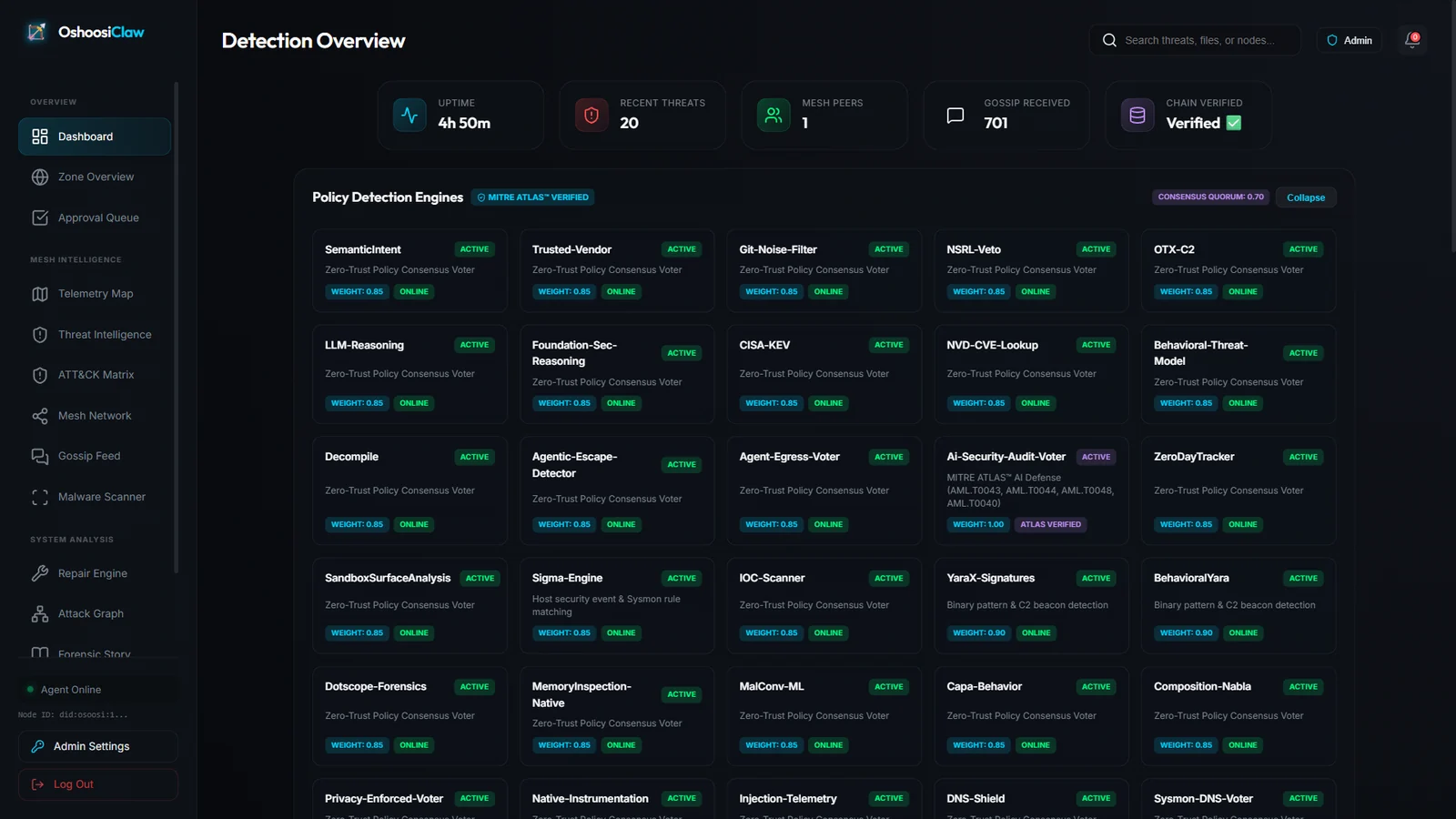


Ring-0 WindowsドライバーとLinux eBPFの実行前ブロックを組み合わせ、YARA検出、MITRE ATT&CKマッピング、P2Pメッシュによる脅威共有を備えた自律型Rustエンドポイントセキュリティエージェント。

Windowsのイベントログから攻撃を検出するキュレーションされたSigmaルールをまとめているリポジトリです。
主にHayabusaの検知ルールや設定ファイル、Velociraptor内蔵のSigma検知などに使用されています。
上流のSigmaリポジトリよりもこのリポジトリを使う利点は、ほとんどのSigmaネイティブツールがパースできるはずのルールだけを含んでいることです。
また、必要なChannel、EventID等々のフィールドをルールに追加することで、logsourceフィールドの抽象化を解除し、ルールが何をフィルタリングしているのかを理解しやすくし、さらに重要なこととして、過検出を減らすようにしています。
また、process_creationルールとregistryベースのルールのフィールド名と値を変換した新しいルールを作成し、SigmaルールがSysmonのログを検知するだけでなく、組み込みのWindowsログも検知できるようにしています。
Hayabusaの検知ルールはYAML形式で記述され、ファイル拡張子は必ず.ymlにしてください。(.yamlファイルは無視されます。)
Sigmaルールのサブセットでありながら、いくつかの付加的な機能を含んでいます。
HayabusaのルールをSigmaに修正し、コミュニティに還元しやすいように、できるだけSigmaルールに近いものを作ろうとしています。
単純な文字列のマッチングだけでなく、正規表現やAND、ORなどの条件を組み合わせて複雑な検知ルールを表現することができます。
本節ではHayabusaの検知ルールの書き方について説明します。
記述例:
#作者セクション
author: Zach Mathis
date: 2022/03/22
modified: 2022/04/17

#アラートセクション
title: Possible Timestomping
details: 'Path: %TargetFilename% ¦ Process: %Image% ¦ CreationTime: %CreationUtcTime% ¦ PreviousTime: %PreviousCreationUtcTime% ¦ PID: %PID% ¦ PGUID: %ProcessGuid%'
description: |
    The Change File Creation Time Event is registered when a file creation time is explicitly modified by a process.
    This event helps tracking the real creation time of a file.
    Attackers may change the file creation time of a backdoor to make it look like it was installed with the operating system.
    Note that many processes legitimately change the creation time of a file; it does not necessarily indicate malicious activity.

#ルールセクション
id: f03e34c4-6432-4a30-9ae2-76ae6329399a
level: low
status: stable
logsource:
    product: windows
    service: sysmon
    definition: Sysmon needs to be installed and configured.
detection:
    selection_basic:
        Channel: Microsoft-Windows-Sysmon/Operational
        EventID: 2
    condition: selection_basic
falsepositives:
    - unknown
tags:
    - t1070.006
    - attack.defense_evasion
references:
    - https://docs.microsoft.com/en-us/sysinternals/downloads/sysmon
    - https://attack.mitre.org/techniques/T1070/006/
ruletype: Hayabusa

#XMLイベントのサンプル
sample-message: |
    File creation time changed:
    RuleName: technique_id=T1099,technique_name=Timestomp
    UtcTime: 2022-04-12 22:52:00.688
    ProcessGuid: {43199d79-0290-6256-3704-000000001400}
    ProcessId: 9752
    Image: C:\TMP\mim.exe
    TargetFilename: C:\Users\IEUser\AppData\Local\Temp\Quest Software\PowerGUI\51f5c69c-5d16-47e1-9864-038c8510d919\mk.ps1
    CreationUtcTime: 2016-05-16 09:13:50.950
    PreviousCreationUtcTime: 2022-04-12 22:52:00.563
    User: ZACH-LOG-TEST\IEUser
sample-evtx: |
    <Event xmlns="http://schemas.microsoft.com/win/2004/08/events/event">
        <System>
            <Provider Name="Microsoft-Windows-Sysmon" Guid="{5770385f-c22a-43e0-bf4c-06f5698ffbd9}" />
            <EventID>2</EventID>
            <Version>5</Version>
            <Level>4</Level>
            <Task>2</Task>
            <Opcode>0</Opcode>
            <Keywords>0x8000000000000000</Keywords>
            <TimeCreated SystemTime="2022-04-12T22:52:00.689654600Z" />
            <EventRecordID>8946</EventRecordID>
            <Correlation />
            <Execution ProcessID="3408" ThreadID="4276" />
            <Channel>Microsoft-Windows-Sysmon/Operational</Channel>
            <Computer>Zach-log-test</Computer>
            <Security UserID="S-1-5-18" />
        </System>
        <EventData>
            <Data Name="RuleName">technique_id=T1099,technique_name=Timestomp</Data>
            <Data Name="UtcTime">2022-04-12 22:52:00.688</Data>
            <Data Name="ProcessGuid">{43199d79-0290-6256-3704-000000001400}</Data>
            <Data Name="ProcessId">9752</Data>
            <Data Name="Image">C:\TMP\mim.exe</Data>
            <Data Name="TargetFilename">C:\Users\IEUser\AppData\Local\Temp\Quest Software\PowerGUI\51f5c69c-5d16-47e1-9864-038c8510d919\mk.ps1</Data>
            <Data Name="CreationUtcTime">2016-05-16 09:13:50.950</Data>
            <Data Name="PreviousCreationUtcTime">2022-04-12 22:52:00.563</Data>
            <Data Name="User">ZACH-LOG-TEST\IEUser</Data>
        </EventData>
    </Event>
作者セクション
アラートセクション
" ¦ " で区切られます。フィールドのプレースホルダは % で囲まれ (例: %MemberName%) 、rules/config_eventkey_alias.txt で定義する必要があります。(以下で説明します)ルールセクション
