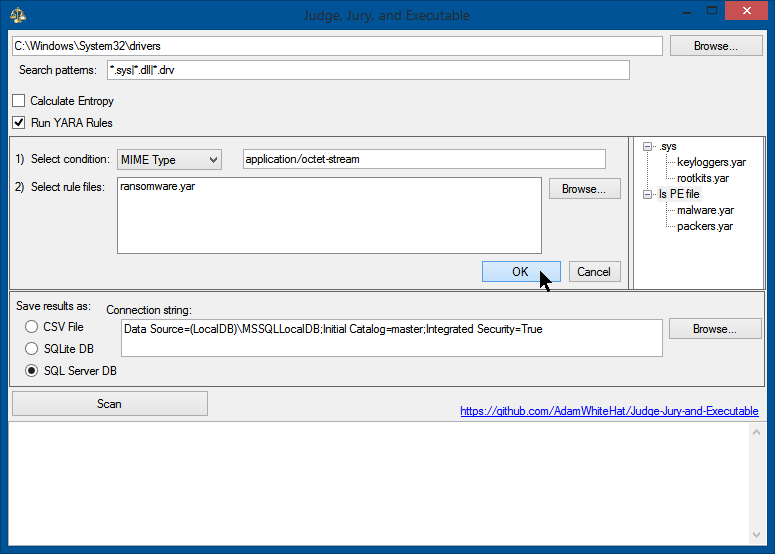
 adamwhitehat/judge-jury-and-executable
A file system forensics analysis scanner and threat hunting tool. Scans file systems at the MFT and OS level and stores data in SQL, SQLite or CSV. Threats and data can be probed harnessing the power and syntax of SQL.


詳しく説明します...
まず、マルウェア、ウイルス、APT(Advanced Persistent Threat)などで汚染されている可能性のあるディスクまたはディスクイメージから始め、このツールでスキャンします。(オプションで、知恵と先見の明があれば、事前に既知の正常なベースラインディスクイメージをスキャンしておくこともできます(後でも構いません)。必須ではありませんが、役立つ可能性があります。)このツールのフォレンジックレベルのスキャン部分は、ファイルシステム(またはそのイメージ)内の各ファイルに関する多数のプロパティを収集し、それらをSQLリレーショナルデータベーステーブルに格納します。秘訣は、作成されたデータベースに対してSQLの言語でクエリを使用して、データを脅威ハント、調査、または質問できることです。ここでの重要な特徴は、独自のクエリ言語を発明しなかったことです。SQLを知っていて、ボタンのクリック方法を知っていれば、このツールをプロのように使いこなす方法はすでに分かっています。たとえ知らなくても、この概念は強力で、あらかじめ用意されたクエリ(下記参照)で多くの成果を得られます。
まず、ツールはMFT(マスターファイルテーブル。NTFSが記録管理を行う方法)で見つかった各レコードに対してデータベースにエントリを作成します。これにより、ファイルのセキュリティアクセス許可、ファイルの隠蔽、ステルスまたは難読化技術、ファイルの削除、タイムスタンプの改ざんをバイパスします。これらの技術は、ファイルがスキャンされてカタログ化されるのを防ぐことはできません。ファイルのバイトはMFTから読み取られ、高レベルのOS API呼び出しを使用してデータポイントにアクセスする前に、MFTから読み取られたファイルのバイトから可能な限り多くのデータポイントが取得されます。
MFTおよびフォレンジックレベルのデータが確保された後、オペレーティングシステムレベルのプロパティ、データ、メタデータが各ファイルについて収集され、MFTエントリから作成された各エントリを補完します。その結果、ファイルまたはそのプロパティがファイルアクセス許可(ACL)、ファイルロック(使用中)、ディスクの破損、ゼロバイト長のファイル、またはその他のさまざまな理由でオペレーティングシステムAPIや.NET Frameworkからアクセスできない場合でも、ファイルの存在は記録、ログ、追跡されます。ただし、そのエントリには、オペレーティングシステムからアクセスできなかった情報は含まれません。各ファイルについて最大51の異なるデータポイントが収集される可能性があります。
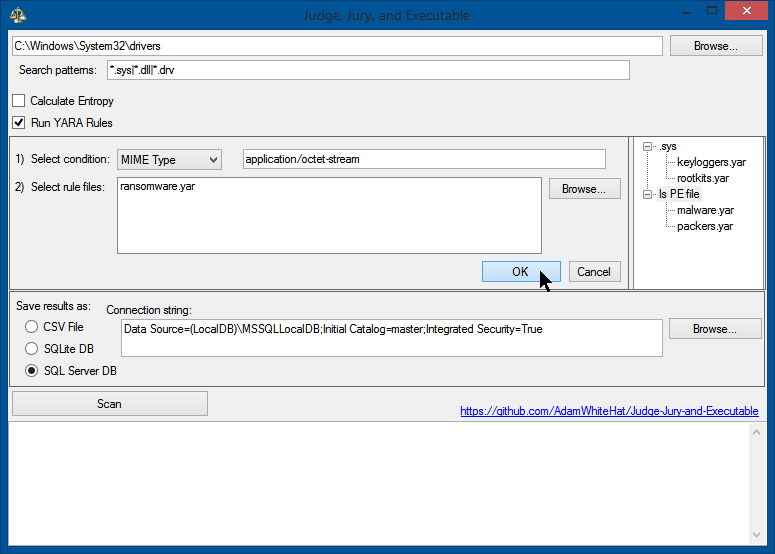
| MFTNumber | SequenceNumber | SHA256 | FullPath | Length | FileOwner | Attributes | IsExe | IsDll | IsDriver | BinaryType | IsSigned | IsSignatureValid | IsValidCertChain | IsTrusted | ImpHash | MD5 | SHA1 | CompileDate | MimeType | InternalName | ProductName | OriginalFileName | FileVersion | FileDescription | Copyright | Company | Language | Trademarks | Project | ApplicationName | Comment | Title | Link | ProviderItemID | ComputerName | DriveLetter | DirectoryLocation | Filename | Extension | CertSubject | CertIssuer | CertSerialNumber | CertThumbprint | CertNotBefore | CertNotAfter | PrevalenceCount | Entropy | YaraRulesMatched | DateSeen | MftTimeAccessed | MftTimeCreation | MftTimeModified | MftTimeMftModified | CreationTime | LastAccessTime | LastWriteTime |
|---|---|---|---|---|---|---|---|---|---|---|---|---|---|---|---|---|---|---|---|---|---|---|---|---|---|---|---|---|---|---|---|---|---|---|---|---|---|---|---|---|---|---|---|---|---|---|---|---|---|---|---|---|---|---|---|---|
| 18010 | 0 | C67BE7D3F54D44AC264A18E33909482F1F8CA7B7FBAAF5659EF71ED9F8092C34 | C:\Windows\WinSxS\amd64_windows-defender-service-cloudclean_31bf3856ad364e35_6.3.9600.18603_none_73d12e8145b3841b\SymSrv.dll | 149264 | TrustedInstaller | A | 1 | 1 | 0 | 16 | 1 | 1 | 0 | 1 | 5D54F5D721E301667338323AC07578E3 | 65FB3391EB26F5AC647FC40501D8E21D | 4B46DB2A99A47FF6A6EE376F4D79F5298BFF28A2 | 2010-02-01 20:15:48.0000000 | application/x-msdownload | symsrv.dll | Debugging Tools for Windows(R) | symsrv.dll | 6.12.2.633 | Symbol Server | © Microsoft Corporation. All rights reserved. | Microsoft Corporation | English (United States) | L | C | C:\Windows\WinSxS\amd64_windows-defender-service-cloudclean_31bf3856ad364e35_6.3.9600.18603_none_73d12e8145b3841b | SymSrv.dll | .dll | CN=Microsoft Corporation, OU=MOPR, O=Microsoft Corporation, L=Redmond, S=Washington, C=US | CN=Microsoft Code Signing PCA, O=Microsoft Corporation, L=Redmond, S=Washington, C=US | 6105F71E000000000032 | D468FAEB5190BF9DECD9827AF470F799C41A769C | 7/13/2009 5:00:18 PM | 10/13/2010 5:10:18 PM | 1 | 0 | NULL | 2020-10-25 06:17:12.0133333 | 2013-06-18 14:43:52.6497911 | 2013-08-22 06:56:50.9086288 | 2013-08-22 06:56:50.9086288 | 2019-01-15 19:13:49.1704756 | 2013-08-22 06:56:50.9086288 | 2013-08-22 06:56:50.9086288 | 2013-06-18 14:43:52.6497911 |
/*
IDEA: All files in the directory C:\Windows\System32\ should be 'owned' by TrustedInstaller.
If a file in the System32 directory is owned by a different user, this indicates an anomaly,
and that user is likely the user that created that file.
Malware likes to masquerade around as valid Windows system files.
Executables that are placed in the System32 directory not only look more official, as it is a common path for
system files, but an explicit path to that executable does not need to be supplied to execute it from the
command line, windows 'Run' dialog box of the start menu, or the win32 API call ShellExecute.
*/

SELECT
TOP 1000 *
FROM  [FileProperties]
WHERE
        [FileOwner] <> 'TrustedInstaller'
    AND [DirectoryLocation] = ':\Windows\System32'
    AND IsSigned = 0
ORDER BY [PrevalenceCount] DESC


/*
IDEA: The MFT creation timestamp and the OS creation timestamp should match.
If the MFT creation timestamp occurs after the creation time reported by the OS meta-data,
this indicates an anomaly.
Timestomp is a tool that is part of the Metasploit Framework that allows a user to backdate a file
to an arbitrary time of their choosing. There really isn't a good legitimate reason for doing this
(let me know if you can think of one), and is considered an anti-forensics technique.
*/

SELECT
TOP 1000 *
FROM  [FileProperties]
WHERE
	([MftTimeAccessed] <> [LastAccessTime]) OR
	([MftTimeCreation] <> [CreationTime]) OR
	([MftTimeMftModified] <> [LastWriteTime])
ORDER BY [DateSeen] DESC

/*
IDEA: The 'CompileDate' property of any executable or dll should always come before the creation timestamp for that file.
Similar logic applies as for the MFT creation timestamp occuring after the creation timestamp. How could a program have been
compiled AFTER the file that holds it was created? This anomaly indicates backdating or timestomping has occurred.
*/


SELECT
TOP 1000 *
FROM  [FileProperties]
WHERE
	([MftTimeCreation] < [CompileDate]) OR
	([CreationTime] < [CompileDate])
ORDER BY [DateSeen] DESC
