 0x4d31/santamon
SantaのEndpoint Securityテレメトリを活用した軽量macOS検出エージェント。


Santa 用の軽量 macOS 検出サイドカー。Endpoint Security テレメトリを CEL ルールでローカルに評価し、一致した検出シグナルだけをバックエンドサーバーに転送します。
実験的。 ホームラボや小規模フリート向けに構築されています。初期リリースのため、バグや API 変更が発生する可能性があります。
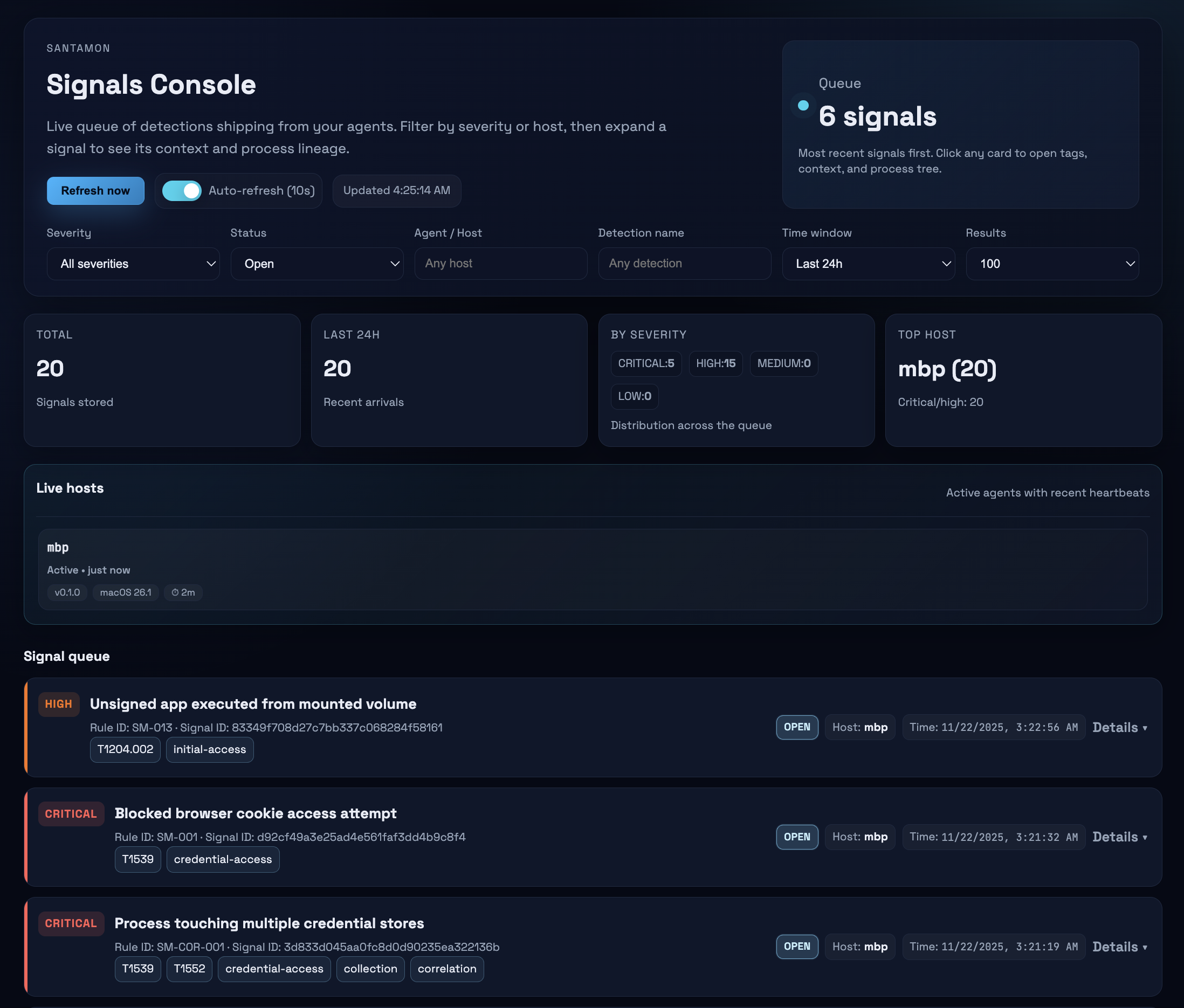
Santamon は Santa の protobuf テレメトリストリームを読み取り、CEL 式を使用して検出ルールを評価し、セキュリティシグナルをバックエンドに送信します。生のテレメトリはエンドポイントに残り、検出結果のみが転送されます。
コア機能:
Santamon は Santa の検出サイドカーであり、別の ESF クライアントではありません。
カスタム ESF ツールの構築には、Apple の制限付き entitlement、プロビジョニングプロファイル、そして大量の Endpoint Security イベントの慎重な処理が必要です。Santa はすでにこれを実現しており、本番環境で実証済みです。
Santamon の価値:
Santa は Endpoint Security イベントを確実かつ安全に取り込む重い処理を担い、Santamon は検出ロジックとシグナル品質に注力します。
Santa Spool → Watcher → Decoder → Rules Engine → Signal Generator → Shipper → Backend
                 ↓                      ↓
                ┌────────────────────────┐
                │ State DB (BoltDB)      │
                │ • Correlation windows  │
                │ • Baseline tracking    │
                │ • Signal queue         │
                └────────────────────────┘
                Process lineage: in-memory cache (1h TTL, 50K max)
データフロー:
/var/db/santa/spool/new/) を監視し、新しい protobuf ファイルを検出しますスプールのライフサイクル:
santa.archive_dir(デフォルト: /var/lib/santamon/spool_hits)にアーカイブされますプロセス系統:
tcc_modification などの一部のテレメトリタイプは macOS 15+ が必要)Santa が protobuf イベントを書き込むように設定する必要があります。提供されている構成プロファイルを使用します:
# Review and customize, then install via System Settings
open configs/examples/santa-config.mobileconfig

# Verify
santactl status | grep "Log Type"
# Should show: Log Type | protobuf
git clone https://github.com/0x4d31/santamon.git
cd santamon
make build
sudo make install
これにより以下がインストールされます:
/usr/local/bin/santamon/etc/santamon/config.yaml と rules.yaml/Library/LaunchDaemons/com.santamon.plist/var/lib/santamon//etc/santamon/config.yaml を編集します:
shipper:
  endpoint: "https://your-backend.example.com:8443/ingest"
  api_key: "${SANTAMON_API_KEY}"
LaunchDaemon の plist に API キーを設定します:
# Generate strong API key
openssl rand -hex 32

# Edit LaunchDaemon
sudo nano /Library/LaunchDaemons/com.santamon.plist

# Add under EnvironmentVariables:
<key>SANTAMON_API_KEY</key>
<string>your-generated-key-here</string>
# Start service
sudo make start

# Monitor logs
make logs
メイン設定: /etc/santamon/config.yaml
agent:
  id: "${HOSTNAME}"

shipper:
  endpoint: "https://backend.example.com:8443/ingest"
  api_key: "${SANTAMON_API_KEY}"
santa:
  spool_dir: "/var/db/santa/spool"      # Santa spool location
  archive_dir: "/var/lib/santamon/spool_hits"  # Archive spool files that produced alerts
  stability_wait: "2s"                  # Wait before reading new files

rules:
  path: "/etc/santamon/rules.yaml"      # File or directory

state:
  db_path: "/var/lib/santamon/state.db"
  sync_writes: true                     # Fsync after writes (safer but slower)

  first_seen:
    max_entries: 10000                  # LRU cache for baseline rules

  windows:
    max_events: 1000                    # Max events per correlation window

shipper:
  batch_size: 100                       # Signals per batch
  flush_interval: "30s"                 # Time between flushes
  timeout: "10s"                        # HTTP request timeout
  tls_skip_verify: false                # NEVER true in production
すべてのオプションと詳細なコメントについては、configs/santamon.yaml を参照してください。
ルールは Santa イベントを評価する CEL 式です。単純(simple)、相関(correlation)、ベースライン(baseline) の 3 種類がサポートされています。
rules:
  - id: SM-014
    title: "Non-interactive process invoking curl/wget"
    description: |
      Non-terminal, non-package-manager process launching curl or wget.
    expr: |
      kind == "execution" &&
      event.execution.target.executable.path in ["/usr/bin/curl", "/usr/bin/wget"] &&

      // Exclude interactive shells
      !(
        event.execution.instigator.executable.path.startsWith("/bin/bash") ||
        event.execution.instigator.executable.path.startsWith("/bin/zsh") ||
        event.execution.instigator.executable.path.startsWith("/bin/sh")
      ) &&

      // Exclude Homebrew / package-manager helpers that legitimately use curl frequently
      !(
        event.execution.instigator.executable.path.startsWith("/opt/homebrew/") ||
        event.execution.instigator.executable.path.contains("/Homebrew/")
      )
    severity: high
    tags: ["T1105", "command-and-control"]
    extra_context: ["event.execution.args"]
    include_process_tree: true
    enabled: true
correlations:
  - id: SM-COR-001
    title: "Process touching multiple credential stores"
    description: "Single process accessing 3+ credential stores within 5 minutes."
    expr: |
      kind == "file_access" &&
      event.file_access.policy_name in [
        "ChromeCookies", "CometCookies", "SSHPrivateKeys",
        "BrowserPasswords", "KeychainDB"
      ]
    window: "5m"
    group_by: ["event.file_access.instigator.executable.path"]
    count_distinct: "event.file_access.policy_name"
    threshold: 3
    severity: critical
    tags: ["T1539", "T1552", "credential-access"]
    enabled: true
