 thelicato/friman
Strumento di gestione delle versioni di Frida




Ti è mai capitato di sentire che trovare la versione giusta di Frida per il lavoro sia come infilare la cruna di un ago? Con progetti, dispositivi e scenari di debug diversi che richiedono build specifiche, tenere traccia delle versioni di Frida può diventare rapidamente un tedioso atto di equilibrio. friman (pronunciato "free man") è progettato per risolvere esattamente questo problema.
È comune passare da una versione all'altra di Frida perché ambienti diversi non si comportano sempre allo stesso modo con l'ultima release. A seconda di ciò a cui ti stai rivolgendo, una versione specifica potrebbe essere l'unica a funzionare in modo affidabile. I motivi comuni includono:
v16 e v17).Frida si evolve rapidamente e progetti o dispositivi diversi richiedono spesso versioni diverse. Il passaggio manuale può essere soggetto a errori, soprattutto quando si gestiscono più ambienti, binari del server e gadget.
friman offre:
$HOME/.friman)frida-gadget e frida-server)Il suo obiettivo è rendere la gestione delle versioni di Frida il più semplice e fluida possibile.
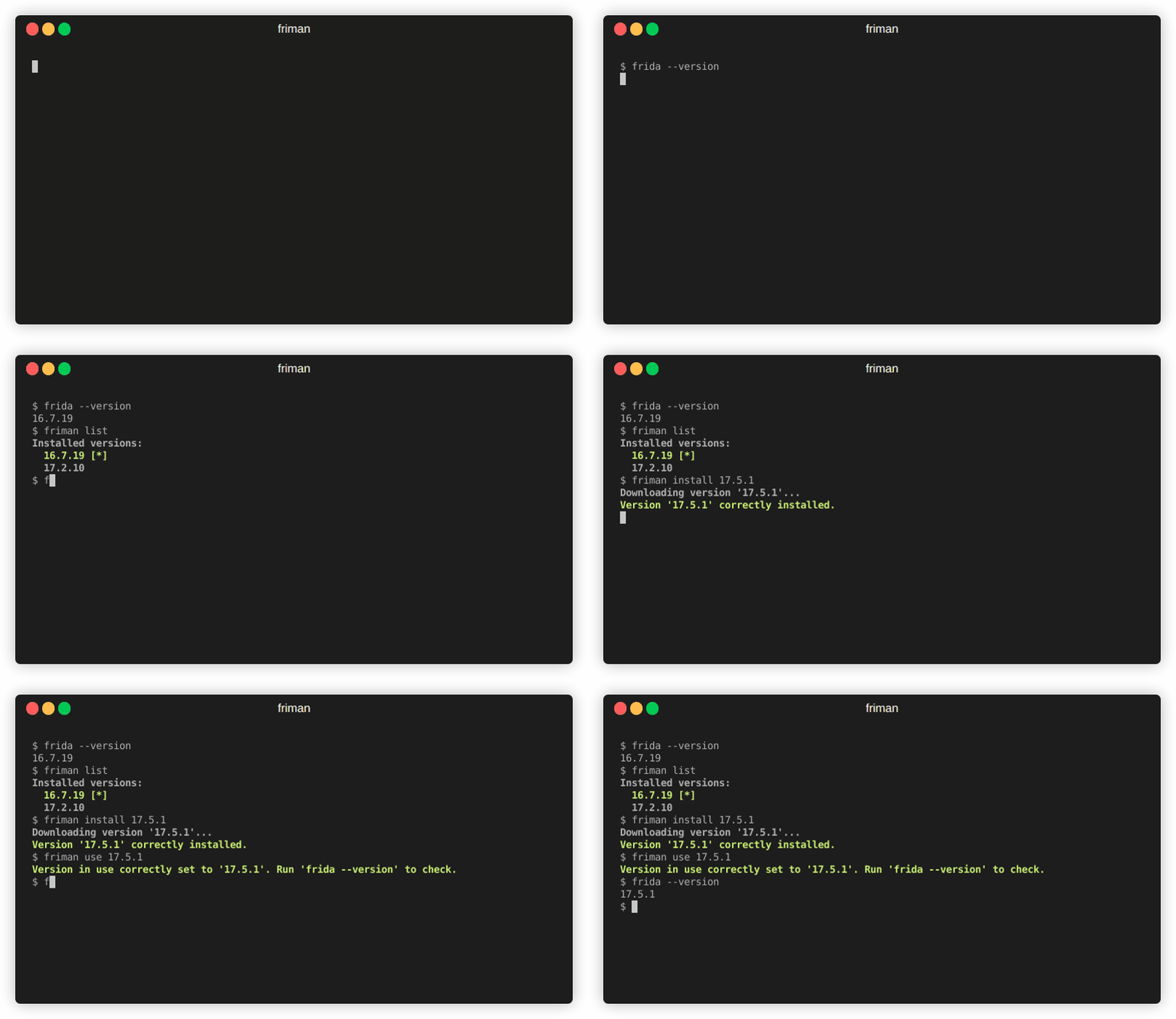
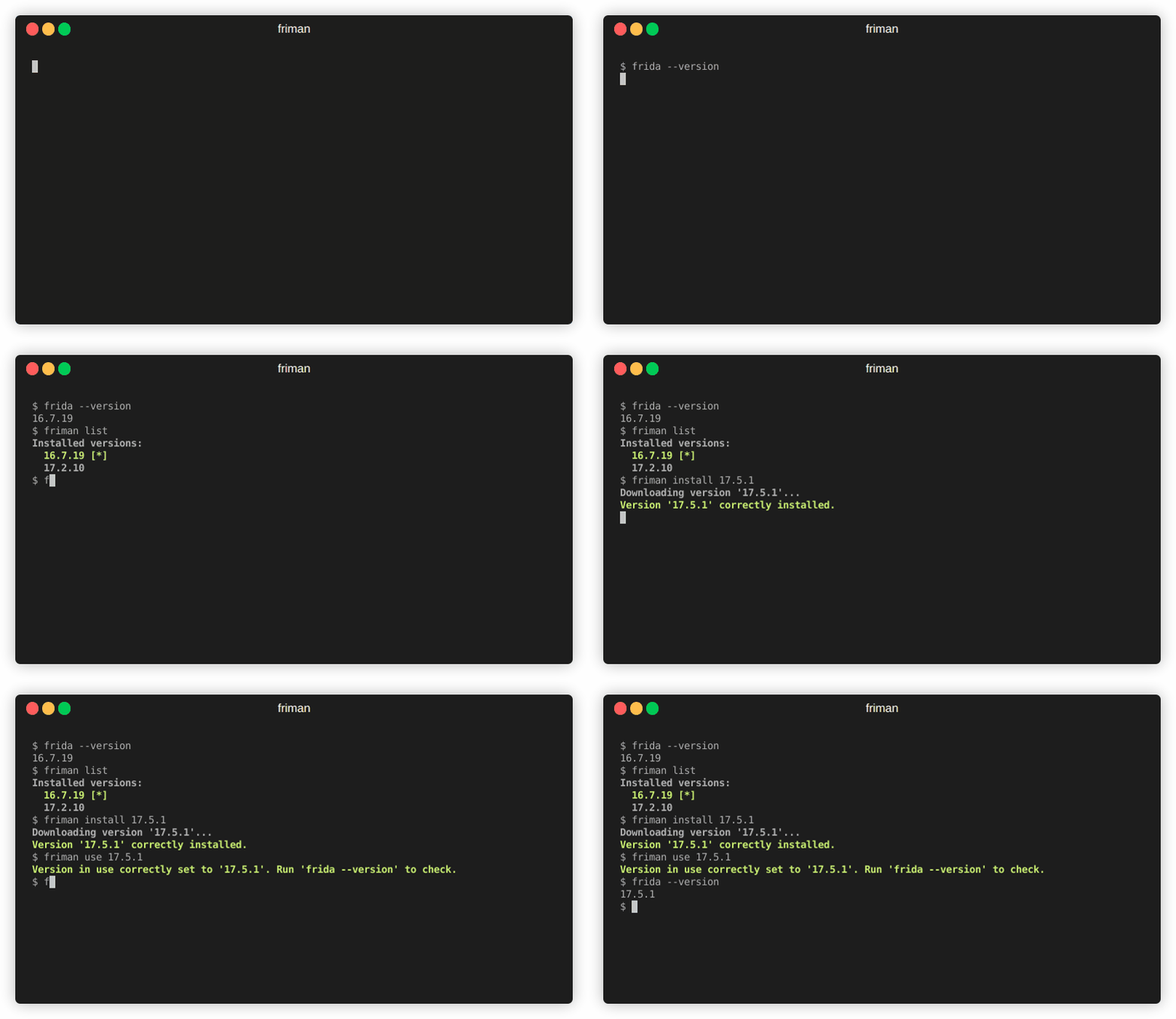
Il metodo di installazione consigliato è direttamente da GitHub:
# With pipx (recommended)
pipx install git+https://github.com/thelicato/friman

# Or with pip
pip install git+https://github.com/thelicato/friman
Dopo l'installazione, esegui quanto segue:
friman ensurepath # Setup PATH for the currently selected Frida environment
friman update # Update the local list of available Frida versions and compatibility matrix
friman fornisce un'interfaccia a riga di comando per installare, cambiare e gestire più versioni di Frida. Di seguito è riportato l'output di help principale:
Usage: friman [OPTIONS] COMMAND [ARGS]...

Options:
  -v, --version  Show the application's version and exit.
  -d, --debug    Show debug output.
  -h, --help     Show this message and exit.

Commands:
  update       Update the local list of available Frida versions.
  install      Install a <version> of Frida.
  uninstall    Uninstall a <version> of Frida.
  use          Use <version>.
  disable      Disable friman.
  current      Display the currently activated version of Frida.
  list         List all the installed versions.
  ensurepath   Ensure friman directories are correctly set.
  download     Download a specific release file (only server and gadget)...
  push-server  Pushes a the Frida server into the selected ANDROID device.
I comandi di aiuto specifici sono disponibili nelle sezioni seguenti.
update comando
updateUsage: friman update [OPTIONS]
Update the local list of available Frida versions.
Options:
-h, --help Show this message and exit.
install comando
installUsage: friman install [OPTIONS] version
Install a <version> of Frida.
Arguments:
version The version of Frida to install \[required]
Options:
-f, --force Force install.
--list Show all the installable versions and exit.
-h, --help Show this message and exit.
uninstall comando
uninstallUsage: friman uninstall [OPTIONS] version
Uninstall a <version> of Frida.
Arguments:
version The version of Frida to uninstall \[required]
Options:
-h, --help Show this message and exit.
use comando
useUsage: friman use [OPTIONS] version
Use <version>.
Arguments:
version The version of Frida to use \[required]
Options:
-h, --help Show this message and exit.
disable comando
disableUsage: friman disable [OPTIONS]
Disable friman.
Options:
-h, --help Show this message and exit.
current comando
currentUsage: friman current [OPTIONS]
Display the currently activated version of Frida.
Options:
-h, --help Show this message and exit.
list comando
listUsage: friman list [OPTIONS]
List all the installed versions.
Options:
-h, --help Show this message and exit.
ensurepath comando
ensurepathUsage: friman ensurepath [OPTIONS]
Ensure friman directories are correctly set.
Options:
-h, --help Show this message and exit.
download comando
downloadUsage: friman download [OPTIONS] type platform
Download a specific release file (only server and gadget) for the current
version.
Arguments:
type The selected asset type \[required]
platform The platform to use \[required]
Options:
-o, --output TEXT Select the folder where to download the file.
-h, --help Show this message and exit.
push-server comando
push-serverUsage: friman push-server [OPTIONS] device_id platform
Pushes a the Frida server into the selected ANDROID device.
Arguments:
device_id The selected ANDROID device \[required]
platform The platform of the device \[required]
Options:
--list Show all the USB devices and exit.
-h, --help Show this message and exit.
Le pull request sono benvenute! Ti preghiamo di aprire prima un issue per discutere le modifiche importanti.
friman è rilasciato sotto la licenza MIT
