
Skip to content
KitploitKITPLOIT
StrumentiBlog
Invia
StrumentiBlog
Invia

Strumenti di Hacking, PenTest e Cybersecurity per il tuo Arsenale di Sicurezza!

Kitploit è una directory di strumenti di hacking, cybersecurity e pentesting. Scopri gli ultimi aggiornamenti dei progetti per trovare vulnerabilità, analizzare sistemi, automatizzare i test e rafforzare la tua sicurezza.

··Feed·Contatto·Privacy·© 2026 Kitploit

Directory degli strumenti

Categorie

Vedi tutte le categorie
Loading categories
psobf — Offuscatore PowerShell | Kitploit
Strumenti/GitHubGitHub/taurusomar/psobf
Generazione di PayloadEvasione IDS/IPSScripting e AutomazionePenetration TestingApprendimento e FormazioneRed TeamingSviluppo Payload
GitHubtaurusomar/psobf

psobf

Offuscatore PowerShell

Vedi Repository
252355 mesi faRevisionato da Kitploit

Più Popolari

Vedi tutti →

Scopri gli strumenti più utilizzati dalla nostra community.

Esplora tutti gli strumenti

Sfoglia la nostra collezione di strumenti

Vedi tutti gli strumenti →
Condividi

PowerShell Obfuscator

Il suo obiettivo è trasformare il codice per ostacolare l'analisi e le firme statiche, utile in laboratori e impegni autorizzati di Red Team/Pentesting.

Supporta 6 livelli di offuscamento più un'architettura di trasformazioni/pipeline che consente di combinare tecniche come tokenizzazione di stringhe, crittografia leggera di letterali, mascheramento di numeri, morfing degli identificatori, "jitter" di formato, cosmetici del flusso di controllo, iniezione di codice morto, profili di frammentazione e profili deterministici.

⚠️ Uso responsabile: questo strumento è destinato esclusivamente a ricerche e test autorizzati. Non usarlo per scopi maliziosi.```powershell

./psobf -h

root@kitploit:~
██████╗ ███████╗ ██████╗ ██████╗ ███████╗
██╔══██╗██╔════╝██╔═══██╗██╔══██╗██╔════╝
██████╔╝███████╗██║   ██║██████╔╝█████╗
██╔═══╝ ╚════██║██║   ██║██╔══██╗██╔══╝
██║     ███████║╚██████╔╝██████╔╝██║
╚═╝     ╚══════╝ ╚═════╝ ╚═════╝ ╚═╝
Omar Salazar
v.2.0.0										 

Usage: psobf -i -o -level <1|2|3|4|5|6> [options]

Obfuscation Levels: 1 - Char join encoding 2 - Base64 encoding 3 - Base64 encoding (alternate) 4 - GZip + Base64 compression 5 - Script fragmentation 6 - AES-256 CTR encryption (NEW in 2.0.0)

Transform Pipeline Options (use with -pipeline): iden - Identifier morphing (use with -iden obf) strenc - String encryption (use with -strenc xor|rc4) stringdict - String tokenization (use with -stringdict N) numenc - Number encoding fmt - Format jitter (use with -fmt jitter) cf - Control flow obfuscation (use with -cf-opaque, -cf-shuffle) dead - Dead code injection (use with -deadcode N) hexenc - Hex string encoding (NEW) alias - Cmdlet alias substitution (NEW) unicode - Unicode character encoding (NEW) antidebug - Anti-debugging/VM detection (NEW) iexobf - Invoke-Expression obfuscation (NEW)

Examples:

Simple obfuscation

psobf -i script.ps1 -o out.ps1 -level 2

AES encryption with heavy profile

psobf -i script.ps1 -o out.ps1 -level 6 -profile heavy

All new transforms

psobf -i script.ps1 -o out.ps1 -level 4 -pipeline "iden,alias,hexenc,antidebug,iexobf" -iden obf

RC4 string encryption

psobf -i script.ps1 -o out.ps1 -level 4 -pipeline "strenc" -strenc rc4 -strkey 0011223344556677

root@kitploit:~
## Caratteristiche

<h1 align="center">
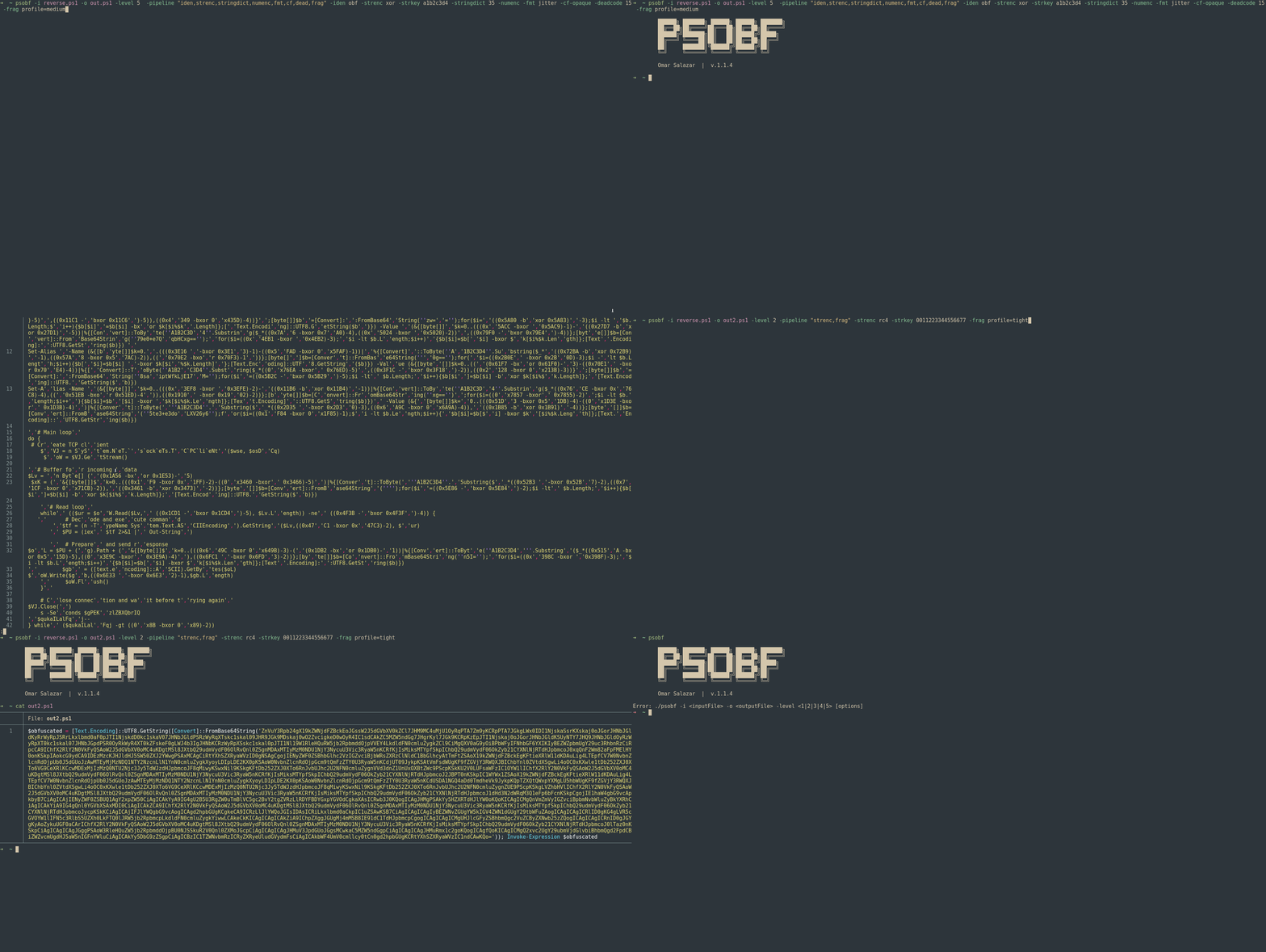
  <img src="https://assets.kitploit.com/production/public/readmes/6598/11956ab9f65e8dc1b0460652042c601f70d28bb67e9fd6f0a89813ed5369997f.gif" alt="psobf" width="700px"></a>
  <br>
</h1>

<h1 align="center">
  <img src="https://raw.githubusercontent.com/taurusomar/psobf/HEAD/static/poc2.gif" alt="psobf" width="700px"></a>
  <br>
</h1>

--- 

## Installazione```bash
go install github.com/TaurusOmar/psobf/v2/cmd/[email protected]

Avvio rapido```bash

psobf -i input.ps1 -o out.ps1 -level 1..6 [options] psobf -h # full help

root@kitploit:~
## Caratteristiche

<h1 align="center">
  <img src="https://assets.kitploit.com/production/public/readmes/6598/11956ab9f65e8dc1b0460652042c601f70d28bb67e9fd6f0a89813ed5369997f.gif" alt="psobf" width="700px"></a>
  <br>
</h1>

<h1 align="center">
  <img src="https://raw.githubusercontent.com/taurusomar/psobf/HEAD/static/poc2.gif" alt="psobf" width="700px"></a>
  <br>
</h1>

--- 

## Installazione```bash
go install github.com/TaurusOmar/psobf/cmd/[email protected]

Avvio rapido```bash

psobf -i input.ps1 -o out.ps1 -level 1..6 [options] psobf -h # full help

root@kitploit:~
---

## Riferimento completo dei flag

| Flag          | Tipo / Valori     |          Predefinito | Descrizione                                 | Esempio                                                      |                                 |                        |
| ------------- | ----------------- | ---------------: | ------------------------------------------- | ------------------------------------------------------------ | ------------------------------- | ---------------------- |
| `-i`          | string            |                — | Input PS1 (usa `-stdin` per leggere da pipe)  | `-i script.ps1`                                              |                                 |                        |
| `-o`          | string            | `obfuscated.ps1` | Output (usa `-stdout` per scrivere su STDOUT)   | `-o out.ps1`                                                 |                                 |                        |
| `-level`      | 1..6              |                1 | Packer finale (vedi Livelli)                   | `-level 4`                                                   |                                 |                        |
| `-noexec`     | bool              |            false | Emette solo il payload (nessun `Invoke-Expression`)  | `-noexec`                                                    |                                 |                        |
| `-stdin`      | bool              |            false | Leggi PS da STDIN                          | `-stdin`                                                     |                                 |                        |
| `-stdout`     | bool              |            false | Scrivi il risultato su STDOUT                      | `-stdout`                                                    |                                 |                        |
| `-seed`       | int64             |           casuale | Casualità riproducibile                     | `-seed 42`                                                   |                                 |                        |
| `-q`          | bool              |            false | Silenzioso (nessun banner)                           | `-q`                                                         |                                 |                        |
| `-pipeline`   | csv               |                — | Trasformazioni da applicare in ordine                | `-pipeline "iden,strenc,stringdict,numenc,fmt,cf,dead,frag"` |                                 |                        |
| `-iden`       | `keep`/`obf`      |           `keep` | Morfologia degli identificatori (variabili e funzioni)          | `-iden obf`                                                  |                                 |                        |
| `-strenc`     | `off`/`xor`/`rc4` |            `off` | Crittografia delle stringhe letterali                   | `-strenc rc4`                                                |                                 |                        |
| `-strkey`     | hex               |                — | Chiave per `-strenc`                           | `-strkey 0011223344556677`                                   |                                 |                        |
| `-stringdict` | 0..100            |                0 | Tokenizza stringhe lunghe; % probabilità per letterale | `-stringdict 40`                                             |                                 |                        |
| `-numenc`     | bool              |            false | Codifica i numeri come espressioni aritmetiche PS | `-numenc`                                                    |                                 |                        |
| `-fmt`        | `off`/`jitter`    |            `off` | Randomizza spazi bianchi/interruzioni di riga            | `-fmt jitter`                                                |                                 |                        |
| `-cf-opaque`  | bool              |            false | Avvolgi in `if(1 -eq 1){...}`                  | `-cf-opaque`                                                 |                                 |                        |
| `-cf-shuffle` | bool              |            false | Riordina **blocchi di funzioni**                 | `-cf-shuffle`                                                |                                 |                        |
| `-deadcode`   | 0..100            |                0 | Probabilità di iniettare codice morto             | `-deadcode 20`                                               |                                 |                        |
| `-frag`       | \`profile=tight   |           medium | loose\`                                     | —                                                            | Profilo di frammentazione (livello 5) | `-frag profile=medium` |
| `-minfrag`    | int               |               10 | Dimensione minima frammento (livello 5)                 | `-minfrag 8`                                                 |                                 |                        |
| `-maxfrag`    | int               |               20 | Dimensione massima frammento (livello 5)                 | `-maxfrag 16`                                                |                                 |                        |
| `-profile`    | \`light           |         balanced | heavy\`                                     | —                                                            | Preimpostazioni per pipeline/seed/ecc.  | `-profile heavy`       |
| `-fuzz`       | int               |                0 | Produce N varianti (semi diversi)        | `-fuzz 5`                                                    |                                 |                        |
| `-poly`       | int               |                0 | Varianti polimorfiche per trasformazione      | `-poly 3`                                                    |                                 |                        |

> La **pipeline** viene eseguita **prima** del confezionamento finale con **`-level`**.

---

## Script di input di esempio (sicuro)

Per mantenere gli esempi innocui, useremo:```powershell
Write-Host "Hello, World!"
$answer = 42
function Greet($name) { Write-Host ("Hi, " + $name) }
Greet "Ada"

Livelli di offuscamento (1–6) + frammenti di output

I seguenti mostrano la forma degli output (frammenti). I payload effettivi varieranno.

Livello 1 — Unione di caratteri```bash

psobf -i sample.ps1 -o out.ps1 -level 1

root@kitploit:~
**Output (frammento):**```powershell
$obfuscated = $([char[]](87,114,105,116,101,45,72,111,115,116,32,34,72,101,108,108,111,44,32,87,111,114,108,100,33,34,10,36,97,110,115,119,101,114,32,61,32,52,50,10,102,117,110,99,116,105,111,110,32,71,114,101,101,116,40,36,110,97,109,101,41,32,123,32,87,114,105,116,101,45,72,111,115,116,32,40,34,72,105,44,32,34,32,43,32,36,110,97,109,101,41,32,125,10,71,114,101,101,116,32,34,65,100,97,34,10) -join ''); Invoke-Expression $obfuscated

Livello 2 — Base64```bash

psobf -i sample.ps1 -o out.ps1 -level 2

root@kitploit:~
**Output (estratto):**```powershell
$obfuscated = [Text.Encoding]::UTF8.GetString([Convert]::FromBase64String('V3JpdGUtSG9zdCAiSGVsbG8sIFdvcmxkISIKJGFuc3dlciA9IDQyCmZ1bmN0aW9uIEdyZWV0KCRuYW1lKSB7IFdyaXRlLUhvc3QgKCJIaSwgIiArICRuYW1lKSB9CkdyZWV0ICJBZGEiCg==')); Invoke-Expression $obfuscated

Livello 3 — Base64 (alt)```bash

psobf -i sample.ps1 -o out.ps1 -level 3

root@kitploit:~
**Output (frammento):**```powershell
$e = [Convert]::FromBase64String('V3JpdGUtSG9zdCAiSGVsbG8sIFdvcmxkISIKJGFuc3dlciA9IDQyCmZ1bmN0aW9uIEdyZWV0KCRuYW1lKSB7IFdyaXRlLUhvc3QgKCJIaSwgIiArICRuYW1lKSB9CkdyZWV0ICJBZGEiCg=='); $obfuscated = [Text.Encoding]::UTF8.GetString($e); Invoke-Expression $obfuscated

Livello 4 — GZip + Base64```bash

psobf -i sample.ps1 -o out.ps1 -level 4

root@kitploit:~
**Output (frammento):**```powershell
$compressed = 'H4sIAAAAAAAA/wovyixJ1fXILy5RUPJIzcnJ11EIzy/KSVFU4lJJzCsuTy1SsFUwMeJKK81LLsnMz1NwL0pNLdFQyUvMTdVUqFZA0q+h5JGpo6CkoK0Ala3lAitWUHJMSVTiAgQAAP//m+Ey2GoAAAA='; $bytes = [Convert]::FromBase64String($compressed); $ms = New-Object IO.MemoryStream(,$bytes); $gz = New-Object IO.Compression.GzipStream($ms,[IO.Compression.CompressionMode]::Decompress); $sr = New-Object IO.StreamReader($gz); $obfuscated = $sr.ReadToEnd(); Invoke-Expression $obfuscated

Livello 5 — Frammentazione```bash

psobf -i sample.ps1 -o out.ps1 -level 5

root@kitploit:~
**Output (frammento):**```powershell
$fragments = @('Write-Host "Hello',', World!"
$','answer = 42','
function G','reet($name)',' { Write-Ho','st ("Hi, " ','+ $name) }
','Greet "Ada"','
'); $script = $fragments -join ''; Invoke-Expression $script

Livello 6 — Crittografia AES```bash

psobf -i sample.ps1 -o out.ps1 -level 6

root@kitploit:~
**Output (estratto):**```powershell
$k=[Convert]::FromBase64String('...base64key...');$iv=[Convert]::FromBase64String('...base64iv...');$e=[Convert]::FromBase64String('...base64ciphertext...');$a=New-Object Security.Cryptography.AesManaged;$a.Key=$k;$a.IV=$iv;$d=$a.CreateDecryptor();$bytes=$d.TransformFinalBlock($e,0,$e.Length);$dec=[Text.Encoding]::UTF8.GetString($bytes);Invoke-Expression $dec

Trasformazioni (pipeline) — dettagli ed esempi

Usa -noexec per ispezionare i payload senza eseguirli.

Identificatore (-iden)

  • Rinomina variabili e funzioni preservando la semantica.
  • Proteggi tutto ciò che non vuoi rinominato con il prefisso __$.

Comando```bash psobf -i sample.ps1 -o out.ps1 -level 4 -pipeline "iden" -iden obf -seed 11

root@kitploit:~
**Output (frammento)**```powershell
$WguE = 42
function QhZy($Chx){ Write-Host ("Hi, " + $Chx) }
QhZy "Ada"

Crittografia delle Stringhe (-strenc xor|rc4)

Cifra solo letterali stringa (nessuna manomissione API). Decifra just-in-time a runtime. Flags: -strenc xor|rc4, -strkey .

XOR

Comando```bash psobf -i sample.ps1 -o out.ps1 -level 4 -pipeline "strenc" -strenc xor -strkey a1b2c3d4 -seed 42

root@kitploit:~
**Output (estratto)**```powershell
$b=[Convert]::FromBase64String('EwAB...'); for($i=0;$i -lt $b.Length;$i++){$b[$i]=$b[$i] -bxor 0xA1}; [Text.Encoding]::UTF8.GetString($b)

RC4

Comando```bash psobf -i sample.ps1 -o out.ps1 -level 2 -pipeline "strenc" -strenc rc4 -strkey 0011223344556677 -seed 7

root@kitploit:~
**Output (frammento)**```powershell
function __decGWREVT($k,[byte[]]$d){ $s=0..255; $j=0; for($i=0;$i -lt 256;$i++){ $j=($j+$s[$i]+$k[$i%$k.Length])%256; $t=$s[$i];$s[$i]=$s[$j];$s[$j]=$t } $i=0;$j=0; for($x=0;$x -lt $d.Length;$x++){ $i=($i+1)%256;$j=($j+$s[$i])%256; $t=$s[$i];$s[$i]=$s[$j];$s[$j]=$t; $d[$x]=$d[$x] -bxor $s[($s[$i]+$s[$j])%256] } [Text.Encoding]::UTF8.GetString($d) }
...
( __decGWREVT ([byte[]](0..(8-1)|%{[Convert]::ToByte('0011223344556677'.Substring($_*2,2),16)})) ([Convert]::FromBase64String('m7m7...')) )

String Dictionary (-stringdict)

Tokenizza le stringhe lunghe in un array $D e le ricostruisce in fase di esecuzione. Riduce le firme ripetitive. Flag: -stringdict <0..100>

Comando```bash psobf -i sample.ps1 -o out.ps1 -level 3 -pipeline "stringdict" -stringdict 40 -seed 1

root@kitploit:~
**Uscita (frammento)**```powershell
$D=@('Hello',', World','!','Hi, ', 'Ada');
Write-Host ($D[0]+$D[1]+$D[2])
function Greet($name){ Write-Host ($D[3] + $name) }
Greet $D[4]

Number Encoding (-numenc)

Sostituisce i numeri semplici con espressioni aritmetiche/bitwise equivalenti (al di fuori delle stringhe).

Comando```bash psobf -i sample.ps1 -o out.ps1 -level 2 -pipeline "numenc" -numenc -seed 1337

root@kitploit:~
**Output (frammento)**```powershell
$answer = ((0x2A -bxor 0x00)+0)

Attenzione: Redirect come 2>&1 devono rimanere identici. Se il tuo sorgente ha redirect non quotati e stai riscontrando problemi, disabilita -numenc o racchiudi quei redirect tra stringhe nel sorgente.


Jitter del formato (-fmt)

Randomizza spazi e interruzioni di riga.

Comando```bash psobf -i sample.ps1 -o out.ps1 -level 2 -pipeline "fmt" -fmt jitter -seed 20

root@kitploit:~
**Output (frammento)**```powershell
Write-Host   "Hello, World!"
$answer=42

function Greet($name) {  Write-Host ("Hi, "+$name) }
Greet  "Ada"

Flusso di controllo (-cf-opaque, -cf-shuffle)

  • -cf-opaque: avvolge l'intero script in un ramo mai falso.
  • -cf-shuffle: riordina i blocchi di funzioni (non singole istruzioni). Noterai cambiamenti solo se il tuo script definisce funzioni.

Comando```bash psobf -i sample.ps1 -o out.ps1 -level 4 -pipeline "cf" -cf-opaque -cf-shuffle -seed 77

root@kitploit:~
**Output (frammento)**```powershell
if(1 -eq 1){
  function Greet($name){ Write-Host ("Hi, " + $name) }
  Write-Host "Hello, World!"
  $answer = 42
  Greet "Ada"
}

Codice Morto (-deadcode)

Inietta funzioni no-op, cicli a 0 iterazioni, stringhe innocue, ecc. Controllato dalla probabilità. Flag: -deadcode <0..100> (probabilità di iniezione di snippet).

Comando```bash psobf -i sample.ps1 -o out.ps1 -level 4 -pipeline "dead" -deadcode 25 -seed 5

root@kitploit:~
**Output (frammento)**```powershell
function __dummyzQJxJk { return }
for($i=0;$i -lt 0;$i++){Start-Sleep -Milliseconds 0}
$x='canary';$y=$x+$x|Out-Null
Write-Host "Hello, World!"
...

Frammentazione (-frag, -minfrag, -maxfrag)

Interessa solo il livello 5 (frammenti di stringhe + unione a runtime).

  • Profili:

    • profile=tight → piccoli frammenti (≈6–10)
    • profile=medium → frammenti medi (≈10–18)
    • profile=loose → frammenti più grandi (≈14–28)
  • Oppure regola con -minfrag / -maxfrag.

Comandi

root@kitploit:~
# Profile based
psobf -i sample.ps1 -o out.ps1 -level 5 -frag profile=loose -seed 9

# Fine control
psobf -i sample.ps1 -o out.ps1 -level 5 -minfrag 8 -maxfrag 16 -seed 9
```
**Output (frammento)**```powershell
$fragments=@('Write-Host "Hello,',' World!"',"`n", '$answer = 42',"`n",'function Greet($','name){ Write-Host ("Hi, "+$name)}',"`n",'Greet "Ada"');
$script=$fragments -join ''; Invoke-Expression $script
```
---

### Nuove Trasformazioni (v2.0+)

#### Codifica Esadecimale (`hexenc`)

Codifica le stringhe letterali in esadecimale.```bash
psobf -i sample.ps1 -o out.ps1 -level 2 -pipeline "hexenc" -seed 42
```
**Output (estratto):**```powershell
[Text.Encoding]:https://raw.githubusercontent.com/taurusomar/psobf/HEAD/:UTF8.GetString(%5BConvert%5D::FromHexString(%2748656C6C6F%27))
```
#### Sostituzione alias (`alias`)

Sostituisce i cmdlet di PowerShell con i loro alias brevi.```bash
psobf -i sample.ps1 -o out.ps1 -level 2 -pipeline "alias" -seed 42
```
**Output (frammento):**```powershell
# Write-Host → echo/write/outright
# Get-ChildItem → dir/ls/gci
# ForEach-Object → foreach/%
```
#### Codifica Unicode (`unicode`)

Converte i caratteri della stringa nel formato `[char]0xNNNN`.```bash
psobf -i sample.ps1 -o out.ps1 -level 2 -pipeline "unicode" -seed 42
```
**Output (estratto):**```powershell
"H[char]0x0065[char]0x006C[char]0x006Co"
```
#### Anti-debug (`antidebug`)

Inietta snippet di rilevamento sandbox/VM/debugger.```bash
psobf -i sample.ps1 -o out.ps1 -level 4 -pipeline "antidebug" -seed 42
```
**Output (frammento):**```powershell
if($env:COMPUTERNAME -match '^(SANDBOX|MALWARE|VIRUS)'){ exit }
if((Get-WmiObject Win32_ComputerSystem).Model -match '^(VirtualBox|VMware)'){ exit }
# ... original script ...
```
#### IEX Obfuscation (`iexobf`)

Sostituisce `Invoke-Expression` con forme alternative.```bash
psobf -i sample.ps1 -o out.ps1 -level 2 -pipeline "iexobf" -seed 42
```
**Output (frammento):**```powershell
# Invoke-Expression → IEX or .
. $code  # instead of Invoke-Expression $code
```
---

## Profili (light, balanced, heavy)

I preset sono punti di partenza convenienti. Qualsiasi flag esplicito che passi **sostituisce** il preset.
Qualsiasi flag che passi esplicitamente ha la precedenza sul profilo.

* **light**  ```
  -pipeline "iden,stringdict,numenc,frag"
  -frag profile=tight
  -seed 1337
  ```
* **equilibrato**  ```
  -pipeline "iden,strenc,stringdict,numenc,fmt,cf,dead,frag"
  -strenc xor -strkey a1b2c3d4
  -stringdict 30 -deadcode 10 -fmt jitter -frag profile=medium
  -seed 424242
  ```
* **pesante**  ```
  -pipeline "iden,strenc,stringdict,numenc,fmt,cf,dead,frag"
  -strenc rc4 -strkey 00112233445566778899aabbccddeeff
  -stringdict 50 -deadcode 25 -fmt jitter -frag profile=loose
  -seed 987654321
  ```
---

## Semi, riproducibilità e fuzzing

* `-seed N` → output deterministico per una data configurazione.
* Nessun `-seed` → casualità con seed crittografico.
* `-fuzz N` → produce **N** varianti (`out.ps1.v1.ps1`, `out.ps1.v2.ps1`, …), ottimo per test di diversità.

**Esempio**```bash
psobf -i sample.ps1 -o out.ps1 -level 4 -profile heavy -fuzz 3
```
---

## STDIN/STDOUT e `-noexec`

* **Pipe in / out**  ```bash
  cat sample.ps1 | psobf -stdin -stdout -level 2 > out.ps1
  ```
* **Solo audit (nessun wrapper di esecuzione)**  ```bash
  psobf -i sample.ps1 -o payload.txt -level 4 -noexec
  # payload.txt contains just the artifact (e.g., base64/gzip) without Invoke-Expression
  ```
## Ricette EDR/AV (offensiva  pratica)

> L'obiettivo è **diversificare** gli artefatti e ridurre le firme stabili per la **ricerca** in ambienti autorizzati.

1. **Pacchettizzazione densa + crittografia letterale**```bash
psobf -i sample.ps1 -o out.ps1 -level 4 \
  -pipeline "iden,strenc,stringdict" -iden obf -strenc rc4 -strkey 0011223344556677 -stringdict 40 \
  -seed 20250827
```
2. **Massima diversità (formato + frammentazione + codice morto)**```bash
psobf -i sample.ps1 -o out.ps1 -level 5 \
  -pipeline "fmt,frag,dead" -fmt jitter -frag profile=loose -deadcode 15 \
  -fuzz 5
```
3. **Bilanciato CI-friendly build**```bash
psobf -i sample.ps1 -o out.ps1 -level 3 -profile balanced -seed 777
```
4. **Ridurre IOCs statici (numeri + dizionario)**```bash
psobf -i sample.ps1 -o out.ps1 -level 2 -pipeline "numenc,stringdict" -numenc -stringdict 35 -seed 9
```
5. **RC4 + frammentazione stretta (mostrando gli strati combinati)**```bash
psobf -i sample.ps1 -o out.ps1 -level 5 -pipeline "strenc,frag" -strenc rc4 -strkey 0011223344556677 -frag profile=tight -seed 44
```
---

## Best practices & note difensive

* Ruotare **`-strkey`** e **`-seed`** per ogni build.
* Preferire la combinazione di layer: `-strenc` + `-stringdict` + `-fmt jitter` + frammentazione.
* Usare `-fuzz` per generare famiglie di varianti per test di rilevamento.
* Mantenere una baseline pulita e benigna e verificare l'equivalenza funzionale sotto sandbox prima e dopo le trasformazioni.
* Se lo script si basa su sintassi PS delicata (es. reindirizzamenti), tenerli tra virgolette o disabilitare `-numenc`.

---

## Diagramma dell'architettura```
       ┌──────────────┐
       │  input.ps1   │
       └──────┬───────┘
              │ read (-i / -stdin)
              ▼
       ┌──────────────┐
       │ Pipeline     │  order you choose
       │ iden         │  rename vars/funcs
       │ strenc       │  XOR/RC4 literals
       │ stringdict   │  tokenize + rejoin
       │ numenc       │  numeric masking
       │ fmt          │  whitespace jitter
       │ cf           │  opaque/shuffle
       │ dead         │  harmless noise
       └──────┬───────┘
              │ mutated script
              ▼
       ┌──────────────┐
       │  Level 1..5  │  final packing
       └──────┬───────┘
              │ + Invoke-Expression (unless -noexec)
              ▼
       ┌──────────────┐
       │   out.ps1    │
       └──────────────┘
```
---

### Scheda rapida```bash
# Deterministic, simple
psobf -i sample.ps1 -o out.ps1 -level 2 -seed 123

# RC4 (correct invocation shape)
psobf -i sample.ps1 -o out.ps1 -level 4 -pipeline "strenc" -strenc rc4 -strkey 0011223344556677

# Tokenization + numeric masking
psobf -i sample.ps1 -o out.ps1 -level 3 -pipeline "stringdict,numenc" -stringdict 40 -numenc

# Heavy combo
psobf -i sample.ps1 -o out.ps1 -level 5 \
  -pipeline "iden,strenc,stringdict,numenc,fmt,cf,dead,frag" \
  -iden obf -strenc xor -strkey a1b2c3d4 -stringdict 35 -numenc \
  -fmt jitter -cf-opaque -deadcode 15 -frag profile=medium -seed 777

# Level 6 - AES encryption (maximum protection)
psobf -i sample.ps1 -o out.ps1 -level 6 -profile heavy -seed 999

# New transforms - anti-debug + alias + hex
psobf -i sample.ps1 -o out.ps1 -level 4 -pipeline "antidebug,alias,hexenc" -seed 42

# All new transforms combined
psobf -i sample.ps1 -o out.ps1 -level 6 \
  -pipeline "iden,alias,hexenc,unicode,antidebug,iexobf,strenc" \
  -iden obf -strenc rc4 -strkey 0011223344556677 -seed 42

# Inspect artifact only (no Invoke-Expression)
psobf -i sample.ps1 -o payload.txt -level 4 -noexec
```
## Legale

Questo progetto è destinato esclusivamente a test **didattici** e **autorizzati**. Sei l'unico responsabile per il tuo utilizzo. Gli autori e i contributori declinano ogni responsabilità per danni diretti o indiretti.
Scarica lo strumento