 synacktiv/octoscan
Octoscan è uno scanner statico di vulnerabilità per i workflow di GitHub Actions.

Octoscan è uno scanner statico di vulnerabilità per i workflow delle GitHub Actions.

$ go mod tidy
$ go build
Oppure con docker:
$ docker pull ghcr.io/synacktiv/octoscan:latest
Octoscan può essere eseguito su un repository git locale, oppure puoi scaricare tutti i workflow con l'azione dl:
$ octoscan dl -h
Octoscan.

Usage:
	octoscan dl [options] --org <org> [--repo <repo> --token <pat> --default-branch --max-branches <num> --path <path> --output-dir <dir> --include-archives]

Options:
	-h, --help  						Show help
	-d, --debug  						Debug output
	--verbose  						Verbose output
	--org <org>  						Organizations to target
	--repo <repo>  						Repository to target
	--token <pat>  						GHP to authenticate to GitHub
	--default-branch  					Only download workflows from the default branch
	--max-branches <num>  					Limit the number of branches to download
	--path <path>  						GitHub file path to download [default: .github/workflows]
	--output-dir <dir>  					Output dir where to download files [default: octoscan-output]
	--include-archives  					Also download archived repositories
./octoscan dl --token ghp_<token> --org apache --repo incubator-answer
Se non sai cosa eseguire, esegui semplicemente questo:
./octoscan scan path/to/repos/ --disable-rules shellcheck,local-action --filter-triggers external
Questo ridurrà i falsi positivi e fornirà i risultati più interessanti.
Se hai scaricato i workflow con il comando dl, potresti avere workflow duplicati, poiché di default octoscan scarica tutti i workflow di tutti i branch. Per eliminare i workflow duplicati e velocizzare l'analisi, puoi usare il comando fdupes prima di eseguire l'analisi:
fdupes -n -r -N -d path/to/repo
$ octoscan scan -h
octoscan

Usage:
	octoscan scan [options] --list-rules
	octoscan scan [options] <target>
	octoscan scan [options] <target> [--debug-rules --filter-triggers=<triggers> --filter-run --ignore=<pattern> ((--disable-rules | --enable-rules ) <rules>) --config-file <config>]

Options:
	-h, --help
	-v, --version
	-d, --debug
	--verbose
	--format <format>  				Output format, json, sarif or custom template to format error messages in Go template syntax. See https://github.com/rhysd/actionlint/tree/main/docs/usage.md#format
	--oneline 					Use one line per one error. Useful for reading error messages from programs

Args:
	<target>					Target File or directory to scan
	--filter-triggers <triggers>			Scan workflows with specific triggers (comma separated list: "push,pull_request_target" or pre-configured: external/allnopr)
	--filter-run					Search for expression injection only in run shell scripts.
	--ignore <pattern>				Regular expression matching to error messages you want to ignore.
	--disable-rules <rules>				Disable specific rules. Split on ","
	--enable-rules <rules>				Enable specific rules, this will disable all other rules. Split on ","
	--debug-rules					Enable debug rules.
	--config-file <config>				Config file.

Examples:
	$ octoscan scan ci.yml --disable-rules shellcheck,local-action --filter-triggers external
Questo strumento può essere utilizzato anche direttamente come GitHub action per analizzare il tuo repository sugli eventi push/pull_request. Per maggiori informazioni, consulta questo repository.
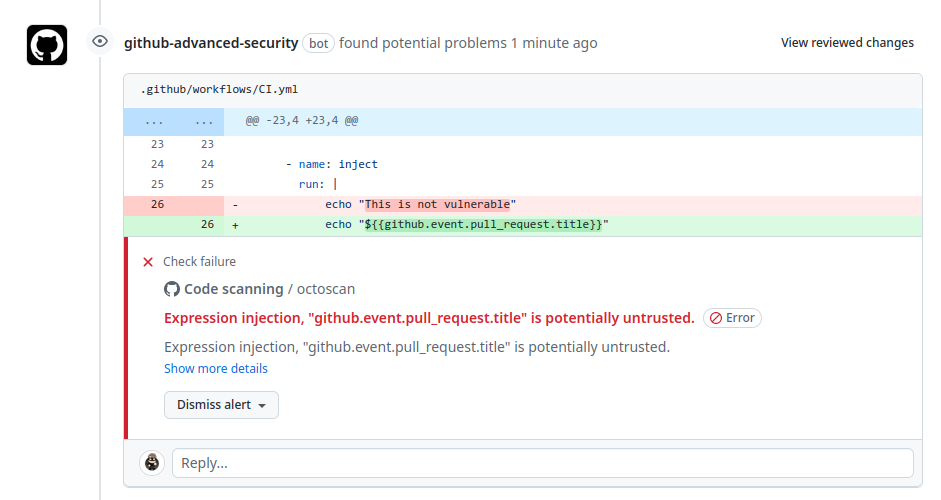
L'elenco completo delle regole può essere visualizzato con questo comando:
$ octoscan scan --list-rules
2024/08/07 16:50:48 [INFO] Available rules
- shellcheck
	Checks for shell script sources in "run:" using shellcheck
- credentials
	Checks for credentials in "services:" configuration
- dangerous-action
	Check for dangerous actions.
- dangerous-checkout
	Check for dangerous checkout.
- expression-injection
	Check for expression injection.
- dangerous-write
	Check for dangerous write operation on $GITHUB_OUTPUT or $GITHUB_ENV.
- local-action
	Check for local actions.
- runner-label
	Checks for GitHub-hosted and preset self-hosted runner labels in "runs-on:"
- unsecure-commands
	Check 'ACTIONS_ALLOW_UNSECURE_COMMANDS' env variable.
- known-vulnerability
	Check for known vulnerabilities.
- bot-check
	Check for if statements that are based on a bot identity.
- dangerous-artefact
	Check for workflow that upload artefacts containing sensitive files.
- debug-external-trigger
	Check for workflow that can be externally triggered.
- debug-artefacts
	Check for workflow that upload artefacts.
- debug-js-exec
	Check for workflow that execute system commands in JS scripts.
- debug-oidc-action
	Check for OIDC actions.
- repo-jacking
	Verify that external actions are pointing to a valid GitHub user or organization.
Trigger come workflow_run o pull_request_target vengono eseguiti in un contesto privilegiato, poiché hanno accesso in lettura ai segreti e potenzialmente accesso in scrittura sul repository bersaglio. Eseguire un checkout esplicito sul codice non fidato comporta il download del codice dell'attaccante in tale contesto.

Questa regola avvisa l'utente se viene utilizzata un'azione pericolosa. È principalmente focalizzata sugli artefatti non fidati.
È pratica comune utilizzare gli artefatti per trasferire dati tra diversi workflow. Lo si riscontra spesso con il trigger workflow_run, dove il workflow che scatena l'evento prepara alcuni dati che verranno poi inviati al workflow attivato. Data la natura non fidata di questi dati degli artefatti, è fondamentale trattarli con cautela e riconoscerli come una potenziale minaccia. La vulnerabilità deriva dal fatto che entità esterne, come attori malintenzionati, possono influenzare il contenuto dei dati degli artefatti.
