 projectdiscovery/interactsh
Un server di raccolta interazioni OOB e una libreria client






Funzionalità • Utilizzo • Client Interactsh • Server Interactsh • Integrazione Interactsh • Unisciti a Discord
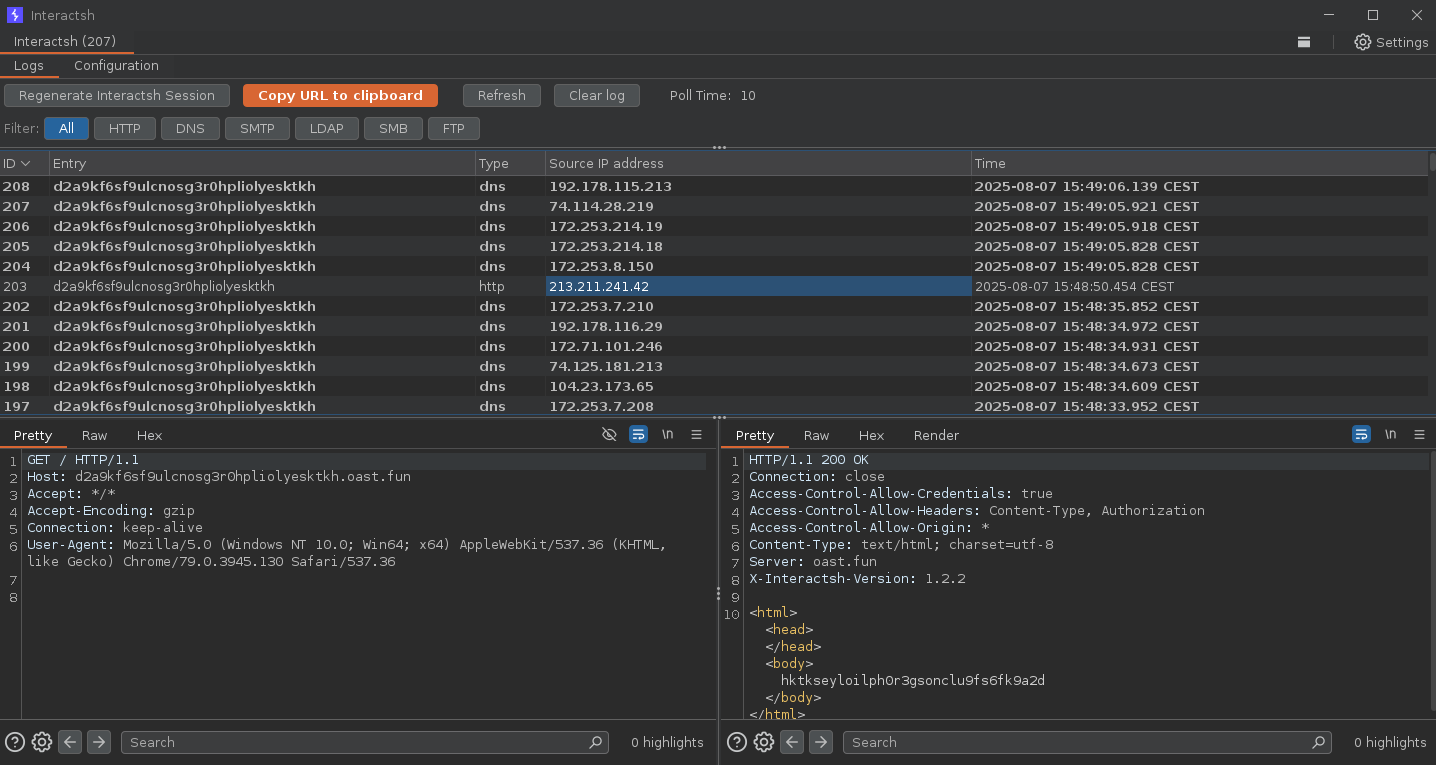
Interactsh è uno strumento open-source per il rilevamento di interazioni out-of-band. È uno strumento progettato per rilevare vulnerabilità che causano interazioni esterne.
interactsh-client -h
Questo mostrerà la guida per lo strumento. Ecco tutti gli switch supportati.```yaml
Usage:
  ./interactsh-client [flags]

Flags:
INPUT:
   -s, -server string   interactsh server(s) to use (default "oast.pro,oast.live,oast.site,oast.online,oast.fun,oast.me")
   -fl, -file string[]  local file(s) to upload and host on the interactsh server

CONFIG:
   -config string                           flag configuration file (default "$HOME/.config/interactsh-client/config.yaml")
   -auth                                    configure projectdiscovery cloud (pdcp) api key (default true)
   -n, -number int                          number of interactsh payload to generate (default 1)
   -t, -token string                        authentication token to connect protected interactsh server
   -pi, -poll-interval int                  poll interval in seconds to pull interaction data (default 5)
   -nf, -no-http-fallback                   disable http fallback registration
   -cidl, -correlation-id-length int        length of the correlation id preamble (min 3, default 20) (default 20)
   -cidn, -correlation-id-nonce-length int  length of the correlation id nonce (min 3, default 13) (default 13)
   -sf, -session-file string                store/read from session file
   -kai, -keep-alive-interval value         keep alive interval (default 1m0s)

FILTER:
   -m, -match string[]   match interaction based on the specified pattern
   -f, -filter string[]  filter interaction based on the specified pattern
   -dns-only             display only dns interaction in CLI output
   -http-only            display only http interaction in CLI output
   -smtp-only            display only smtp interactions in CLI output
   -asn                   include asn information of remote ip in json output

UPDATE:
   -up, -update                 update interactsh-client to latest version
   -duc, -disable-update-check  disable automatic interactsh-client update check

OUTPUT:
   -o string                         output file to write interaction data
   -json                             write output in JSON Lines format
   -ps, -payload-store               write generated interactsh payload to file
   -psf, -payload-store-file string  store generated interactsh payloads to given file (default "interactsh_payload.txt")
   -fsf, -file-store-file string     store hosted file URLs to given file (requires -file)
   -v                                display verbose interaction

DEBUG:
   -version            show version of the project
   -health-check, -hc  run diagnostic check up
Il client CLI Interactsh richiede go1.20+ per essere installato correttamente. Esegui il seguente comando per ottenere il repository -```sh go install -v github.com/projectdiscovery/interactsh/cmd/interactsh-client@latest
### Configurare PDCP_API_KEY con il client CLI di Interactsh
> Ottieni la tua api key gratuita registrandoti su https://cloud.projectdiscovery.io

Puoi configurare la tua PDCP_API_KEY in due modi:
1. Per configurare la API key in modo interattivo, esegui il seguente comando:   ```sh
   ./interactsh-client -auth
Questo genererà un payload univoco che può essere utilizzato per test OOB con informazioni di interazione minime nell'output.```console $ interactsh-client
_ __ __ __
()__ / /____ _________ / // /_
/ / __ / / _ / / __ '/ / __/ __/ __
/ / / / / // __/ / / // / // /( ) / / /
/// //_/_// _,/___/_/__// // v0.0.5
projectdiscovery.io
[INF] Listing 1 payload for OOB Testing [INF] c23b2la0kl1krjcrdj10cndmnioyyyyyn.oast.pro
[c23b2la0kl1krjcrdj10cndmnioyyyyyn] Received DNS interaction (A) from 172.253.226.100 at 2021-26-26 12:26 [c23b2la0kl1krjcrdj10cndmnioyyyyyn] Received DNS interaction (AAAA) from 32.3.34.129 at 2021-26-26 12:26 [c23b2la0kl1krjcrdj10cndmnioyyyyyn] Received HTTP interaction from 43.22.22.50 at 2021-26-26 12:26 [c23b2la0kl1krjcrdj10cndmnioyyyyyn] Received HTTPS interaction from 43.22.22.50 at 2021-26-26 12:26 [c23b2la0kl1krjcrdj10cndmnioyyyyyn] Received DNS interaction (MX) from 43.3.192.3 at 2021-26-26 12:26 [c23b2la0kl1krjcrdj10cndmnioyyyyyn] Received DNS interaction (TXT) from 74.32.183.135 at 2021-26-26 12:26 [c23b2la0kl1krjcrdj10cndmnioyyyyyn] Received SMTP interaction from 32.85.166.50 at 2021-26-26 12:26
### File di sessione

`interactsh-client` con il flag `-sf, -session-file` può essere utilizzato per memorizzare/leggere le informazioni della sessione corrente da un file definito dall'utente, il che è utile per riprendere la stessa sessione per interrogare le interazioni anche dopo che il client è stato arrestato o chiuso.```console
$ interactsh-client -sf interact.session

    _       __                       __       __
   (_)___  / /____  _________ ______/ /______/ /_
  / / __ \/ __/ _ \/ ___/ __ '/ ___/ __/ ___/ __ \
 / / / / / /_/  __/ /  / /_/ / /__/ /_(__  ) / / /
/_/_/ /_/\__/\___/_/   \__,_/\___/\__/____/_/ /_/ 1.0.3

        projectdiscovery.io

[INF] Listing 1 payload for OOB Testing
[INF] c23b2la0kl1krjcrdj10cndmnioyyyyyn.oast.pro
