
 projectdiscovery/dnsx
dnsx è un toolkit DNS veloce e multi-purpose che permette di eseguire molteplici query DNS a scelta con una lista di resolver forniti dall'utente.
<h1 align="center">
  <img src="https://assets.kitploit.com/production/public/readmes/3923/abdf7c5ef50e7d740b96aad5a151b9ac75700de029a681a6b3dc6b51efe45b7d.png" alt="dnsx" width="200px">
  <br>
</h1>

<h4 align="center">Un toolkit DNS veloce e multi-purpose progettato per eseguire query DNS</h4>

<p align="center">
<a href="https://goreportcard.com/report/github.com/projectdiscovery/dnsx"><img src="https://goreportcard.com/badge/github.com/projectdiscovery/dnsx"></a>
<a href="https://github.com/projectdiscovery/dnsx/issues"><img src="https://img.shields.io/badge/contributions-welcome-brightgreen.svg?style=flat"></a>
<a href="https://github.com/projectdiscovery/dnsx/releases"><img src="https://img.shields.io/github/release/projectdiscovery/dnsx"></a>
<a href="https://twitter.com/pdiscoveryio"><img src="https://img.shields.io/twitter/follow/pdiscoveryio.svg?logo=twitter"></a>
<a href="https://discord.gg/projectdiscovery"><img src="https://img.shields.io/discord/695645237418131507.svg?logo=discord"></a>
</p>

<p align="center">
  <a href="#features">Funzionalità</a> •
  <a href="#installation-instructions">Installazione</a> •
  <a href="#usage">Utilizzo</a> •
  <a href="#running-dnsx">Esecuzione di `dnsx`</a> •
  <a href="#wildcard-filtering">Wildcard</a> •
  <a href="#-notes">Note</a> •
  <a href="https://discord.gg/projectdiscovery">Unisciti a Discord</a>
</p>


---

`dnsx` è un toolkit DNS veloce e multi-purpose progettato per eseguire varie probe attraverso la libreria [retryabledns](https://github.com/projectdiscovery/retryabledns). Supporta multiple query DNS, resolver forniti dall'utente, filtraggio wildcard DNS come [shuffledns](https://github.com/projectdiscovery/shuffledns) ecc.


# Funzionalità

<h1 align="left">
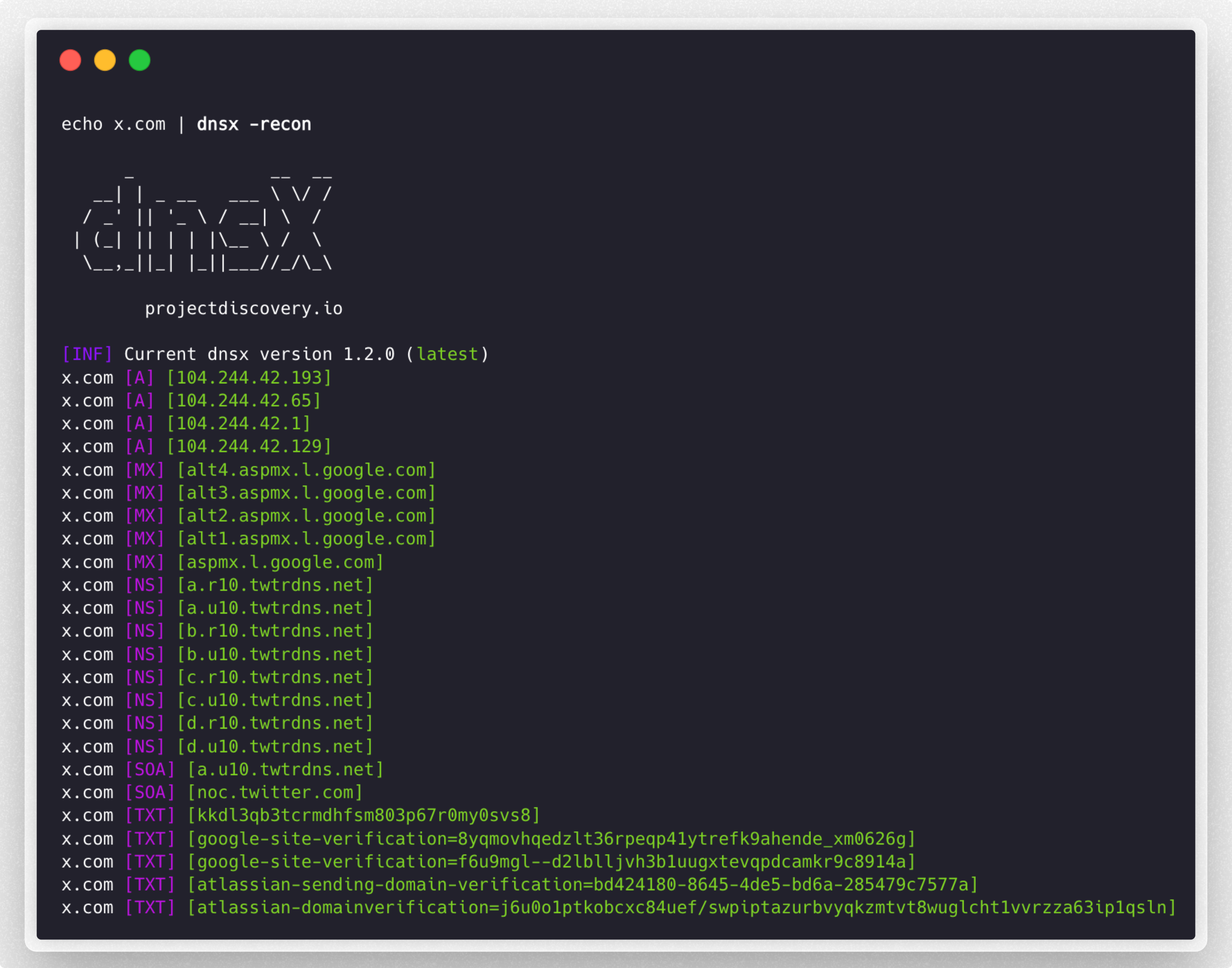
  <img src="https://assets.kitploit.com/production/public/readmes/3923/e0be49be16e94055f8ca00845ffa701135d23cba6aca284260e6208fa8c20026.png" alt="dnsx" width="700px"></a>
  <br>
</h1>


 - Utility semplice e pratica per interrogare i record DNS.
 - Supporto query **A, AAAA, CNAME, PTR, NS, MX, TXT, SRV, SOA**
 - Supporto **Risoluzione** / **Brute-force** DNS
 - Supporto input **resolver** personalizzato
 - Supporto formati resolver multipli **(TCP/UDP/DOH/DOT)**
 - Supporto **stdin** e **stdout**
 - Supporto gestione automatica **wildcard**

# Istruzioni per l'installazione


`dnsx` richiede **go1.21** per essere installato correttamente. Esegui il seguente comando per installare l'ultima versione:

```sh
go install -v github.com/projectdiscovery/dnsx/cmd/dnsx@latest
```

# Utilizzo

```sh
dnsx -h
```

Questo mostrerà l'help per lo strumento. Ecco tutti gli switch supportati.

```console
INPUT:
   -l, -list string      list of sub(domains)/hosts to resolve (file or stdin)
   -d, -domain string    list of domain to bruteforce (file or comma separated or stdin)
   -w, -wordlist string  list of words to bruteforce (file or comma separated or stdin)

QUERY:
   -a                       query A record (default)
   -aaaa                    query AAAA record
   -cname                   query CNAME record
   -ns                      query NS record
   -txt                     query TXT record
   -srv                     query SRV record
   -ptr                     query PTR record
   -mx                      query MX record
   -soa                     query SOA record
   -any                     query ANY record
   -axfr                    query AXFR
   -caa                     query CAA record
   -recon                   query all the dns records (a,aaaa,cname,ns,txt,srv,ptr,mx,soa,axfr,caa)
   -e, -exclude-type value  dns query type to exclude (a,aaaa,cname,ns,txt,srv,ptr,mx,soa,axfr,caa) (default none)

FILTER:
   -re, -resp          display dns response
   -ro, -resp-only     display dns response only
   -rc, -rcode string  filter result by dns status code (eg. -rcode noerror,servfail,refused)

PROBE:
   -cdn  display cdn name
   -asn  display host asn information

RATE-LIMIT:
   -t, -threads int      number of concurrent threads to use (default 100)
   -rl, -rate-limit int  number of dns request/second to make (disabled as default) (default -1)

UPDATE:
   -up, -update                 update dnsx to latest version
   -duc, -disable-update-check  disable automatic dnsx update check

OUTPUT:
   -o, -output string           file to write output
   -j, -json                    write output in JSONL(ines) format
   -omit-raw, -or               omit raw dns response from jsonl output
   -ot, -output-template string custom output template (e.g. -ot '{{host}} {{a}}')

DEBUG:
   -hc, -health-check  run diagnostic check up
   -silent             display only results in the output
   -v, -verbose        display verbose output
   -raw, -debug        display raw dns response
   -stats              display stats of the running scan
   -version            display version of dnsx
   -nc, -no-color      disable color in output

OPTIMIZATION:
   -retry int                number of dns attempts to make (must be at least 1) (default 2)
   -hf, -hostsfile           use system host file
   -trace                    perform dns tracing
   -trace-max-recursion int  Max recursion for dns trace (default 32767)
   -resume                   resume existing scan
   -stream                   stream mode (wordlist, wildcard, stats and stop/resume will be disabled)
   -timeout value            maximum time to wait for a DNS query to complete (default 3s)

CONFIGURATIONS:
   -auth                         configure projectdiscovery cloud (pdcp) api key (default true)
   -r, -resolver string          list of resolvers to use (file or comma separated)
   -wt, -wildcard-threshold int  wildcard filter threshold (default 5)
   -aw, -auto-wildcard           automatically detect wildcard domains for filtering
   -wd, -wildcard-domain string  domain name for manual wildcard filtering (mutually exclusive with -auto-wildcard; other flags will be ignored - json output recommended)
```

## Esecuzione di dnsx

### Risoluzione DNS

Filtra gli hostname attivi dalla lista di sottodomini passivi, ottenuti da varie fonti:

```console
subfinder -silent -d hackerone.com | dnsx -silent

a.ns.hackerone.com
www.hackerone.com
api.hackerone.com
docs.hackerone.com
mta-sts.managed.hackerone.com
mta-sts.hackerone.com
resources.hackerone.com
b.ns.hackerone.com
mta-sts.forwarding.hackerone.com
events.hackerone.com
support.hackerone.com
```

Stampa i record **A** per la lista di sottodomini fornita:

```console
subfinder -silent -d hackerone.com | dnsx -silent -a -resp

www.hackerone.com [104.16.100.52]
www.hackerone.com [104.16.99.52]
hackerone.com [104.16.99.52]
hackerone.com [104.16.100.52]
api.hackerone.com [104.16.99.52]
api.hackerone.com [104.16.100.52]
mta-sts.forwarding.hackerone.com [185.199.108.153]
mta-sts.forwarding.hackerone.com [185.199.109.153]
mta-sts.forwarding.hackerone.com [185.199.110.153]
mta-sts.forwarding.hackerone.com [185.199.111.153]
a.ns.hackerone.com [162.159.0.31]
resources.hackerone.com [52.60.160.16]
resources.hackerone.com [3.98.63.202]
resources.hackerone.com [52.60.165.183]
resources.hackerone.com [read.uberflip.com]
mta-sts.hackerone.com [185.199.110.153]
mta-sts.hackerone.com [185.199.111.153]
mta-sts.hackerone.com [185.199.109.153]
mta-sts.hackerone.com [185.199.108.153]
gslink.hackerone.com [13.35.210.17]
gslink.hackerone.com [13.35.210.38]
gslink.hackerone.com [13.35.210.83]
gslink.hackerone.com [13.35.210.19]
b.ns.hackerone.com [162.159.1.31]
docs.hackerone.com [185.199.109.153]
docs.hackerone.com [185.199.110.153]
docs.hackerone.com [185.199.111.153]
docs.hackerone.com [185.199.108.153]
support.hackerone.com [104.16.51.111]
support.hackerone.com [104.16.53.111]
mta-sts.managed.hackerone.com [185.199.108.153]
mta-sts.managed.hackerone.com [185.199.109.153]
mta-sts.managed.hackerone.com [185.199.110.153]
mta-sts.managed.hackerone.com [185.199.111.153]
```

Estrai i record **A** per la lista di sottodomini fornita:

```console
subfinder -silent -d hackerone.com | dnsx -silent -a -resp-only

104.16.99.52
104.16.100.52
162.159.1.31
104.16.99.52
104.16.100.52
185.199.110.153
185.199.111.153
185.199.108.153
185.199.109.153
104.16.99.52
104.16.100.52
104.16.51.111
104.16.53.111
185.199.108.153
185.199.111.153
185.199.110.153
185.199.111.153
```

Estrai i record **CNAME** per la lista di sottodomini fornita:

```console
subfinder -silent -d hackerone.com | dnsx -silent -cname -resp

support.hackerone.com [hackerone.zendesk.com]
resources.hackerone.com [read.uberflip.com]
mta-sts.hackerone.com [hacker0x01.github.io]
mta-sts.forwarding.hackerone.com [hacker0x01.github.io]
events.hackerone.com [whitelabel.bigmarker.com]
```
Estrai i record **ASN** per la lista di sottodomini fornita:
```console
subfinder -silent -d hackerone.com | dnsx -silent  -asn

b.ns.hackerone.com [AS13335, CLOUDFLARENET, US]
a.ns.hackerone.com [AS13335, CLOUDFLARENET, US]
hackerone.com [AS13335, CLOUDFLARENET, US]
www.hackerone.com [AS13335, CLOUDFLARENET, US]
api.hackerone.com [AS13335, CLOUDFLARENET, US]
support.hackerone.com [AS13335, CLOUDFLARENET, US]
```

Esegui probe usando il [codice di stato dns](https://github.com/projectdiscovery/dnsx/wiki/RCODE-ID-VALUE-Mapping) sulla lista di (sotto)domini fornita:

```console
subfinder -silent -d hackerone.com | dnsx -silent -rcode noerror,servfail,refused

ns.hackerone.com [NOERROR]
a.ns.hackerone.com [NOERROR]
b.ns.hackerone.com [NOERROR]
support.hackerone.com [NOERROR]
resources.hackerone.com [NOERROR]
mta-sts.hackerone.com [NOERROR]
www.hackerone.com [NOERROR]
mta-sts.forwarding.hackerone.com [NOERROR]
docs.hackerone.com [NOERROR]
```

Estrai sottodomini da un range di rete fornito usando la query `PTR`:

```console
echo 173.0.84.0/24 | dnsx -silent -resp-only -ptr

cors.api.paypal.com
trinityadminauth.paypal.com
cld-edge-origin-api.paypal.com
appmanagement.paypal.com
svcs.paypal.com
trinitypie-serv.paypal.com
ppn.paypal.com
pointofsale-new.paypal.com
pointofsale.paypal.com
slc-a-origin-pointofsale.paypal.com
fpdbs.paypal.com
```

Estrai sottodomini da un ASN fornito usando la query `PTR`:
```console
echo AS17012 | dnsx -silent -resp-only -ptr

apiagw-a.paypal.com
notify.paypal.com
adnormserv-slc-a.paypal.com
a.sandbox.paypal.com
apps2.paypal-labs.com
pilot-payflowpro.paypal.com
www.paypallabs.com
paypal-portal.com
micropayments.paypal-labs.com
minicart.paypal-labs.com
```
---------

### Formato di output personalizzato

Il flag `-output-template` (`-ot`) consente di personalizzare il formato di output usando un template, invece del layout predefinito tra parentesi quadre (es. `example.com [A] [104.20.23.154]`). Si specifica il template direttamente sulla riga di comando per controllare come vengono presentati i dati risolti.

Le variabili del template corrispondono agli stessi nomi di campo usati nell'output JSONL (`-json`), quindi ognuno dei seguenti può essere referenziato come `{{field}}`:

`host`, `a`, `aaaa`, `cname`, `ns`, `txt`, `mx`, `srv`, `ptr`, `soa`, `caa`, `ttl`, `resolver`, `status_code`, `cdn-name`, `cdn-type`, `asn`, `query-time`. Un alias di comodità `{{ip}}` contiene i record `A` e `AAAA` combinati.

I record con valori multipli (es. diversi record `A`) vengono uniti con virgole all'interno di un singolo campo.

```console
echo example.com | dnsx -silent -a -ot '{{host}} {{a}}'

example.com 104.20.23.154,172.66.147.243
```

```console
echo example.com | dnsx -silent -a -ot '{{ip}} - {{host}}'

104.20.23.154,172.66.147.243 - example.com
```

> [!NOTE]
> Se un campo specificato non esiste o non contiene un valore, viene semplicemente omesso dall'output. `-output-template` non può essere combinato con `-json` o `-raw`.

---------

### DNS Bruteforce

Esegui il bruteforce dei sottodomini per un dominio o una lista di domini forniti usando i flag `d` e `w`:

```console
dnsx -silent -d facebook.com -w dns_worldlist.txt

blog.facebook.com
booking.facebook.com
api.facebook.com
analytics.facebook.com
beta.facebook.com
apollo.facebook.com
ads.facebook.com
box.facebook.com
alpha.facebook.com
apps.facebook.com
connect.facebook.com
c.facebook.com
careers.facebook.com
code.facebook.com
```

Esegui il bruteforce di un sottodominio mirato usando input con singola o multipla keyword, poiché i flag `d` o `w` supportano input da file o keyword separate da virgola:

```console
dnsx -silent -d domains.txt -w jira,grafana,jenkins

grafana.1688.com
grafana.8x8.vc
grafana.airmap.com
grafana.aerius.nl
jenkins.1688.com
jenkins.airbnb.app
jenkins.airmap.com
jenkins.ahn.nl
jenkins.achmea.nl
jira.amocrm.com
jira.amexgbt.com
jira.amitree.com
jira.arrival.com
jira.atlassian.net
jira.atlassian.com
```

I valori sono accettati da **stdin** per tutti i tipi di input (`-list`, `-domain`, `-wordlist`). Il flag `-list` usa `stdin` come default, ma lo stesso può essere ottenuto per altri tipi di input aggiungendo un `-` (trattino) come parametro:

```console
cat domains.txt | dnsx -silent -w jira,grafana,jenkins -d -

grafana.1688.com
grafana.8x8.vc
grafana.airmap.com
grafana.aerius.nl
jenkins.1688.com
jenkins.airbnb.app
jenkins.airmap.com
jenkins.ahn.nl
jenkins.achmea.nl
jira.amocrm.com
jira.amexgbt.com
jira.amitree.com
jira.arrival.com
jira.atlassian.net
jira.atlassian.com
```

#### DNS Bruteforce con wordlist basata su Placeholder

```bash
$ cat tld.txt

com
by
de
be
al
bi
cg
dj
bs
```

```console
dnsx -d google.FUZZ -w tld.txt -resp

      _             __  __
   __| | _ __   ___ \ \/ /
  / _' || '_ \ / __| \  /
 | (_| || | | |\__ \ /  \
  \__,_||_| |_||___//_/\_\ v1.1.2

      projectdiscovery.io

google.de [142.250.194.99]
google.com [142.250.76.206]
google.be [172.217.27.163]
google.bs [142.251.42.35]
google.bi [216.58.196.67]
google.al [216.58.196.68]
google.by [142.250.195.4]
google.cg [142.250.183.131]
google.dj [142.250.192.3]
```

### Filtraggio wildcard

Una funzionalità speciale di `dnsx` è la sua capacità di gestire **wildcard DNS multi-livello**, e di farlo con un numero molto ridotto di richieste DNS. A volte tutti i sottodomini si risolvono, il che porta a molti dati spazzatura nell'output. Il modo in cui `dnsx` gestisce questo è tenendo traccia di quanti sottodomini puntano a un IP e, se il conteggio dei sottodomini aumenta oltre una certa soglia, controllerà le wildcard su tutti i livelli degli host per quell'IP in modo iterativo.

```console
dnsx -l subdomain_list.txt -wd airbnb.com -o output.txt
```

Per rilevare e filtrare automaticamente le wildcard DNS su più domini in una singola esecuzione preservando la modalità di output selezionata:

```console
dnsx -l subdomain_list.txt -auto-wildcard -o output.txt
```

`-auto-wildcard` e `-wd` / `-wildcard-domain` sono mutuamente esclusivi. Usa `-wd` quando vuoi il flusso esistente di filtraggio wildcard manuale su singolo dominio; usa `-auto-wildcard` quando vuoi che dnsx rilevi automaticamente le root wildcard su input con domini misti.

---

### Dnsx come libreria

È possibile usare la libreria direttamente nei tuoi programmi golang. I seguenti frammenti di codice sono un esempio di utilizzo in programmi golang. Fai riferimento a [qui](https://pkg.go.dev/github.com/projectdiscovery/[email protected]/libs/dnsx) per la configurazione dettagliata del pacchetto e l'utilizzo.

```go
package main

import (
	"fmt"

	"github.com/projectdiscovery/dnsx/libs/dnsx"
)

func main() {
	// Create DNS Resolver with default options
	dnsClient, err := dnsx.New(dnsx.DefaultOptions)
	if err != nil {
		fmt.Printf("err: %v\n", err)
		return
	}

	// DNS A question and returns corresponding IPs
	result, err := dnsClient.Lookup("hackerone.com")
	if err != nil {
		fmt.Printf("err: %v\n", err)
		return
	}
	for idx, msg := range result {
		fmt.Printf("%d: %s\n", idx+1, msg)
	}

	// Query
	rawResp, err := dnsClient.QueryOne("hackerone.com")
	if err != nil {
		fmt.Printf("err: %v\n", err)
		return
	}
	fmt.Printf("rawResp: %v\n", rawResp)

	jsonStr, err := rawResp.JSON()
	if err != nil {
		fmt.Printf("err: %v\n", err)
		return
	}
	fmt.Println(jsonStr)

	return
}
```

# 📋 Note

- Come default, `dnsx` controlla il record **A**.
- Come default `dnsx` usa i resolver Google, Cloudflare, Quad9 [resolver](https://github.com/projectdiscovery/dnsx/blob/43af78839e237ea8cbafe571df1ab0d6cbe7f445/libs/dnsx/dnsx.go#L31).
- La lista di resolver personalizzati può essere caricata usando il flag `r`.
- `-auto-wildcard` rileva automaticamente i domini wildcard su più root registrabili in una singola esecuzione.
- Il nome di dominio (`-wd`) è richiesto solo per il filtraggio wildcard manuale e non può essere usato insieme a `-auto-wildcard`.
- Quando si usa il filtraggio wildcard manuale con `-wd`, gli altri flag dei record DNS vengono ignorati ed è raccomandato l'output JSON.
- La risoluzione DNS (`l`) e il brute-forcing DNS (`w`) non possono essere usati insieme.
- Gli operatori VPN tendono a filtrare il traffico DNS/UDP elevato, quindi lo strumento potrebbe subire perdita di pacchetti (es. [Mullvad VPN](https://github.com/projectdiscovery/dnsx/issues/221)). Controlla [questa potenziale soluzione](https://github.com/projectdiscovery/dnsx/blob/dev/MULLVAD.md).

`dnsx` è realizzato con 🖤 dal team [projectdiscovery](https://projectdiscovery.io).