 moond4rk/hackbrowserdata
Estrarre e decriptare i dati del browser, supportando multipli tipi di dati, eseguibile su vari sistemi operativi (macOS, Windows, Linux).

<div align="center">
<img src="https://assets.kitploit.com/production/public/readmes/404/f0b8746a193b0f91cfb4fecc354ac19984c7d39a273c210c5591d6af6a972298.png" alt="hack-browser-data logo" width="440px" />
</div>
# HackBrowserData
[](https://github.com/moonD4rk/HackBrowserData/actions/workflows/lint.yml) [](https://github.com/moonD4rk/HackBrowserData/actions/workflows/build.yml) [](https://github.com/moonD4rk/HackBrowserData/actions/workflows/release.yml) [](https://github.com/moonD4rk/HackBrowserData/actions/workflows/test.yml) [](https://codecov.io/gh/moonD4rk/HackBrowserData)
`HackBrowserData` è uno strumento da riga di comando per decifrare ed esportare i dati del browser (password, cronologia, cookie, segnalibri, carte di credito, cronologia dei download, localStorage, sessionStorage ed estensioni) dal browser. Supporta i browser più diffusi basati su Chromium e Firefox su Windows, macOS e Linux, oltre a Safari su macOS.
Può anche decifrare i dati **tra macchine e sistemi operativi diversi**: esporta le chiavi master sull'host di origine, quindi decifra offline una copia dei dati su qualsiasi altro host — anche per un browser che il sistema operativo dell'host dell'analista non è in grado di eseguire (vedi [Decifratura cross-host](#cross-host-decryption)).
> Disclaimer: questo strumento è destinato esclusivamente alla ricerca sulla sicurezza. Gli utenti sono responsabili di tutte le responsabilità legali e correlate derivanti dall'uso di questo strumento. L'autore originale non si assume alcuna responsabilità legale.
## Categorie di dati supportate
| Categoria | Basati su Chromium | Firefox | Safari |
|:---------------|:--------------:|:-------:|:------:|
| Password | ✅ | ✅ | ✅ |
| Cookie | ✅ | ✅ | ✅ |
| Segnalibro | ✅ | ✅ | ✅ |
| Cronologia | ✅ | ✅ | ✅ |
| Download | ✅ | ✅ | ✅ |
| Carta di credito | ✅ | - | - |
| Estensione | ✅ | ✅ | ✅ |
| LocalStorage | ✅ | ✅ | ✅ |
| SessionStorage | ✅ | - | - |
## Browser supportati
> Su macOS, alcuni browser basati su Chromium **richiedono la password dell'utente corrente** per la decifratura.
>
> La decifratura delle password potrebbe non riuscire su macOS 26.4 o versioni successive.
| Browser | Windows | macOS | Linux |
|:---------------|:-------:|:-----:|:-----:|
| Chrome | ✅² | ✅ | ✅ |
| Chrome Beta | ✅² | ✅ | ✅ |
| Chromium | ✅ | ✅ | ✅ |
| Edge | ✅² | ✅ | ✅ |
| Brave | ✅² | ✅ | ✅ |
| Opera | ✅ | ✅ | ✅ |
| OperaGX | ✅ | ✅ | - |
| Vivaldi | ✅ | ✅ | ✅ |
| Yandex | ✅ | ✅ | - |
| CocCoc | ✅² | ✅ | - |
| Arc | ✅ | ✅ | - |
| DuckDuckGo³ | ✅ | - | - |
| Browser from Vought³ | ✅ | - | - |
| QQ³ | ✅ | - | - |
| 360 Speed X³ | ✅ | - | - |
| 360 Speed³ | ✅ | - | - |
| DC³ | ✅ | - | - |
| Sogou³ | ✅ | - | - |
| Firefox | ✅ | ✅ | ✅ |
| Safari¹ | - | ✅ | - |
> ¹ Safari richiede l'Accesso completo al disco; abilitalo in Impostazioni di Sistema → Privacy e Sicurezza → Accesso completo al disco se l'estrazione restituisce risultati vuoti.
>
> ² Su Windows, la decifratura dei cookie Chromium 127+ (Chrome / Chrome Beta / Edge / Brave / CocCoc) richiede il payload App-Bound Encryption creato tramite `make build-windows` — vedi [Compilazione dal codice sorgente](#building-from-source) di seguito.
>
> ³ Questi browser sono disponibili solo su Windows, ma i loro dati sono **decifrabili su qualsiasi sistema operativo**: estrai i file con `archive`, esporta le chiavi con `dumpkeys`, poi decifra su macOS o Linux con `restore` — vedi [Decifratura cross-host](#cross-host-decryption).
## Per iniziare
### Installazione
L'installazione di `HackBrowserData` è semplicissima: scarica [la release per il tuo sistema](https://github.com/moonD4rk/HackBrowserData/releases) ed esegui il binario.
> In alcune situazioni, questo strumento di sicurezza verrà considerato un virus da Windows Defender o da altri software antivirus e non potrà essere eseguito. Il codice è interamente open source, puoi modificarlo e compilarlo autonomamente.
### Compilazione dal codice sorgente
Richiede `Go 1.20+`.
```bash
git clone https://github.com/moonD4rk/HackBrowserData
cd HackBrowserData
go build ./cmd/hack-browser-data/
```
#### Build multipiattaforma
```bash
# For Windows (standard build, no Chromium 127+ ABE cookie support)
GOOS=windows GOARCH=amd64 go build ./cmd/hack-browser-data/
# For Linux
GOOS=linux GOARCH=amd64 go build ./cmd/hack-browser-data/
```
#### Build Windows con App-Bound Encryption (opzionale)
Chrome / Chrome Beta / Edge / Brave / CocCoc 127+ proteggono i cookie con App-Bound Encryption. La decifratura di questi cookie richiede un piccolo payload in C — [Zig](https://ziglang.org/) (0.13+) è il toolchain C consigliato (il Makefile invoca `zig cc`). Anche `gcc` di MinGW-w64 può compilare i sorgenti manualmente se si aggira `make payload`.
```bash
# 1. Install Zig
brew install zig # macOS
scoop install zig # Windows (scoop)
# or download from https://ziglang.org/download/
# 2. Build the payload (outputs internal/abe/payload/abe_extractor_amd64.bin)
make payload
# 3. Build hack-browser-data.exe with the ABE payload embedded
make build-windows
```
Il file `hack-browser-data.exe` risultante include la decifratura completa dei cookie ABE su Chromium 127+.
## Utilizzo
```
$ hack-browser-data -h
hack-browser-data decrypts and exports browser data from Chromium-based
browsers, Firefox, and Safari on Windows, macOS, and Linux.
GitHub: https://github.com/moonD4rk/HackBrowserData
Usage:
hack-browser-data [flags]
hack-browser-data [command]
Available Commands:
archive Pack decryption-relevant profile files into a zip for cross-host restore
dump Extract and decrypt browser data (default command)
dumpkeys Export Chromium master keys as JSON for cross-host decryption
help Help about any command
list List detected browsers and profiles
restore Decrypt copied profile data using exported master keys
version Print version information
Flags:
-b, --browser string target browser: all|chrome|firefox|edge|... (default "all")
-c, --category string data categories (comma-separated): all|password,cookie,... (default "all")
-d, --dir string output directory (default "results")
-f, --format string output format: csv|json|cookie-editor (default "json")
-h, --help help for hack-browser-data
--keychain-pw string macOS keychain password (visible in ps and shell history)
--keychain-pw-stdin read the macOS keychain password from the first line of stdin
-p, --profile-path string custom profile dir path, get with chrome://version
-v, --verbose enable debug logging
--zip compress output to zip
Use "hack-browser-data [command] --help" for more information about a command.
```
### `dump` - Estrae e decifra i dati del browser (predefinito)
Eseguire `hack-browser-data` senza un sottocomando equivale a `dump`.
| Flag | Abbreviazione | Predefinito | Descrizione |
|------------------|-------|-----------|--------------------------------------------------------------------------------------------------------------------------------------------|
| `--browser` | `-b` | `all` | Browser di destinazione (all\|chrome\|firefox\|edge\|...) |
| `--category` | `-c` | `all` | Categorie di dati, separate da virgola (all\|password\|cookie\|bookmark\|history\|download\|creditcard\|extension\|localstorage\|sessionstorage) |
| `--format` | `-f` | `json` | Formato di output (csv\|json\|cookie-editor) |
| `--dir` | `-d` | `results` | Directory di output |
| `--profile-path` | `-p` | | Percorso personalizzato della directory del profilo, ottenibile con chrome://version |
| `--keychain-pw` | | | Password del keychain di macOS (visibile in `ps` e nella cronologia della shell) |
| `--keychain-pw-stdin` | | | Legge la password del keychain di macOS dalla prima riga di stdin |
| `--zip` | | `false` | Comprime l'output in uno zip |
> `--format cookie-editor` scrive i cookie come un array JSON conforme al formato di importazione dell'estensione per browser Cookie-Editor; ogni altra categoria viene scritta esattamente come la scrive il formato `json`.
### Decifratura cross-host
Decifra i dati del browser su un **host dell'analista** che sono stati raccolti su un diverso **host di origine** — incluso un browser il cui motore il sistema operativo dell'analista non può nemmeno installare (ad es. decifrare i dati di Sogou o QQ Browser su macOS). Nulla di legato alla piattaforma (DPAPI, macOS Keychain, Chrome App-Bound Encryption) deve lasciare l'origine: le chiavi master vengono esportate una volta sola, e la decifratura viene poi eseguita interamente offline da una copia dei dati.
Il flusso di lavoro utilizza tre comandi e due artefatti trasportabili:
| Passo | Host | Comando | Produce |
|------|------|---------|----------|
| 1 | origine | `dumpkeys` | `keys.json` — chiavi master portabili |
| 2 | origine | `archive` | `browser-data.zip` — solo i file necessari per la decifratura |
| 3 | analista | `restore` | output decifrato (csv / json / cookie-editor) |
```bash
# On the origin host (any OS) — export the keys and pack the data
hack-browser-data dumpkeys -o keys.json
hack-browser-data archive -o browser-data.zip
# Copy keys.json + browser-data.zip to the analyst host, then decrypt offline
hack-browser-data restore --keys keys.json --data-zip browser-data.zip
```
> `keys.json` contiene chiavi master in chiaro — trattalo come un segreto. `dumpkeys -o` lo scrive con permessi `0600`; preferisci trasmetterlo in streaming su un canale sicuro invece di lasciarlo su disco.
#### `dumpkeys` - Esporta le chiavi master per la decifratura cross-host
Deriva le chiavi master di ciascuna installazione Chromium sull'host di origine e le scrive come JSON (Firefox / Safari non hanno una chiave portabile e vengono saltati). Per impostazione predefinita scrive su stdout, così può essere inviato via pipe su SSH.
| Flag | Short | Default | Descrizione |
|-----------------|-------|----------|-------------------------------------------------|
| `--browser` | `-b` | `all` | Browser di destinazione (all\|chrome\|edge\|...) |
| `--output` | `-o` | *stdout* | File di output (scritto con `0600`); stdout se omesso |
| `--keychain-pw` | | | Password del keychain macOS (visibile in `ps` / cronologia) |
| `--keychain-pw-stdin` | | | Legge la password del keychain dalla prima riga di stdin |
#### `archive` - Impacchetta i file rilevanti per la decifratura da trasportare
Raccoglie solo i file di cui un ripristino ha effettivamente bisogno (cookie, dati di login, cronologia, …) tramite lo stesso bypass dei file bloccati usato per l'estrazione, così i file SQLite attivi vengono letti in modo sicuro su Windows. Lo zip è strutturato come `<browser-key>/<User Data layout>`, così un singolo archivio può contenere più browser e il ripristino resta inequivocabile. I nomi delle voci usano sempre la barra in avanti, così un archivio prodotto su Windows si ripristina su macOS / Linux.
| Flag | Short | Default | Descrizione |
|--------------|-------|--------------------|-----------------------------------------|
| `--browser` | `-b` | `all` | Browser di destinazione (all\|chrome\|edge\|...) |
| `--category` | `-c` | `all` | Categorie di dati, separate da virgola |
| `--output` | `-o` | `browser-data.zip` | Percorso dell'archivio di output |
#### `restore` - Decifra i dati copiati con le chiavi esportate
Ricostruisce ciascun motore Chromium direttamente da `keys.json` e decifra i dati forniti — non consulta mai la tabella dei browser locale dell'analista, quindi **i browser che puoi ripristinare sono esattamente i vault presenti nel tuo `keys.json`**. Fornisci i dati in uno dei due modi (ne è richiesto esattamente uno):
- `--data-zip` — uno zip prodotto da `archive`; estratto in una directory temporanea e rimosso in seguito.
- `--data-dir` — una directory. O la struttura di `archive` (`<browser-key>/...`, più browser contemporaneamente), oppure la radice `User Data` di un singolo browser copiata a mano, che è inequivocabile solo per un singolo browser — quindi abbinala a `-b`.
`-b` è un **filtro opzionale** sui vault del dump, non un selettore obbligatorio.
| Flag | Short | Default | Descrizione |
|--------------|-------|------------|------------------------------------------------------------|
| `--keys` | | *required* | File delle chiavi da `dumpkeys` (usa `-` per stdin) |
| `--data-zip` | | | Zip da `archive` (mutuamente esclusivo con `--data-dir`) |
| `--data-dir` | | | Directory dati copiata (mutuamente esclusiva con `--data-zip`) |
| `--browser` | `-b` | | Ripristina solo questo browser; deve corrispondere a un vault in `--keys` |
| `--category` | `-c` | `all` | Categorie di dati, separate da virgola |
| `--format` | `-f` | `json` | Formato di output (csv\|json\|cookie-editor) |
| `--dir` | `-d` | `results` | Directory di output |
| `--zip` | | `false` | Comprime l'output in zip |
#### Esempi cross-host
```bash
# Stream keys over SSH (no keys.json on disk), data copied separately
ssh origin "hack-browser-data dumpkeys" | \
hack-browser-data restore --keys - --data-zip browser-data.zip
# Restore one browser from a hand-copied User Data folder (no archive)
hack-browser-data restore --keys keys.json --data-dir ./chrome-userdata -b chrome
```
### `list` - Elenca i browser e i profili rilevati
| Flag | Default | Descrizione |
|------------|---------|--------------------------------|
| `--detail` | `false` | Mostra il numero di voci per categoria |
### `version` - Stampa le informazioni sulla versione
```bash
hack-browser-data version
```
### Flag globali
| Flag | Abbreviazione | Descrizione |
|-------------|-------|----------------------|
| `--verbose` | `-v` | Abilita il logging di debug |
### Esempi
```bash
# Extract all data from all browsers (default)
hack-browser-data
# Extract specific browser and categories
hack-browser-data dump -b chrome -c password,cookie
# Export in CSV format to a custom directory (JSON is the default)
hack-browser-data dump -b chrome -f csv -d output
# Export cookies in CookieEditor format
hack-browser-data dump -f cookie-editor
# Compress output to zip
hack-browser-data dump --zip
# List detected browsers and profiles
hack-browser-data list
# List with per-category entry counts
hack-browser-data list --detail
# Use custom profile path
hack-browser-data dump -b chrome -p "/path/to/User Data/Default"
```
## Contribuire
Accogliamo e apprezziamo qualsiasi contributo fornito dalla community (issue/pull request su GitHub, feedback via email, ecc.).
Consulta la [Guida alla contribuzione](https://github.com/moond4rk/hackbrowserdata/blob/main/CONTRIBUTING.md) prima di contribuire.
## Contributori
<!-- readme: collaborators,contributors -start -->
<table>
<tbody>
<tr>
<td align="center">
<a href="https://github.com/moonD4rk">
<img src="https://assets.kitploit.com/production/public/readmes/404/44d0b68669e8e0dacd488e292509a2402ab1e3aeab453bae2a46e4da488901a3.jpg" width="100;" alt="moonD4rk"/>
<br />
<sub><b>Roger</b></sub>
</a>
</td>
<td align="center">
<a href="https://github.com/Aquilao">
<img src="https://assets.kitploit.com/production/public/readmes/404/94641790bc68653d5da842b0398599dd8e2a0a066993af6746404eb4b7d4b6f1.jpg" width="100;" alt="Aquilao"/>
<br />
<sub><b>Aquilao Official</b></sub>
</a>
</td>
<td align="center">
<a href="https://github.com/uinfziuna8n">
<img src="https://assets.kitploit.com/production/public/readmes/404/91cadcfbf646473b0d2f0c963b1bb658fbd2a2caf0ad7fa7f0e26d33c1143666.png" width="100;" alt="uinfziuna8n"/>
<br />
<sub><b>uinfziuna8n</b></sub>
</a>
</td>
<td align="center">
<a href="https://github.com/slimwang">
<img src="https://assets.kitploit.com/production/public/readmes/404/ae95f6647c3edd0d1f7ff9fb61a914a66ee0a79d0c36ded1ad12f3b2387a762d.jpg" width="100;" alt="slimwang"/>
<br />
<sub><b>slimwang</b></sub>
</a>
</td>
<td align="center">
<a href="https://github.com/stevenlele">
<img src="https://assets.kitploit.com/production/public/readmes/404/78c1411a55b386a085c0ebb27d7715eaf2bc642e4be0cd28bcf2cb07ac47367a.png" width="100;" alt="stevenlele"/>
<br />
<sub><b>stevenlele</b></sub>
</a>
</td>
<td align="center">
<a href="https://github.com/VMpc">
<img src="https://assets.kitploit.com/production/public/readmes/404/dedd1e0a8c3ba30979212c1d12206e07afed790b08d046de87708fbd62afdc65.jpg" width="100;" alt="VMpc"/>
<br />
<sub><b>Cyrus</b></sub>
</a>
</td>
</tr>
<tr>
<td align="center">
<a href="https://github.com/camandel">
<img src="https://assets.kitploit.com/production/public/readmes/404/2cd6ad6f35039f82455b44c21138ef349f5c04726141d4abb6993626f1b5bf8a.png" width="100;" alt="camandel"/>
<br />
<sub><b>Carlo Mandelli</b></sub>
</a>
</td>
<td align="center">
<a href="https://github.com/drogers0">
<img src="https://assets.kitploit.com/production/public/readmes/404/cc070e92e126f3e82d8831a9e0c26a511632b31b26897e7e98873be3387826c2/d1fedaac10be0a3fed3c75b25f73f446bf14d3697062f00e74f00ad09a251d6c-display-v1.webp" width="100;" alt="drogers0"/>
<br />
<sub><b>David Rogers</b></sub>
</a>
</td>
<td align="center">
<a href="https://github.com/ac0d3r">
<img src="https://assets.kitploit.com/production/public/readmes/404/831a1177ca39196573915e9c432e99c23e4a2fe8395bb4a8c6fe5dce99854644.png" width="100;" alt="ac0d3r"/>
<br />
<sub><b>zznQ</b></sub>
</a>
</td>
<td align="center">
<a href="https://github.com/slark-yuxj">
<img src="https://assets.kitploit.com/production/public/readmes/404/de8491ad2c9b6f3c864e0184cc8d98a73d89e27e2d5eb259a0d91302ba774c42.jpg" width="100;" alt="slark-yuxj"/>
<br />
<sub><b>YuXJ</b></sub>
</a>
</td>
<td align="center">
<a href="https://github.com/mybonesaremorepowerful92">
<img src="https://assets.kitploit.com/production/public/readmes/404/0e1b00010603bbae39e5aee07788ae636770e32d571f2726a49c51ca333365dd/d527459a5c44c9cc7fde2e1e1adc43a70cd42703d531f18baf950266866cd762-display-v1.webp" width="100;" alt="mybonesaremorepowerful92"/>
<br />
<sub><b>mybonesaremorepowerful92</b></sub>
</a>
</td>
<td align="center">
<a href="https://github.com/mirefly">
<img src="https://assets.kitploit.com/production/public/readmes/404/9bd36661156b3f531d5b703596cbfc1164891fca3f2ce2d2c2b1a4e991328ce7.jpg" width="100;" alt="mirefly"/>
<br />
<sub><b>mirefly</b></sub>
</a>
</td>
</tr>
<tr>
<td align="center">
<a href="https://github.com/lc6464">
<img src="https://assets.kitploit.com/production/public/readmes/404/e8c2be1d51a2644bc333d057e60a35e6d8934cfac93081250f0e681c1fc2cba1.png" width="100;" alt="lc6464"/>
<br />
<sub><b>LC</b></sub>
</a>
</td>
<td align="center">
<a href="https://github.com/zhe6652">
<img src="https://assets.kitploit.com/production/public/readmes/404/d140e8c8234378ec844df52df91d4684fd9532ea60ce1e563de052b88e594251.jpg" width="100;" alt="zhe6652"/>
<br />
<sub><b>zhe6652</b></sub>
</a>
</td>
<td align="center">
<a href="https://github.com/testwill">
<img src="https://assets.kitploit.com/production/public/readmes/404/434c861151e222816c115a471ac69636528d4818c27ef8a58e9265334df234fc.jpg" width="100;" alt="testwill"/>
<br />
<sub><b>guoguangwu</b></sub>
</a>
</td>
<td align="center">
<a href="https://github.com/freddy77">
<img src="https://assets.kitploit.com/production/public/readmes/404/7b1b900b3204a0b52e1562ca4bbcd8307956cb69b75933a0569a79632a4c9219/3acfc56deea3590632895be65ed7dbe2c522ccdacfe78e209a154199151d173d-display-v1.webp" width="100;" alt="freddy77"/>
<br />
<sub><b>freddy77</b></sub>
</a>
</td>
<td align="center">
<a href="https://github.com/BeichenDream">
<img src="https://assets.kitploit.com/production/public/readmes/404/df06578b09534ec480577ee1dc43228a1ff97b6216bc35b5b263681e664675de.jpg" width="100;" alt="BeichenDream"/>
<br />
<sub><b>beichen</b></sub>
</a>
</td>
<td align="center">
<a href="https://github.com/SantiiRepair">
<img src="https://assets.kitploit.com/production/public/readmes/404/994c94cf7c8e36255a9924bd64292483aea59ead9aa2c049cc9f1bc4bd186d32.jpg" width="100;" alt="SantiiRepair"/>
<br />
<sub><b>Santiago Ramirez</b></sub>
</a>
</td>
</tr>
<tr>
<td align="center">
<a href="https://github.com/DUptain1993">
<img src="https://assets.kitploit.com/production/public/readmes/404/3066e87f21c2f95b3316654abab33de2ce3ec4deb54fb300477e35ff19c9395e/4f2b5f09768195f558d4d17c127436f4efaecdf96ce4fe8c4669a5b36c411735-display-v1.webp" width="100;" alt="DUptain1993"/>
<br />
<sub><b>Daniel Uptain </b></sub>
</a>
</td>
<td align="center">
<a href="https://github.com/dexhek">
<img src="https://assets.kitploit.com/production/public/readmes/404/af461a29481d3b1faa89114b694c25ab7ff660bb717f7cedc2f163b9f761d348.jpg" width="100;" alt="dexhek"/>
<br />
<sub><b>Ciprian Conache</b></sub>
</a>
</td>
<td align="center">
<a href="https://github.com/a-urth">
<img src="https://assets.kitploit.com/production/public/readmes/404/a36446eee23860c2470f068797747137fd30478b8c8caaa95cbc3f0804b91742.png" width="100;" alt="a-urth"/>
<br />
<sub><b>a-urth</b></sub>
</a>
</td>
<td align="center">
<a href="https://github.com/Amir-78">
<img src="https://assets.kitploit.com/production/public/readmes/404/97299a4d15c940a8addde4166c4448529efd16521a3aa2a900fb1413c2606990.png" width="100;" alt="Amir-78"/>
<br />
<sub><b>Amir.</b></sub>
</a>
</td>
</tr>
<tbody>
</table>
<!-- readme: collaborators,contributors -end -->
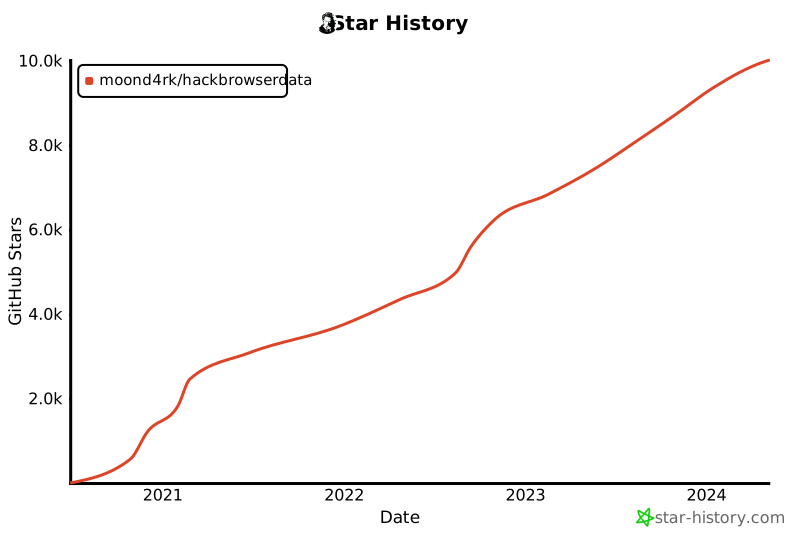
## Stargazers nel tempo
[](https://github.com/moond4rk/HackBrowserData)
## 404StarLink 2.0 - Galaxy
`HackBrowserData` fa parte del 404Team [StarLink-Galaxy](https://github.com/knownsec/404StarLink2.0-Galaxy); se hai domande su `HackBrowserData` o desideri trovare un partner con cui confrontarti, consulta il [gruppo Starlink](https://github.com/knownsec/404StarLink2.0-Galaxy#community).
<a href="https://github.com/knownsec/404StarLink2.0-Galaxy" target="_blank"><img src="https://assets.kitploit.com/production/public/readmes/404/94f6cf110c996c1a92deed0930ecd46e3390562ce9a6e52cfb2526dab6b0c851.png" align="middle"/></a>
## Licenze OS JetBrains
`HackBrowserData` è stato sviluppato con l'IDE `GoLand` nell'ambito delle **licenze open source JetBrains gratuite** concesse da JetBrains s.r.o., perciò desidero esprimere qui i miei ringraziamenti.
<a href="https://www.jetbrains.com/?from=HackBrowserData" target="_blank"><img src="https://assets.kitploit.com/production/public/readmes/404/2612ef311d28a9e5b5f4fad1ba4ed0c9b37f8ba6803c384f92e5c6bbe1d7f4f8.png" width="256" align="middle"/></a>