 merbanan/rtl_433
Programma per decodificare le trasmissioni radio da dispositivi sulle bande ISM (e altre frequenze)

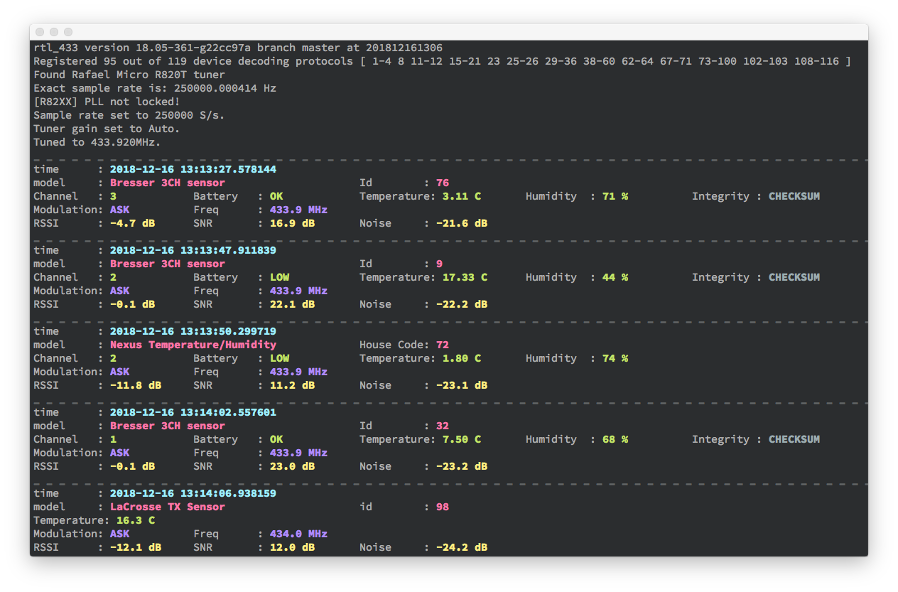
rtl_433 (nonostante il nome) è un ricevitore dati generico, principalmente per le bande ISM a 433.92 MHz, 868 MHz (SRD), 315 MHz, 345 MHz e 915 MHz.
Il codice sorgente ufficiale è nel repository https://github.com/merbanan/rtl_433/.
Vedi anche una lista di software che funziona con rtl_433 nella wiki. Per ulteriore documentazione e progetti correlati, in particolare quelli che aiutano nello sviluppo di rtl_433, vedi il sito https://triq.org/.
Funziona con RTL-SDR e/o SoapySDR. Sono attivamente testati e supportati i dongle DVB basati su Realtek RTL2832 (usando RTL-SDR) e LimeSDR (LimeSDR USB e LimeSDR mini engineering samples gentilmente forniti da MyriadRf), PlutoSDR, HackRF One (usando i driver SoapySDR), così come SoapyRemote.
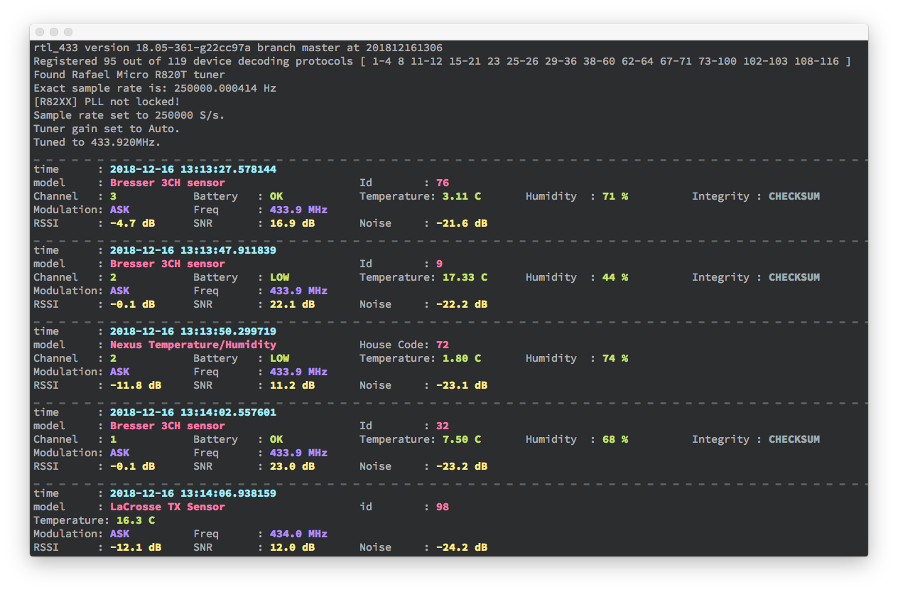
rtl_433 è scritto in C portabile (standard C99) e noto per compilare su Linux (anche embedded), FreeBSD, MacOS e sistemi Windows. Compilatori e toolchain più vecchi sono supportati come obiettivo chiave. Il basso consumo di risorse e le pochissime dipendenze permettono a rtl_433 di funzionare su hardware embedded. Le più comuni architetture CPU a 32-bit e 64-bit come amd64, arm64, armhf, i386, ppc64el, riscv64, s390x e altre sono ben supportate.
Vedi BUILDING.md
Linux (Debian, Ubuntu): sudo apt install rtl-433. Per altre distribuzioni vedi repology o pkgs.org.
FreeBSD: pkg install rtl-433.
MacOS: brew install rtl_433.
Immagini Docker con rtl_433 sono disponibili nella pagina github di hertzg.
Vedi CONTRIBUTING.md.
rtl_433 -h```
A "rtl_433.conf" file is searched in "./", XDG_CONFIG_HOME e.g. "$HOME/.config/rtl_433/",
SYSCONFDIR e.g. "/usr/local/etc/rtl_433/", then command line args will be parsed in order.
= General options =
[-V] Output the version string and exit
[-v] Increase verbosity (can be used multiple times).
-v : verbose notice, -vv : verbose info, -vvv : debug, -vvvv : trace.
[-c ] Read config options from a file
= Tuner options =
[-d | : | | rtl_tcp | help]
[-g | help] (default: auto)
[-t ] apply a list of keyword=value settings to the SDR device
e.g. for SoapySDR -t "antenna=A,bandwidth=4.5M,rfnotch_ctrl=false"
for RTL-SDR use "direct_samp[=1]", "offset_tune[=1]", "digital_agc[=1]", "biastee[=1]"
[-f ] Receive frequency(s) (default: 433920000 Hz)
[-H ] Hop interval for polling of multiple frequencies (default: 600 seconds)
[-p <ppm_error>] Correct rtl-sdr tuner frequency offset error (default: 0)
[-s ] Set sample rate (default: 250000 Hz)
[-D quit | restart | pause | manual] Input device run mode options (default: quit).
= Demodulator options =
[-R | help] Enable only the specified device decoding protocol (can be used multiple times)
Specify a negative number to disable a device decoding protocol (can be used multiple times)
[-X | help] Add a general purpose decoder (prepend -R 0 to disable all decoders)
[-Y auto | classic | minmax] FSK pulse detector mode.
[-Y level=] Manual detection level used to determine pulses (-1.0 to -30.0) (0=auto).
[-Y minlevel=] Manual minimum detection level used to determine pulses (-1.0 to -99.0).
[-Y minsnr=] Minimum SNR to determine pulses (1.0 to 99.0).
[-Y autolevel] Set minlevel automatically based on average estimated noise.
[-Y squelch] Skip frames below estimated noise level to reduce cpu load.
[-Y ampest | magest] Choose amplitude or magnitude level estimator.
[-Y filter=] Manual FM low-pass filter cutoff to separate simultaneous transmissions: us (1-9999, e.g. 20), Hz (10000+), or ratio of sample rate (0.0-1.0).
= Analyze/Debug options =
[-A] Pulse Analyzer. Enable pulse analysis and decode attempt.
Disable all decoders with -R 0 if you want analyzer output only.
[-y ] Verify decoding of demodulated test data (e.g. "{25}fb2dd58") with enabled devices
= File I/O options =
[-S none | all | unknown | known] Signal auto save. Creates one file per signal.
Note: Saves raw I/Q samples (uint8 pcm, 2 channel). Preferred mode for generating test files.
[-r | help] Read data from input file instead of a receiver
[-w | help] Save data stream to output file (a '-' dumps samples to stdout)
[-W | help] Save data stream to output file, overwrite existing file
= Data output options =
[-F log | kv | json | csv | mqtt | influx | syslog | trigger | rtl_tcp | http | null | help] Produce decoded output in given format.
Append output to file with : (e.g. -F csv:log.csv), defaults to stdout.
Specify host/port for syslog with e.g. -F syslog:127.0.0.1:1514
[-M time[:] | protocol | level | noise[:] | stats | bits | help] Add various meta data to each output.
[-K FILE | PATH | | =] Add an expanded token or fixed tag to every output line.
[-C native | si | customary] Convert units in decoded output.
[-n ] Specify number of samples to take (each sample is an I/Q pair)
[-T ] Specify number of seconds to run, also 12:34 or 1h23m45s
[-E hop | quit] Hop/Quit after outputting successful event(s)
[-h] Output this usage help and exit
Use -d, -g, -R, -X, -F, -M, -r, -w, or -W without argument for more help
