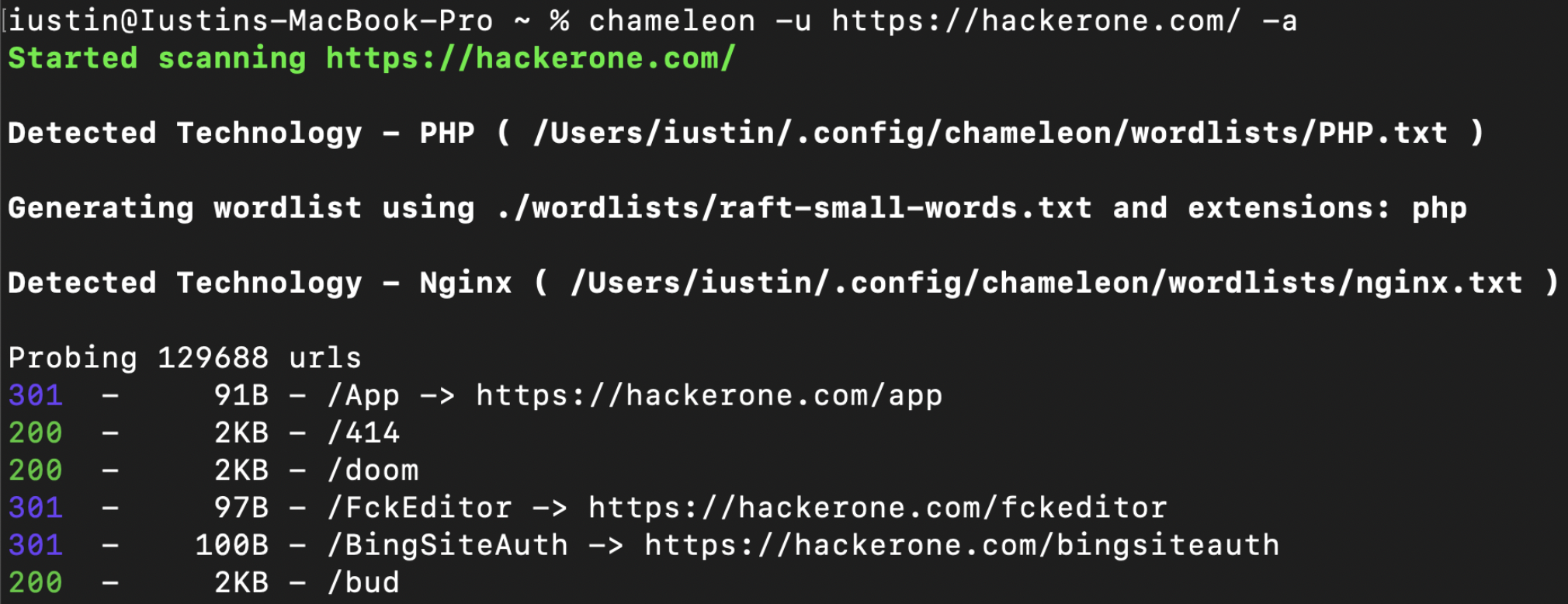
 iustin24/chameleon
Scanner di scoperta di contenuti web consapevole delle tecnologie: rileva i fingerprint Wappalyzer, adatta wordlist/estensioni ed esegue un rapido brute force delle directory per pentesting e bug bounty.

Chameleon offre una migliore scoperta dei contenuti utilizzando il set di impronte tecnologiche di wappalyzer insieme a wordlist personalizzate adattate a ciascuna tecnologia rilevata.
Lo strumento è altamente personalizzabile e consente agli utenti di aggiungere le proprie wordlist personalizzate, estensioni o impronte digitali.
La documentazione completa è disponibile su: https://youst.in/posts/context-aware-conent-discovery-with-chameleon/
curl -sL https://raw.githubusercontent.com/iustin24/chameleon/master/install.sh | bash
L'esecuzione dello script creerà la directory ~/.config/chameleon/ e scaricherà il file di configurazione e le wordlist personalizzate.
> chameleon --url https://example.com -a
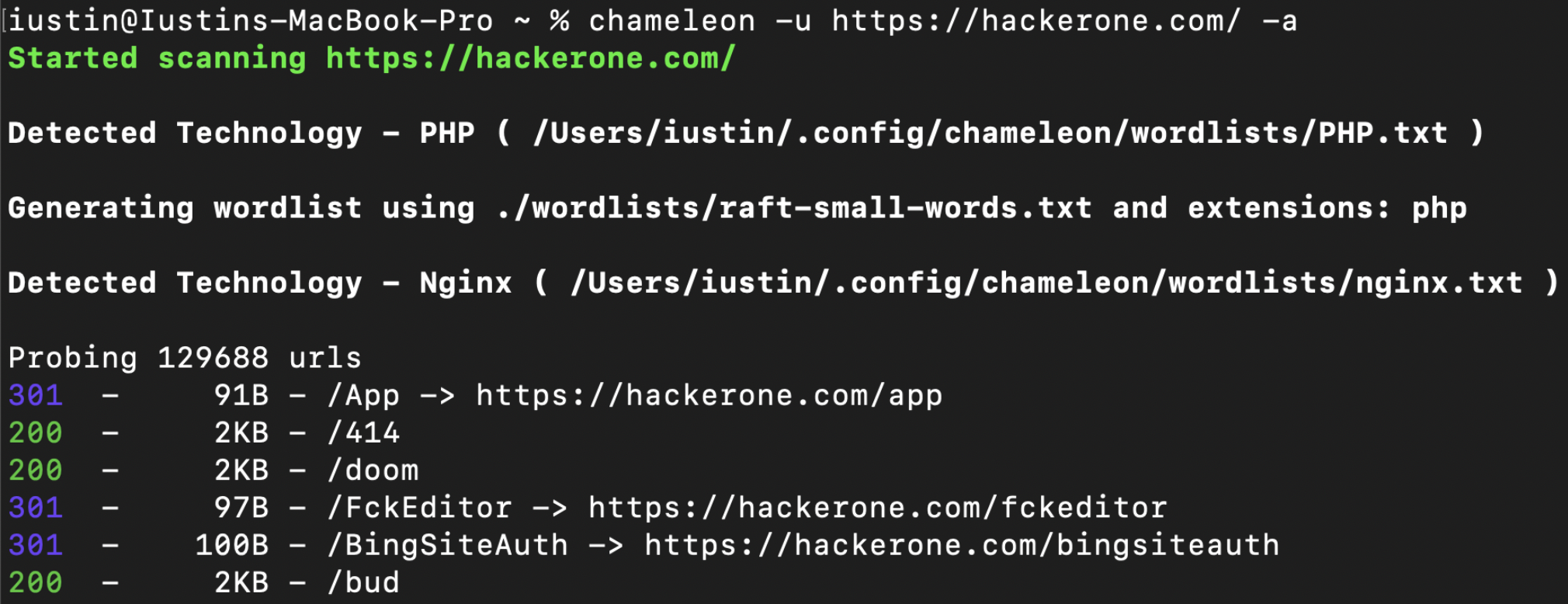
OPTIONS:
    -a, --tech-detect
            Automatically detect technologies with wappalyzer and adapt wordlist

    -A, --auto-calibrate
            Automatically calibrate filtering options (default: false)

    -c, --mc <MATCHCODE>...
            Match HTTP status codes from response - Comma separated list [default:
            200,204,301,302,307,401,403,405]

    -C, --fc <FILTERCODE>...
            Filter HTTP status codes from response - Comma separated list

    -h, --help
            Print help information

    -i, --include tech <TECHS>
            Technology to be included, even if its not detected by wappalyzer. ( -i PHP,IIS )

    -J, --json
            Save the output as json

    -k, --config <CONFIG>
            Config file to use [default: ~/.config/chameleon/config.toml]

    -L, --hosts-file <HOSTS_FILE>
            List of hosts to scan

    -o, --output <OUTPUT>
            Save the output into a file

    -s, --ms <MATCHSIZE>...
            Match HTTP response size. Comma separated list of sizes

    -S, --fs <FILTERSIZE>...
            Filter HTTP response size. Comma separated list of sizes

    -t, --concurrency <CONCURRENCY>
            Number of concurrent threads ( default: 200 ) [default: 40]

    -T, --tech url <TECH_URL>
            URL which will be scanned for technologies. By default, this is the same as '-u',
            however it can be changed using '-T'

    -u, --url <URL>
            url to scan

    -U, --user-agent <USERAGENT>
            Change the value for the user-agent header [default: "Chameleon /
            https://github.com/iustin24/chameleon"]

    -V, --version
            Print version information

    -w, --wordlist <WORDLIST>
            Main wordlist to use for bruteforcing

    -W, --small-wordlist <SMALL_WORDLIST>
            Wordlist used to generate files by adding extensions ( FUZZ.%ext )

    -X, --methods <METHODS>...
            HTTP Methods to use. Comma separated list of sizes [default: GET]
Chameleon utilizza il file di configurazione situato in ~/.config/chameleon/config.yaml.
Se non viene fornita alcuna wordlist, chameleon userà la wordlist specificata in main_wordlist nel file di configurazione. ( Predefinito: ~/.config/chameleon/wordlists/raft-medium-words.txt )
Quando rileva tecnologie con estensioni caratteristiche, chameleon genererà una wordlist in questo modo ( FUZZ.%ext ). Chameleon userà la wordlist specificata in small_wordlist nel file di configurazione. ( Predefinito: ~/.config/chameleon/wordlists/raft-medium-words.txt )
Esempio di config.yaml con wordlist specifiche per tecnologia:
# Technology Specific Wordlists:

Flask="~/.config/chameleon/wordlists/Flask.txt"
Java="~/.config/chameleon/wordlists/Java.txt"
Go="~/.config/chameleon/wordlists/GO.txt"
...
Chameleon utilizza le impronte da https://github.com/iustin24/wappalyzer/blob/master/apps.json.
Puoi aggiungere nuove wordlist per tecnologia prendendo il nome di una tecnologia da apps.json e aggiungendolo al file di configurazione in questo modo:
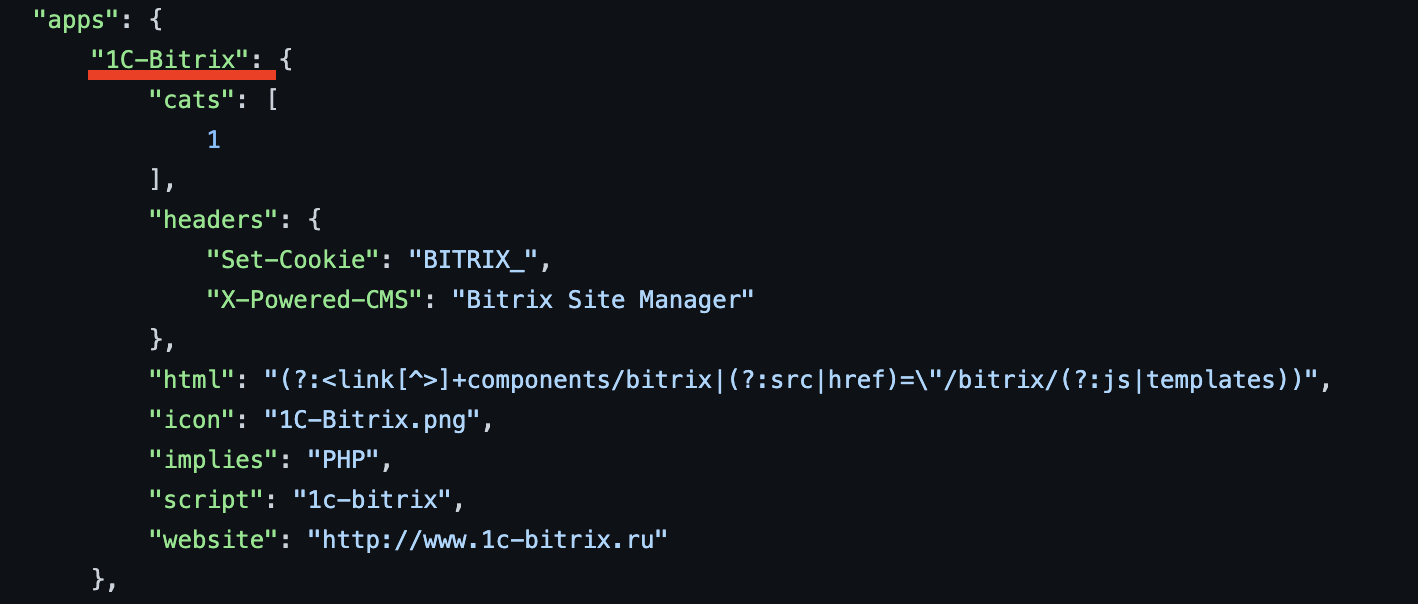
# Technology Specific Wordlists:

1C-Bitrix="~/.config/chameleon/wordlists/new_tech_wordlist.txt"
...
Chameleon genera wordlist utilizzando estensioni caratteristiche corrispondenti alla tecnologia rilevata. Puoi aggiungere / modificare le estensioni nel file di configurazione in questo modo:
# Technology specific Extensions

Microsoft_ASP_NET_ext="aspx,ashx,asmx,asp"
Java_ext="jsp"
CFML_ext="cfm"
Python_ext="py"
PHP_ext="php"
Aggiornare la crate di wappalyzer per supportare anche la funzionalità "implies" per una migliore rilevazione delle tecnologie.
Aggiungere la calibrazione automatica per il filtraggio
Aggiungere un'opzione per aggiungere header personalizzati.
epi052 - https://github.com/epi052/feroxfuzz/
