 dstotijn/hetty
Un toolkit HTTP per la ricerca sulla sicurezza.




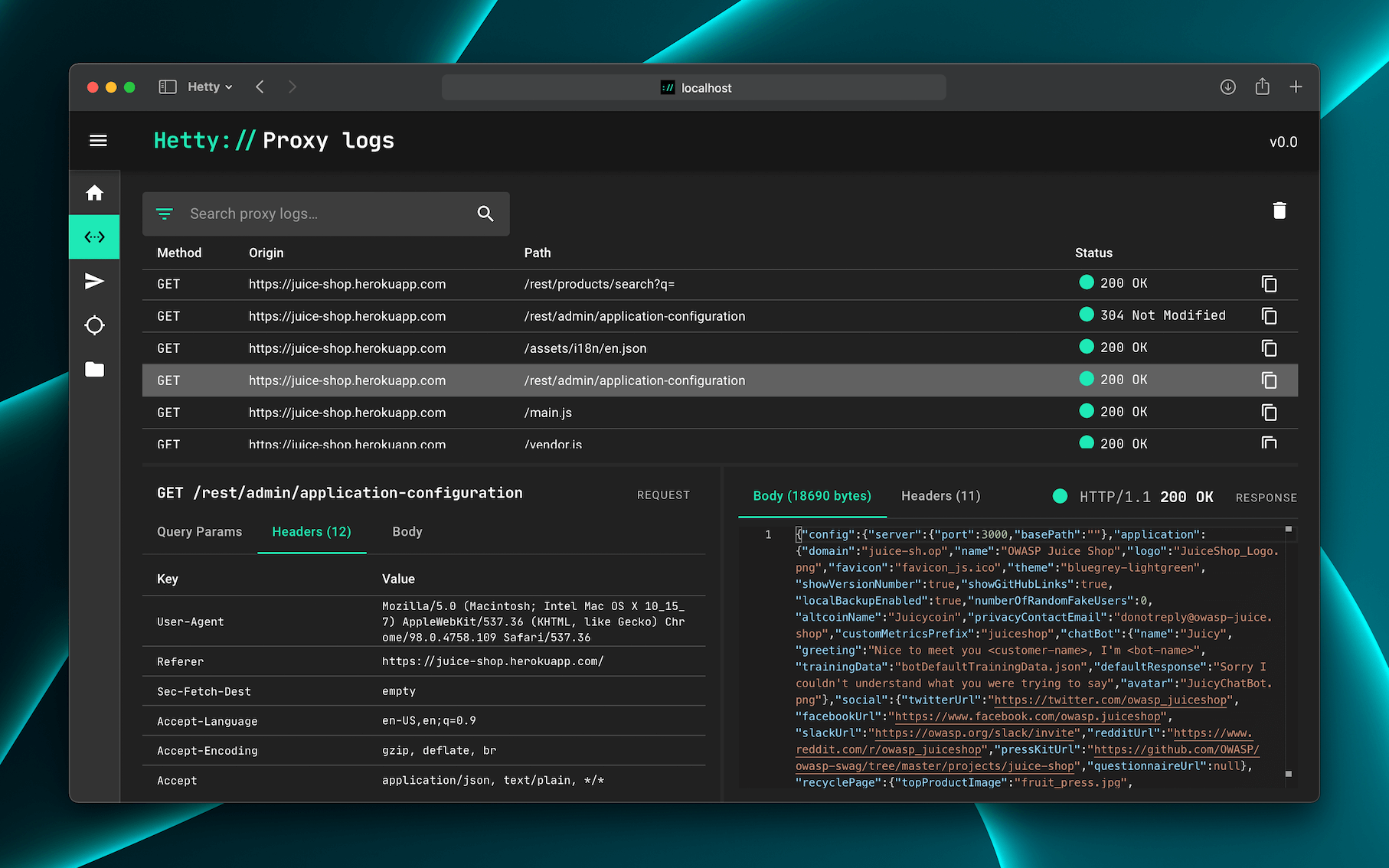
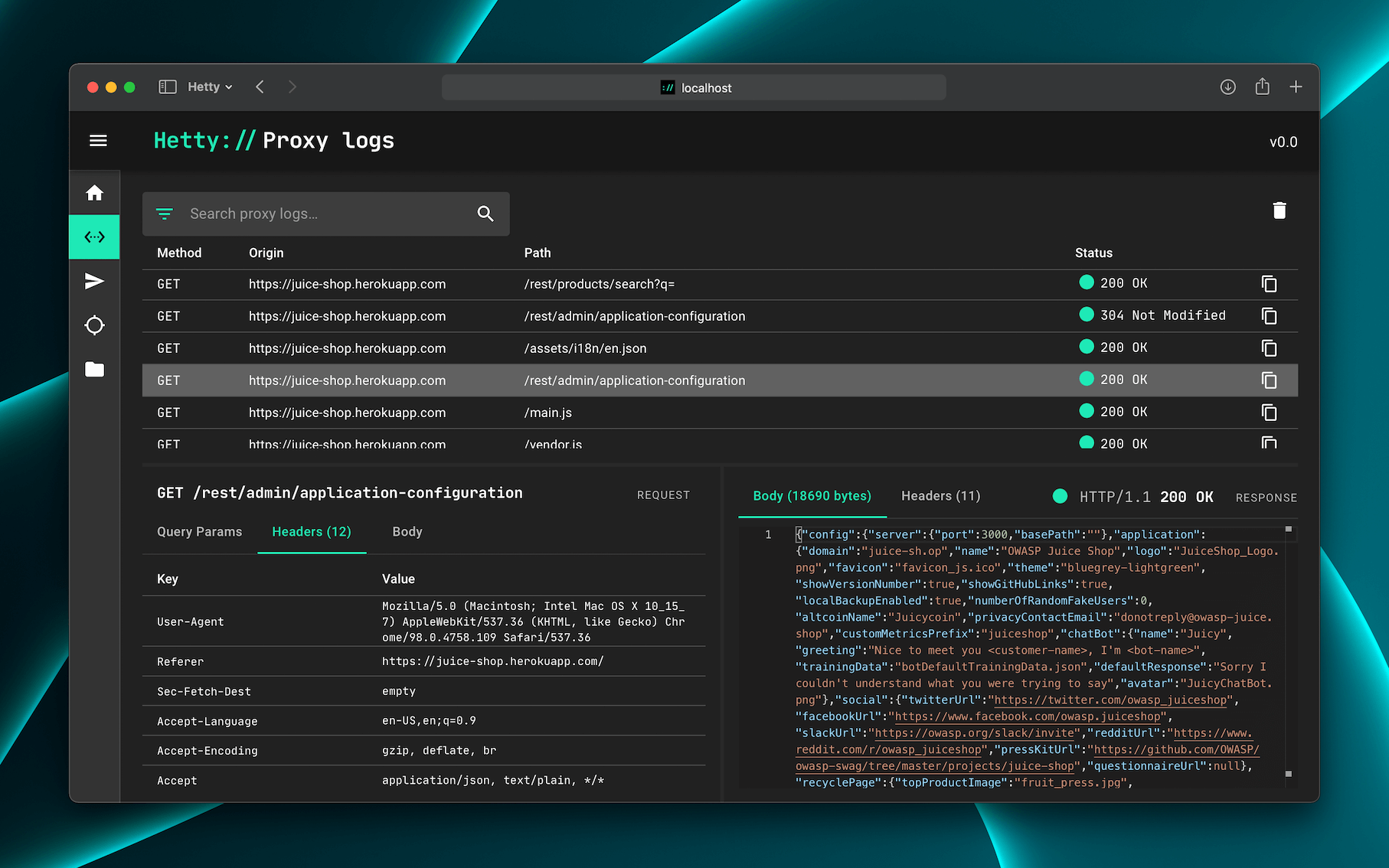
Hetty è un toolkit HTTP per la ricerca sulla sicurezza. Mira a diventare un'alternativa open source a software commerciali come Burp Suite Pro, con potenti funzionalità pensate per le esigenze della community di infosec e bug bounty.
👷♂️ Hetty è in fase di sviluppo attivo. Controlla il backlog per lo stato attuale.
📣 Stai facendo pen test a livello professionale in un team? Mi piacerebbe conoscere le tue opinioni sugli strumenti tramite questo sondaggio di 5 minuti. Grazie!
💡 Il documento Per iniziare ha istruzioni più dettagliate per l'installazione e l'uso.
Il modo più rapido per installare e aggiornare Hetty è tramite un gestore di pacchetti:
brew install hettysoft/tap/hetty
sudo snap install hetty
scoop bucket add hettysoft https://github.com/hettysoft/scoop-bucket.git
scoop install hettysoft/hetty
In alternativa, puoi scaricare l'ultima release da
GitHub per il tuo sistema
operativo e architettura, e spostare il binario in una directory nel tuo
$PATH. Se il tuo sistema operativo non è disponibile per uno dei gestori di
pacchetti o non è elencato nelle release di GitHub, puoi compilare dal
sorgente (link in arrivo).
Le immagini Docker sono distribuite tramite il Container registry di GitHub e Docker Hub. Per eseguire Hetty con un volume per l'archiviazione del database e dei certificati e con la porta 8080 inoltrata:
docker run -v $HOME/.hetty:/root/.hetty -p 8080:8080 \
  ghcr.io/dstotijn/hetty:latest
Una volta installato, avvia Hetty con:
hetty
💡 Leggi il documento Per iniziare per maggiori dettagli.
Per elencare tutte le opzioni disponibili, esegui: hetty --help:
$ hetty --help

Usage:
    hetty [flags] [subcommand] [flags]

Runs an HTTP server with (MITM) proxy, GraphQL service, and a web based admin interface.

Options:
    --cert         Path to root CA certificate. Creates file if it doesn't exist. (Default: "~/.hetty/hetty_cert.pem")
    --key          Path to root CA private key. Creates file if it doesn't exist. (Default: "~/.hetty/hetty_key.pem")
    --db           Database file path. Creates file if it doesn't exist. (Default: "~/.hetty/hetty.db")
    --addr         TCP address for HTTP server to listen on, in the form \"host:port\". (Default: ":8080")
    --chrome       Launch Chrome with proxy settings applied and certificate errors ignored. (Default: false)
    --verbose      Enable verbose logging.
    --json         Encode logs as JSON, instead of pretty/human readable output.
    --version, -v  Output version.
    --help, -h     Output this usage text.

Subcommands:
    - cert  Certificate management

Run `hetty <subcommand> --help` for subcommand specific usage instructions.

Visit https://hetty.xyz to learn more about Hetty.
Usa issues per segnalazioni di bug e richieste di funzionalità, e discussions per domande e risoluzione dei problemi.
💬 Unisciti al server Discord di Hetty
Vuoi contribuire? Ottimo! Consulta le Linee guida per i contributi per i dettagli.
💖 Ti piace Hetty? Puoi sponsorizzarmi!
© 2019–2025 Hetty Software

